Share this article | Listen to this article ($)
I love being a builder. I feel like I have a new superpower and I can’t get enough of it.
I enjoy tinkering with my Claude Code workflows to make my days more effortless. I’m having a blast building AI-generated interview snapshots and opportunity solution trees for Vistaly. I thoroughly enjoy digging into my traces and iterating on my AI coaches for our discovery courses.
But some of the shine of that superpower started to wear off over the past couple of weeks. Recently, malicious software started spreading through the open-source community. It affected companies big and small—many that you’ve heard of, like OpenAI, PostHog, and Zapier.
As I started to investigate what I needed to do to defend against this hack, it looked like the solution was simple—move to some better, properly configured tools. But as I learned more, I realized what most cybersecurity experts have long known—this is a rabbit hole that just keeps getting deeper. I’m learning that to build responsibly, I need to get far better at keeping my devices and my code safe. And this doesn’t just affect me; it probably affects you, too.
Let me explain why. We are all using open-source software. Most software isn’t built from scratch. It mixes and matches components from the broader software development community. When you need to parse a PDF, you don’t have to build your own PDF parser. Someone else has already built that and made it available for you to use. If you need to handle dates across time zones, visualize data from a spreadsheet, or connect to an API, someone has already written software that you can simply reuse.
Most third-party code is perfectly safe. Almost every app on your computer relies on it. Open-source software has flourished because it helps all of us build faster. More recently, the popularity of agent skills and MCP servers (another form of third-party code) is helping us all learn how to get more value out of models. This is good. I don’t want you to walk away from this article thinking third-party software is bad. It’s not.
But malicious actors do take advantage of this ecosystem to propagate harmful code. We need to be aware of the mechanisms that they use and we need to defend against those mechanisms.
What Happened: How This Ended Up on My Radar
On May 11th, I started seeing tweets about a TanStack hack. At that time, I didn’t know what TanStack was. But apparently, it’s a popular set of JavaScript libraries that are used by a lot of React sites.
At first, this wasn’t notable. I was aware of package hacks and I didn’t use TanStack, so I continued on with my day. But then, I started to see reports of more packages being hacked. It turns out the TanStack packages were compromised by a worm—malicious software that has a mechanism to self-replicate. We’ll cover exactly how this works in a bit, but for now, the key point is that it spread quickly.
Within a couple of hours, I was seeing reports of dozens of packages being compromised and by the end of the day, the numbers were in the hundreds. This scared me. I realized I needed to start paying attention.
If you read my “How to Use Claude Code Safely” article, you’ve already been introduced to package hacking. A package is a bundle of reusable code that is shared through package registries.
Almost every piece of software that you use relies on third-party packages. This is normal. But because there are malicious actors out there, not all packages are safe. Before we install a package on our local device, we need to make sure it’s safe. My safety article included some basic tips for how to evaluate if a package is safe.
Unfortunately, this hack (known as the Mini Shai-Hulud worm) is showing that this guidance wasn’t adequate. We can’t just rely on popular or even trusted sources. We have to do more to protect ourselves. And that realization is why I am introducing a new series.
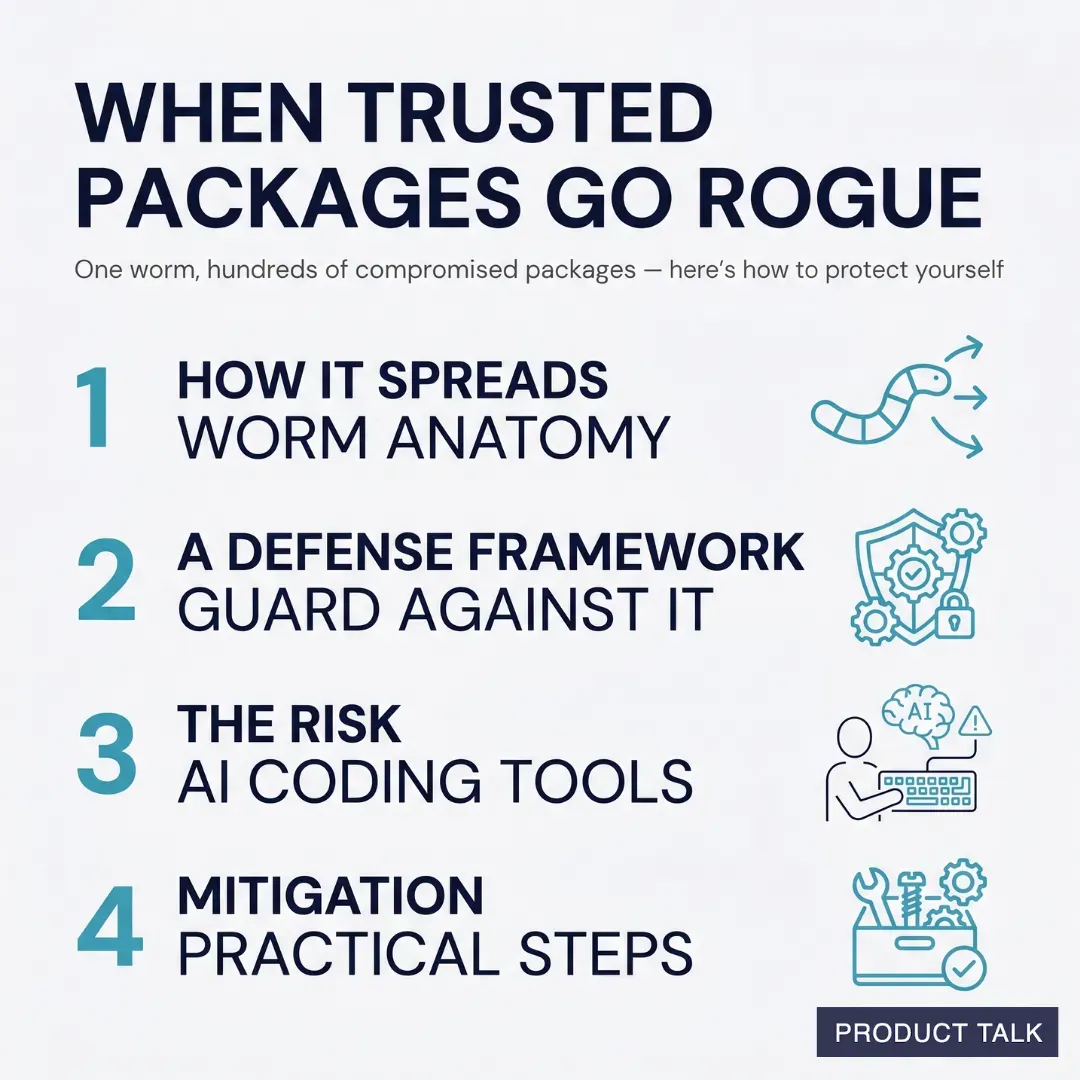
Today, I’ll cover:
- how malicious software typically works,
- a framework for how we can guard against it,
- the risk of using Cowork to write and run code,
- and how to mitigate some of that risk.
In subsequent articles, we’ll go even deeper. Next week, I’ll dive into how to use coding agents like Claude Code and Codex safely on your local device. I’ll share:
- the exact tools I’m using to defend against malicious actors,
- how I’ve configured Claude Code to ensure it always uses the right tools,
- and a public repo where you can grab my config files and utility scripts that make it all work.
And in the following week, I’ll share why I’m moving most of my development off of my local device and how I’m doing that. We’ll explore the differences between containers and virtual machines, whether you should run them locally or in the cloud, and what resources already exist that can help you get set up quickly.
My goal is to help you keep building—despite the risks—in a way that keeps you and your data safe.
But before we dive in, I have to share a disclaimer. I’m not a security expert. I’m sharing my personal journey and what I learned through a lot of research. Please use your best judgment when applying the content of this article.
With that caveat, let’s look at the anatomy of malicious software.
How Malicious Software Typically Works
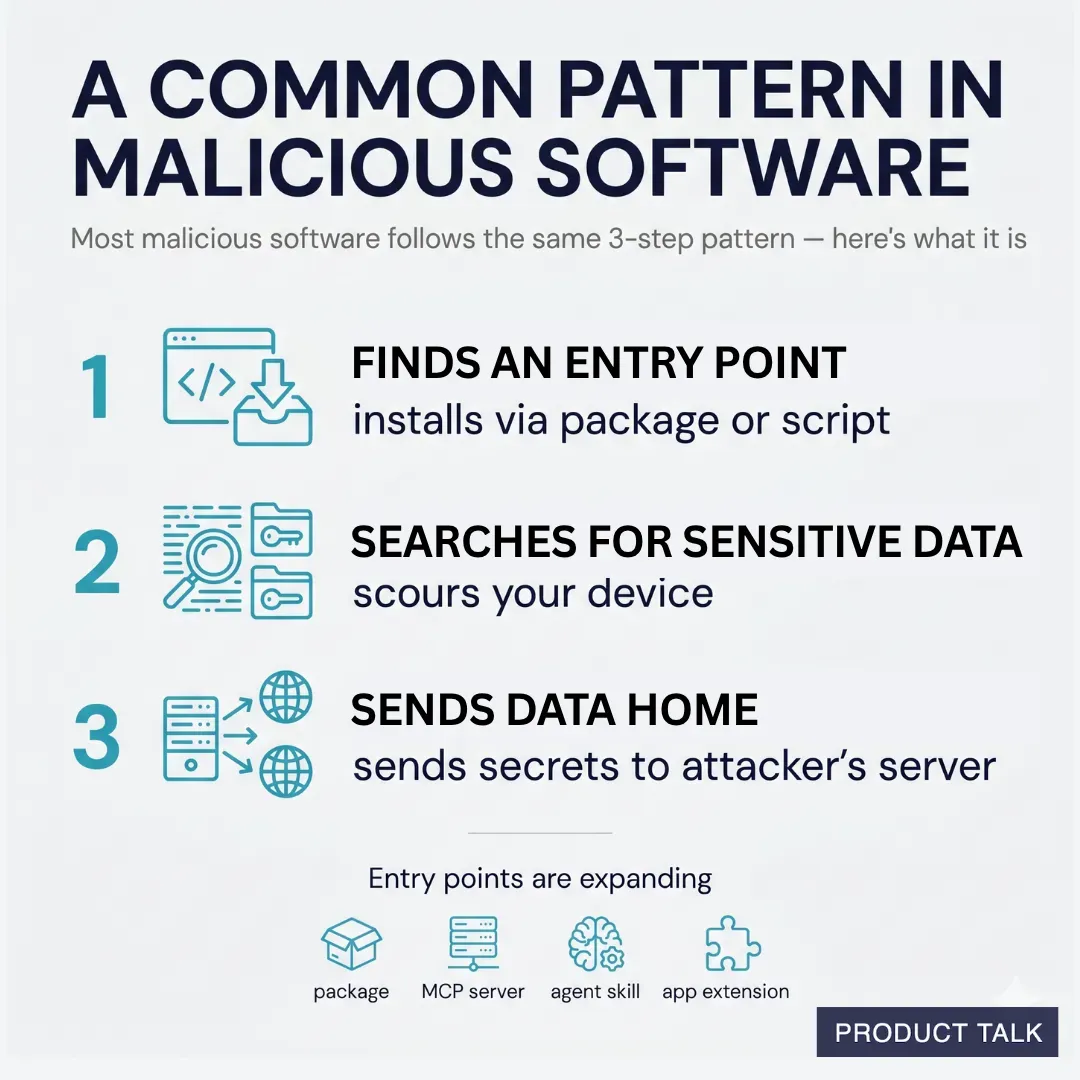
An agent recently scoured over 230,000 malicious software incidents and found that most malicious software follows a similar pattern. First, it needs an entry point onto your computer. Once installed, it scours your device for sensitive data, and then it uses your network connection to send that data to its own servers.
The Mini Shai-Hulud worm spreads using this exact pattern. It gains entry into new devices via a malicious package install script. When a developer downloads a package from a package registry, it can include install scripts that automatically run at time of download. Once the install script runs, the malicious code gains access to the developer’s device. The code searches the device for credentials, including credentials to publish other packages. It uses those credentials to poison any additional packages the developer has publishing rights to. This is how the worm spread so quickly. It then uses three different channels—including the victim’s own GitHub public repos—to distribute the secrets.
So an attack typically involves three steps:
- It finds an entry point to your device.
- It searches your device for sensitive data.
- It sends that data to its own server.
The good news is this pattern also tells us exactly what we need to guard against. We can block the most common entry points, we can limit what our code (and coding agents) have access to, and we can (sometimes) limit our outgoing network traffic.
The Mini Shai-Hulud worm used package install scripts to gain access to new devices. But this isn’t the only entry point. Any code that has permission to run on your computer can include malicious code.
So we need to be mindful not just of what packages we install, but also what agent skills we download, what MCP servers we use, and even what third-party app extensions we add.
It used to be that only engineers had to worry about this problem. But as more of us use agent skills, MCP servers, vibe coding tools, and coding agents, more of us are being exposed to this risk. We need to understand how to mitigate it.
How To Determine If You Might Be at Risk
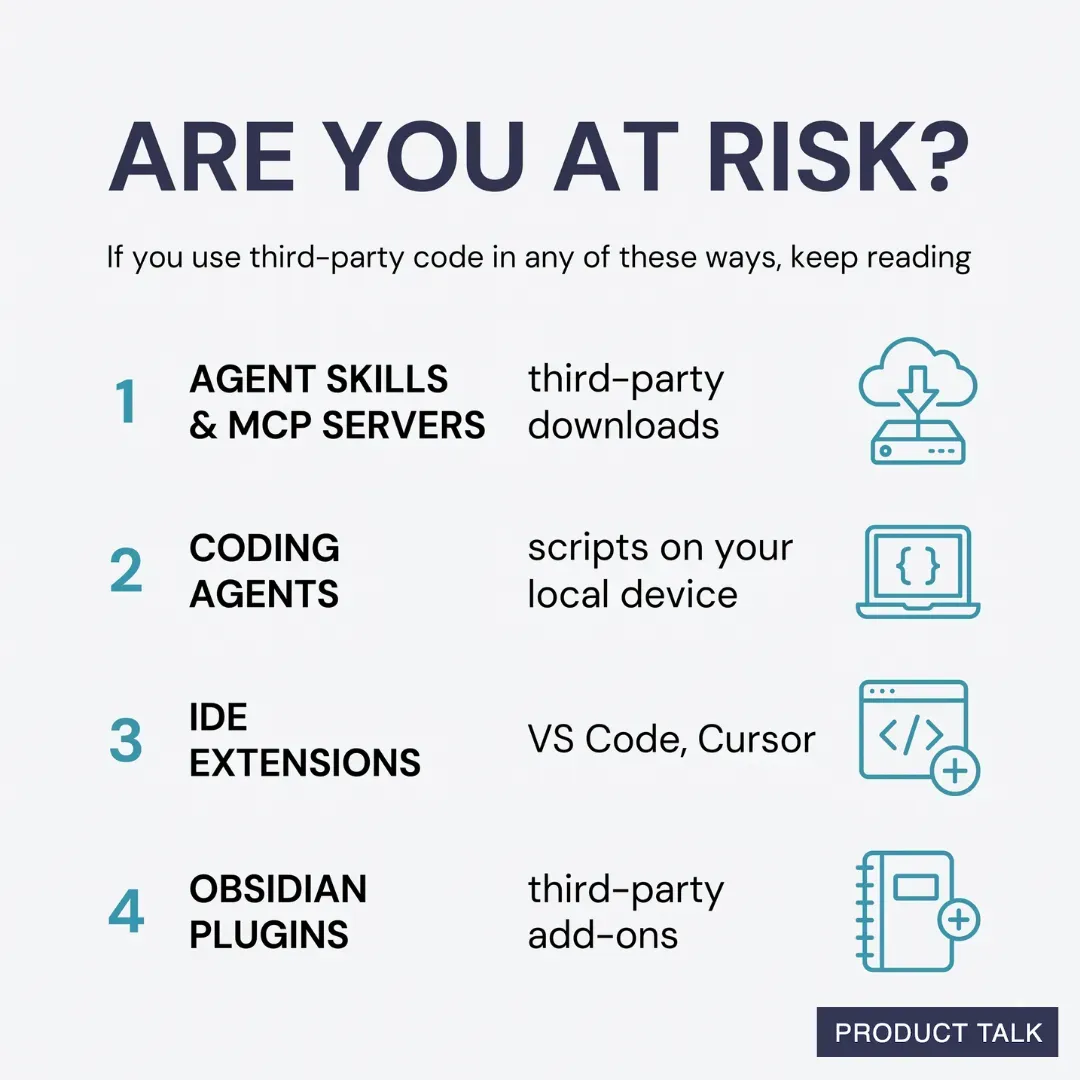
Before we dive into how to defend against malicious actors, let’s talk about what opens you up to this type of risk. Here are several common scenarios that rely on using third-party code:
- You download and use third-party skills or MCP servers.
- You let Claude Code, Codex, or any other coding agent write scripts that run directly on your local device and those scripts use third-party packages.
- You use an integrated development environment (e.g. VS Code, Cursor) and use third-party extensions.
- You use Obsidian and install third-party extensions.
This list isn’t exhaustive. But if you are doing any of these things, please keep reading. We’ll cover the full list over the course of the series.
How to Defend Against Malicious Code: The Safe-ish Option
The most reliable way to defend against malicious actors is to never install third-party software on your local device. But that’s not realistic. We all use countless apps every day. I know many of you are already using third-party skills and MCP servers, and some of you are even using coding agents to write and execute code that needs third-party packages.
Today, we’ll start with one of the most common ways non-engineers are writing and running code—with Cowork.
Evaluating Cowork’s Safety When It Comes to Malicious Code
I was surprised to learn Cowork isn’t as safe as I had thought. It does offer some protection and it is much safer than Claude Code, but it has a significant safety gap that you need to be aware of.
Understanding Cowork’s Security Defenses
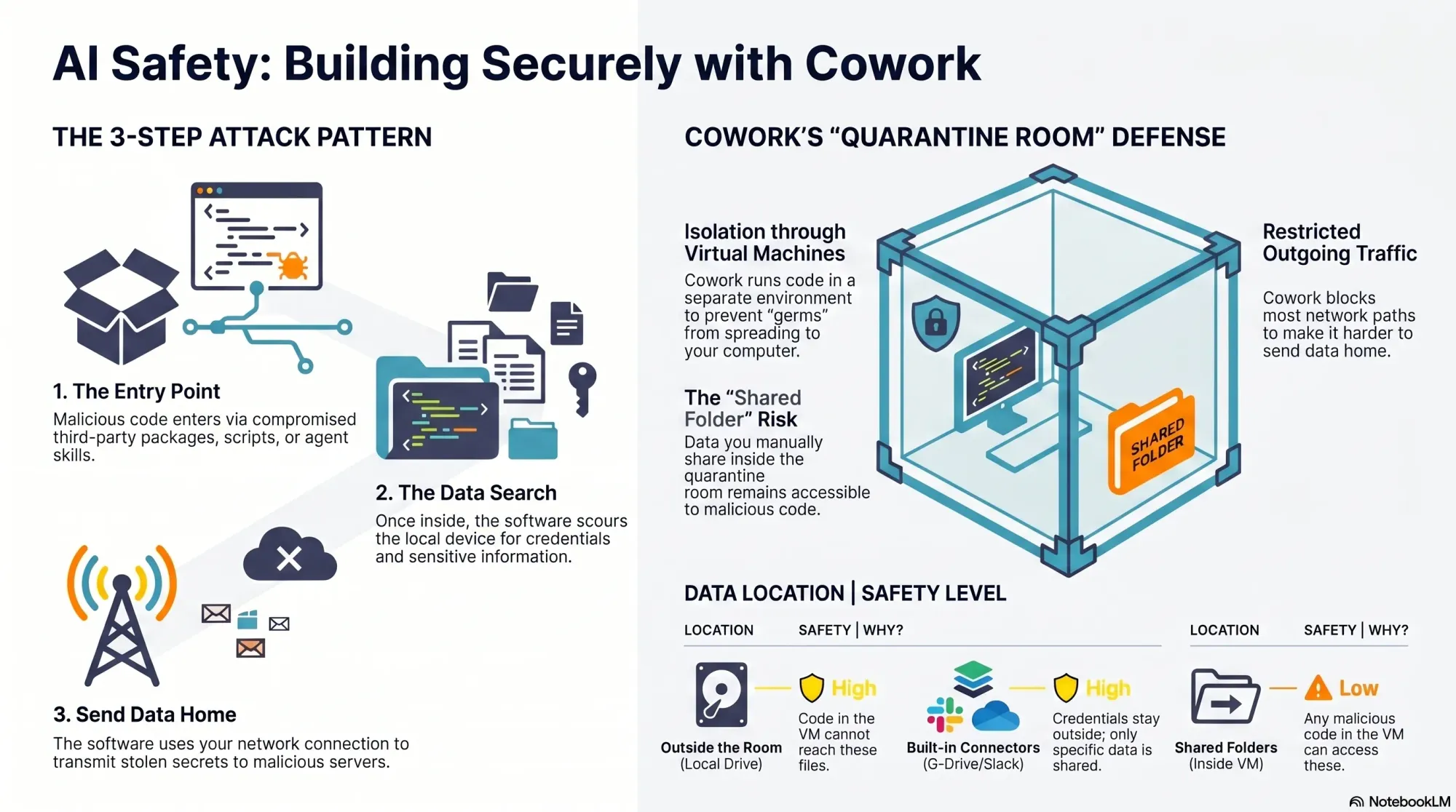
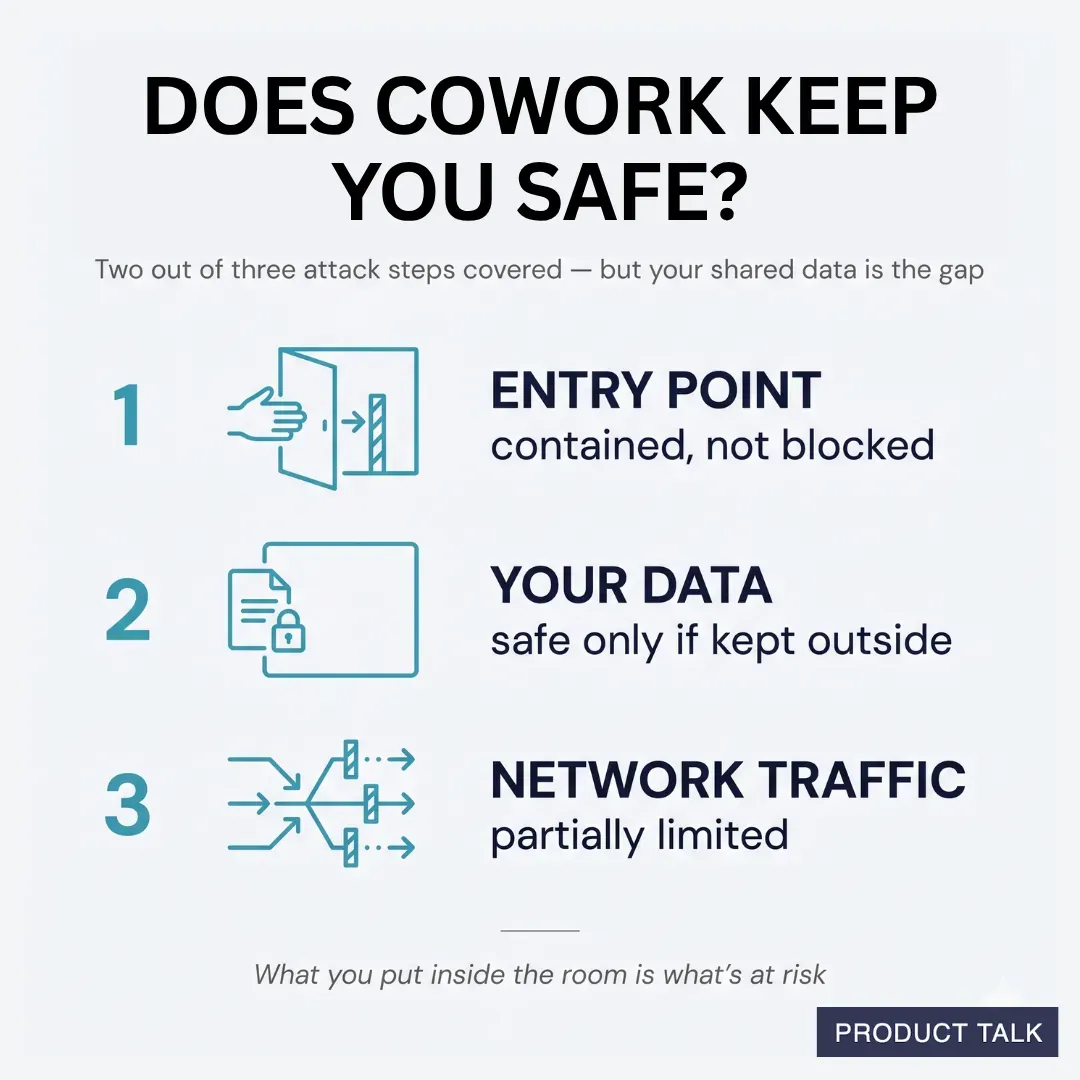
Cowork addresses two out of the three steps in our malicious code pattern. It provides protection through isolation—it runs code in a virtual machine. You can think of a virtual machine like a quarantine room. In a quarantine room, you want to keep what’s inside from getting out so that the germs can’t spread.
Cowork does little to protect what can enter the room. It’s up to you to manage that. However, if a germ (malicious code) does enter the room, it can’t get out. Anything that sits outside the room (most of your files) can’t get infected.
Cowork also limits network traffic that leaves the virtual machine. So not only does it isolate code, it limits what can exit. So in the event that malicious code does get access to the virtual machine, Anthropic makes it harder for hackers to send data home (our third step in the malicious code pattern). But we’ll see this isn’t 100% secure.
Claude can install packages inside Cowork. That means it is susceptible to malicious code like the Mini Shai-Hulud worm. And while it does limit outgoing network traffic, GitHub is on the allow list. This allows Cowork to read and write to your GitHub repos.
The problem is the Mini Shai-Hulud worm uses GitHub to publish secrets. So Cowork does not fully protect you from this type of attack. But, remember, if you never give Cowork access to sensitive data, then there is no data to expose to the attackers.
Understanding Your Responsibility When You Use Cowork
So the important thing to keep in mind is: Your data is only safe if it lives outside of the virtual machine. If you move your data inside the quarantine room, then any malicious code that can get inside can also access your data.
Cowork does allow you to put data inside the isolation room. When you do this, those folders become accessible from within the virtual machine. So any malicious code that runs inside the virtual machine will be able to access those folders.
There are two things to consider when you give Cowork access to folders on your device.
- Do those folders contain any credentials or secrets?
- Do those folders contain any proprietary data that would be harmful for a malicious actor to access?
It’s not unusual for code to need access to credentials. We need API keys to use APIs. But once those credentials enter the virtual machine, they are now exposed to any malicious code that might get access.
This is why Cowork has built-in connectors to third-party sources (e.g. Google Drive, Slack). This allows you to give Claude access to data that otherwise might require an API key. The credentials that you configure for connectors never get exposed to the virtual machine. They stay outside the quarantine room. So you don’t have to worry about malicious actors getting access to these credentials. But if your code requires other credentials to do its task, those credentials would be exposed inside the virtual machine. Make sure these credentials are tightly scoped.
You can also use custom MCP servers (ones that you create yourself) with Cowork. And when you do this, those credentials also stay outside of the quarantine room. But these MCP servers have to be remote—meaning you have to host them on a web server somewhere. It’s not as easy as downloading an MCP server on your local device and asking Claude to configure it for you. But if you do want to use your own MCP servers with Cowork, this is the way to go—it keeps your credentials safe.
But it’s not just credentials that you have to worry about. You also need to consider what’s in the folders that you explicitly share—including the content that is coming via the connectors. This is where most of the risk lies. You don’t want to expose any of your sensitive or proprietary data to bad actors. A good rule of thumb is to give Cowork only as much access as it needs to do the task at hand and no more.
Are Skills Safe in Cowork?
Cowork does support skills. You can add third-party skills inside the quarantine room, and as long as you aren’t putting any of your own data in the room, then it’s perfectly fine to take some risks here. But as soon as you add your own data (which is typically what makes skills useful), then you’ll want to be mindful about which skills you are using. Skills can (and often do) include third-party code. Bad actors are using skills directories to distribute malicious code.
I never use third-party skills. If there’s a third-party skill that I’m interested in, I simply read through the files to see what it’s doing and ask Claude to recreate it for me. This allows me to learn from how other skills work and ensures that my data stays safe. But if I were to use third-party skills, I would use them in Cowork and limit what data they had access to.
The Limitations of Cowork’s Safety
Generally, if you are mindful about what you share with Cowork, it’s a pretty safe option. However, it can be hard to limit what you put in the room. Giving agents access to our data is exactly what makes them useful. Next week, we’ll look at strategies for how to keep malicious code out. These strategies are designed for your local device—but they can also work in Cowork with a little bit of effort. So if you want to get more out of Cowork, stay tuned for next week’s article.
| Attacker’s step | How Cowork protects you |
|---|---|
| 1. Gain access to your device (via install scripts) | Doesn’t block it—but contains it. Install scripts still run, but inside an isolated virtual machine, not on your real device. |
| 2. Access your sensitive data | Strong, with one caveat. Malicious code can only reach the folders you explicitly share. The rest of your filesystem—including credentials outside those folders—stays out of reach. |
| 3. Send your data to their servers | Partial. Anthropic limits the network traffic leaving the virtual machine. Not foolproof, but it provides some protection. |
Don’t Confuse Cowork with the Code Tab in the Desktop App
One more thing to keep in mind: The Claude Desktop app includes both a Cowork tab and a Code tab. Cowork runs code inside a virtual machine, Code does not. If you ask Claude to write code for you from within the Code tab, you’ll need to manage the security of that code yourself. This code runs on your local device. There is one exception to this—Code in the Desktop app does allow you to run code in Anthropic’s cloud. We’ll cover this option in the third article in this series.
| Attacker’s step | How the Code tab protects you (local sessions) |
|---|---|
| 1. Gain access to your device (via install scripts) | None. Code runs directly on your machine—install scripts execute on your real device. |
| 2. Access your sensitive data | None. The code has full access to your filesystem: your files, SSH keys, and credentials. |
| 3. Send your data to their servers | None. Code can use your network connection freely to send data anywhere. |
Some Final Thoughts

I suspect we covered a lot of new territory for many of you. In my Claude Code safety article, I tried to strike the right balance between encouraging you to take safety seriously and not scaring you off completely. I’m trying to strike that same balance here.
I still love building with AI—I’m just doing it a bit more cautiously these days. Today, we only scratched the surface. We covered how to use Cowork safely. But this approach has limitations. I personally still prefer Claude Code and I’ll be sharing next week how I configured it to be safer. But safer doesn’t mean safe, which is why I’m also moving to a strategy where most of my development will happen off of my device. Stay tuned for more on both.
In the meantime, let me know in the comments if this series is helpful. This is a pretty significant departure from my discovery content. But if I’m going to encourage you to wade into this new AI builder world, I want to make sure that I’m also helping you do it safely.
Until next week. Stay safe out there.
Audio Version
The audio version is only available for paid subscribers.