As a product marketer, you’re probably all too familiar with the pressure: you’re expected to use AI more, move faster, and help your company succeed… but nobody handed you a playbook for how to make that happen.
That was me in my last role. I was a PMM team of one, and I kept feeling like I had to do more. So, I started experimenting – testing tools, building agents, and trying workflows to see what actually worked.
What you’ll get in this article is the good stuff (not the wasted hours, broken setups, and “why isn’t this working?” moments). I’ll share five ways you can start making your life easier with AI right away:
- Stay ahead with automated CI
- Streamline launches with AI workflows
- Get faster, verifiable market insights
- Connect ICPs to real product needs
- Make your sales enablement stick
What makes a good AI workflow?
Before we dive into the hacks, let’s start with some best practices for building AI workflows.
When you’re trying to automate parts of your job and actually get value from AI, the difference between “cool demo” and “this saves me hours” comes down to workflow design.
If you never built an agent or a custom GPT before, don’t worry – it’s not as intimidating as it sounds. At a very high level, it’s a lot like building a customer journey map. You’re not asking the AI how to do the work – you’re telling it what to do, step-by-step.
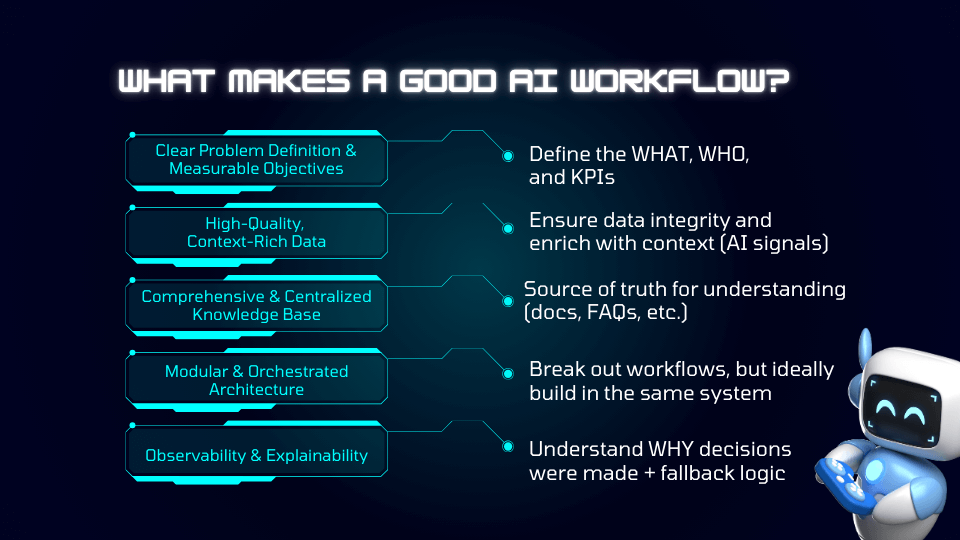
Here’s what makes a strong workflow:
- Clear problem definition and measurable objectives: Be explicit about the job to be done. What are you solving? Who is it for? What does success look like? Define the what, the who, and the KPIs so you can actually measure whether the workflow is working.
- High-quality, context-rich data: AI is only as good as what you feed it. Make sure your data is accurate, current, and enriched with meaningful context – including messaging, positioning, customer signals, and relevant background.
- A comprehensive, centralized knowledge base: Create a clear source of truth the agent can pull from – product docs, FAQs, messaging frameworks, launch briefs, call transcripts. If the knowledge is scattered or outdated, the output will be too.
- Modular, orchestrated architecture: Break complex processes into logical steps rather than trying to make one massive prompt do everything. Ideally, keep those steps connected within the same system so your workflow stays consistent and manageable.
- Observability and explainability: You should be able to see how decisions were made. Where did the information come from? Why did it generate that answer? Build in fallback logic and checkpoints so you’re not blindly trusting the output.
The most important input: Customer conversations
People ask me all the time, if I’m building a knowledge base for an agent, what’s the most important thing to include? My honest answer is to put as much as you can into it. The more context you give an agent, the better. Website links, two-pagers, blog posts – all of it helps.
However, if I had to pick one thing above everything else, it’s this: customer conversations. Gong calls, call transcripts, whatever you have. That’s your true voice of the customer, and it’s gold for product marketing agents.
For expert advice like this straight to your inbox every Friday, sign up for Pro+ membership.
You’ll also get access to 30+ certifications, a complimentary Summit ticket, and 130+ tried-and-true product marketing templates.
So, what are you waiting for?
What makes a bad AI workflow?
On the flip side, I’ve learned the hard way that bad workflows usually fail for the same reasons that good workflows succeed. If you’ve ever gotten a generic, unusable output from ChatGPT, it probably wasn’t because AI sucks – but maybe your prompts do.
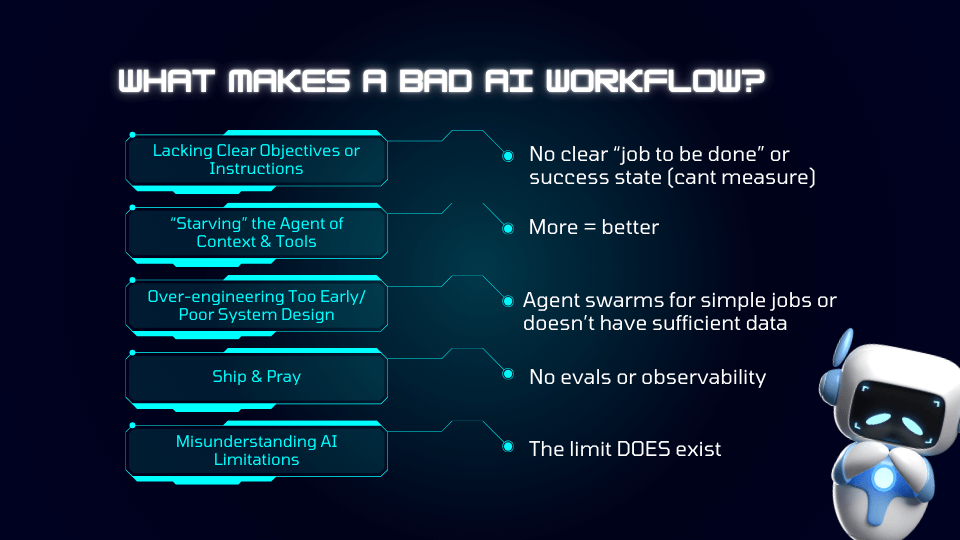
Here’s what makes a workflow fall apart:
- Lacking clear objectives or instructions: If there’s no defined job-to-be-done or success state, you can’t measure impact. Vague prompts like “Write me a campaign brief” almost always lead to vague outputs.
- Starving the agent of context and tools: Assuming the AI will just “figure it out” without examples, templates, or source material is a mistake. The less context you give it, the more generic – or just plain wrong – the response will be.
- Over-engineering too early or poor system design: If you build complex systems before validating the basics, you’ll create unnecessary chaos.
- Ship and pray: Building the agent, launching it internally, and never testing or evaluating it is risky. Without reviews, testing, and ongoing monitoring, you won’t catch outdated data or incorrect outputs.
- Misunderstanding AI limitations: AI can sound confident and still be wrong. If you’re not validating sources, checking outputs, and pressure-testing responses, you’re setting yourself up for avoidable mistakes. To misquote Lindsay Lohan in Mean Girls, the limit DOES exist.
A real example: The RFP agent that backfired
At my company, we built a request for proposal (RFP) response agent. The idea was simple: a salesperson drops in the RFP questions, and it spits out answers. I built the agent and basically said, “Great – have fun.”
The problem? I didn’t check where the responses were coming from. It turned out it was pulling product info from two years ago – not the updates we’d just launched.
Even if your agent technically works, you still have to validate the output, confirm the sources, and keep your knowledge base fresh. And one final rule of thumb: push your AI tools to cite their sources. Human validation is an essential part of working with AI.
Hack #1: Stay ahead with automated CI
Let’s start with the first of the five things to use AI for: competitive intelligence.
Competitive intel is incredibly important – and for a long time, it’s been incredibly manual. Checking competitor websites, tracking announcements in Slack channels, sorting through Google Alerts that don’t really tell you anything… It’s a lot.
And then, of course, there are battlecards, which somehow always need updating the second you finish them.
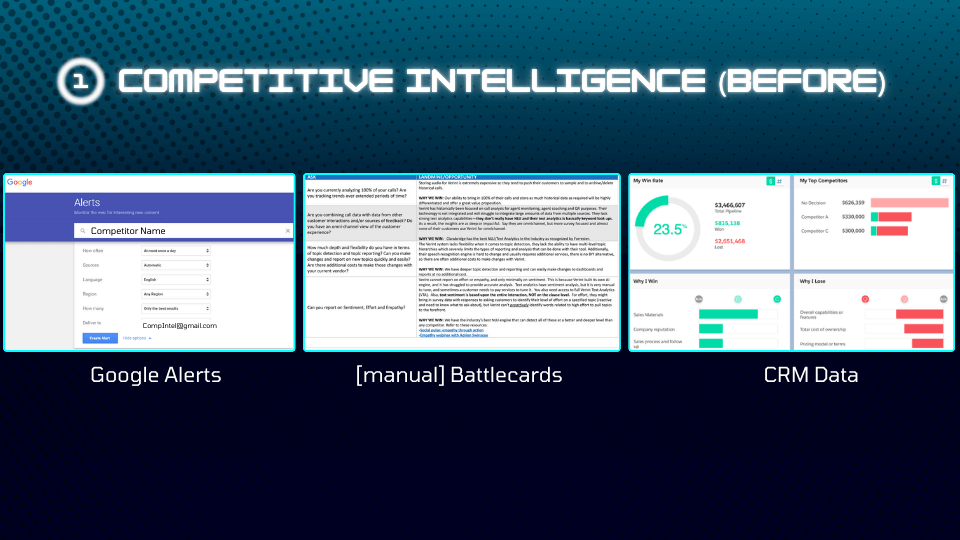
Even CRM data can be hit or miss. How many salespeople actually write down why they lost a deal? And if it was a lower-priority competitor, do they explain why… or do they just put “other”?
So what’s a better way?
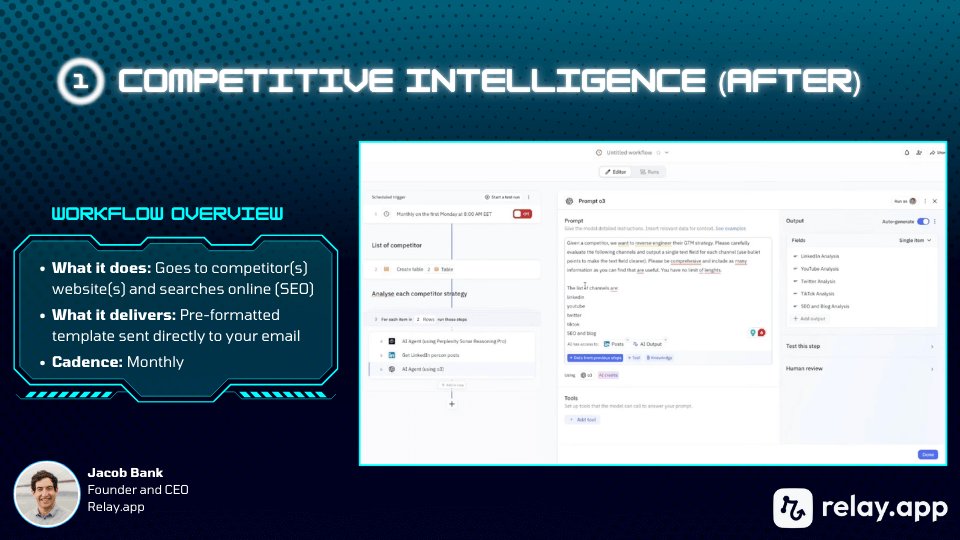
One of the most useful approaches I’ve seen is automating competitive intelligence updates so you’re not constantly chasing the information yourself.
There’s a tool called Relay.app, and the founder, Jacob Bank, runs live sessions where people walk through the agents they’ve built and how they actually use them. In one of my favorite sessions, they essentially built a competitive intelligence agent.