
Antigravity 2.0, Antigravity CLI, and Gemini 3.5 Flash Explained Simply
By Geeta Kakrani | Google Developer Expert in AI & TPU
If you’ve been following Google I/O 2026, you already know something big happened. Google didn’t just release a new model or update an app. They released an entirely new way to think about writing software.
This post is my hands-on walkthrough of three things that shipped at I/O: Google Antigravity 2.0, the Antigravity CLI, and the Gemini 3.5 Flash model that powers all of it. I’ll explain each one simply, show you exactly how to get started, and tell you what I personally saw when I tried it.
No hype. No jargon. Just the real thing.
First, a Quick Backstory
Google launched the original Antigravity in November 2025 as a direct competitor to Cursor — an AI-powered code editor where you describe what you want, and AI writes it for you.
Version 2.0, announced at Google I/O on May 19, 2026, is a completely different product. It’s no longer just an editor. It’s a full platform with five parts:
- A desktop app
- A CLI (command-line tool)
- An SDK (for building your own agents)
- Managed Agents in the Gemini API
- An enterprise deployment path
This blog covers the first two — the ones most developers will touch first.
Part 1: What Is Antigravity 2.0?
Think of it this way.
A normal code editor (like VS Code) is like having a very smart autocomplete. You still drive. You still type. AI just suggests the next word.
Antigravity 2.0 is completely different. You describe what you want to build. Antigravity figures out the steps, writes the code, runs it, tests it, and reports back.
You are no longer the one typing. You are the one deciding what to build.
What’s actually new in 2.0?
Multiple agents at the same time. The old version ran one task at a time. Antigravity 2.0 lets you spin up multiple AI agents in parallel. One agent can handle the backend, another the frontend, and a third can run tests — all at once. (Google internally used 93 agents to build a working OS in 12 hours. Yes, really.)
Background tasks. You can schedule tasks to run while you sleep. Log off, come back in the morning, and your code is done.
Native integration with Google tools. It connects directly with Google AI Studio, Firebase, and Android Studio. You can export a project from AI Studio and continue it locally in Antigravity without losing any context.
Voice commands. You can now speak your instructions instead of typing them.
Browser subagent. This one is genuinely impressive. Antigravity can open a real Chrome window, navigate to your running app, click buttons, fill forms, take screenshots of what it sees, and loop back to fix what’s broken. It’s not simulated. It’s real browser testing.
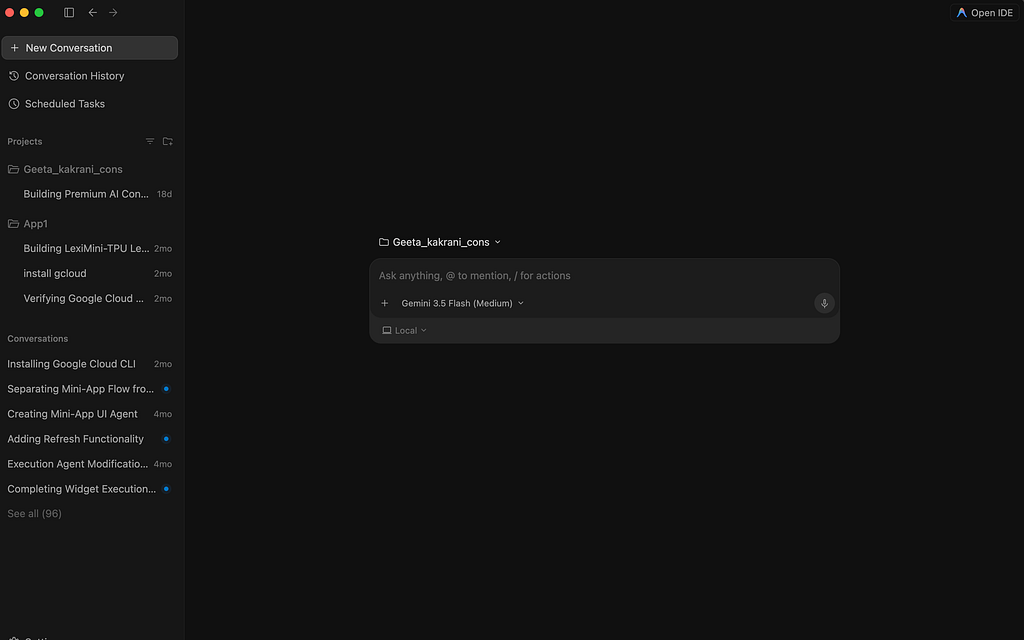
How to Download Antigravity 2.0
Go to antigravity.google/download
You’ll see download options for:
- macOS — Apple Silicon or Intel
- Windows — x64 or ARM64
- Linux — x64 or ARM64
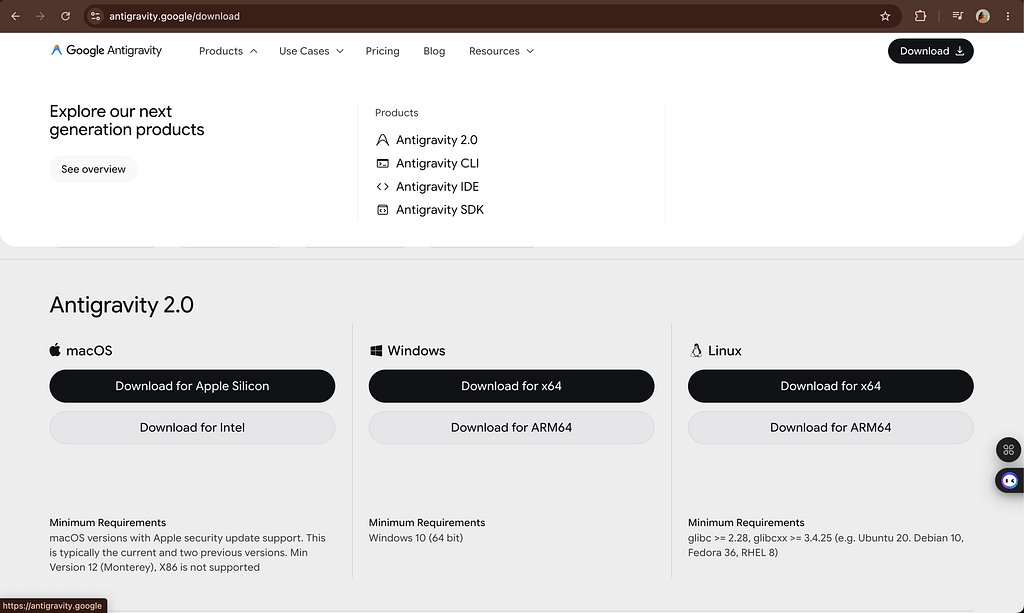
Minimum requirements:
- macOS: Version 12 (Monterey) or newer. Apple Silicon recommended.
- Windows: Windows 10 (64-bit) or newer
- Linux: glibc >= 2.28 (Ubuntu 20, Debian 10, Fedora 36, RHEL 8 all work)
It’s free to download and free to use during the public preview.
Setting Up Your First Project
Once installed, you’ll see a sidebar with:
- New Conversation — start a fresh task
- Projects — your saved workspaces
- Conversation History — past sessions
- Scheduled Tasks — background automations
Create a new project, give it a folder path, and you’re ready. The agent dropdown at the bottom lets you choose your model — by default it uses Gemini 3.5 Flash (Medium), which we’ll cover in Part 3.
Project Settings Worth Knowing
When you open your project settings, you’ll see three important controls:
Security Preset — Controls how much the agent can do on its own. Set to “Custom” if you want fine-grained control.
Terminal Command Auto Execution — This decides whether the agent can run terminal commands automatically or whether it asks for your approval first. I recommend keeping this on “Require Review” when you’re starting out. You want to know what’s being run on your machine.
Outside of Folders File Access Policy — Controls whether the agent can read files outside your project folder. “Always Ask” is the safe choice here.
Enable Sandbox Mode — Restricts the agent to a secure, isolated environment. Good for testing untrusted code.
The important lesson: Antigravity can do a lot automatically. Set your security settings deliberately before you start.
Part 2: What Is the Antigravity CLI?
CLI stands for Command Line Interface. It’s for developers who prefer working in a terminal rather than a graphical app.
The Antigravity CLI lets you do everything the desktop app does — but from your terminal. You describe a task, and the agent runs it right there in your codebase.
One important thing to know: Google is retiring the old Gemini CLI on June 18, 2026. If you’ve been using Gemini CLI, you need to switch to Antigravity CLI before that date. After June 18, Gemini CLI stops working.
How to Install the Antigravity CLI
Mac or Linux: Open your terminal and run:
curl -fsSL https://antigravity.google/cli/install.sh | bash
Windows PowerShell:
irm https://antigravity.google/cli/install.ps1 | iex
Windows Command Prompt (CMD):
curl -fsSL https://antigravity.google/cli/install.cmd -o install.cmd && install.cmd && del install.cmd
That’s it. One command. The CLI installs itself.
After installation, you can use the CLI in any project folder. Type your task in plain English. The agent reads your files, figures out what needs to change, and makes it happen.
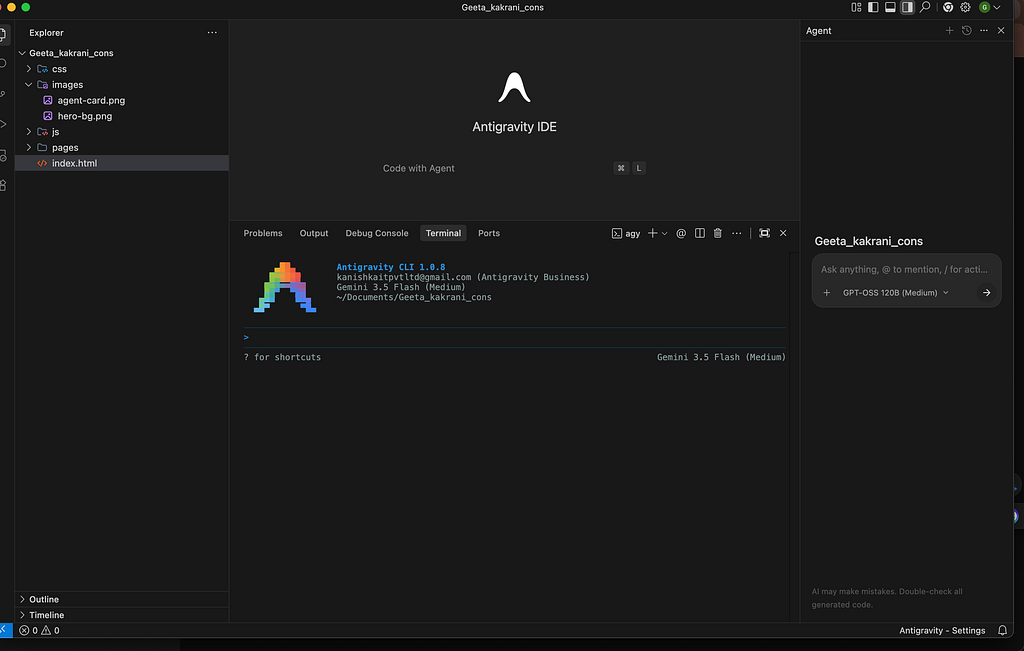
What Can You Do with the CLI?
- Build new features by describing them
- Debug existing code by explaining the error
- Write tests for your functions
- Refactor messy code
- Deploy to Google Cloud Run (if you add the Cloud Run MCP integration)
The CLI is ideal if you’re already comfortable in a terminal and don’t want to switch to a new desktop app. You keep your existing editor (VS Code, Neovim, whatever you use) and get AI agents working alongside it.
Part 3: Gemini 3.5 Flash — The Model Behind Everything
Every capability in Antigravity 2.0 runs on Gemini 3.5 Flash, released on May 19, 2026 at Google I/O.
Here’s the surprising thing about this model: it’s called “Flash” (which usually means the smaller, cheaper version), but it outperforms Google’s previous best model, Gemini 3.1 Pro, on coding and agentic tasks. That’s the first time in Gemini’s history that a Flash model has beaten the Pro tier.
What Makes Gemini 3.5 Flash Different?
Speed. It generates output 4x faster than comparable frontier models — roughly 280 tokens per second. Tasks that used to take minutes now take seconds.
1 million token context window. That means you can feed it an entire large codebase and it can understand and reason across all of it at once.
Multimodal. It understands text, images, video, and audio. This is why Antigravity’s browser agent can take a screenshot and understand what it sees.
Built for agents. The model is specifically optimized for long, multi-step tasks that run without constant human input. It’s not a chatbot. It’s a worker.
MCP support. Gemini 3.5 Flash natively supports the Model Context Protocol (MCP) standard, which means tools built for other AI systems (like Claude) can often work with it directly.
How Was It Built?
Google says Gemini 3.5 Flash was partly co-developed using Antigravity itself. The tool helped build the model that now powers the tool. That’s a meaningful signal about how mature the platform has become.
Pricing
If you’re using the Gemini API directly:
- Input: $1.50 per million tokens
- Output: $9.00 per million tokens
It costs more than the older Gemini 3.1 Flash models, but it’s still significantly cheaper than comparable frontier models from OpenAI and Anthropic, while being faster and (on agentic tasks) more capable.
For Antigravity desktop app users:
- Free during public preview
- AI Pro — $20/month
- AI Ultra — $100/month (5x higher usage limits than Pro, new at I/O 2026)
Part 4: Customizations and MCP Servers
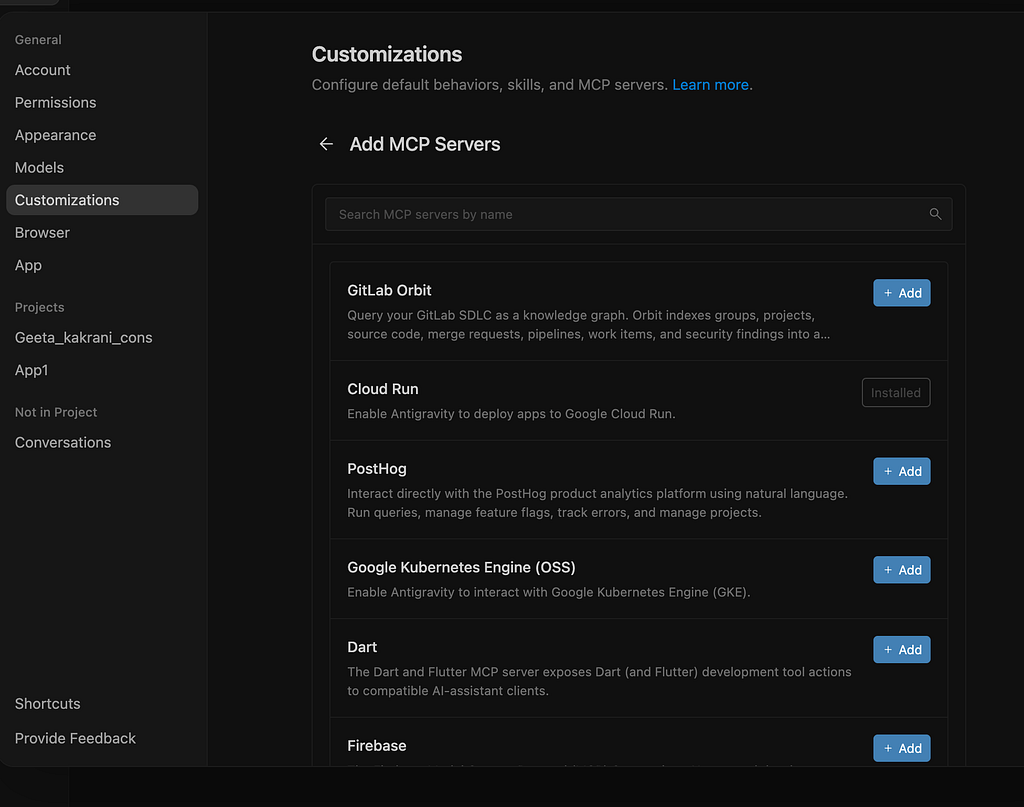
One thing that impressed me when I explored the settings was the MCP server marketplace inside Antigravity.
MCP (Model Context Protocol) lets you connect Antigravity to external tools and services. Inside Settings > Customizations > Add MCP Servers, you’ll find options like:
- Cloud Run — Deploy your app to Google Cloud with one command (already installed in my setup)
- Google Kubernetes Engine (OSS) — Let Antigravity interact with your GKE clusters
- Firebase — Connect your project to Firebase directly
- PostHog — Run product analytics queries in plain English
- GitLab Orbit — Query your GitLab codebase as a knowledge graph
- Dart / Flutter — Flutter-specific agent tools
This is where Antigravity becomes genuinely powerful for production work. Instead of jumping between tools, the agent can orchestrate across all of them in one conversation.
Part 5: What About the Gemini API Key Setup?
If you want to use Gemini 3.5 Flash through the API directly (outside of Antigravity), you’ll need an API key.
Here’s the simple version:
- Go to Google AI Studio (aistudio.google.com)
- Click “Get API Key” → “Create API Key”
- Give it a name (e.g. “Generative Language API Key”)
- Under “Select API restrictions,” filter by “generative” and check Generative Language API
- Click OK
That’s the API key you’ll use in your code. Keep it private. Don’t commit it to GitHub.
My Honest Take
I’ve been in tech for over two decades. I’ve seen a lot of “this changes everything” announcements that didn’t.
This one is different.
Antigravity 2.0 is not a better autocomplete. It’s a different paradigm. You describe. The agent builds. You review and steer. That shift — from typing code to directing agents — is real and it works.
The browser subagent alone is something I haven’t seen done this cleanly anywhere else. The model knows what the app looks like, not just what the code says.
That said: you still need to know architecture. Antigravity removes the friction of typing. It doesn’t remove the need to think. You need to give it clear goals, sensible project structure, and review what it produces.
Used well, it makes you faster. Used lazily, it makes a mess faster.
Start small. Try it on a real project. Set your security settings carefully. And watch what 93 agents can do for you.
Quick Reference
WhatWhereDownload Antigravity 2.0antigravity.google/downloadAntigravity CLI (Mac/Linux)curl -fsSL https://antigravity.google/cli/install.sh | bashGemini APIaistudio.google.comGemini CLI deadlineJune 18, 2026 — switch to Antigravity CLI before thenModel powering AntigravityGemini 3.5 FlashContext window1 million tokensAPI pricing$1.50 input / $9.00 output per million tokens
Geeta Kakrani is an AI Consultant and Google Developer Expert (GDE) in AI/ML and TPU with 22+ years in tech. You can find her at https://www.linkedin.com/in/geetakakrani/ and on YouTube @geetakakrani.

Google Antigravity 2.0 + Gemini 3.5 Flash: The AI That Codes, Tests, and Ships — Without You. was originally published in Google Developer Experts on Medium, where people are continuing the conversation by highlighting and responding to this story.


