Share this article | Listen to this article ($)
My initial reaction to the recent package hacks was fear. But I quickly learned I can mitigate much of the risk with a handful of configuration settings.
If you haven’t been following along, a large number of packages (think of packages as bundles of reusable code) have been compromised by malicious actors. Software developers have long known to guard against these types of attacks. But as more of us turn to coding agents to write code on our local devices, we are finding that we also need to understand and mitigate this risk.
Last week, we dove deep on how these malicious attacks work, how we might defend against them, and explored whether Cowork was a safer option for most of us. The verdict was that it can be, but only if we understand how to use it safely. If you are a fan of Cowork and you missed that article, be sure to give it a read.
Cowork, however, isn’t always the best solution for me. I have too many use cases where I want Claude to access many folders across my file system.
I use Claude to search, create, and edit the markdown files that make up my task management system. These files reference source material across my drive. I created a research system where Claude automatically creates notes from PDFs that I download and those notes get sorted across a variety of topic folders. I have a comprehensive network of context files that I want Claude to reference on as-needed basis.
I don’t want to have to grant Claude access to one folder at a time. But I also don’t want to throw caution to the wind. Recent weeks have taught me that I need to do more to keep my devices and code safe. Thankfully, I’m learning this is very doable. And for my Cowork fans, most of the strategies that I use on my local device can also be used to make Cowork safer.
If you missed last week’s article, let’s do a quick recap of what we covered.
How Package Hacks Typically Work
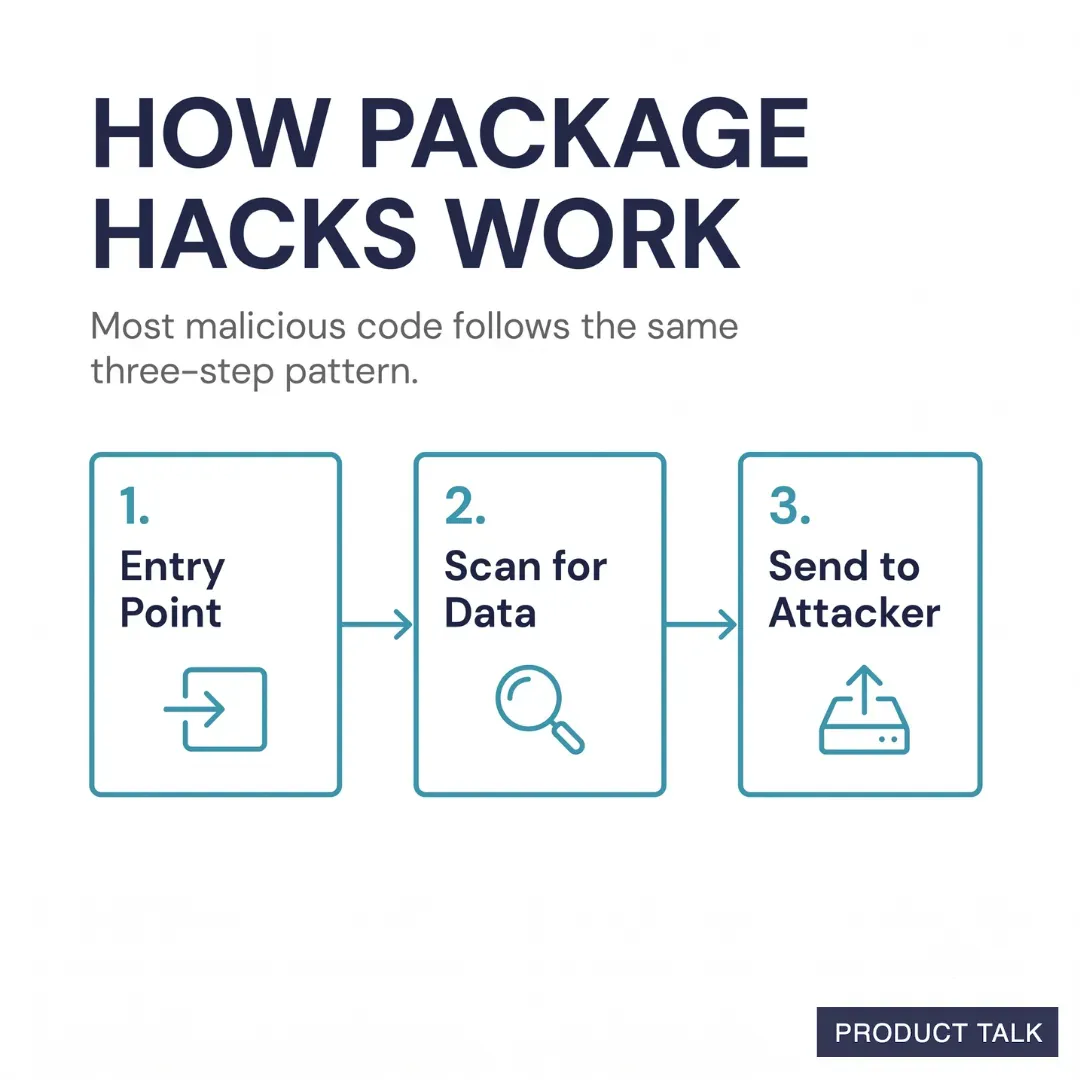
An agent scoured over 230,000 malicious code incidents and found that most follow a similar pattern. Malicious code needs an entry point onto your computer. Once installed it scours your device for sensitive data, and then it uses your network connection to send that data to its own servers.
The good news is this pattern also tells us exactly what we need to guard against. We can block the most common entry points, we can limit what our code (and coding agents) have access to, and we can (sometimes) limit our outgoing network traffic.
Before we dive into how to defend against these attacks, let’s make sure we are all up to speed on the basics.
Understanding Key Concepts: Packages, Installers and Registries
You’ve already learned that a package is a bundle of reusable code. When you are creating software, you don’t have to create everything from scratch.
For example, I use a package called luxon to help me with time zone math. I use another package called jest to help me run my unit and integration tests. I use a package called pandas to ingest and manipulate CSV data.
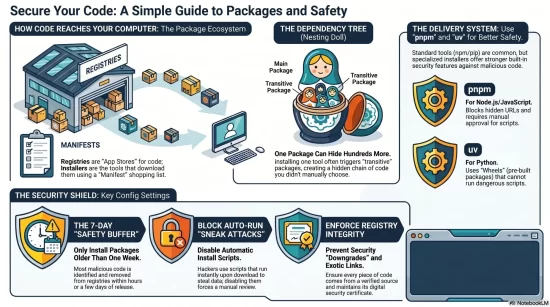
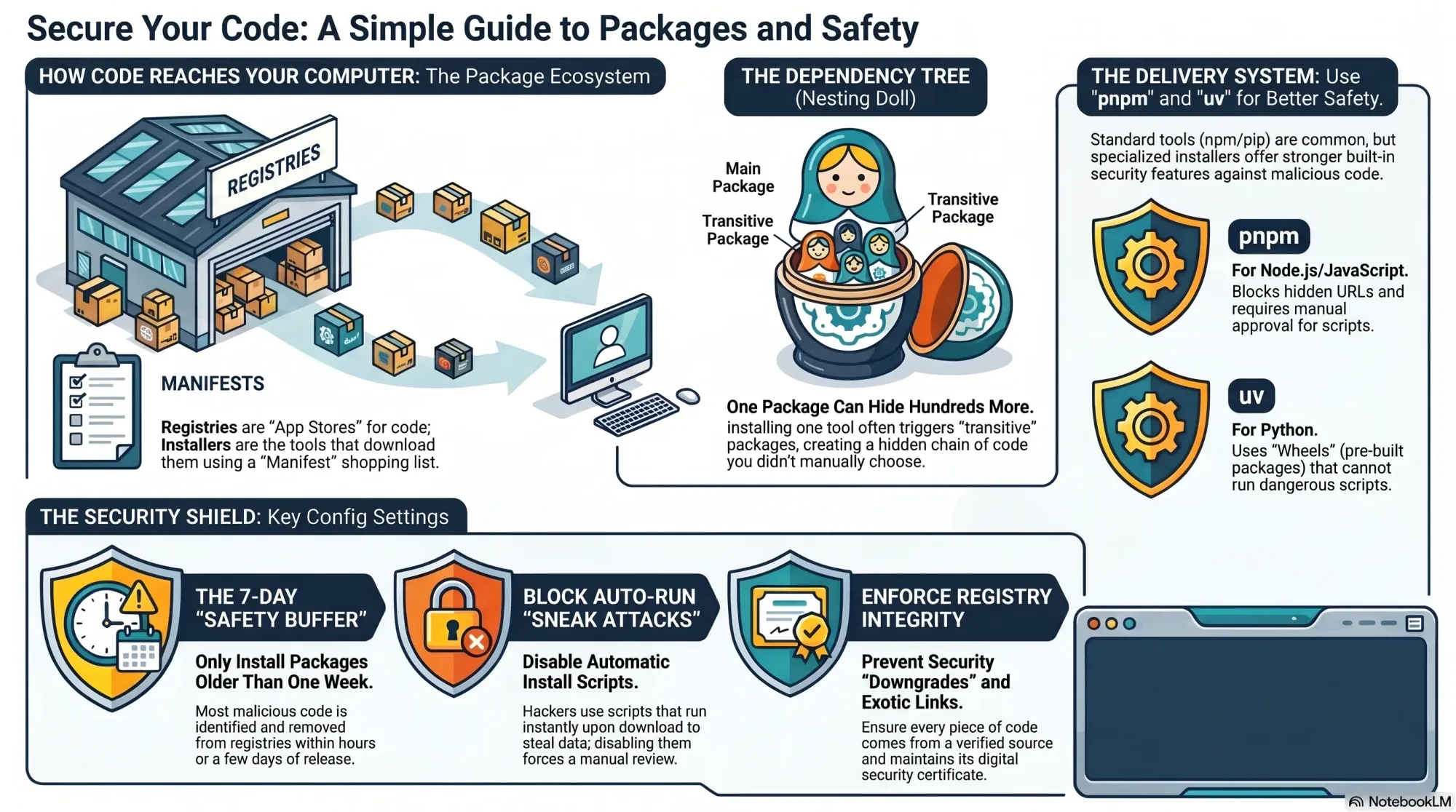
Before my code can use these packages, I have to download and install them. I can download them directly from GitHub, but more commonly I grab them through a package registry. Think of a registry like the App Store. Package creators publish their packages to registries, making them available for other people to download. npm is the Node.js registry and PyPI is the Python registry.
To access a registry, you need an installation tool. npm (confusingly) is both a registry and an installation tool. So you use the npm command-line tool to download and install packages from the npm registry. pip is the primary installation tool for Python and you use it to access the PyPI registry.
A coding project will often maintain a manifest of dependent packages—package.json for Node.js projects and pyproject.toml or requirements.txt for Python projects. These manifests tell a developer new to a project what packages the project depends on. Build tools use these manifests to automatically download and install all of the required dependencies.
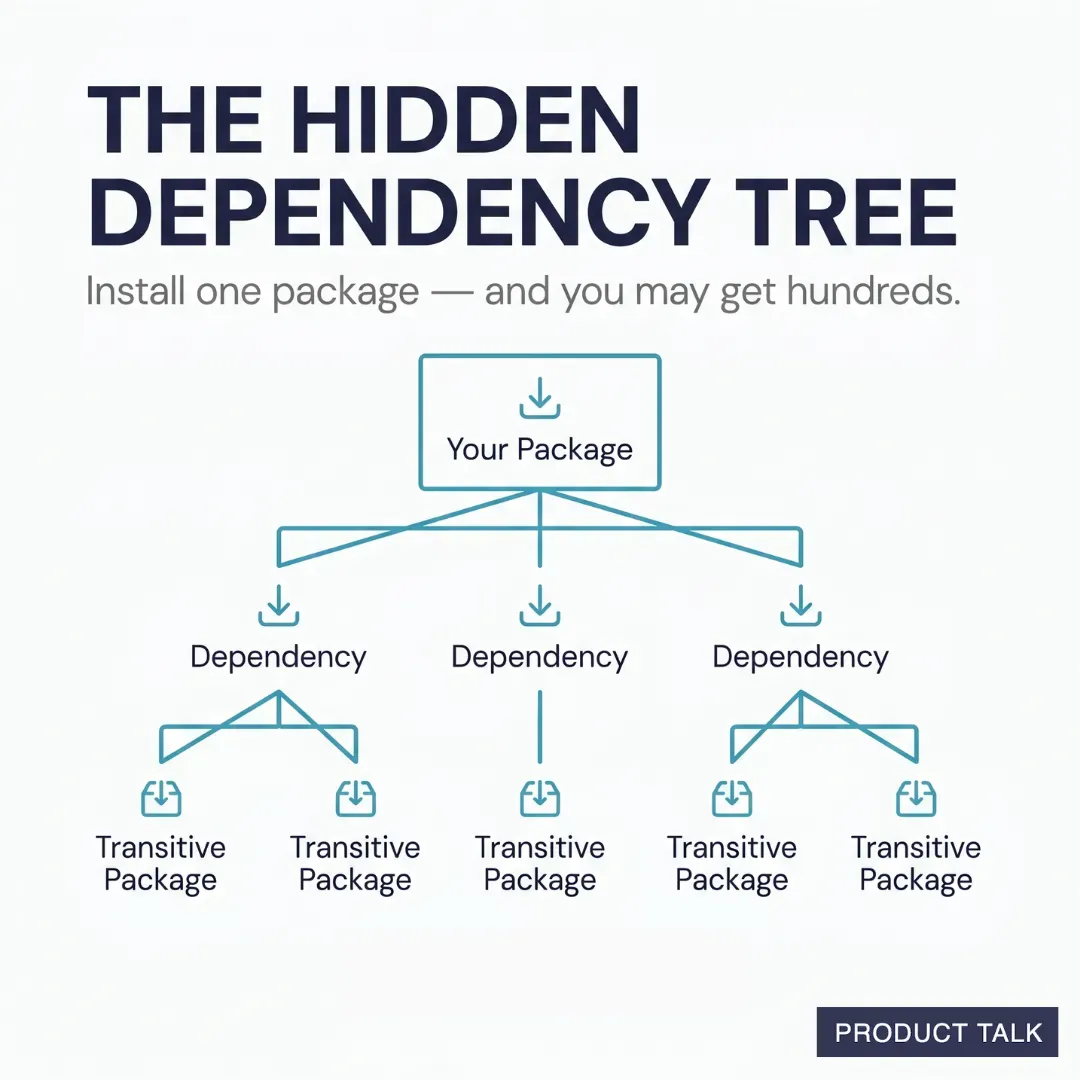
When you download a package, it might have its own dependencies. If it includes a manifest (package.json, pyproject.toml, requirements.txt), your install tool will automatically install those dependencies as well. These dependencies are often called transitive packages. And each transitive package can also have a manifest.
Every time you install a package, you might be installing an entire dependency tree. For example, I just installed jest and it included 266 packages.
Developers are often aware of the packages they choose to use. But they aren’t always aware of all of the transitive packages that come along with those packages. Malicious software often spreads through these transitive packages. The risk compounds when we let coding agents install packages for us.
With this foundation, let’s look at how I defend against malicious code when installing packages.
How I Configure My Devices to Guard Against Malicious Software
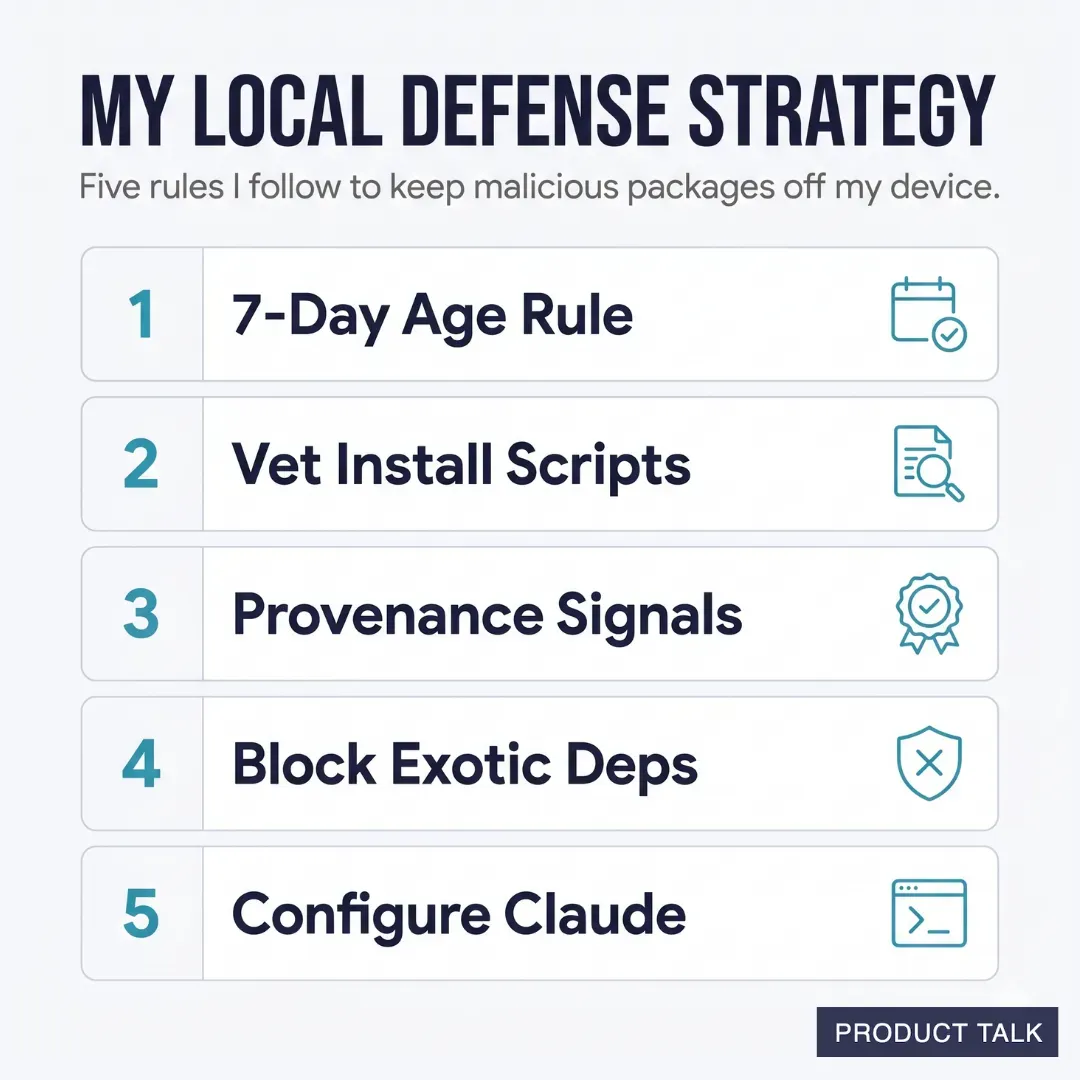
My local strategy is primarily designed to limit malicious software from getting on my device in the first place. My goal is to block as many entry points as I can.
A quick note for Cowork fans: We saw in last week’s article that Cowork provides protection through isolation, but does little to keep malicious code out. It turns out you can use almost all of the following strategies in Cowork to plug this gap and make Cowork significantly safer.
Today, I’ll cover how and why:
- I’m only installing packages that are at least seven days old.
- I’m not auto-running install scripts before vetting them.
- I’m using provenance signals to identify red flags.
- I’m blocking exotic dependencies.
- I’m using hooks to configure Claude so that it has to follow these same rules.
That’s not all I’m doing. In future posts, I’ll cover how and why:
- I’m pinning all package versions (including transitive packages), so that they don’t auto-update.
- I’m doing weekly audit sweeps to make sure nothing seeped through the cracks.
- And despite all of this, I’m still moving most of my development off of my local machine.
We’ll look at each in turn. This is going to get technical. If much of this is new to you, just take it step by step. I’ll walk you through all of it.
Product Talk is a reader-supported publication. The rest of this article is for paid subscribers. If you haven’t already, be sure to upgrade to continue reading.