Most project teams are good at completing work. Fewer are good at learning from it. When a project ends, whether on time or late, within budget or over it, smoothly or after a string of problems, the institutional knowledge of what worked and what did not tends to stay in people’s heads rather than getting captured anywhere useful. The next project starts fresh, repeats the same mistakes and misses the same opportunities because no one documented what the last team figured out the hard way.
A lessons learned template for project management changes that pattern. It gives the team a structured way to capture what they experienced, reflect on what it means and record the insights in a format that future teams can actually use. Whether the review happens at project close, at the end of a sprint, after a major incident or at a formal debrief, the goal is the same: turn experience into institutional knowledge before it disappears.
We put together six free project management lessons learned templates for Excel and Word covering every context where post-project reflection matters, from Agile retrospectives to formal after-action reports. Each one is free to download and ready to adapt for your team.
1. Lessons Learned Template for Excel
A lessons learned document is the formal record of what a project team discovered during the course of a project: what worked, what did not and what they would do differently if they ran the same project again. It is most useful when it is specific enough to be actionable: a lessons learned entry that says “communication could have been better” helps no one. One that says “stakeholder sign-off on scope changes took an average of two weeks because there was no defined approval process. Define one at kickoff” can prevent the same delay on every future project.
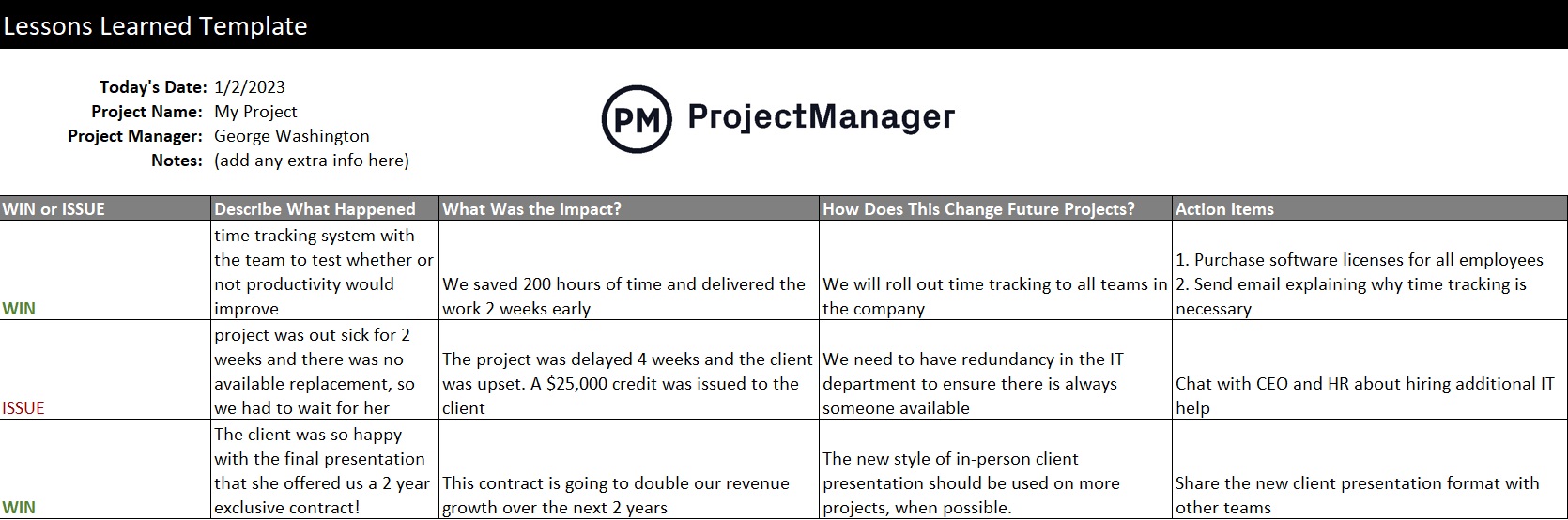
This Excel template captures each lesson with fields for the category, description, impact, root cause and recommended action. The category field lets teams sort and filter lessons by area (schedule, budget, communication, risk, vendor management) so future project managers can quickly find the lessons most relevant to the type of project they are planning. Totals and summaries are built in to give project sponsors a high-level view of where the patterns are.
The right starting point for any project team running a lessons learned session at project close, or any organization that wants to build a library of project knowledge that can be referenced when similar projects come up in the future.
2. Project Retrospective Template for Excel
A retrospective is the Agile equivalent of a lessons learned session, but it happens at the end of every sprint rather than only at project close. The frequency is the point: rather than accumulating problems over months and reviewing them all at once, a retrospective catches friction while it is still fresh and adjustable. Teams that run consistent retrospectives improve incrementally, sprint by sprint, rather than making large corrections after the damage is already done.
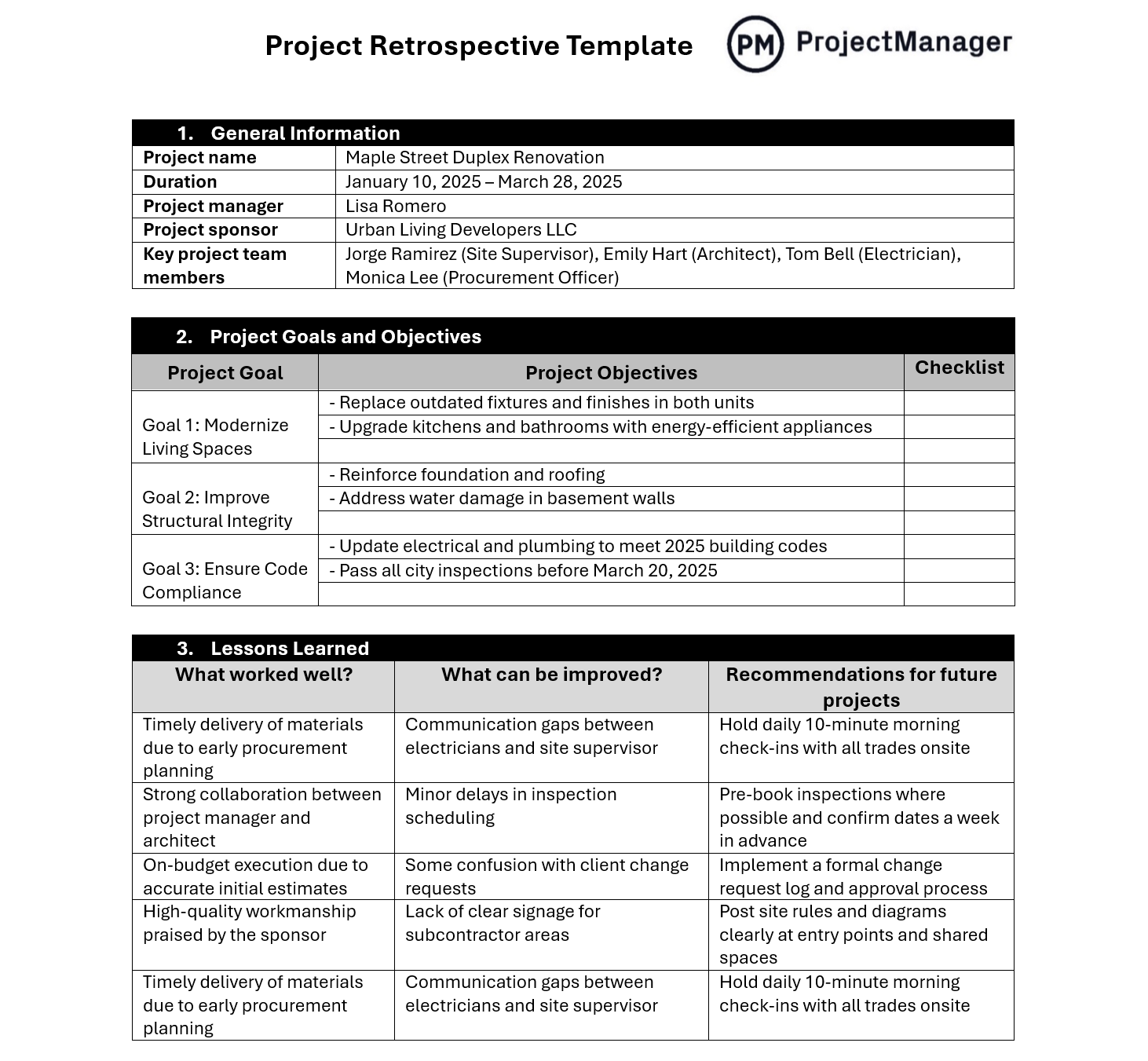
This Excel template structures the retrospective around the three core questions: what went well, what did not go well and what will the team do differently next sprint. It includes space for team member input on each question and a section for specific action items with owners and target dates, so the retrospective produces commitments rather than just observations. Action items carry over to the next session so the team can verify follow-through.
Most useful for Agile and Scrum teams running sprint retrospectives, but the structure works equally well for any team that wants to build a regular reflection cadence without waiting until project close to address what is not working.
3. Post-Mortem Template for Word
A post-mortem is a structured review conducted after a project failure, a major incident or a significant outcome that did not match expectations. The goal is not to assign blame but to understand causation: what sequence of events, decisions and conditions led to the outcome, and what would need to be different to prevent it from happening again. Done well, a post-mortem is one of the most valuable learning tools an organization can run. Done poorly, or skipped entirely, it leaves the same failure conditions in place for the next team to encounter.
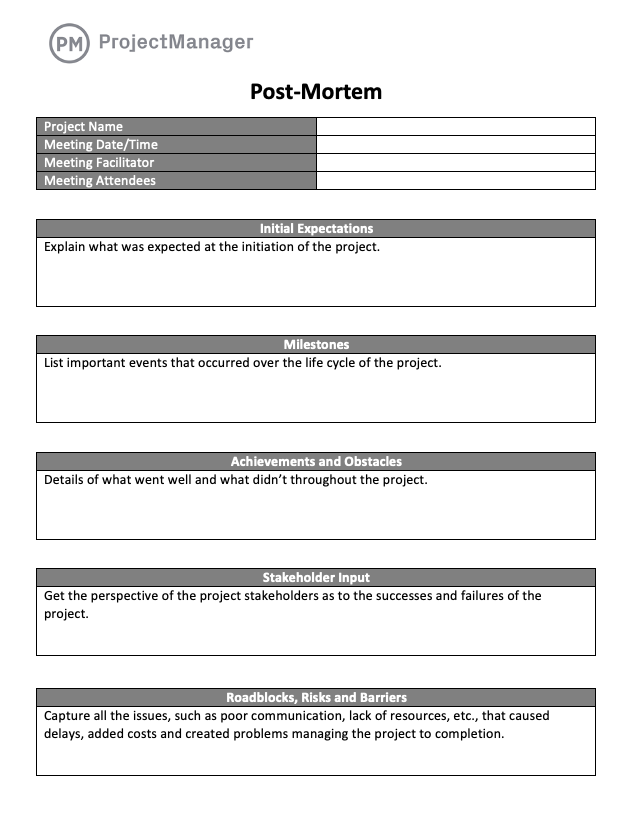
This Word template covers the full post-mortem structure: incident or project summary, timeline of events, what went well, what went wrong, root cause analysis, contributing factors and recommended corrective actions with owners and deadlines. The timeline section is particularly important. It forces the team to reconstruct the sequence accurately rather than working from memory shaped by how the outcome felt, which is where post-mortems most often go wrong.
Most valuable for tech teams responding to production incidents, project teams reviewing a failed delivery or any organization that experienced an outcome significant enough to warrant a formal causal analysis rather than an informal debrief.
Track Action Items From Your Retrospectives in ProjectManager
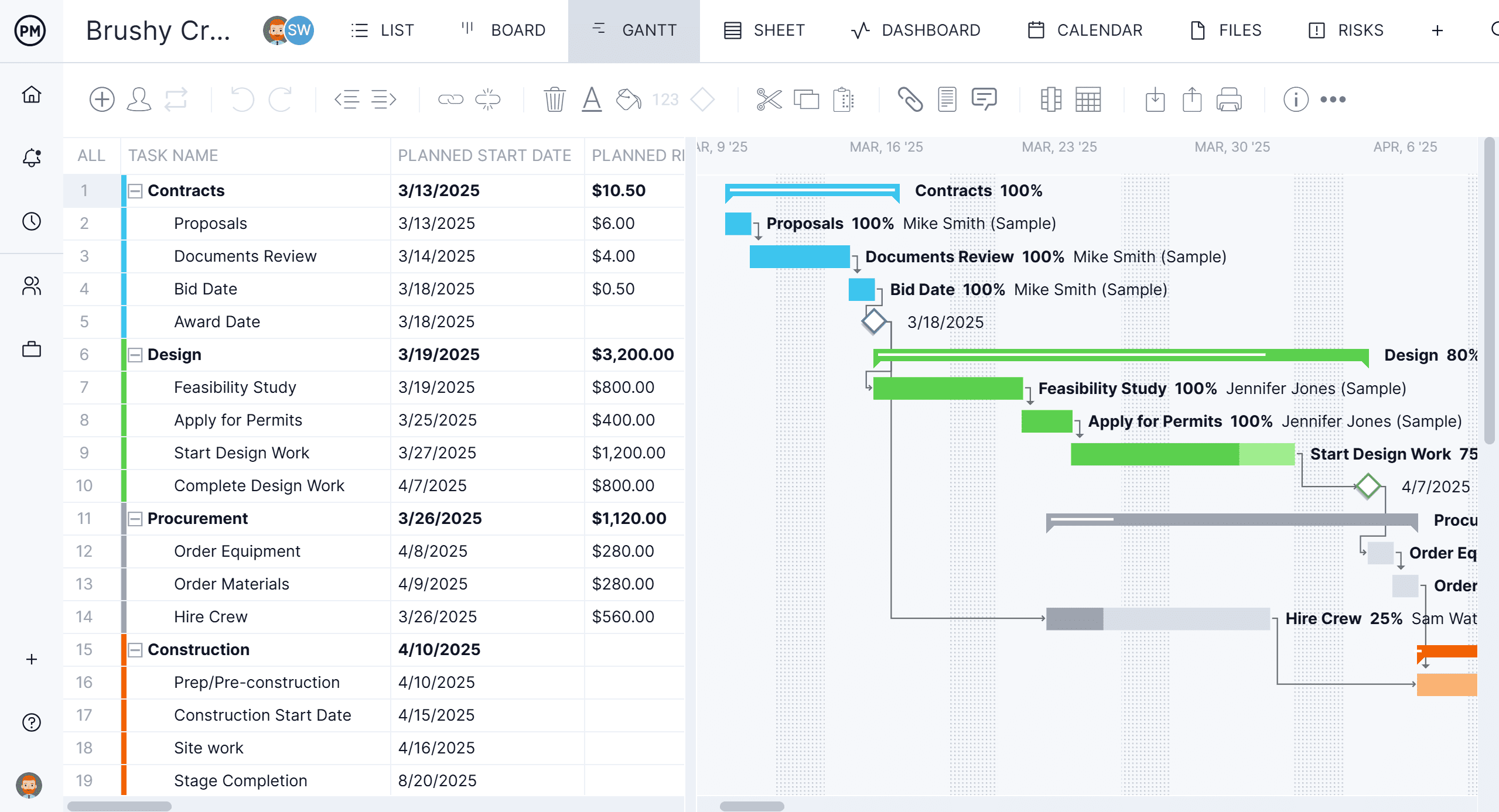
A lessons learned session is only as useful as the follow-through on its action items. ProjectManager lets you log each action item as a task, assign an owner and due date and track completion alongside your active project work, so retrospective commitments actually get done. Try it free for 30 days.
4. After Action Report Template for Word
An after action report is a structured debrief used in military, government and emergency management contexts that has since spread into business and project management. Where a post-mortem focuses on failure analysis, an after action report is neutral. It reviews any significant event or operation, successful or not, to capture what was planned, what actually happened, why the gap existed and what to do about it. The discipline of reviewing both successes and shortfalls is what makes it useful: it prevents teams from assuming that a good outcome means everything was done well.

This Word template follows the standard after action report structure: mission or objective summary, what was planned versus what occurred, a section-by-section review of key activities, sustains (what to keep doing), improves (what to change) and action items. The sustain/improve framework is more balanced than a simple what-went-wrong approach and tends to produce more honest participation because the review is not framed as a fault-finding exercise.
Well-suited for project teams, operations teams and organizations in regulated or high-stakes environments where a systematic, documented review of significant events is a standard part of the operating process.
5. Project Closure Template for Word
A project is not complete when the last task is checked off. It is complete when the work has been formally documented, accepted by the client or sponsor, handed off to the team responsible for ongoing operations and the project’s performance has been reviewed against the original plan. Project closure is the administrative and reflective process that makes that happen. Without it, projects tend to fade out rather than finish, leaving loose ends and unrecorded knowledge behind.
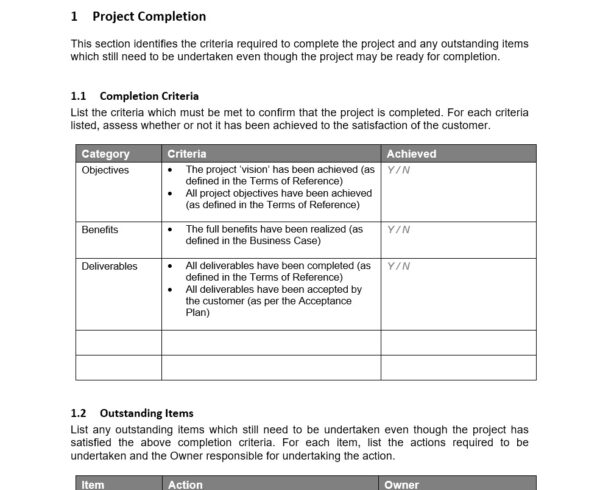
This Word template covers the full closure process: project summary, objectives achieved versus planned, deliverables sign-off, budget and schedule performance summary, outstanding issues or risks, lessons learned summary and formal sign-off from the project sponsor. The lessons learned section ties directly back to the detailed lessons learned template. The closure document captures the headline findings while the dedicated template holds the full record.
Essential for any formally managed project where stakeholder sign-off is required at completion, or any organization that wants a consistent record of how its projects performed against plan that can be used to improve future estimates and planning.
6. Project Review Template for Excel
A project review is a structured evaluation of a completed project against the goals, constraints and expectations that were set at the start. Where a lessons learned session focuses on what to do differently, a project review focuses on how the project performed: were the objectives met, was the budget respected, did the schedule hold and were stakeholders satisfied with the outcome? The two are complementary. The review tells you what the score was, and the lessons learned session tells you why.
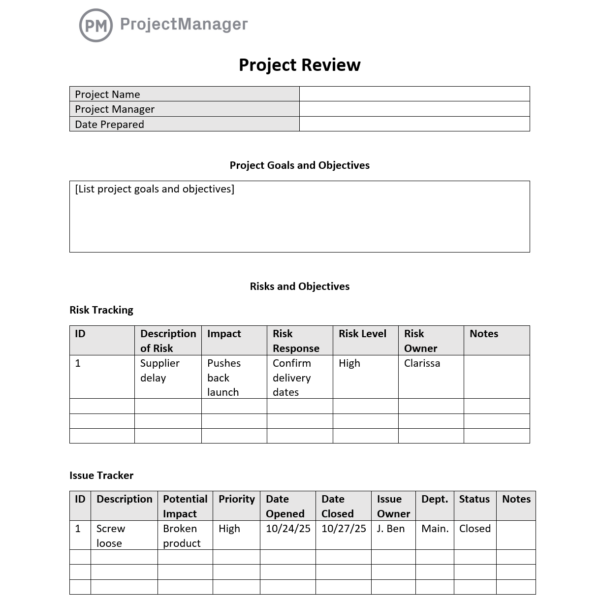
This Excel template evaluates the project across key performance dimensions: scope delivery, schedule adherence, budget performance, quality of deliverables, stakeholder satisfaction and team performance. Each dimension is rated against the original baseline with space for commentary on the gap between planned and actual. The output is a structured performance summary that can be shared with sponsors and stored as a reference for future project estimates and planning decisions.
Most useful as a formal project performance evaluation at close, or as a mid-project health check at a major milestone when leadership wants an objective picture of how the project is tracking against the original plan.
Capture and Act on Project Lessons With ProjectManager
A lessons learned template captures the insight. Acting on it requires connecting those findings to how the next project is planned and run. ProjectManager gives teams the tools to carry lessons forward, whether that means building a more realistic schedule based on past performance data, assigning retrospective action items alongside active project work or giving stakeholders the real-time visibility that prevents the communication gaps that show up in every post-mortem.
From project kickoff to formal closure, ProjectManager keeps the project data that makes post-project reviews meaningful rather than guesswork.
Track Every Task and Action Item in One Place
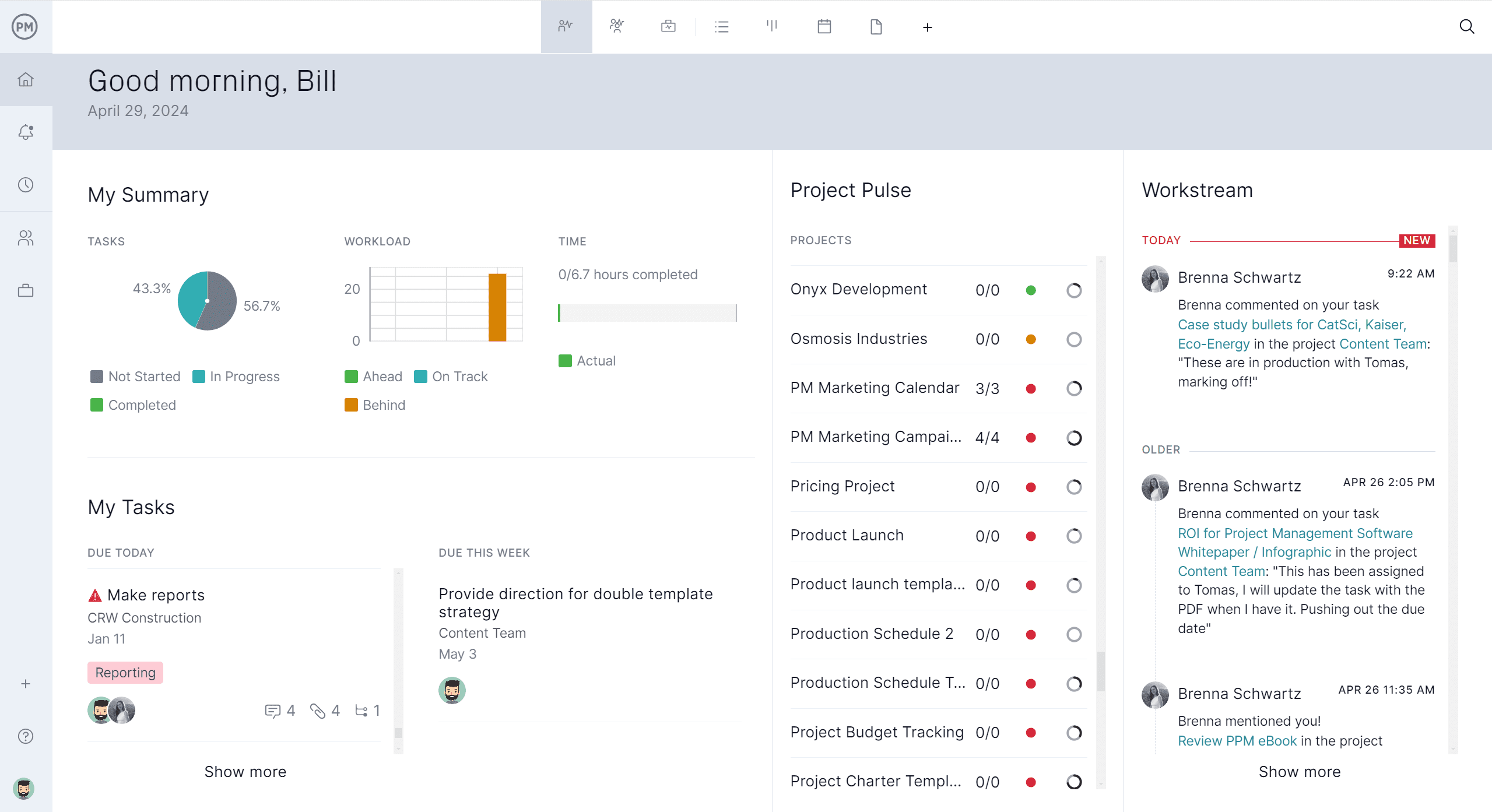
Retrospective action items and lessons learned follow-ups have a way of getting lost between projects. ProjectManager lets you log them as tasks with owners, due dates and priority levels alongside your active project work so they are tracked with the same discipline as any other deliverable. When the next project starts, the action items from the last review are already in the system: assigned, visible and accountable rather than buried in a document no one re-reads.

Give Every Review Accurate Performance Data
A project review is only as useful as the data behind it. ProjectManager captures planned versus actual schedule, budget and resource data throughout the project so the closure review has a real baseline to compare against rather than reconstructed estimates. Variance reports, timesheet summaries and budget tracking pull directly from the live project record, which means the review reflects what actually happened rather than what the team remembers happening.
Related Content
- 10 Free Project Kickoff Templates for Excel and Word
- 25 Free Project Management Templates for Excel
- 10 Free Status Report Templates for Word and Excel
- 9 Free Contingency Plan Templates for Excel and Word
- 10 Free Small Business Plan Templates for Excel and Word
The post 6 Free Project Management Lessons Learned Templates appeared first on ProjectManager.