
Setting a business goal is easy. Executing it isn’t. The gap between “increase revenue 20% this quarter” and the specific tasks that produce that outcome is where most business initiatives stall — not because the goal is wrong, but because no one mapped the path from intention to action. A business action plan closes that gap. It breaks a goal into concrete steps, assigns each one to a named owner, sets deadlines and identifies the resources required to deliver. It turns strategy into a schedule a team can actually follow.
What Is a Business Action Plan?
A business action plan is a structured document that translates a business goal into executable steps. For each step, it defines who is responsible, what needs to be done, when it needs to be completed, and what resources or budget are required. Unlike a business plan, which addresses overall strategy and financial viability, a business action plan is purely operational — it assumes the strategic decisions have already been made and focuses entirely on implementation.
Business action plans are used across functions and levels. A sales team uses one to hit a quarterly target. A marketing team uses one to launch a campaign. An operations team uses one to improve a process. The format scales from a single department initiative to a company-wide program, but the structure is the same regardless of scope. They are a core tool of project management at every level of an organization.
Business Action Plan vs. Business Plan
The terms are often confused, and using the wrong one for the task creates real problems.
A business plan is a strategic document, typically written for external audiences — investors, lenders, partners — that outlines the company’s market opportunity, competitive positioning, revenue model and financial projections. It answers the question: should this business exist, and is it viable? A project charter plays a similar role inside a project: it authorizes the work and defines scope before an action plan is built.
A business action plan is operational and internal. It assumes the strategic decisions are made and focuses entirely on execution. It answers a different question: what do we do next, and who is responsible for doing it? It isn’t a pitch — it’s a schedule.
| Business Plan | Business Action Plan | |
|---|---|---|
| Audience | External (investors, banks) | Internal (team members) |
| Focus | Strategy and viability | Tasks and execution |
| Time horizon | 1–5 years | Days, weeks or quarters |
| Primary content | Market analysis, financials, positioning | Tasks, owners, deadlines, resources |
Turn Your Business Action Plan Into a Live Project With ProjectManager
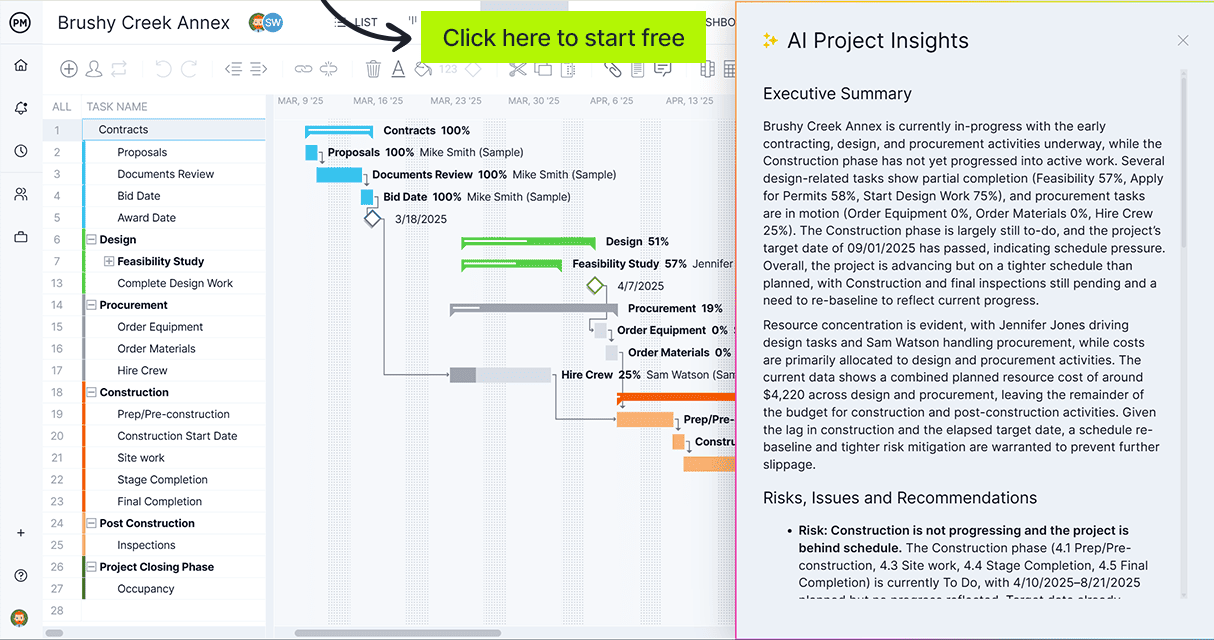
ProjectManager is online project management software with Gantt charts, real-time dashboards and task management built for teams who need to execute on plans, not just document them. Try it free for 30 days.
Business Action Plan Components
A well-structured business action plan contains six core elements. Each one does a specific job; leaving any out creates a gap that shows up as confusion, missed deadlines or resource conflicts later.
- Goal or objective — The specific, measurable outcome the plan is working toward. One goal per action plan keeps focus and accountability clear. If the goal can’t be measured, it can’t be tracked.
- Action steps — The discrete tasks required to achieve the goal, broken down small enough that each one can be assigned and completed independently. If a step requires more than one team to execute, it’s two steps.
- Task owners — The specific person responsible for completing each action step. Clear individual ownership eliminates the assumption that someone else is handling it. Teams don’t miss deadlines — people do.
- Timeline and deadlines — A start date, end date and milestones for each task. Milestones create visible checkpoints that surface slippage while there’s still time to respond; a single end date without interim markers creates last-minute scrambles.
- Required resources — Budget, tools, personnel, system access or approvals needed to complete each task. Identifying resources upfront prevents stalls mid-execution. Dependencies on other teams or approvals become tasks of their own. A resource planning template can help map this before the plan starts.
- Success metrics — The criteria that confirm the goal has been achieved. Without measurable criteria, “done” becomes a judgment call rather than a verifiable fact. Define the metric before the plan starts, not after it ends.
Get your free
Business Action Plan Template
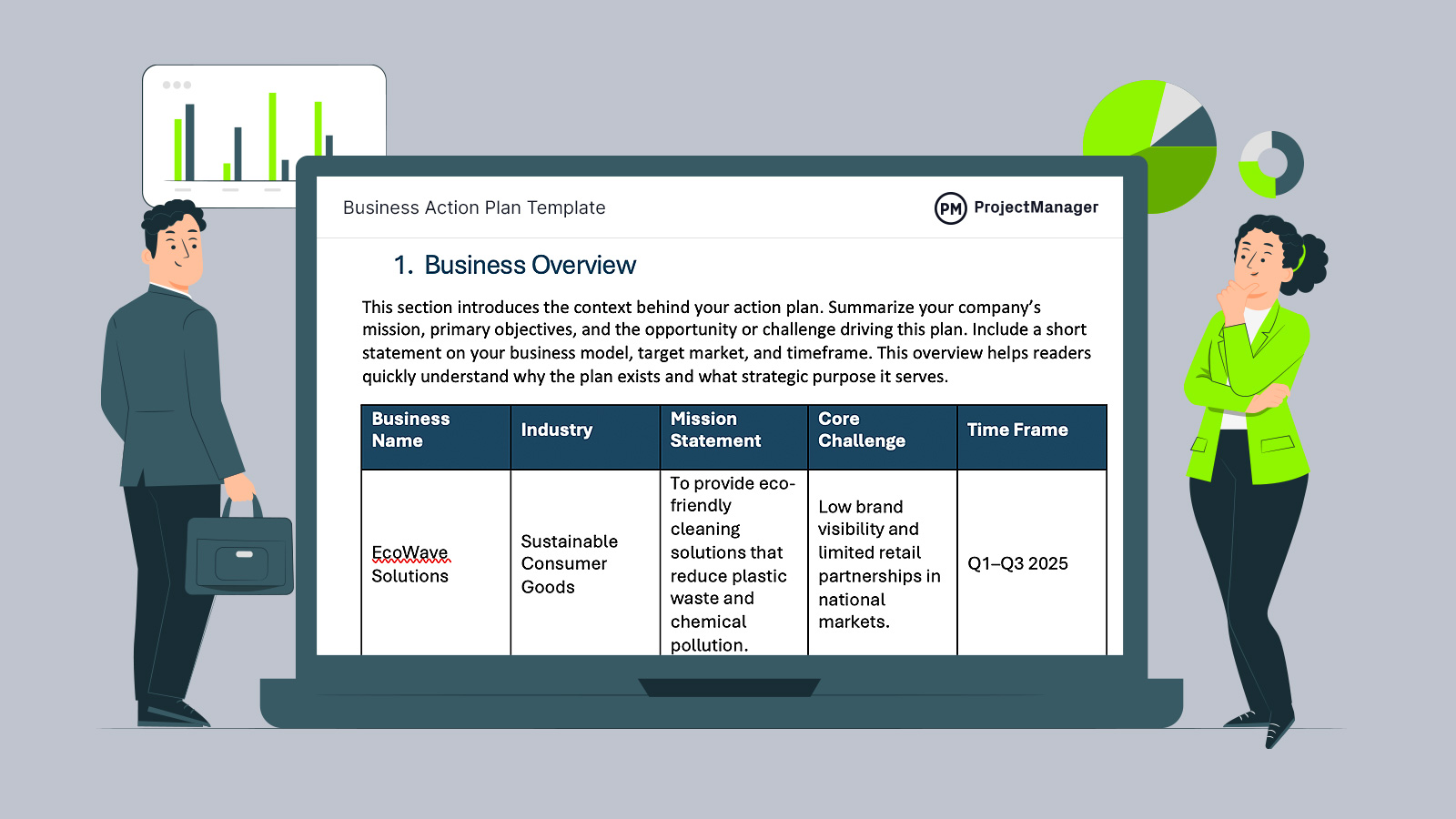
Use this free Business Action Plan Template for Word to manage your projects better.
Types of Business Action Plans
Business action plans take different shapes depending on the function and time horizon they serve.
Strategic Action Plan
Used to execute a company-level initiative: entering a new market, launching a product line, or restructuring a division. Typically spans a quarter or longer and involves multiple departments. The goal is usually tied to a strategic objective from an annual plan, and the action steps represent the operational work required to deliver on that objective.
Operational Action Plan
Focused on improving a recurring process: reducing order fulfillment time, decreasing support ticket volume, or improving onboarding completion rates. Operational action plans are tied to process KPIs rather than strategic milestones, and they often repeat on a quarterly cycle as targets are updated.
Sales and Marketing Action Plan
Built around a revenue or pipeline target, with tasks covering campaign execution, outreach cadences, content production and lead qualification. The timeline is usually tied to a sales cycle or fiscal quarter, and success metrics are tied directly to CRM data — leads generated, deals closed, pipeline created. A communication plan often runs alongside this type of action plan to keep stakeholders informed of progress.
HR Action Plan
Covers workforce goals: hiring to a specific headcount, reducing turnover in a department, rolling out a training program or completing a compensation benchmarking review. HR action plans are tied to people data and HR systems, with task owners split between HR, department managers and recruiting.
How to Write a Business Action Plan
Most effective business action plans follow the same sequence regardless of industry or department.
1. Define the Goal
Start with a single, specific, measurable objective. “Grow the business” isn’t a goal. “Increase monthly recurring revenue by 15% by end of Q3” is. Everything else in the plan flows from this definition — vagueness here makes every subsequent step harder to scope and every progress conversation harder to have.
2. Break the Goal Into Action Steps
Work backward from the goal. What has to happen for that outcome to be true? List every task required, then sequence them. Some tasks depend on others; some can run in parallel. Getting the sequence right early prevents bottlenecks and allows parallel work streams to run without conflicts. A work plan template can help structure this breakdown before you assign owners.
3. Assign Task Owners
Every action step needs a named individual responsible for completing it. Assign to a person, not a team or a department. When accountability is shared, it’s owned by no one. If a task genuinely requires a team to complete, appoint a single lead who is responsible for coordinating and delivering it. For larger plans with many people involved, a responsibility assignment matrix clarifies ownership across every workstream at a glance.
4. Set Deadlines and Milestones
Give each task a due date. Then identify the two or three milestones in the overall plan that signal meaningful progress — points where you can confirm the plan is on track before the final deadline arrives. Milestones aren’t just checkboxes; they’re decision points that let you intervene before a slip becomes a miss.
5. Identify Required Resources
For each task, note what’s needed: budget, tools, access, approvals, outside vendors, or people from other teams. If a task requires a legal review or a manager sign-off, that dependency becomes its own task with its own owner and deadline. Surfacing dependencies in the planning stage prevents them from appearing as surprises during execution.
6. Define Success Metrics
Decide upfront how you’ll know the goal has been achieved. If the goal is to increase qualified leads, the metric is a specific number of marketing-qualified leads delivered to sales by a specific date. Make the criteria concrete enough that there’s no ambiguity about whether the plan succeeded at the end of the period.
7. Review and Adjust Regularly
A business action plan is a working document, not an artifact. Review task status at a regular interval — weekly for fast-moving plans, bi-weekly for longer ones — and update the plan when tasks slip or circumstances change. Adjust downstream deadlines when an upstream task is delayed rather than letting the slip quietly compound. The plan serves the goal; don’t let a rigid commitment to the original schedule obscure the fact that you’re off track. Use a status report template to keep stakeholders informed at each review cycle without rebuilding the update from scratch each time.
Business Action Plan Example
The following example shows how a marketing team would structure a business action plan to increase qualified leads by 30% over a single quarter.
Goal: Increase marketing-qualified leads (MQLs) by 30% in Q2
Success metric: 390 MQLs delivered to sales by June 30 (up from 300 in Q1)
Timeline: April 1 – June 30
| Action Step | Owner | Deadline | Resources |
|---|---|---|---|
| Audit current lead sources and conversion rates by channel | Marketing Analyst | Apr 7 | Analytics access, ~8 hours |
| Launch two new gated content pieces targeting mid-funnel queries | Content Manager | Apr 21 | Designer, $2,000 production budget |
| Set up lead scoring rules in CRM based on audit findings | Marketing Ops | Apr 14 | CRM admin access |
| Launch paid LinkedIn campaign targeting operations directors | Paid Media Manager | Apr 14 – Jun 30 | $8,000 ad budget |
| Launch email nurture sequence for mid-funnel leads | Email Specialist | May 1 | CRM, 3 email templates |
| Weekly MQL reporting to sales leadership | Marketing Analyst | Every Friday | Dashboard access |
Milestones:
- April 21: New content live and lead scoring active
- May 15: Mid-plan MQL review — confirm pace toward the 390 target
- June 30: Final MQL count vs. target; retrospective with sales
This structure gives every team member a clear assignment with a deadline, makes resource requirements explicit before the plan starts, and sets two interim checkpoints so any gap against target is visible while there’s still time to respond. If scope shifts mid-plan — a new channel added, a budget cut — treat it as a formal change and update the plan rather than absorbing it informally. Contingency planning before the plan starts gives you pre-approved responses to the most likely disruptions.
Free Business Action Plan Template
Rather than building a business action plan from a blank spreadsheet, start from a structured format. A business action plan template gives you the row structure, column headings and formatting already configured — fill in your goal, tasks, owners and deadlines.
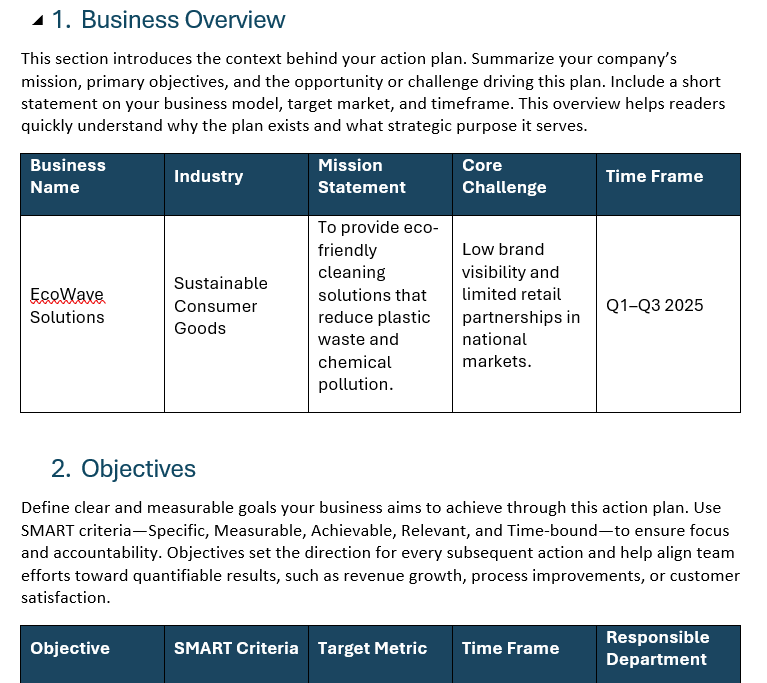
Download it free and adapt the structure to your specific initiative. The template works for any function — sales, marketing, operations, HR — because the underlying structure is the same regardless of what the goal is.
Manage Your Business Action Plan With ProjectManager
A template captures the structure of your business action plan. Executing it requires tools that connect the plan to the actual work: task assignment, schedule visibility, resource tracking and real-time progress data that doesn’t require a status meeting to access.
Build and Assign Action Plans on a Gantt Chart
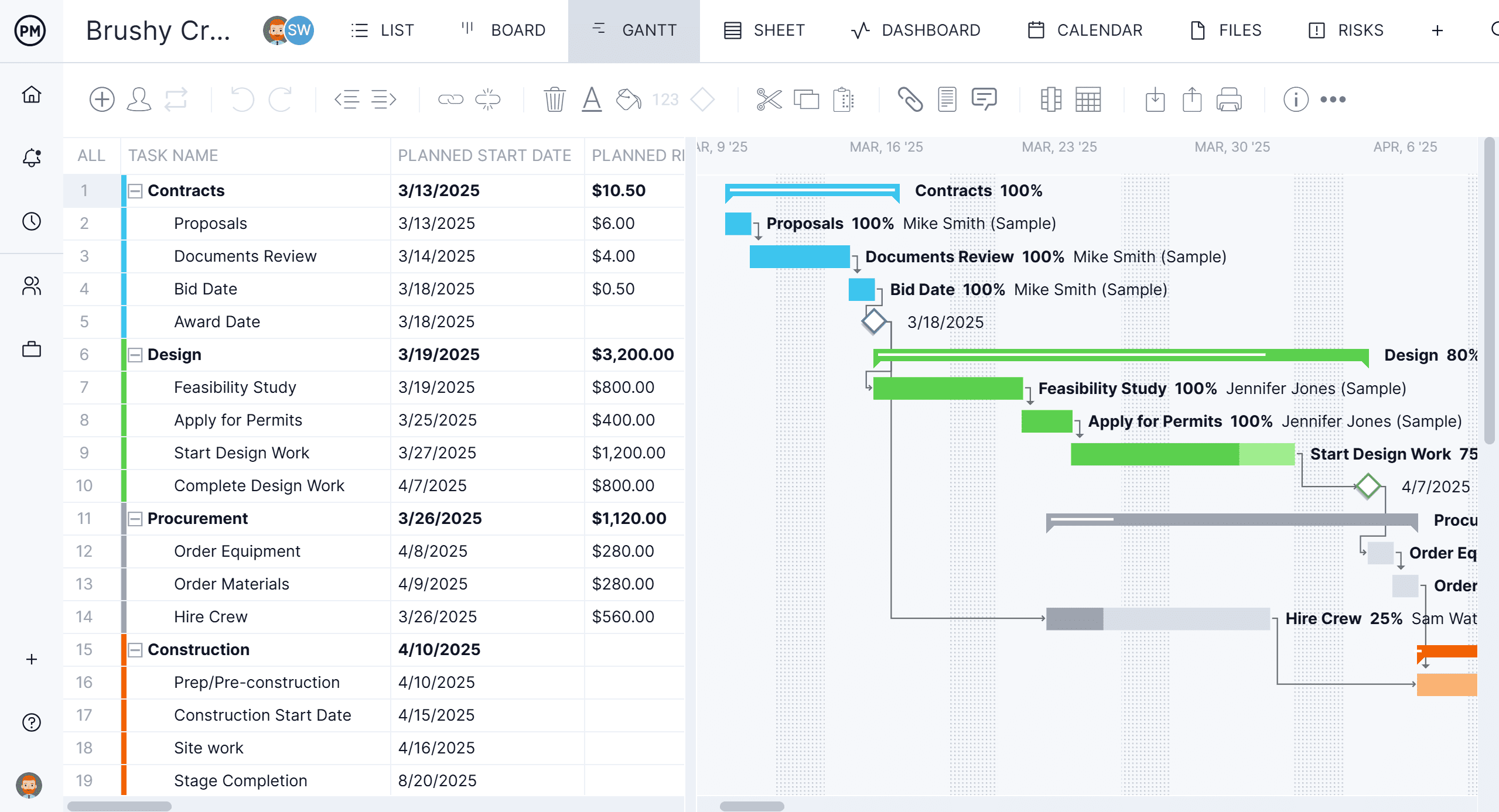
ProjectManager‘s Gantt charts let you translate your business action plan into a live project schedule. Add each action step as a task, assign it to a named team member, set start and end dates, and link dependencies so the schedule reflects the actual sequence of work. When a task slips, the Gantt shows the downstream impact immediately — before it becomes a deadline problem.
Track Progress Against Your Plan in Real Time
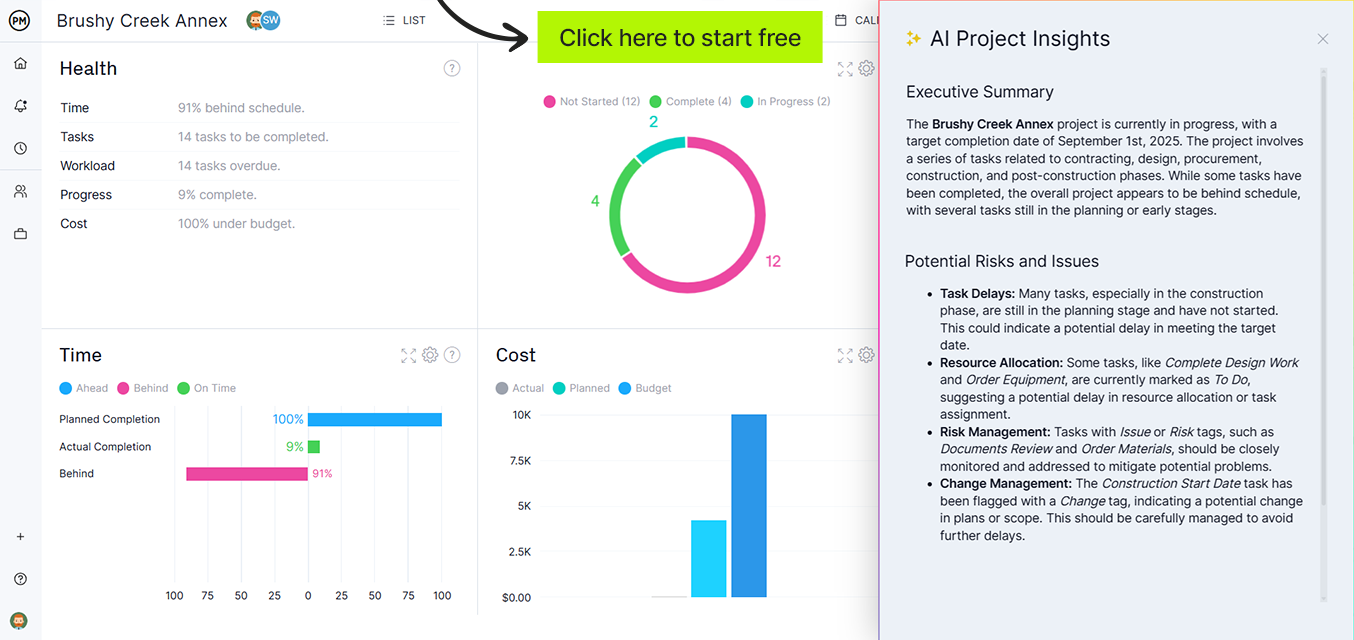
Knowing where the plan stands shouldn’t require a meeting. ProjectManager’s real-time dashboards pull live data from your tasks and display completion rates, task health and workload distribution at a glance. Set up a regular review cadence and the status update writes itself.
Related Content
- How to Write an Action Plan (Example Included)
- 10 Small Business Plan Templates for Excel and Word
- 14 Free Work Plan Templates for Excel and Word
- 10 Free Communication Plan Templates for Word and Excel
- 10 Free Resource Planning Templates for Excel
The post What Is a Business Action Plan? (With Example) appeared first on ProjectManager.


