If you’re comparing HubSpot AEO vs Semrush AI Visibility Toolkit, I tested both for you as a marketing and AEO practitioner myself and will share my detailed review.
To run the experiment, I used one of the niche websites in my portfolio (a golf website) that hasn’t yet been optimized for AI search. Below, you’ll get screenshots and information from my personal experience testing both HubSpot AEO and Semrush One (which includes Semrush’s AI Visibility features). Then, I’ll walk you through the pros and cons of both AEO tools and help you pick the best one based on your team’s needs.

But first, let me demystify AEO, GEO, and all things AI visibility so we’re working from the same definitions.
Table of Contents
- What is AEO vs. AI visibility? (And why it matters)
- HubSpot AEO vs. Semrush AI Visibility: Core Comparison
- HubSpot AEO vs. Semrush AI Visibility: Actionability
- HubSpot AEO vs. Semrush AI Visibility: Integrations
- HubSpot AEO vs. Semrush AI Visibility for Ease of Use
- HubSpot AEO vs. Semrush AI Visibility Pricing + How to Start
- HubSpot AEO vs. Semrush AI Visibility: Which should you choose?
- Alternatives to HubSpot AEO and Semrush AI Visibility
- Frequently Asked Questions About HubSpot AEO vs. Semrush AI Visibility
What is AEO vs. AI visibility? (And why it matters)
AEO stands for answer engine optimization, and it’s the practice of creating and modifying online content so that it is more likely to be mentioned and cited by AI answer engines like ChatGPT, Claude, and Gemini. You might also hear people refer to AEO as GEO (generative engine optimization) or AI SEO, but here at HubSpot, we stick with the term AEO.
AEO matters because, as AI becomes more popular, people are turning to answer engines to do their buyer research, in addition to Google. In 2026, nearly half of U.S. adults use AI chatbots, up from one-third in 2024, according to the Pew Research Center. Further, Pew found that 60% of American adults read the AI-generated summaries at the top of search results, while only 30% say they do not. Brands that learn and leverage AEO will gain a competitive advantage.
AI visibility is an umbrella term for the metrics that measure how your brand shows up in AI search, including share of voice, sentiment, citations, and mentions. It matters because this is how marketers and SEOs track their AEO progress.
Pro tip: To get a baseline snapshot of your AI visibility, use the free AI Search Grader tool.
Prompts are to AEO what keywords are to SEO. Prompts are the phrases that users type into answer engines to get information about their query. Marketers use AEO tools like HubSpot AEO to track the prompts their brands should show up for.
Citations are the websites that the AI consulted to generate its answer. They may or may not be linked.
Coverage is shorthand for “answer engine coverage,” which refers to which LLMs the AEO tool tracks. For example, HubSpot AEO covers ChatGPT, Gemini, and Perplexity.
HubSpot AEO vs. Semrush AI Visibility: Core Comparison
First, let me clarify the product naming and tiers, so you understand which one you need to buy. HubSpot AEO is available to purchase on its own, without another HubSpot subscription. Additionally, AEO is the name of the CRM-connected product included within Marketing Hub Professional and Enterprise.
Semrush AI Visibility Toolkit is available to purchase on its own or as an add-on to an existing Semrush subscription. Semrush SEO + AI Search is also known as Semrush One, and it’s the bundled product with SEO and AEO features.
This article (and the quick comparison table below) primarily compares HubSpot AEO and Semrush AI Visibility Toolkit (the products available for purchase on their own). But I’ll also include additional information about AEO in Marketing Hub Professional and Enterprise and Semrush One (the integrated/bundled products).
How do these tools track prompts, citations, and brand mentions?
How HubSpot AEO Tracks Prompts, Citations, and Brand Mentions
Prompt Tracking
HubSpot AEO uses the official APIs of ChatGPT, Gemini, and Perplexity to run your tracked prompts daily and show you the actual AI responses.
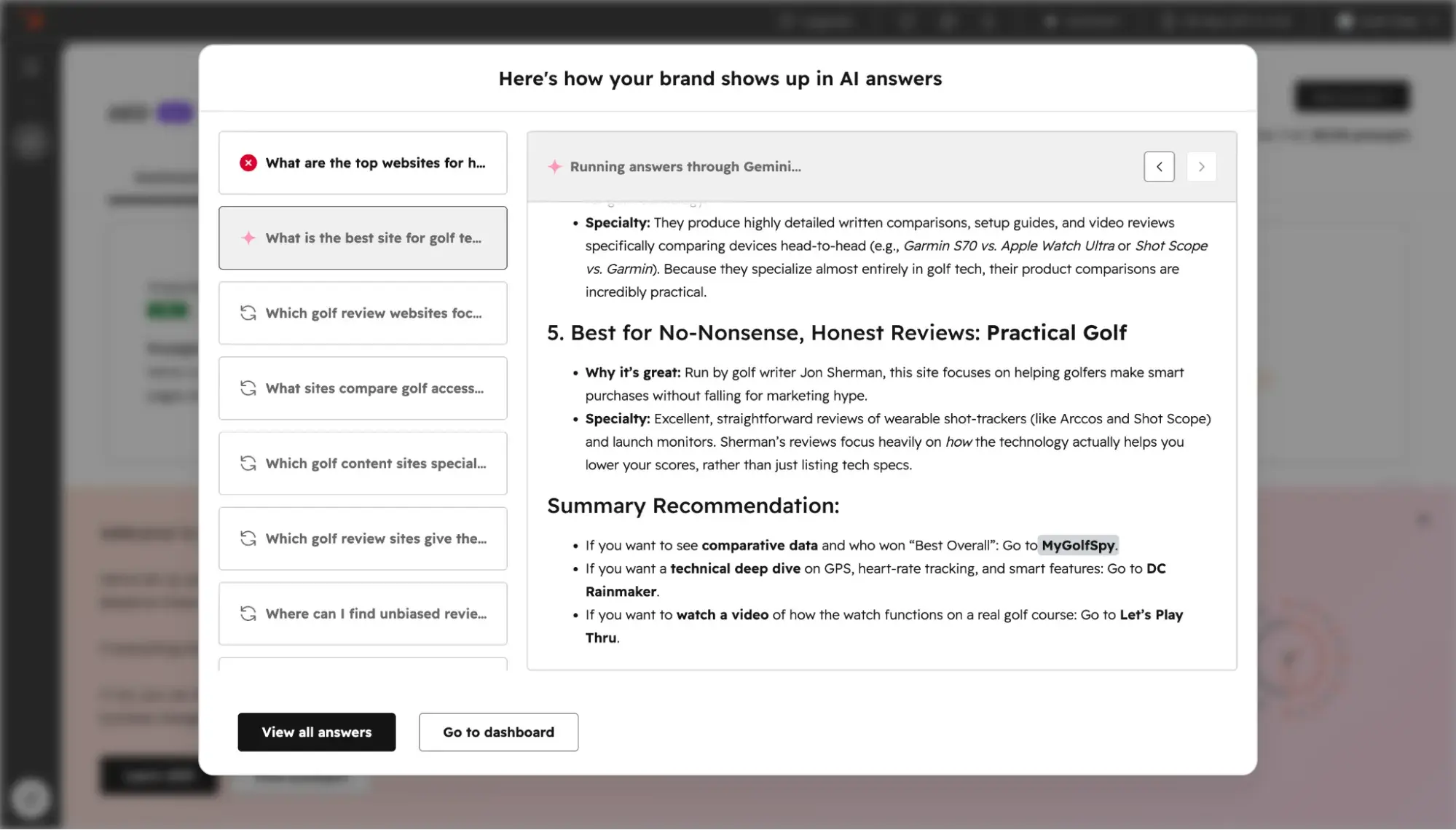
Users can manually add prompts to HubSpot AEO or get suggestions based on the company info they provide during onboarding. Or, if they’re using AEO in Marketing Hub Pro+, users can get AI-powered suggestions that draw upon context from the CRM data. The advantage of this is that the suggestions get smarter over time as the CRM learns more about your business.
Citations
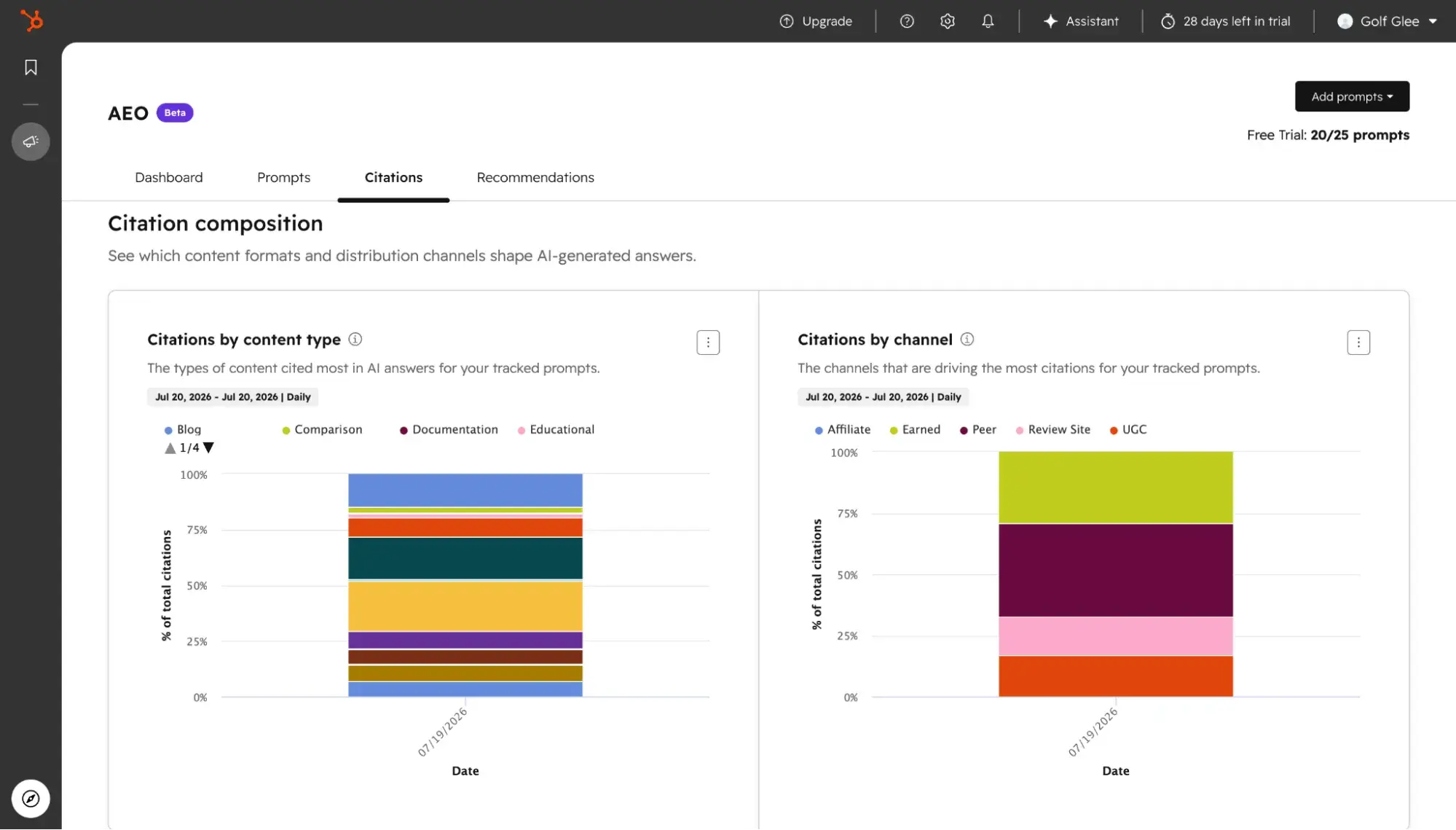
HubSpot AEO’s dashboard shows a detailed citation analysis, including owned citation rate versus competitors, citations by content type, and citations by channel.
Brand Mentions
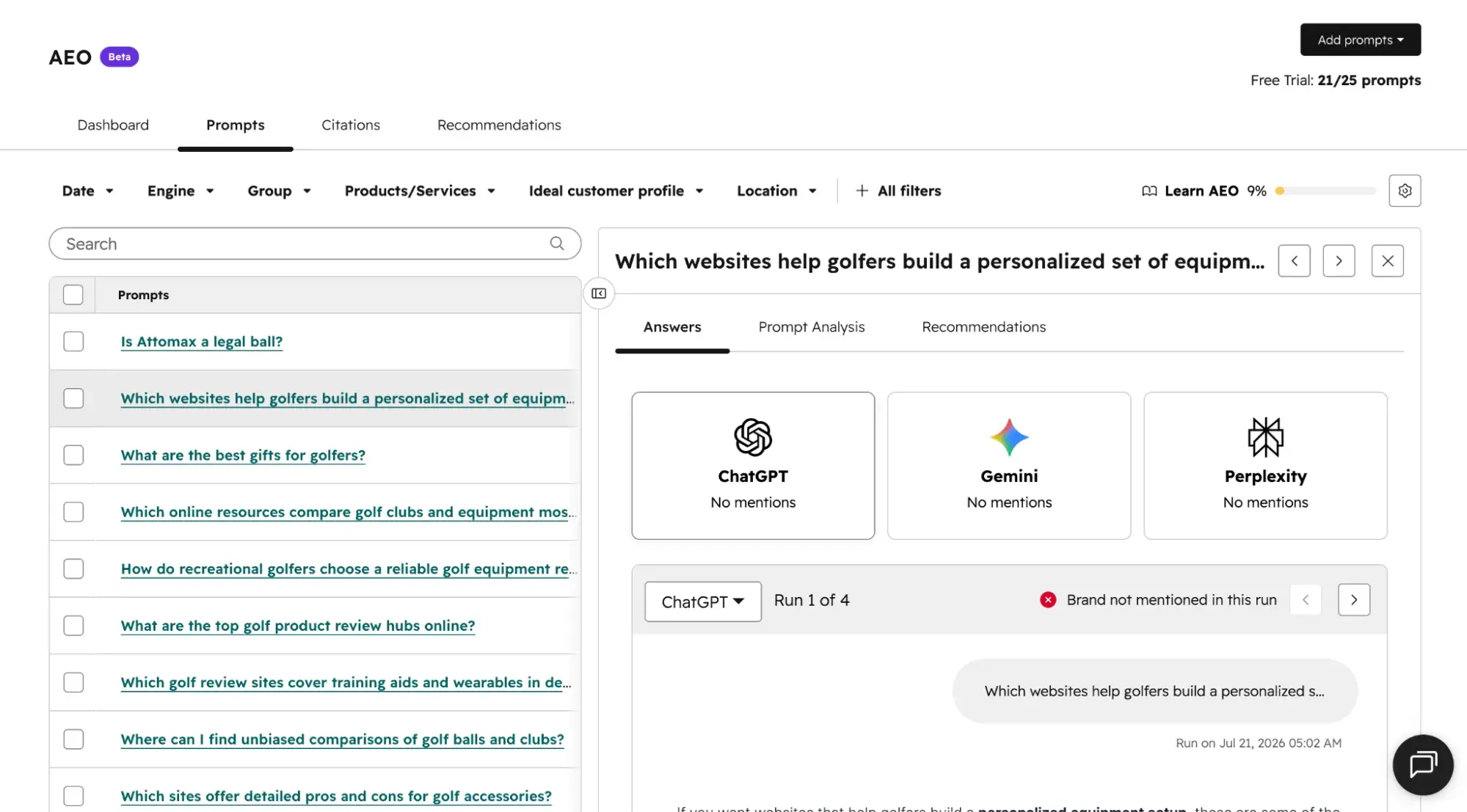
HubSpot AEO users can get a sense for how their brand mentions are doing by going to the Dashboard tab and viewing the brand visibility score to see how often their brand is mentioned for tracked prompts, and brand visibility over time to track progress. For more granular data, they can go to the Prompt tabs and click on each individual prompt to see if their brand was mentioned in that answer and on which of the three answer engines it was mentioned.
How Semrush AI Visibility Toolkit Tracks Prompts, Citations, and Brand Mentions
Prompt Tracking
Semrush differs from HubSpot AEO in the way it fetches answers. Instead of sending the prompts live to every answer engine every time, it has a pre-existing proprietary database of over 289 million prompts that it pulls from. The prompt database is updated daily.
Users can manually add prompts or use the synthetic prompts that Semrush suggests based on the user’s submitted domain and location. If a user manually adds prompts for tracking, then Semrush runs it live to see what answers get fetched.
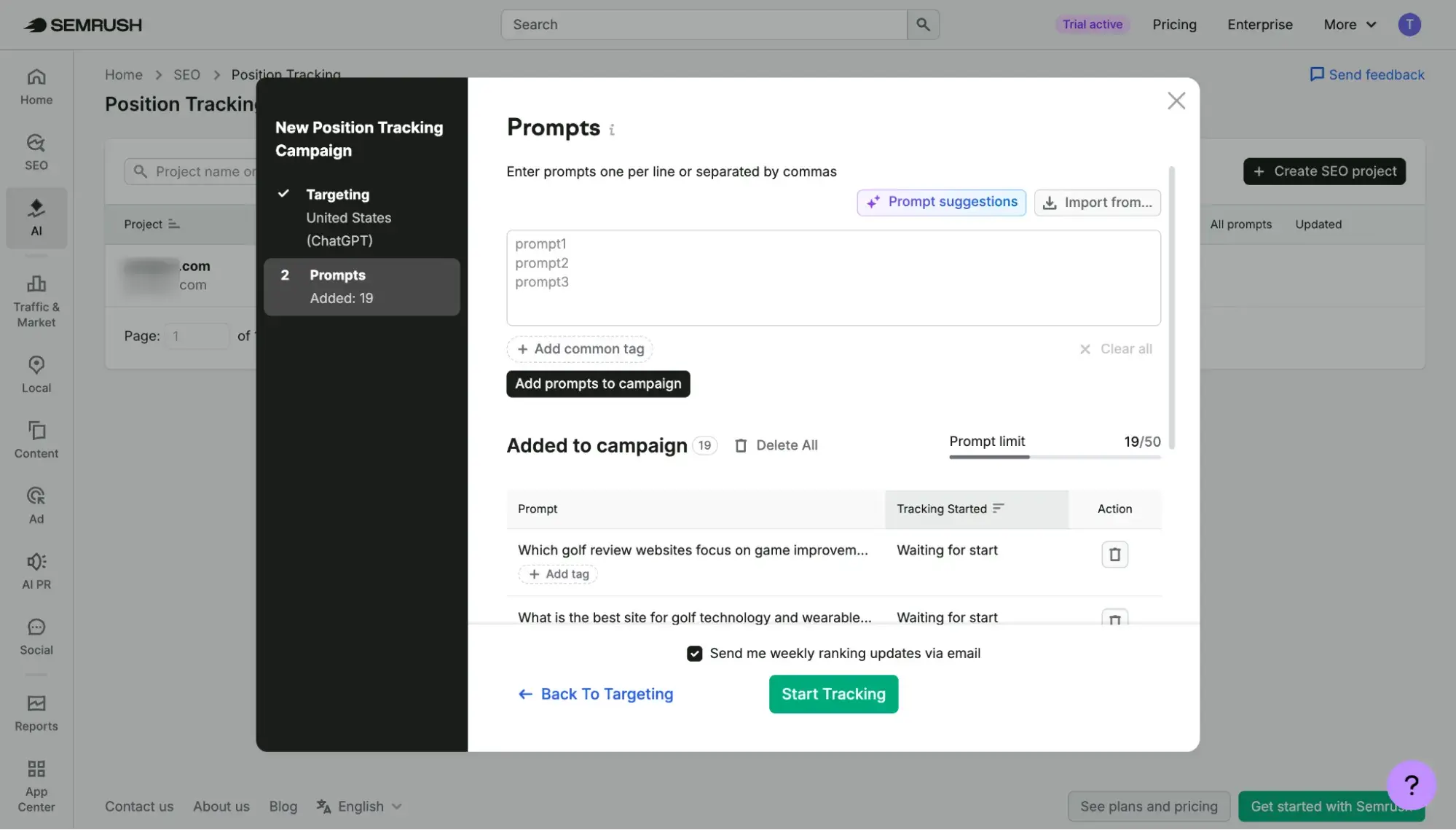
Unlike AEO in HubSpot Marketing Hub Pro+, Semrush AI Visibility Toolkit does not have a CRM, so it cannot use your business context to personalize prompts like HubSpot can.
Citations
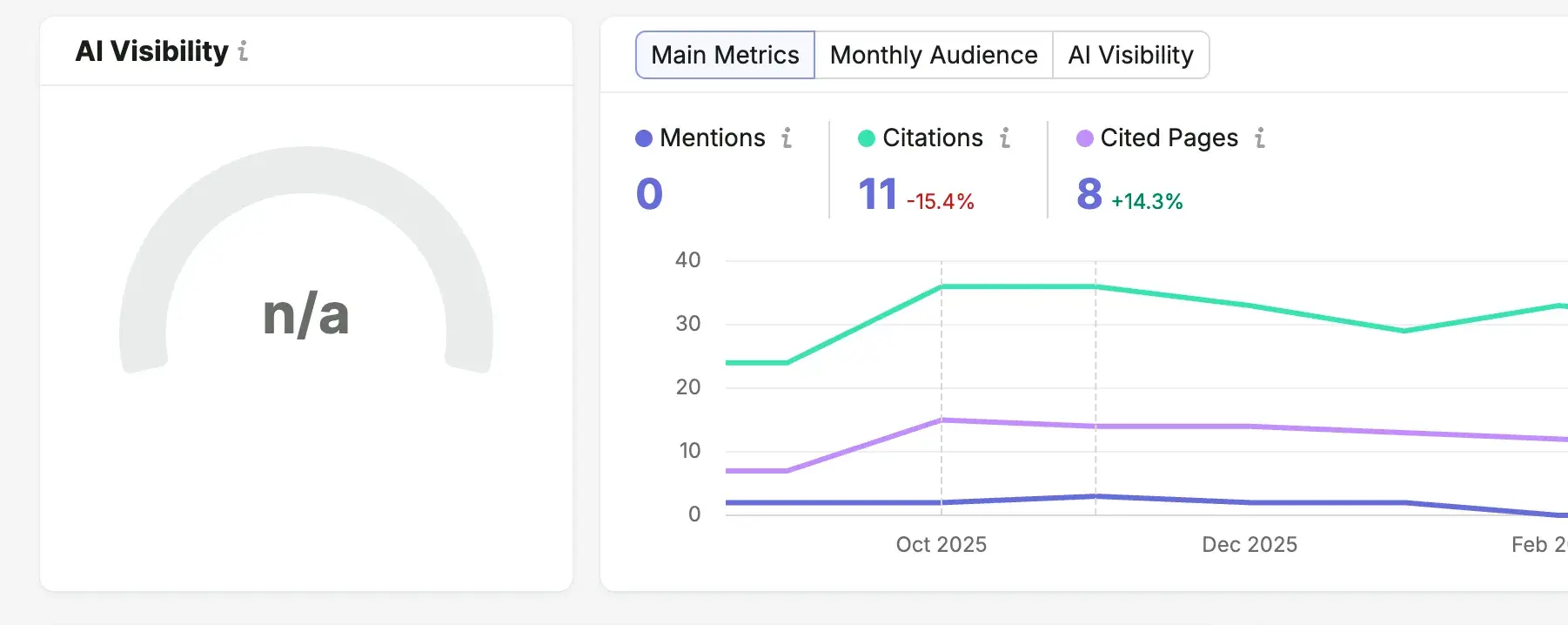
I found it confusing to try to locate my brand’s citations within Semrush’s AI Visibility dashboard. Instead of a dedicated Citations tab, Semrush has a few places where you can find info on how often AI cites your domain. Users can find it under AI Visibility > Visibility Overview > Citations, which shows how many AI answers a domain gets cited in. Scroll down to Cited Pages, and you can see the exact URLs on your website that are getting cited by AI.
Under AI Visibility > Competitor Research > Sources > Missing, you can see which third-party websites are driving your competitors’ AI visibility. These are opportunities for outreach to gain inclusion on those third-party sites.
Brand Mentions
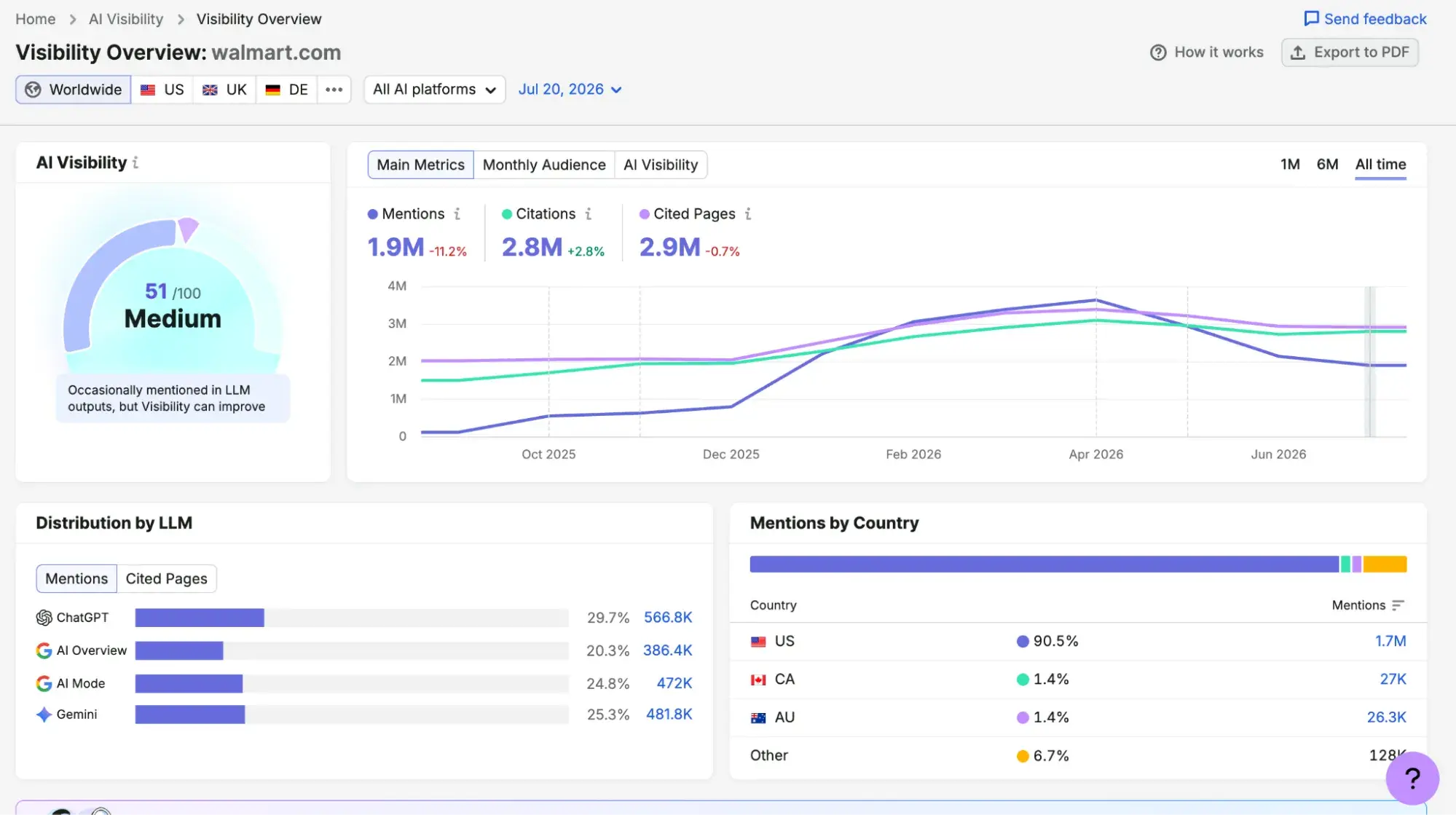
Semrush users can go to AI Visibility > Visibility Overview and see their AI visibility score next to how mention counts are trending over time. On the same page, brand mentions are broken down by LLM distribution, country, topic, and prompt.
HubSpot AEO vs. Semrush AI Visibility: Actionability
Winner: HubSpot For Content Creation, Semrush For Technical Optimization
This section covers how easy it is to take action on AEO insights provided by HubSpot AEO vs Semrush AI Visibility.
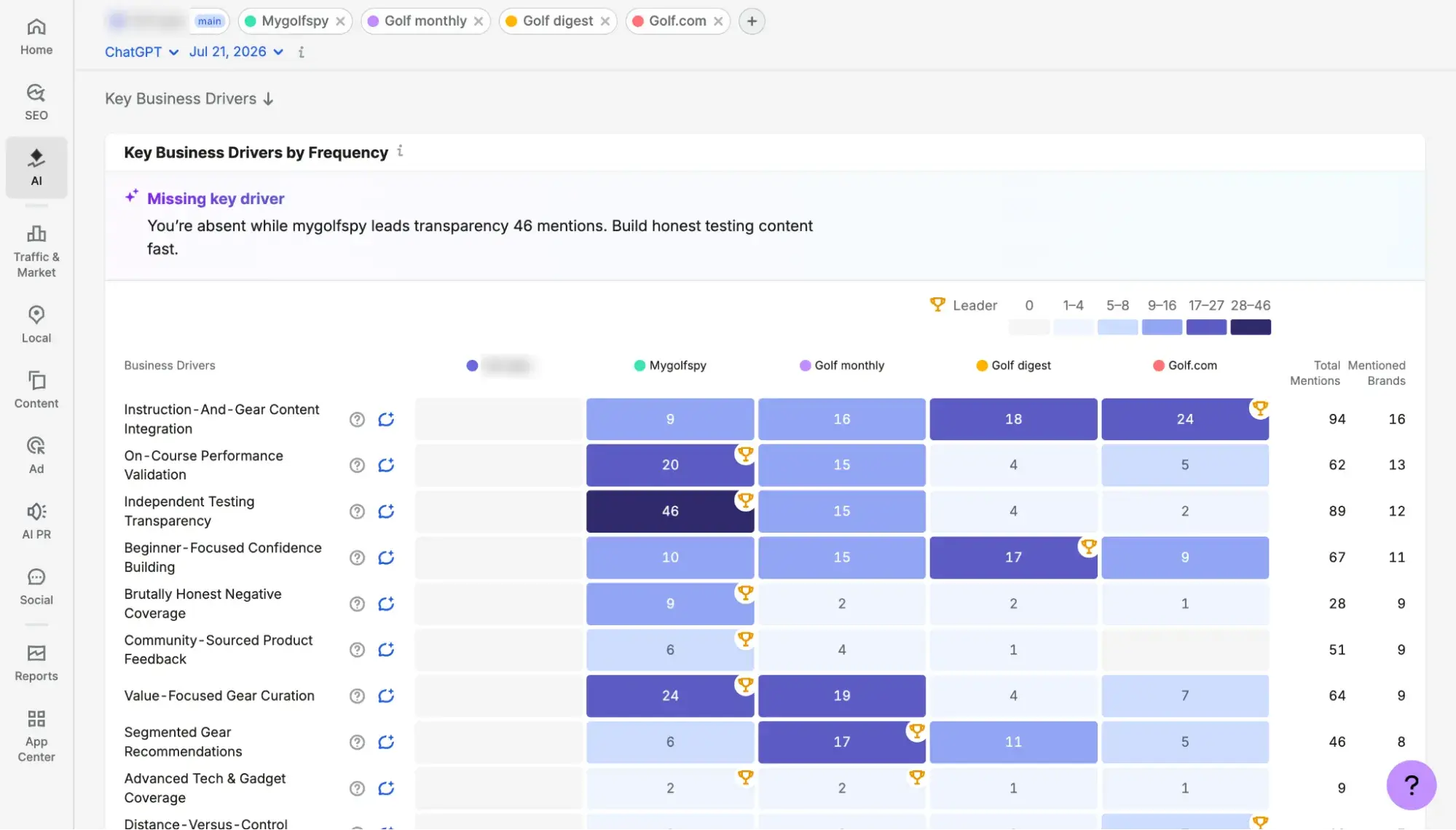
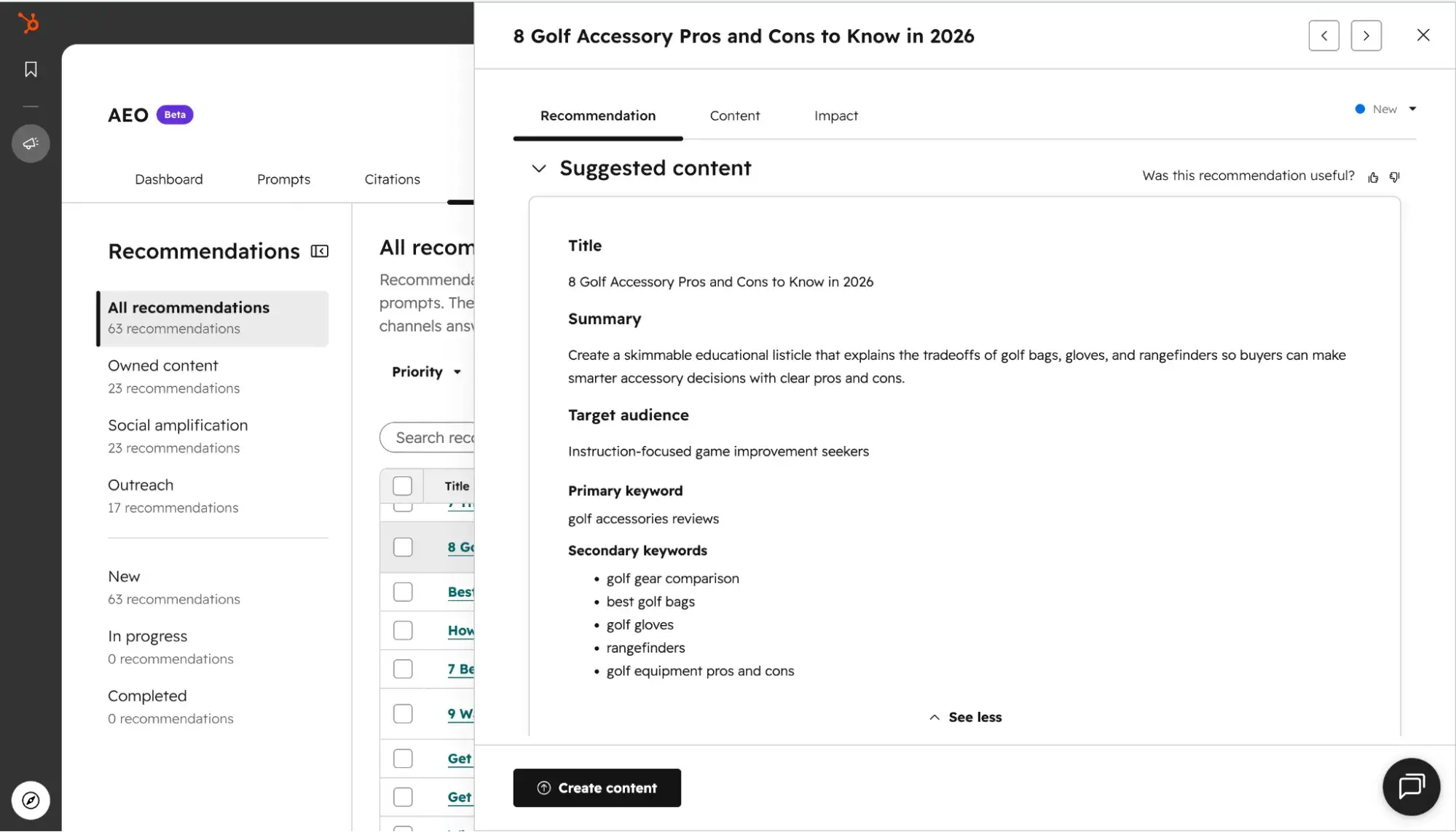
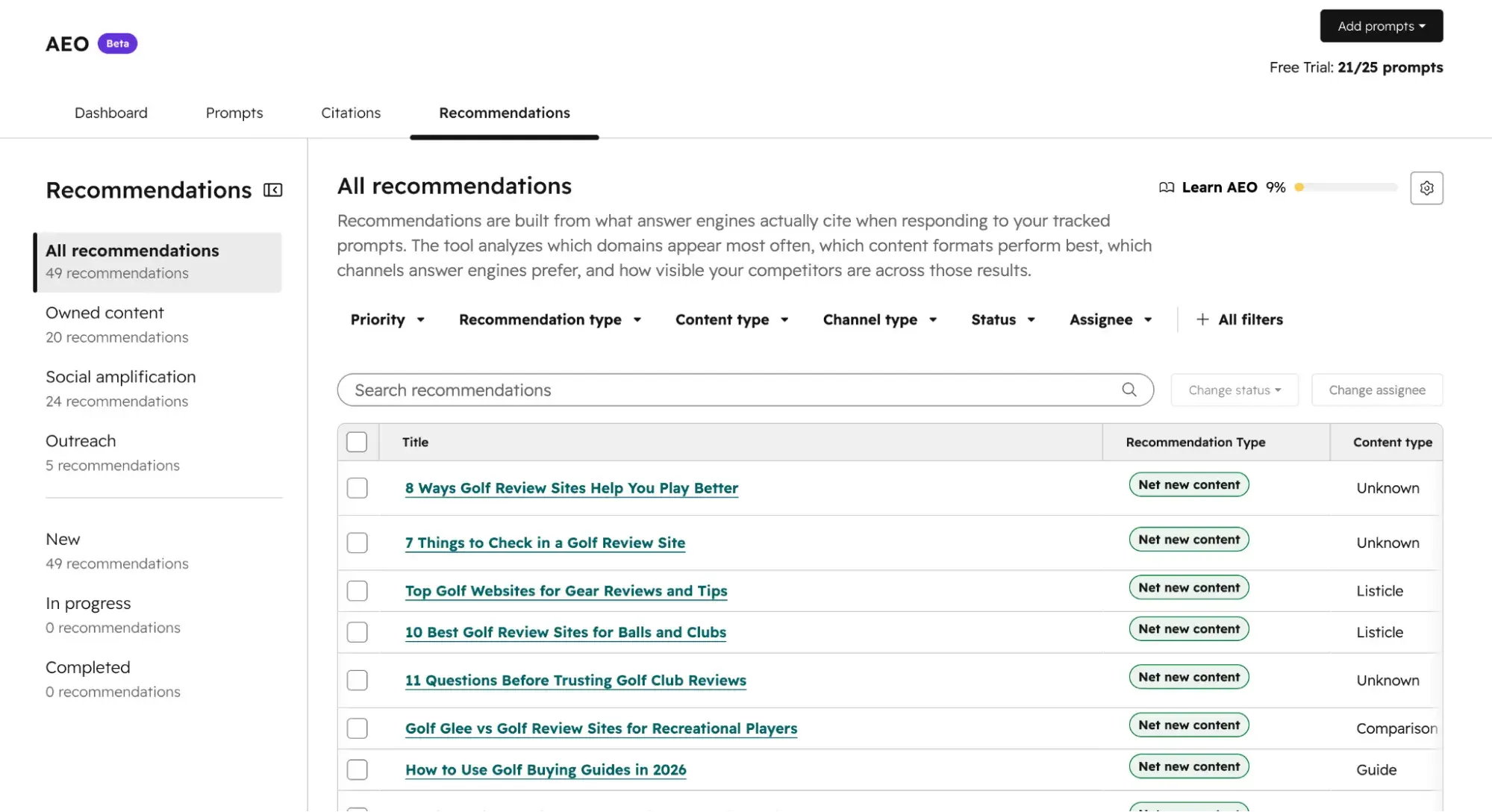
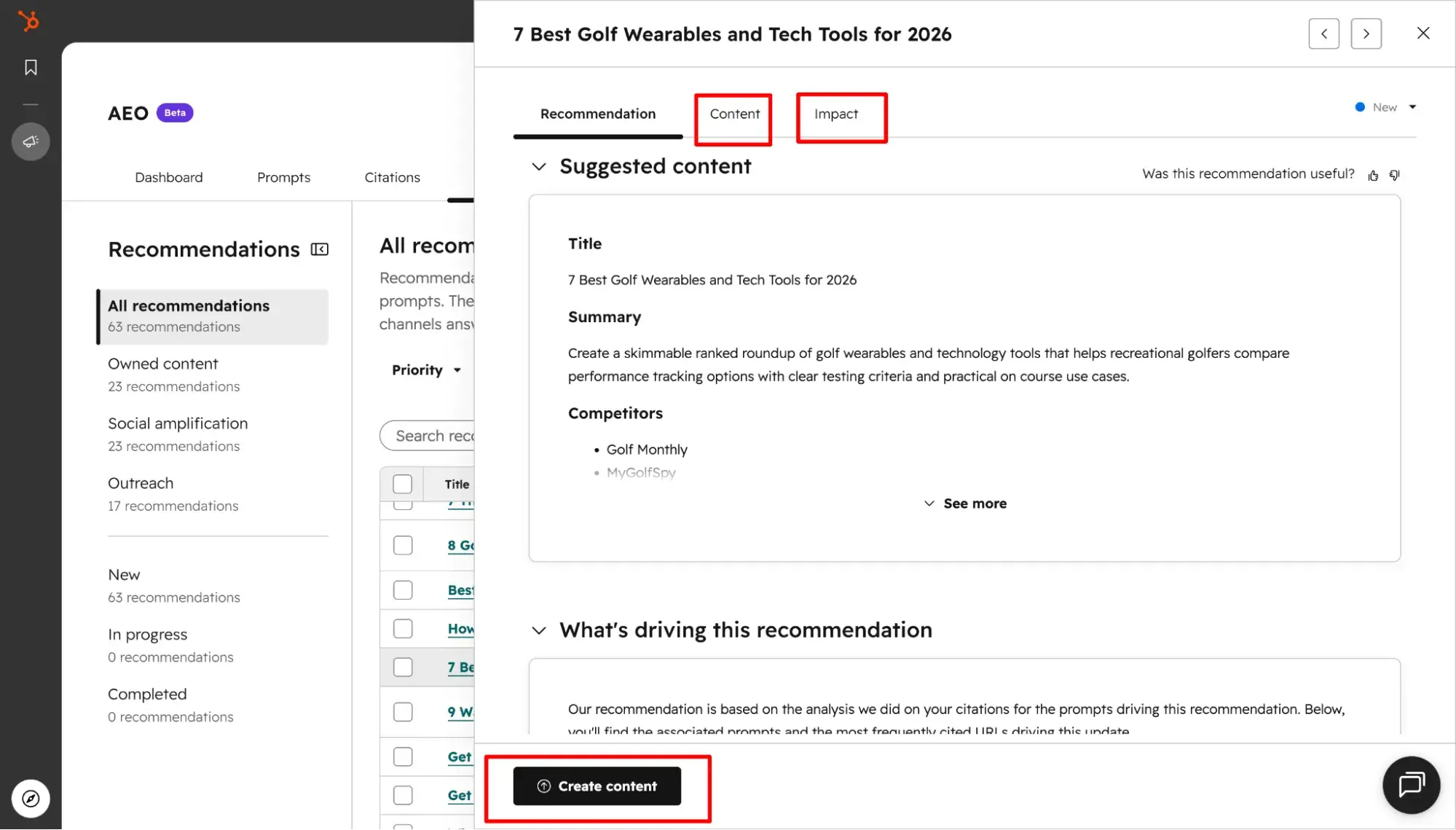
Both tools provide recommendations tailored to your brand, based on what answer engines are already saying about it. However, they differ in their level of detail. HubSpot AEO provides prescriptive recommendations on blog posts you should create, providing a brief with a suggested title, target audience, summary, and primary and secondary keywords.
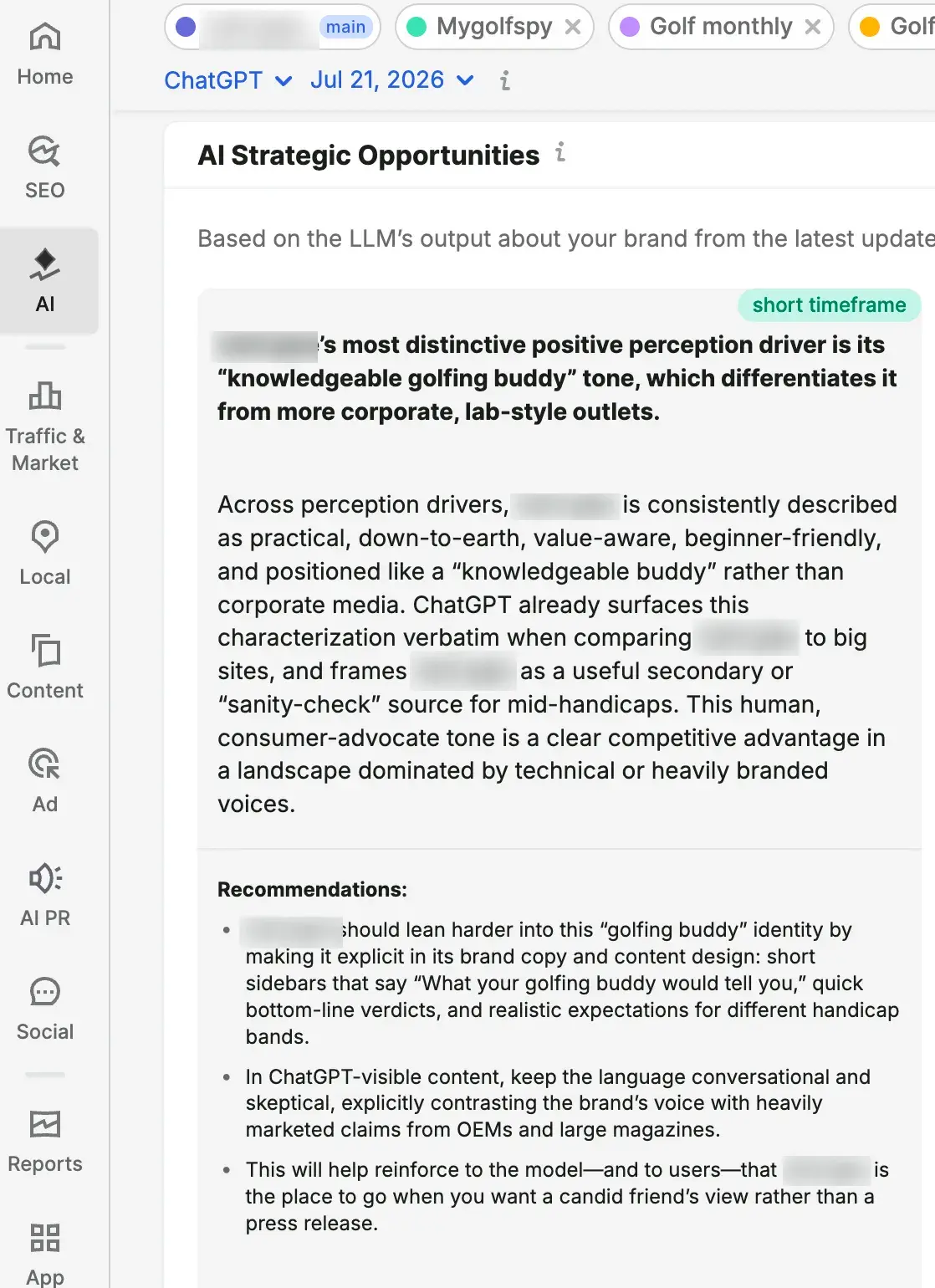
Semrush provides more high-level directional guidance, such as adjusting your brand voice or adding certain content design elements. It doesn’t give detailed guidance on actual blog posts to create — at least, not within its AI Visibility Toolkit. You might have to purchase the Content Toolkit add-on for that.
Unlike HubSpot, Semrush doesn’t have a CMS or a CRM, so it lacks the unified path from insight to action that HubSpot has. Moving from suggestion to implementation will be more of a hassle, as you’ll need a separate tool for publishing. To get from insight to content creation with HubSpot, you’ll need Marketing Hub Pro/Enterprise (which includes AEO features and a CRM) or HubSpot for Marketers (which includes AEO features, a CRM, and a CMS). To create content with Semrush, you’ll need the Content Toolkit add-on.
As for technical optimization, both tools will alert you to AI-specific technical issues, such as a robots.txt file blocking an AI crawler. However, Semrush provides a dedicated AI Search Health score within its deeper, traditional Site Audit tool, making it stronger for overall technical SEO.
What is the fastest way to turn visibility gaps into content updates?
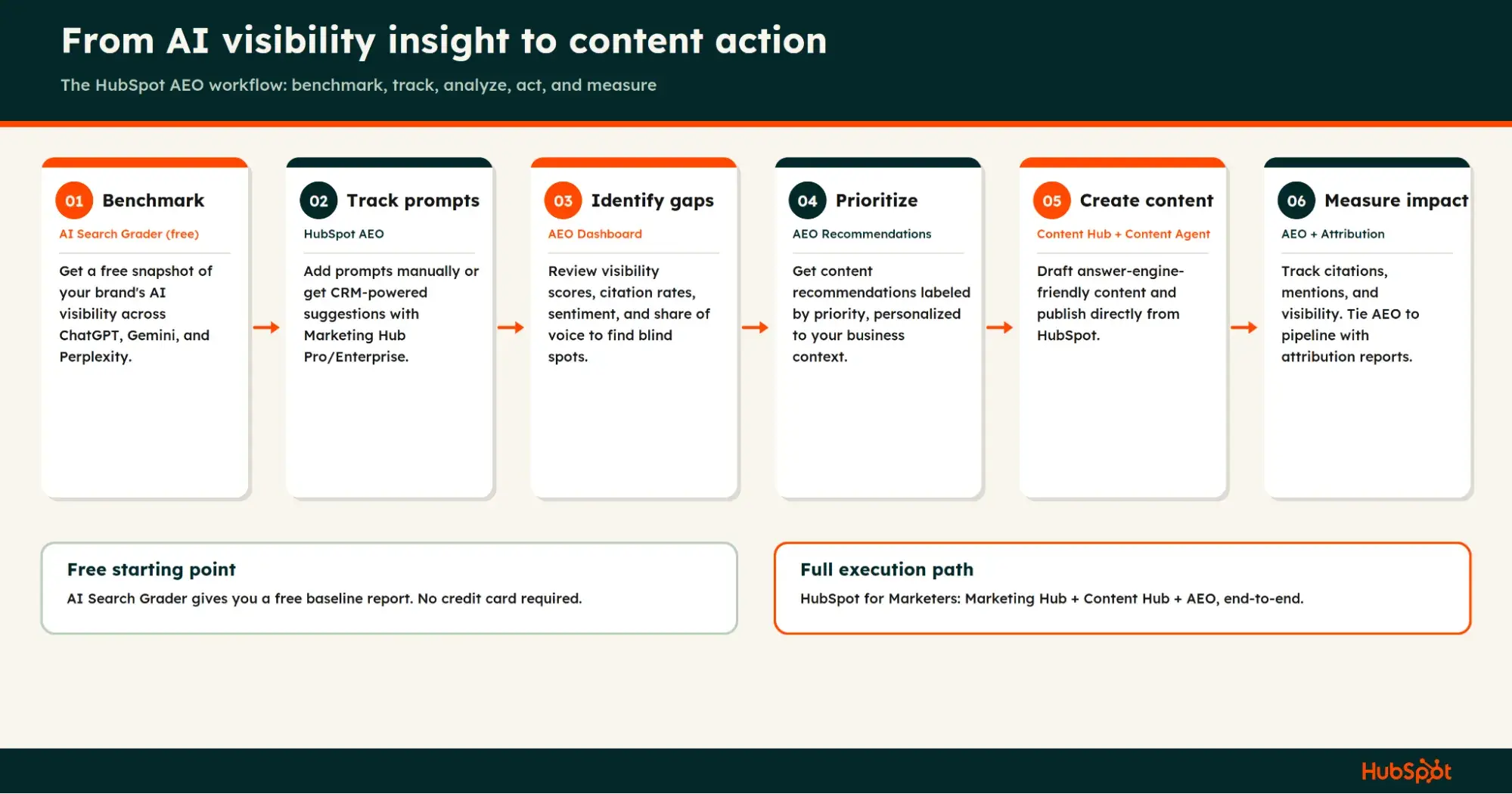
The fastest way to turn visibility gaps into content updates is to use HubSpot for Marketers, which combines Marketing Hub, Content Hub, and AEO to help you create answer engine-friendly content fast based on your actual CRM data. Subscribers to HubSpot for Marketers or Marketing Hub Professional/Enterprise can use Content Agent to generate research-backed blog posts based on AEO recommendations.
When should you use AI to accelerate AEO tasks?
As a writer, I’m always going to advocate for keeping humans in the loop, especially when writing AEO content. If you are going to use AI, use AI that has the proper context about your brand; otherwise, your outputs will be generic. For example, subscribers to Marketing Hub Professional and Enterprise get AEO feature access that draws upon CRM data to give more contextualized prompt suggestions based on your actual business.
Here are a couple of the best places AI can speed up AEO tasks:
- Prompt research and tracking. HubSpot speeds up prompt research by connecting to your CRM (via Marketing Hub Professional and Enterprise). Semrush uses its massive database of AI queries to suggest prompts based on your domain and location. Both tools track your prompts daily, giving you insights into whether and how frequently your brand is mentioned or cited for those target prompts.
- Writing assistance. HubSpot offers Content Agent, which can conduct research based on your CRM data and generate content drafts in a single click. Semrush offers Content Toolkit ($60/mo for the add-on).
HubSpot AEO vs. Semrush AI Visibility: Integrations
Winner: HubSpot. HubSpot’s advantage is its native integration with its Smart CRM as well as its marketing and content tools. Using AEO within a Marketing Hub Professional or Enterprise subscription grants you the ability to own the AEO process end-to-end, from AEO insight to published content. There’s also closed-loop reporting because it all happens within the HubSpot platform.
That CRM connection means you can get personalized prompt suggestions based on your business context within HubSpot. HubSpot also has integrations with Google Analytics and Google Search Console, as well as more than 1,000 other integrations available in the HubSpot Marketplace.
Semrush AI Visibility Toolkit natively integrates with the Semrush SEO platform, which is useful if you’re already using it for SEO. It also provides integrations with Google Analytics and Google Search Console. Semrush has deeper features for search engine optimization than HubSpot does. However, Semrush lacks the CRM prompt grounding and personalization that HubSpot has. Semrush’s third-party integrations include WordPress, Trello, Google Docs, and Facebook.
HubSpot AEO vs. Semrush AI Visibility for Ease of Use
Winner: HubSpot. Of the two, I found HubSpot AEO the easiest to use. The onboarding was substantially better, with more guidance and personalization. Semrush dropped me right into my dashboard after I entered my domain.
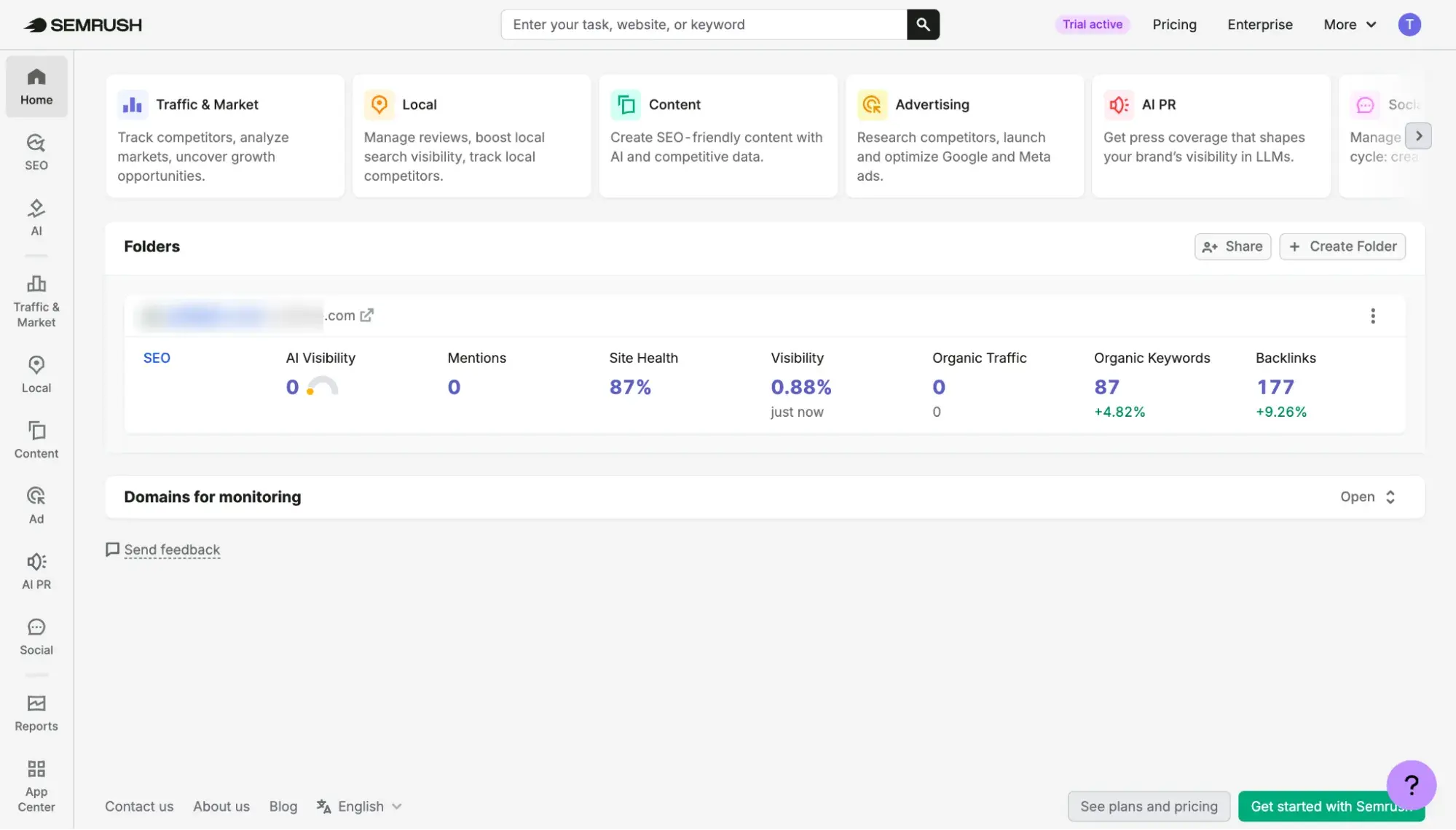
HubSpot’s UI is intuitive and simple, making it easy to navigate. That’s not a knock against Semrush, though. If Semrush feels complicated, it’s just because it has such a wide range of features, so it takes more getting used to. If simplicity and ease are your main goals, then HubSpot AEO is for you. But if feature robustness matters more, try Semrush.
How can non-SEOs get value fast?
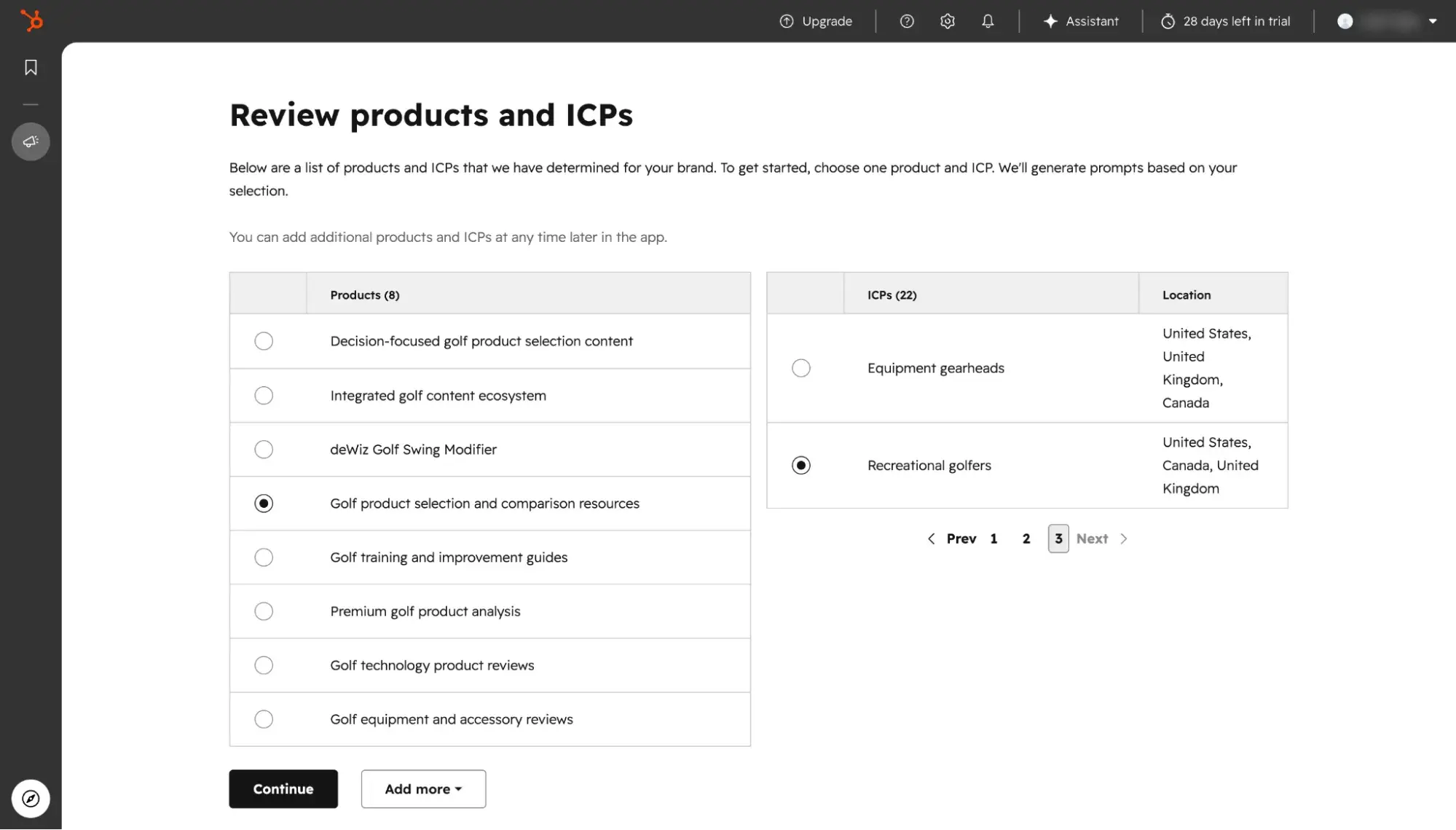
Non-SEOs (marketers especially) will get the most value at the fastest rate by using HubSpot AEO and completing the guided onboarding process. It’s extremely user-friendly and made for marketers. For example, HubSpot AEO allows you to tailor your prompts based on different ICPs.
HubSpot AEO vs. Semrush AI Visibility Pricing + How to Start
Step 1: Use free options to get a baseline of your AEO readiness.
Free Plans
Best for: Getting a high-level snapshot of your AI visibility before you deep dive into advanced AEO tools
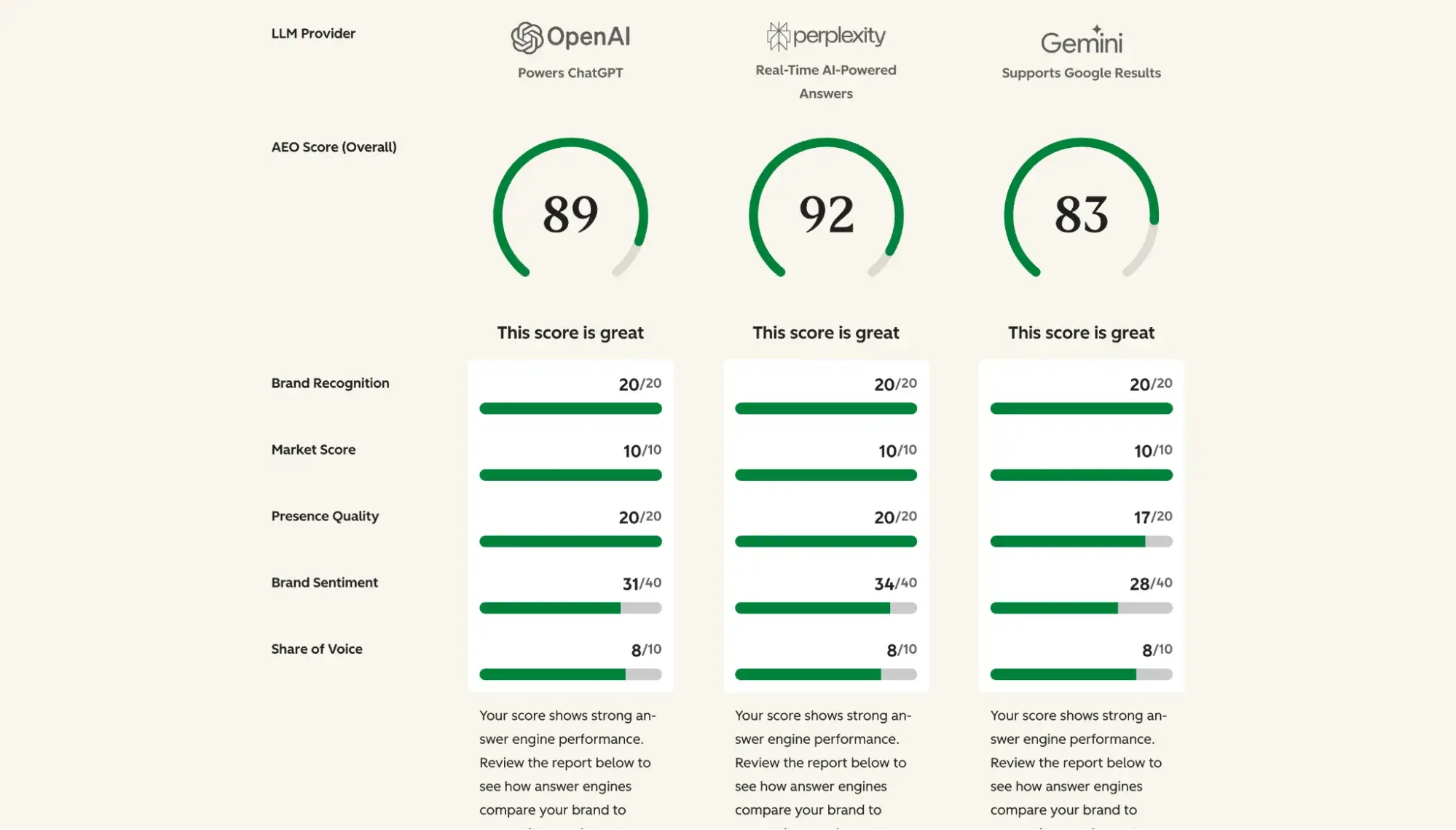
HubSpot AEO does not have a free plan, but HubSpot does offer a free tool that helps marketers get a snapshot of their AI readiness. AI Search Grader gives marketers a free point-in-time report of their brand’s AI visibility across ChatGPT, Gemini, and Perplexity — perfect for getting a baseline. The report is based on the LLMs’ training data, so it’s useful for knowing where you stand when you first get started on AEO. But to track your brand’s target prompts and actual progress, you’ll need to upgrade to HubSpot AEO.
Start by getting your baseline using the free AI Search Grader. Just enter your domain, and AI Search Grader will give you a one-time snapshot of your AI visibility based on existing training data for ChatGPT, Gemini, and Perplexity. It’ll score your brand on sentiment, presence quality, brand recognition, share of voice, and market competition.
Semrush AI Visibility Toolkit does not have a free plan, but the free Semrush plan grants access to Domain Overview to provide a snapshot of your domain’s mentions, citations, and AI visibility score. It also grants access to Site Audit, allowing you to audit up to 100 pages for technical issues that are hindering your AI visibility.
Free Trials
Best for: Evaluating advanced AEO tools before committing to a paid subscription
For more advanced AI visibility and continuous tracking, HubSpot AEO offers a 28-day free trial. Semrush AI Visibility Toolkit ($99/mo/domain) does not offer a free trial. However, Semrush SEO + AI Search (starting at $199/mo billed monthly) does offer a seven-day free trial.
Setting up on both is incredibly easy — all you need to do is enter your domain. Then, for HubSpot AEO, it’ll guide you through onboarding, asking for more details about your business so it can provide personalized prompt suggestions.
Step 2: Expand to paid tiers to expedite and track AEO progress.
Marketers serious about AEO quickly outgrow free plans and trials. Once you’ve taken advantage of free trials for evaluation purposes, you’re ready to commit to a paid subscription for long-term tracking and expedited AEO progress.
HubSpot AEO can be purchased on its own for just $50/mo, granting you 25 prompts that it tracks daily. Semrush AI Visibility Toolkit can be purchased on its own for $99/mo/domain, also allowing you to track 25 prompts.
HubSpot AEO vs Semrush AI Visibility: Which should you choose?
Choose HubSpot AEO if:
- Your customers are mainly using ChatGPT, Gemini, or Perplexity. HubSpot AEO covers all three of these answer engines.
- You want personalized prompt recommendations based on your specific business context. (Note: To achieve this, you must upgrade to Marketing Hub Professional/Enterprise or HubSpot for Marketers, which includes AEO and connects to HubSpot’s Smart CRM.)
- You prioritize simplicity and ease of use.
- Your team is mostly marketers.
- $50/mo is within your budget.
Choose Semrush AI Visibility Toolkit if:
- Your customers are mainly using Google AI Overviews or Google AI Mode. Semrush covers those two answer engines, as well as ChatGPT, Gemini, and Perplexity.
- You’re fine with auto-generated synthetic prompts. Note: Semrush does allow you to manually add your own prompts as well.
- You prioritize feature complexity and quantity.
- Your team is mostly SEOs. Note: For SEO functionality, you need to purchase the SEO base subscription ($139.95/mo) in addition to the $99/mo/domain AI Visibility Toolkit add-on.
- $99/mo is within your budget. Note: $99/mo is for one domain only and does not include SEO functionality.
What’s the best way to pilot and prove impact?
Personally, I like to pilot software I’m considering side by side. So, I’d recommend signing up for HubSpot AEO’s free 28-day trial at the same time that you sign up for Semrush One’s 7-day free trial. Then, spend the next week using them side by side and comparing their strengths and weaknesses.
Use the same domain to get a true apples-to-apples comparison of how each tool approaches the AEO process.
From there, I’d create a few pieces of content based on HubSpot AEO’s recommendations and Semrush’s recommendations. Think of this as split testing. Create a spreadsheet of the content that was based on HubSpot and a separate tab for the content that was based on Semrush.
AEO efforts, similar to SEO work, take time to show impact. Track both pieces of content over the next three months. Track these metrics: citations, mentions, prompts. Note: Because the free trial for HubSpot AEO ends after 28 days and Semrush One after seven days, you’ll have to upgrade to the paid version of HubSpot AEO ($50/mo) and then the paid version of the standalone Semrush AI Visibility Toolkit ($99/mo/domain).
At the end of your three-month pilot, see which tool ended up giving you content recommendations that moved the needle for your AI visibility. In addition to that, take note of which tool was genuinely most helpful and easy to use for your team.
Alternatives to HubSpot AEO and Semrush AI Visibility
Profound
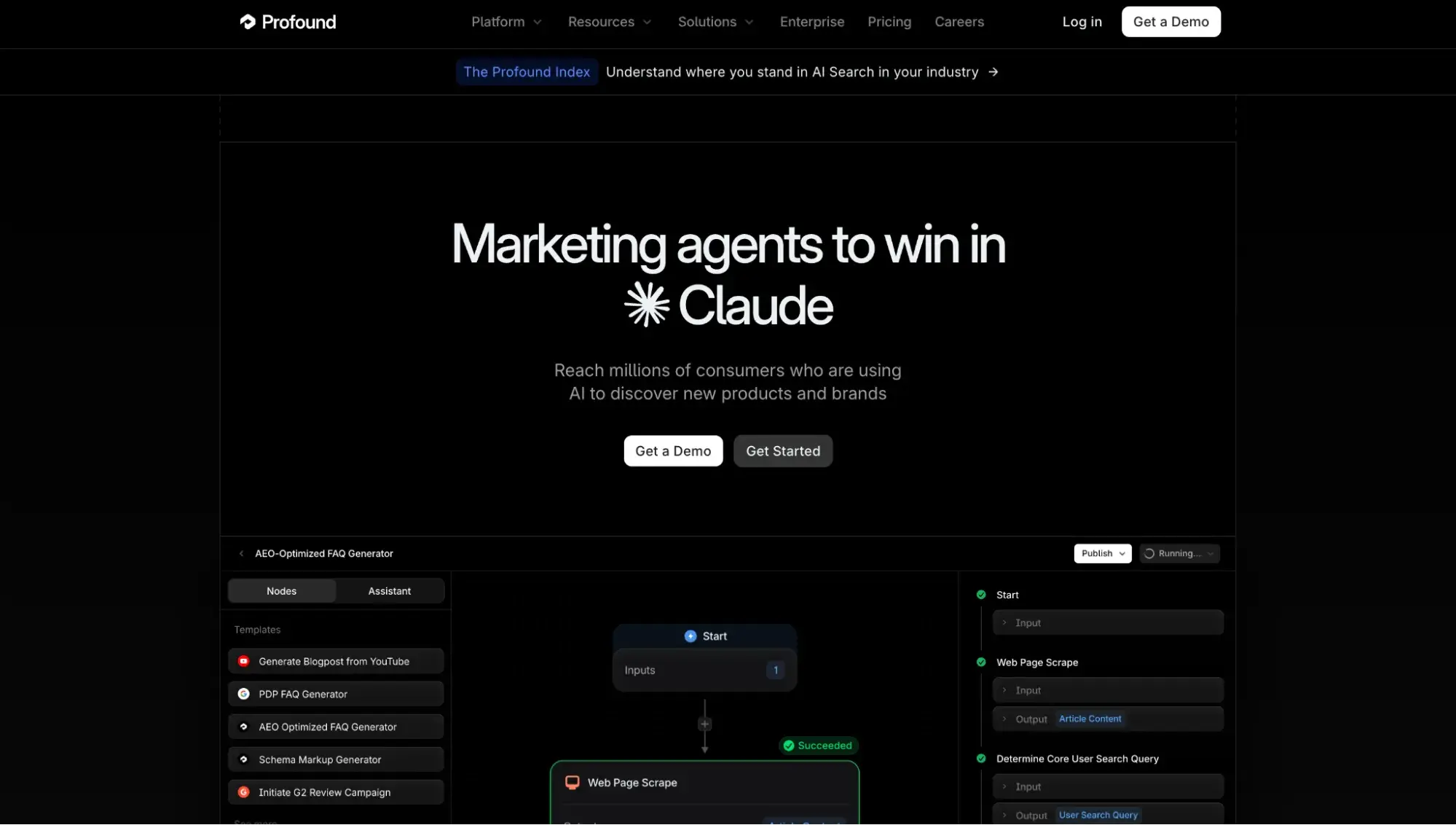
Best for: Enterprise teams wanting to automate the AEO content creation process (while maintaining human-in-the-loop approval)
Key Features
- Broadest engine coverage (10): ChatGPT, Perplexity, Google AI Overviews, Google AI Mode, Gemini, Microsoft Copilot, Meta AI, Grok, DeepSeek, Claude
- Pre-built content agents: Choose from a library of agent templates, including one that lets you generate AEO-friendly articles based on a topic prompt. Important note from the Profound website: “Every Agent run includes an approval step before anything publishes, so you can stay in control of what goes live.”
- Prompt Volumes: A standout feature that estimates volume at the keyword or phrase level, drawn from real ChatGPT, Perplexity, Gemini, and Claude user data
Pricing: Starts at $99/mo for ChatGPT tracking only
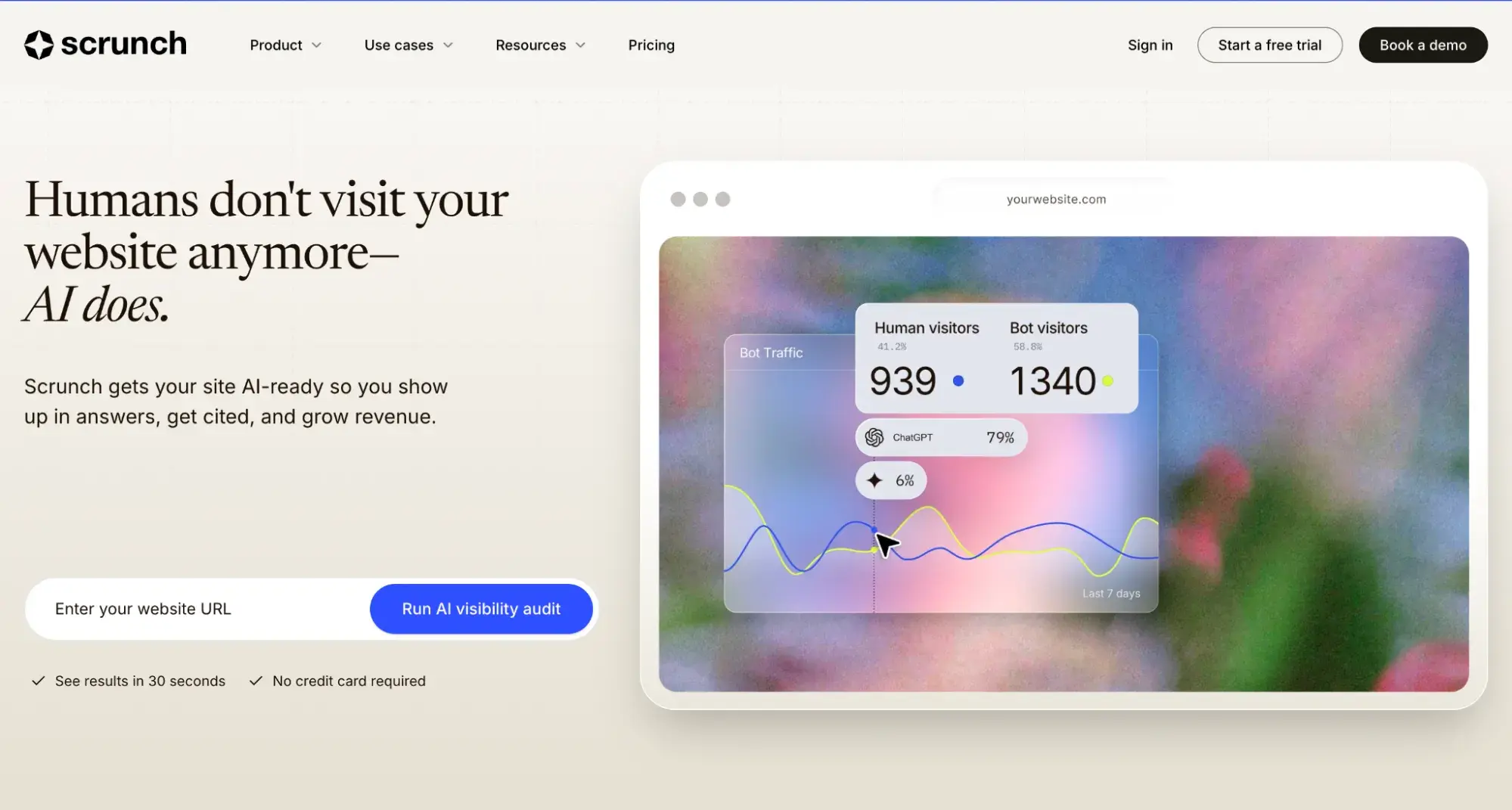
Scrunch
Best for: Mid-market to enterprise teams needing technical optimizations and AI traffic attribution
Key Features
- Engine coverage (9): ChatGPT, Claude, Perplexity, Gemini, Meta AI, Google AI Mode, AI Overviews, Microsoft Copilot, Grok
- Agent Experience Platform (AXP): A standout feature that essentially creates a second version of every webpage that is served only to AI crawlers (not search engine crawlers or humans) to help with your AEO
- AI referrals: Connect to GA4, and you’ll see who visited from AI, as well as purchase revenue and conversion rate tied to AI referrals.
Pricing: Starts at $250/mo for four answer engines (ChatGPT, Perplexity, Google AI Overviews, and Microsoft Copilot)
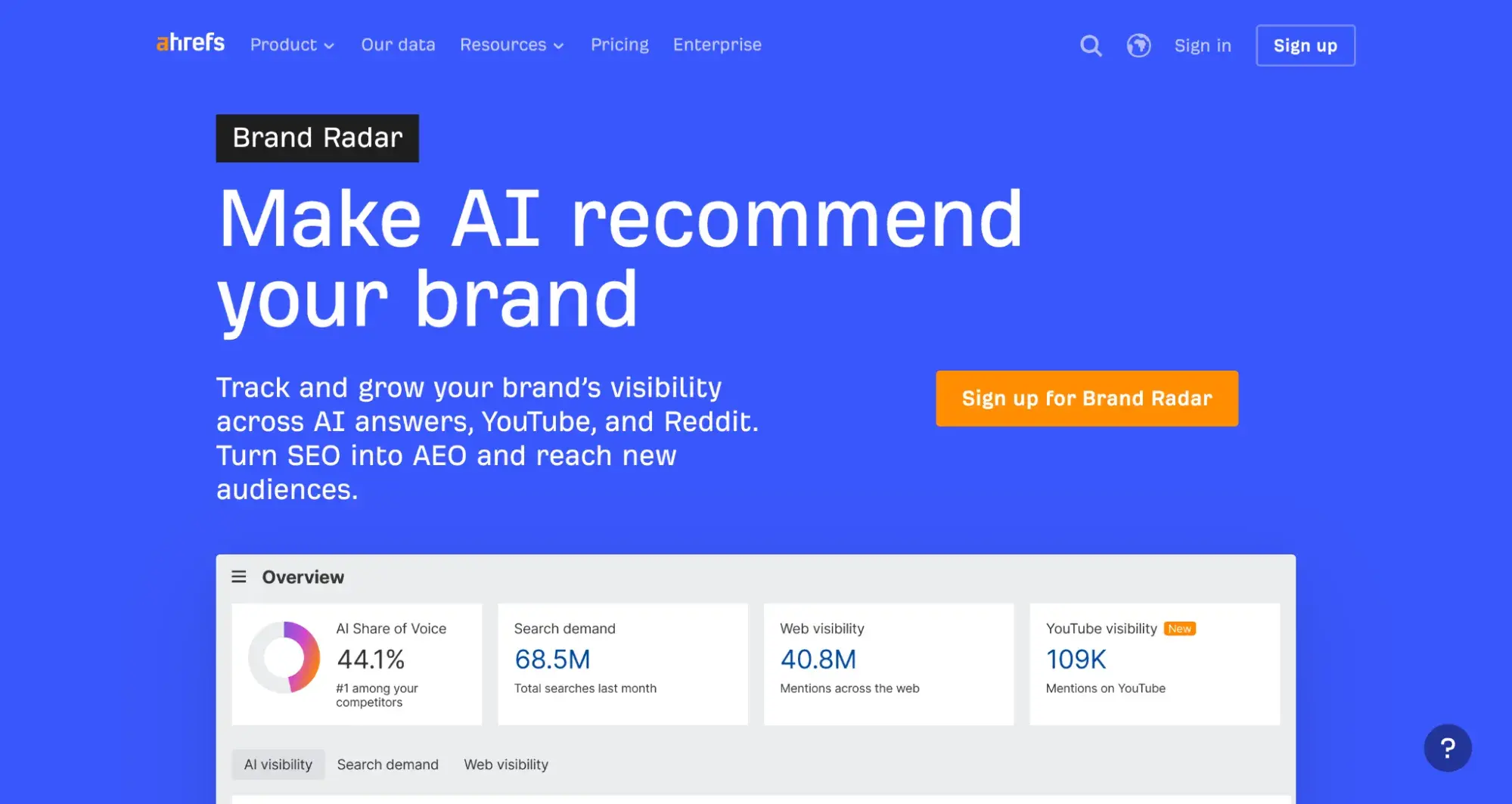
Ahrefs Brand Radar
Best for: Teams already using Ahrefs for SEO, or those focused on AI visibility on social media
Key Features
- AI coverage on LLMs and social media (6+3): Google AI Overviews, Google AI Mode, ChatGPT, Perplexity, Microsoft Copilot, Gemini + YouTube, TikTok, Reddit
- Largest prompt database: 406M+ monthly prompts
- Unified SEO/AEO dashboard: For existing Ahrefs SEO users, AEO data will sit in the same dashboard as their SEO data.
Pricing: Starts at $199/mo for one platform
If you’re already using Profound, Scrunch, or Ahrefs, you can still add HubSpot AEO by purchasing it on its own. This will grant you access to ChatGPT, Gemini, and Perplexity data, as well as HubSpot’s prompt suggestions and content recommendations. To get CRM-powered suggestions that are personalized based on your business context, upgrade to Marketing Hub Pro+ or HubSpot for Marketers.
Subscribers of HubSpot for Marketers (Marketing Hub Pro+ and Content Hub Pro+ bundled) can own the AEO content creation process end-to-end by getting the AEO recommendation, clicking a button to create content with Content Agent, and then tracking that content’s URL to see its impact on AEO — all in one place. This avoids stack sprawl and governance gaps, enabling a centralized dashboard for AEO insights and actions.
Frequently Asked Questions About HubSpot AEO vs Semrush AI Visibility
Can I use HubSpot AEO and Semrush together?
Yes, in fact, using Semrush for SEO and HubSpot for AEO is the recommended approach. Semrush has deep expertise and functionality for keyword research, backlink tracking, and competitor research, while HubSpot provides the unique CRM-connected prompt suggestions that help your business stand out. The CRM-based prompt suggestions are available only for subscribers of Marketing Hub Professional/Enterprise or HubSpot for Marketers.
Alternatively, if you’re using Semrush for SEO and don’t want to pay the additional $99 to add its AI Visibility Toolkit, HubSpot AEO is available for purchase on its own for just $50, which brings down your total cost of ownership.
How do I measure success beyond visibility scores?
AEO success ultimately depends on whether your AEO efforts are building your pipeline. So, beyond visibility scores, you need to connect your AEO content to business impact. For this, I recommend HubSpot Marketing Hub Enterprise because then you’ll get AEO features and multi-touch attribution that can tell you how your AEO efforts are tied to actual deals in your pipeline.
What is the best way to get cited in AI answers?
The best way to get cited in AI answers is to learn answer engine optimization (AEO), which includes tactics such as creating answer-first content, improving your off-site reputation, ensuring your site has no technical issues, and using a dedicated AEO tool. For more details, check out HubSpot’s AEO guide.
When should you prioritize AEO over traditional SEO work?
First, a caveat: Good AEO relies on a solid SEO foundation. So, once you’ve got a solid SEO foundation in place, prioritize AEO over traditional SEO if you have not yet optimized your site for answer engines. I recommend this because AI search behavior is growing fast, and it takes time for AEO content to compound. So starting on AEO now will pay off in the future.