Automating Digital Product Creation: How I Built a 55-Maze Kids’ Activity Book in Minutes Using Antigravity CLI and Gemini
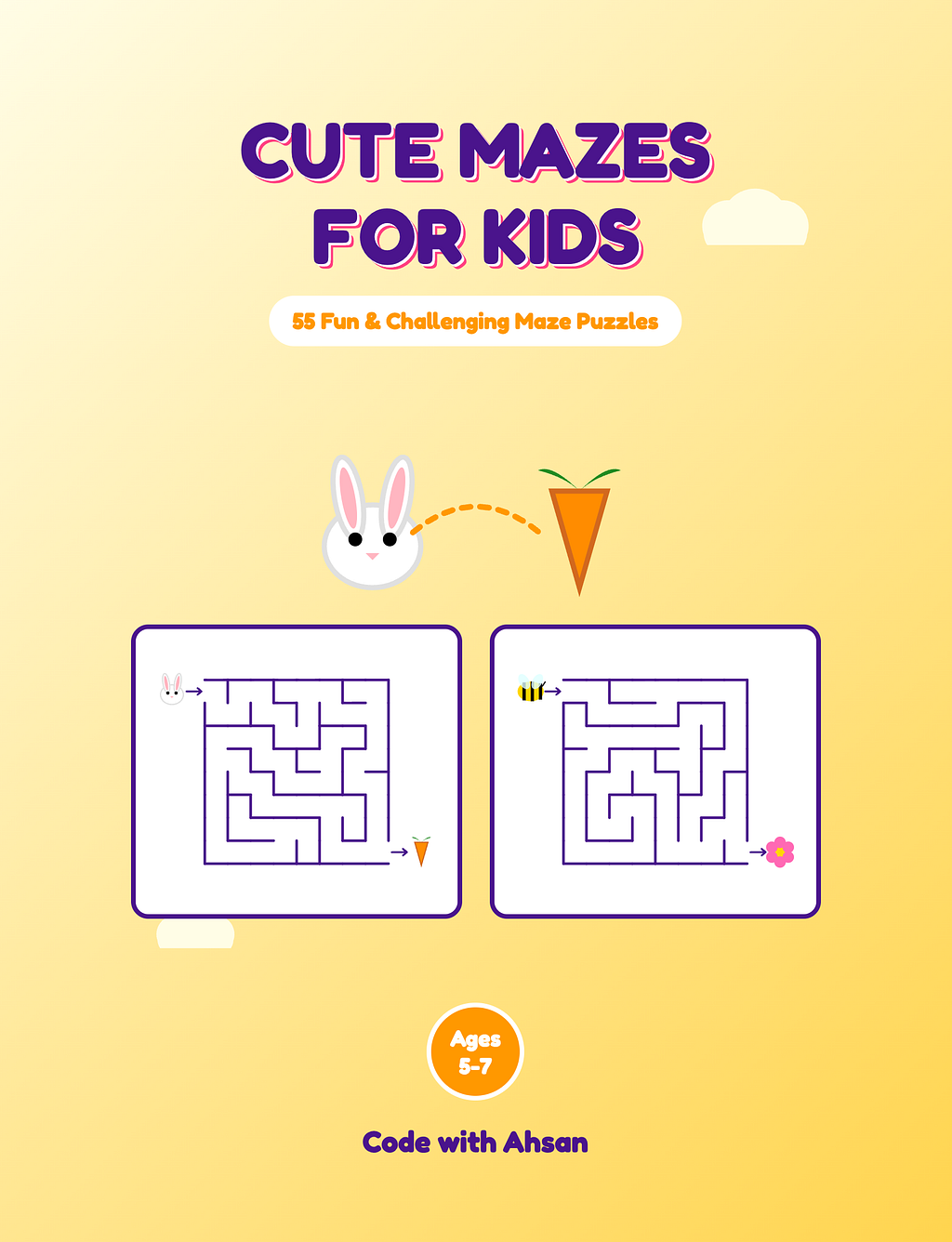
I just published a children’s activity book on Amazon. It has 55 mazes, 97 custom illustrations, a full solutions section, and a wrap-around paperback cover. It is 72 pages, print-ready, and KDP-approved.
I did not draw a single maze. I did not open Illustrator, InDesign, or Canva. The whole book is generated by one Node.js script, and the script was written by a crew of AI agents running in the Google Antigravity CLI (agy) with Gemini, while I played director: set the intent, review the output, make the calls the agents can’t, and hit publish.
Regenerating the entire book from scratch takes about 3 seconds of machine time. Changing the difficulty of every maze in it takes editing two integers. That last part still feels like a cheat code, and I’ll show it to you below.
This is the honest breakdown: the workflow, the algorithm, the print math nobody warns you about, and the parts the agents got wrong.
The crew: who did what
Digital products like puzzle books historically meant hours of manual design work. The insight that changes everything: a maze book is not a design problem. It is a code problem wearing a design costume. Once you see it that way, you can throw agents at it.
I set up a small crew in Antigravity instead of asking one model to do everything:
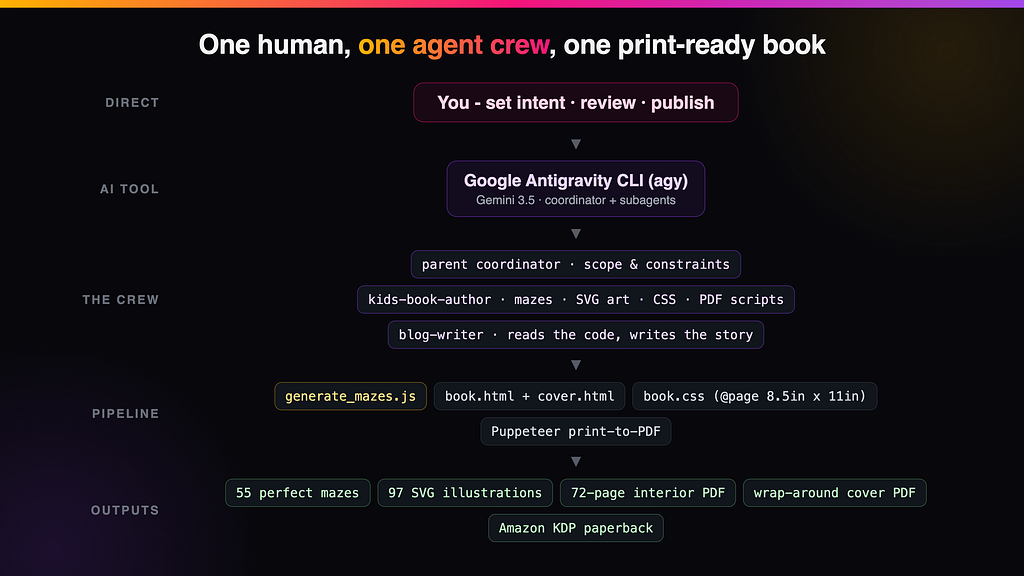
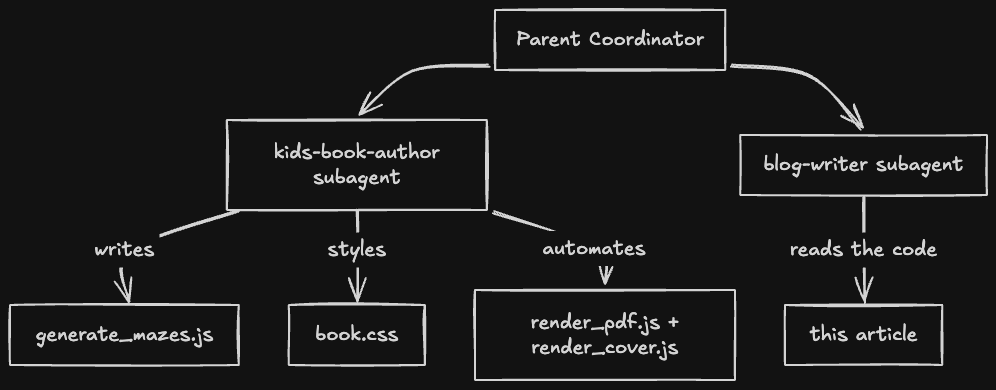
- The parent coordinator held the scope and constraints: ages 5–7, US Letter, KDP-compliant, cute but printable.
- The kids-book-author subagent did the engineering: the maze algorithm, 97 inline SVG illustrations, the CSS print layout, and the Puppeteer PDF scripts.
- The blog-writer subagent read the finished codebase and drafted the technical explanation you are reading a descendant of.
The separation matters. The author agent never context-switched into prose, and the writer agent never hallucinated code it hadn’t read. Same lesson I learned shipping my Angular book update with an agent crew: specialists with narrow jobs beat one generalist with a huge prompt.
The stack the crew settled on is deliberately boring: vanilla Node.js for logic, inline SVG for every visual, CSS Paged Media for layout, and Puppeteer to print HTML to PDF. No design tools, no bundlers, no image files.
Hero story 1: perfect mazes from ~30 lines of DFS
A maze for a 5-year-old has one non-negotiable requirement: it must be a perfect maze. Exactly one solution, no loops, no unreachable pockets. A child who finds two ways to the cheese, or no way at all, closes the book.
The agent reached for depth-first search with recursive backtracking. Treat the grid as cells with four walls each, walk to random unvisited neighbors tearing down walls as you go, and backtrack from dead ends. The result is a spanning tree, and a tree guarantees exactly one path between any two points. Perfection by construction, not by testing.
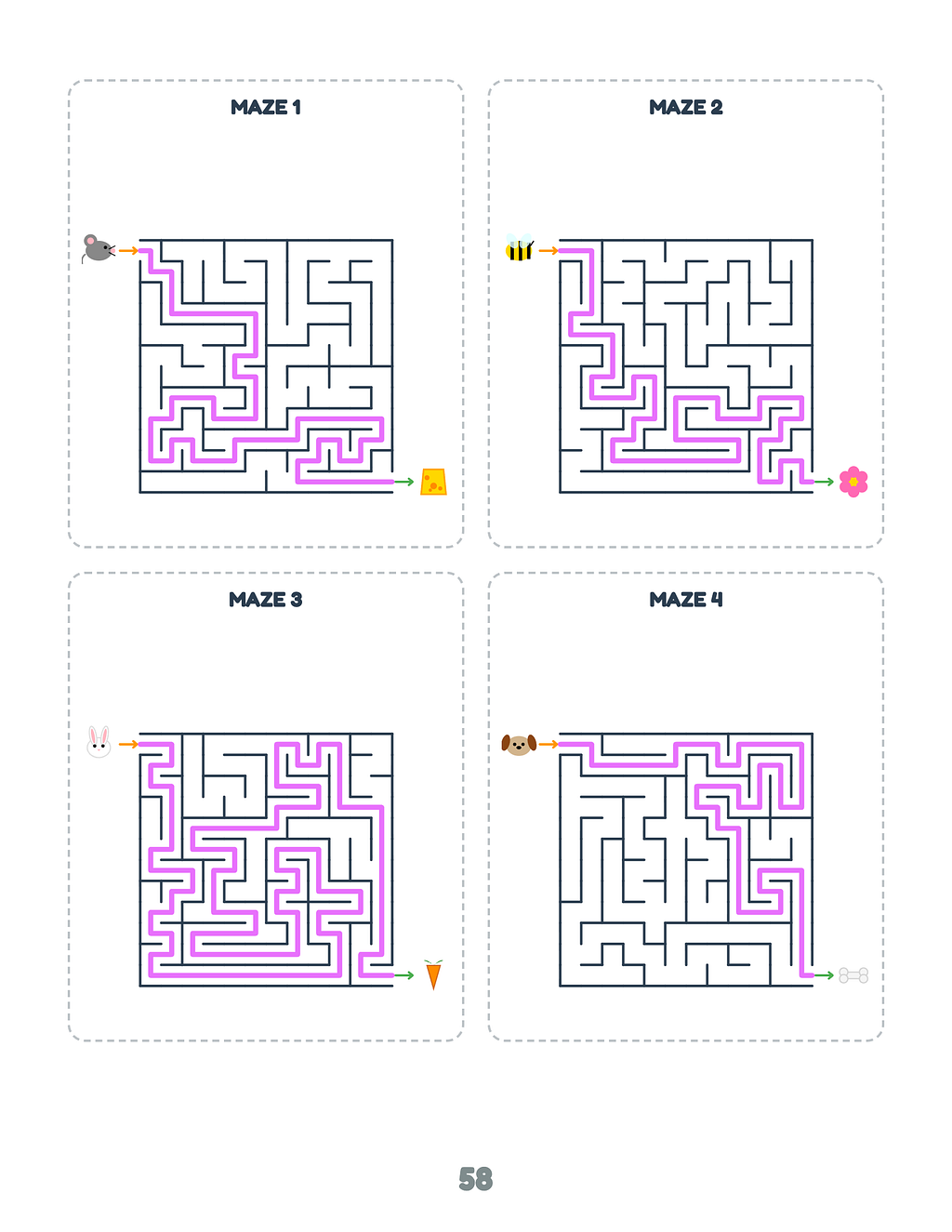
The part I genuinely admire: the solution path costs nothing. The DFS stack at the exact moment the walk first reaches the exit cell is the solution. Clone it and move on. No A*, no second pass:
while (stack.length > 0) {
  const current = stack[stack.length - 1];
// The stack IS the solution the moment we first touch the exit
  if (current.c === cols - 1 && current.r === rows - 1 && !solutionPath) {
    solutionPath = stack.map(cell => ({ c: cell.c, r: cell.r }));
  }
  const neighbors = getUnvisitedNeighbors(current, grid, cols, rows);
  if (neighbors.length > 0) {
    const next = neighbors[Math.floor(Math.random() * neighbors.length)];
    removeWalls(current, next);
    next.visited = true;
    stack.push(next);
  } else {
    stack.pop();
  }
}
Every maze gets a theme (help the mouse find the cheese, the bee find the flower) drawn from 97 hand-parameterized SVG icons that live as template strings in the same file. Because the icons are vectors, the print resolution is infinite and the 72-page PDF stays close to 1 MB.
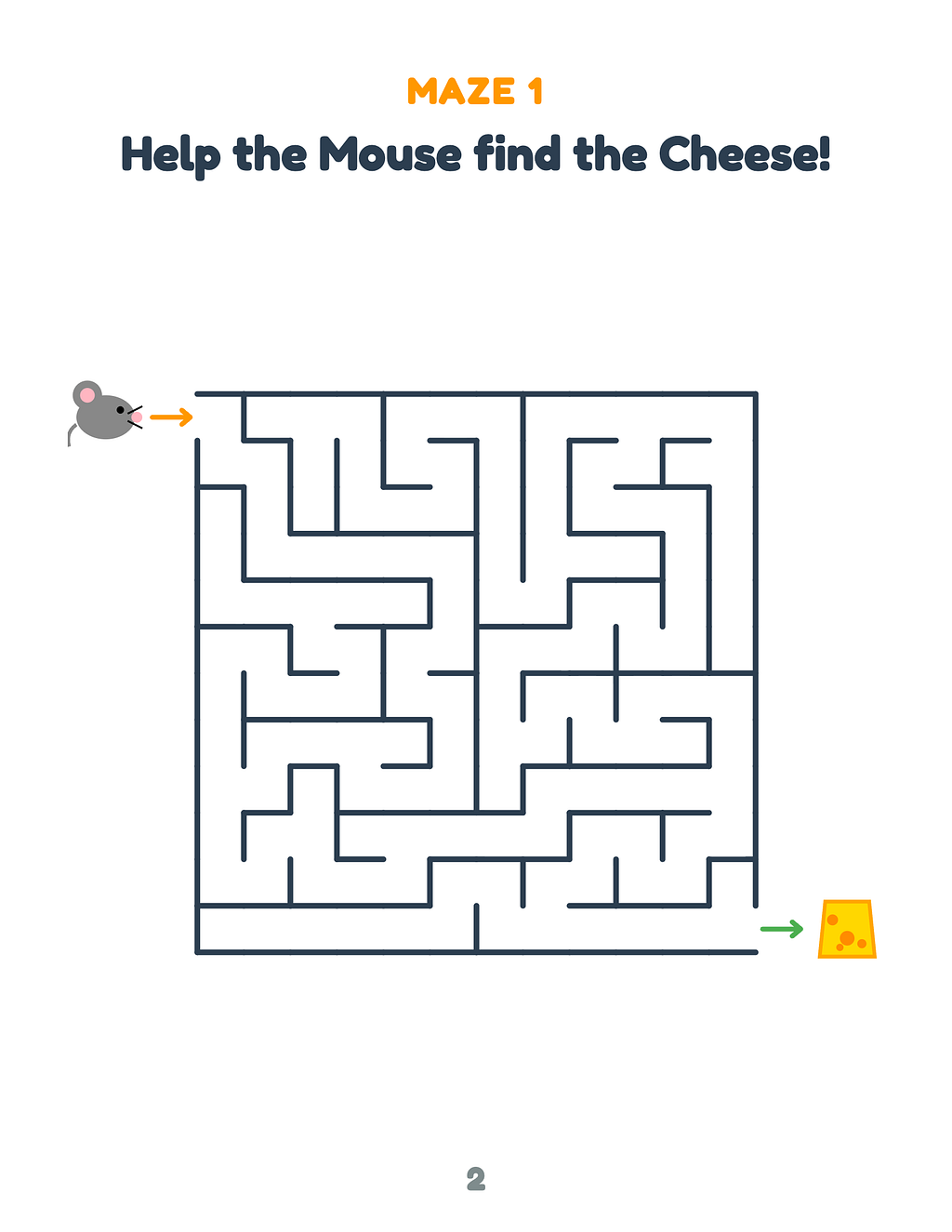
Here is maze 1 as it appears in the book, and its auto-generated solution in the 4-per-page solutions grid:
Hero story 2: difficulty is two integers
This is my favorite property of the whole system, and it is the reason I will never make a book like this by hand.
The entire difficulty of the book is this line:
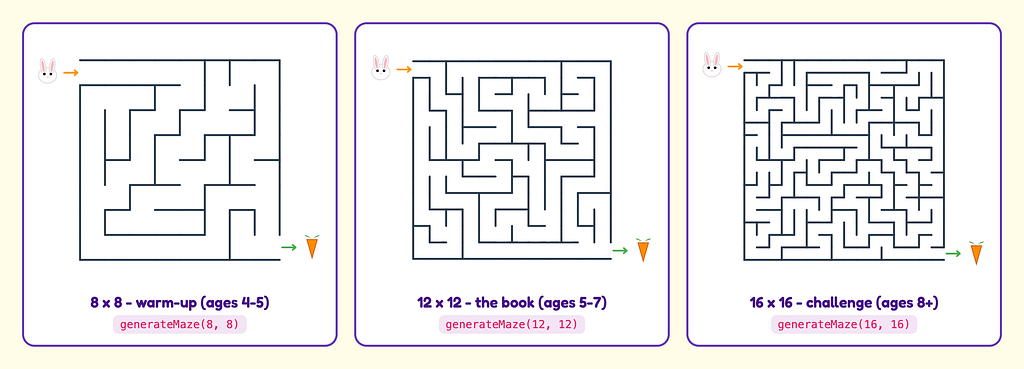
const maze = generateMaze(12, 12);
Everything else is derived. Cell size, wall coordinates, icon placement, arrow gaps, the solution overlay: all computed from cols and rows. Change the two integers and the whole 72-page book regenerates at the new difficulty in seconds. Same characters, same layout, same KDP compliance.
This is not a hypothetical. The git history of the project is literally a difficulty-tuning session:
- Baseline generated at 10×10.
- Bumped to 14×14, which looked great on screen and far too dense on a printed US Letter page for this age band.
- Settled on 12×12 as the sweet spot for ages 5–7.
Each of those iterations was a one-line change plus npm run build. In a manual design tool, retuning the difficulty of 55 hand-drawn mazes is a week of soul-crushing rework. Here it is a code review comment.
The obvious next move, and the roadmap for this little publishing operation: the same repo can emit “Cute Mazes for Kids: Ages 4–5” at 8×8 and a “Challenge Edition” at 16×16 by changing those integers and the cover copy. A product line from a for-loop.
The lesson: when a product is generated, difficulty, trim size, page count, and even the whole SKU become parameters. That is the real moat of programmatic products, not the speed of the first build.
Hero story 3: the boring print math is where the money is
Generating cute mazes is the fun 20%. What actually decides whether Amazon accepts your files, and whether you make any money per copy, is the unglamorous print engineering. This is also where an agent with clear constraints shines, because none of this is creative. It is all rules.
The interior. KDP wants an exact trim size and safe margins. The agent solved it natively in CSS Paged Media, no conversion tools:
@page { size: 8.5in 11in; margin: 0; }

.page {
  width: 8.5in;
  height: 11in;
  padding: 0.6in;               /* exceeds KDP's 0.5in no-bleed minimum */
  page-break-after: always;
  print-color-adjust: exact;     /* keep the colors in print */
}
Puppeteer then loads book.html and prints it to PDF at exactly 8.5in x 11in with printBackground: true. Headless Chrome is the layout engine, so what you see in the browser is byte-for-byte what KDP receives.
The page-count game. KDP has a rule that changes the economics of short color books: Standard Color printing requires at least 72 pages. Below that you pay Premium Color prices, which eat the margin of a kids’ book alive. So the crew expanded the book from 50 to 55 mazes and packed solutions 4 per page into a CSS grid: title page + 55 maze pages + solutions title + 14 solution pages = exactly the 72-page threshold.
At 72 pages in Standard Color, this book prints for $3.89 a copy. Listed at $9.99 with KDP’s 60% royalty tier, that is ($9.99 x 0.6) — $3.89 = $2.10 per copy sold. Miss the 72-page threshold and Premium Color pricing wipes that margin out. One CSS grid decision decided the unit economics.
The cover. A KDP paperback cover is a single flat spread: back cover + spine + front cover, with bleed. The spine width is a function of your page count (72 pages x 0.002252in per page = 0.1621in), so the total canvas is a delightfully weird 17.4121in x 11.25in. The agent computed the dimensions, laid the three panels out in flexbox, reserved the barcode box KDP stamps on the back, and Puppeteer printed the second PDF:
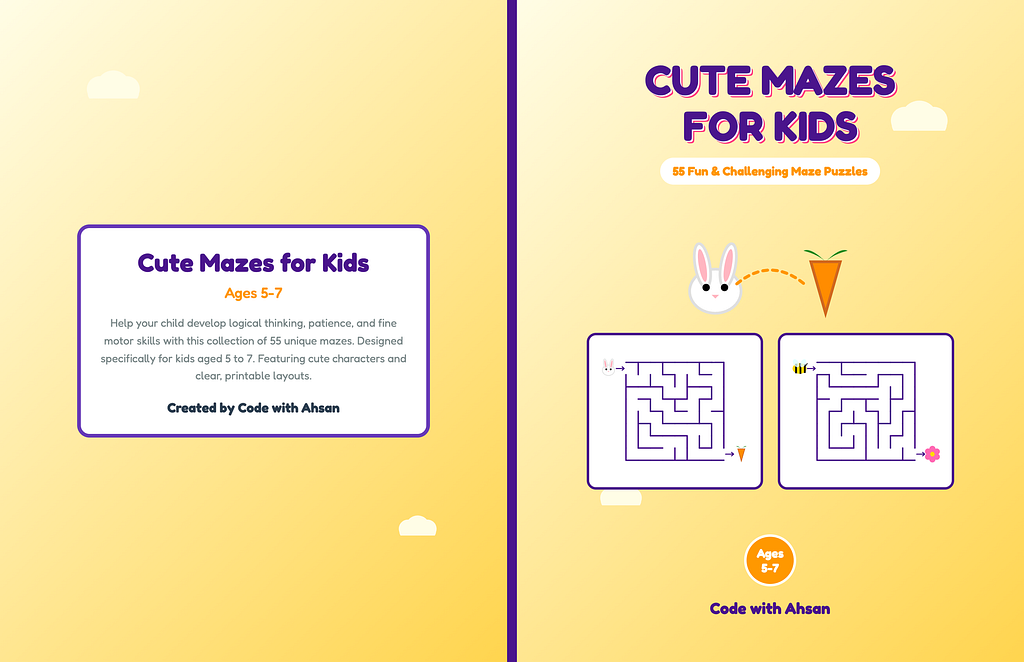
The cover colors were chosen for the thumbnail war, not the shelf: sunny yellow (#ffeb3b) with deep violet titles is loud at 60 pixels wide in Amazon search results, and the contrast ratio (about 12:1) stays readable at any size.
What the agents got wrong
Agentic workflows demo beautifully. Shipping through one is messier, and pretending otherwise is how people get burned. The failures I hit:
- KDP silently hates fancy CSS. The first cover used box-shadows and semi-transparent layers. Puppeteer rendered them; KDP’s previewer choked. The fix was a human decision to flatten the design to solid colors. An agent will not volunteer that constraint because it is not written anywhere convenient.
- The listing drifted from the product. For a while the Amazon listing advertised “50 Fun & Challenging Maze Puzzles” over a 55-maze book, because the book grew after the listing copy was drafted. No agent owned “the listing must match the interior,” so nobody flagged it. I caught it in a manual audit and fixed the listing.
- Physical feedback has no API. The 14×14 version looked fine on screen and wrong at real size on paper. Judging what a 5-year-old can actually trace is a print-it-and-look step, and that loop stays human.
- Taste calls stayed with me. Cover palette, illustration scale, whether the rabbit reads as a rabbit at thumbnail size. The agents proposed, I disposed.
None of this argues against the workflow. It argues for the same rule as every agent project I’ve shipped: the agents draft, you own what ships.
The framework, if you want to build one
- Reframe the product as code. If the output is repetitive-but-varied (mazes, journals, planners, workbooks), a generator beats a design tool. Parameters beat rework.
- Split the crew by concern. One agent owns generation logic, one owns the write-up, a coordinator owns constraints. Small jobs, sharp prompts.
- Encode the platform rules as constraints, not vibes. Trim size, margins, minimum page counts, spine formulas: put the actual numbers in the prompt and the CSS. This is where agents are flawless, because it is arithmetic.
- Keep the irreplaceable human loops. Print a page at real size. Audit the listing against the product. Publish yourself.
The finished book is live: Cute Mazes for Kids: 55 Fun & Challenging Maze Puzzles (Ages 5–7) on Amazon.
And if you want the longer story of running a whole crew of AI agents on a much bigger book, that one is here: I Shipped an Angular v22 Book Update with a Crew of AI Agents — Here’s the System.
I build and ship these projects in public — books, agents, and the systems behind them. Follow along on X or YouTube if you want the next breakdown as it happens.

Automating Digital Product Creation: How I Built a 55-Maze Kids’ Activity Book in Minutes Using… was originally published in Google Developer Experts on Medium, where people are continuing the conversation by highlighting and responding to this story.