


Last updated: November 20, 2026
GanttPRO is online Gantt chart software for planning projects, scheduling tasks and managing resources. It’s made by DPM Solutions, a company based in Poland, and it suits small and mid-sized teams that want a Gantt chart with dependencies, critical path and baselines at a low per-user price. Plans are priced per user, and the price per user drops as your team grows.
In this guide, you’ll learn what GanttPRO is used for, which features each plan includes, what it costs in 2026 and where it falls short. If it doesn’t fit your team, see how it compares in ProjectManager vs GanttPRO.
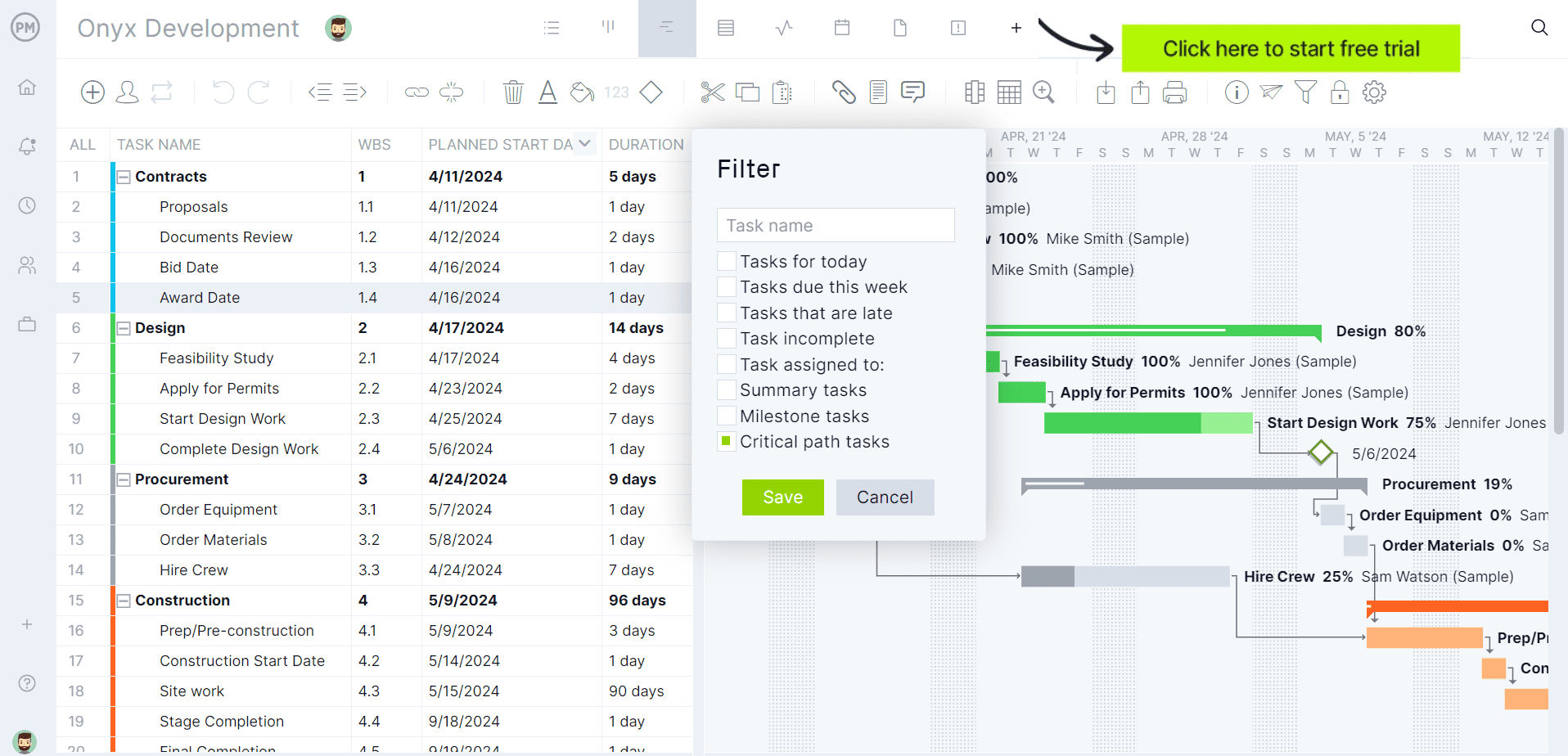
Need more than a Gantt chart? ProjectManager adds MPP import and export that’s lossless for schedule data, workflow automation with task approvals and, on the Business plan, a built-in RAID log for risks and issues. Try it free for 30 days.
What Is GanttPRO?
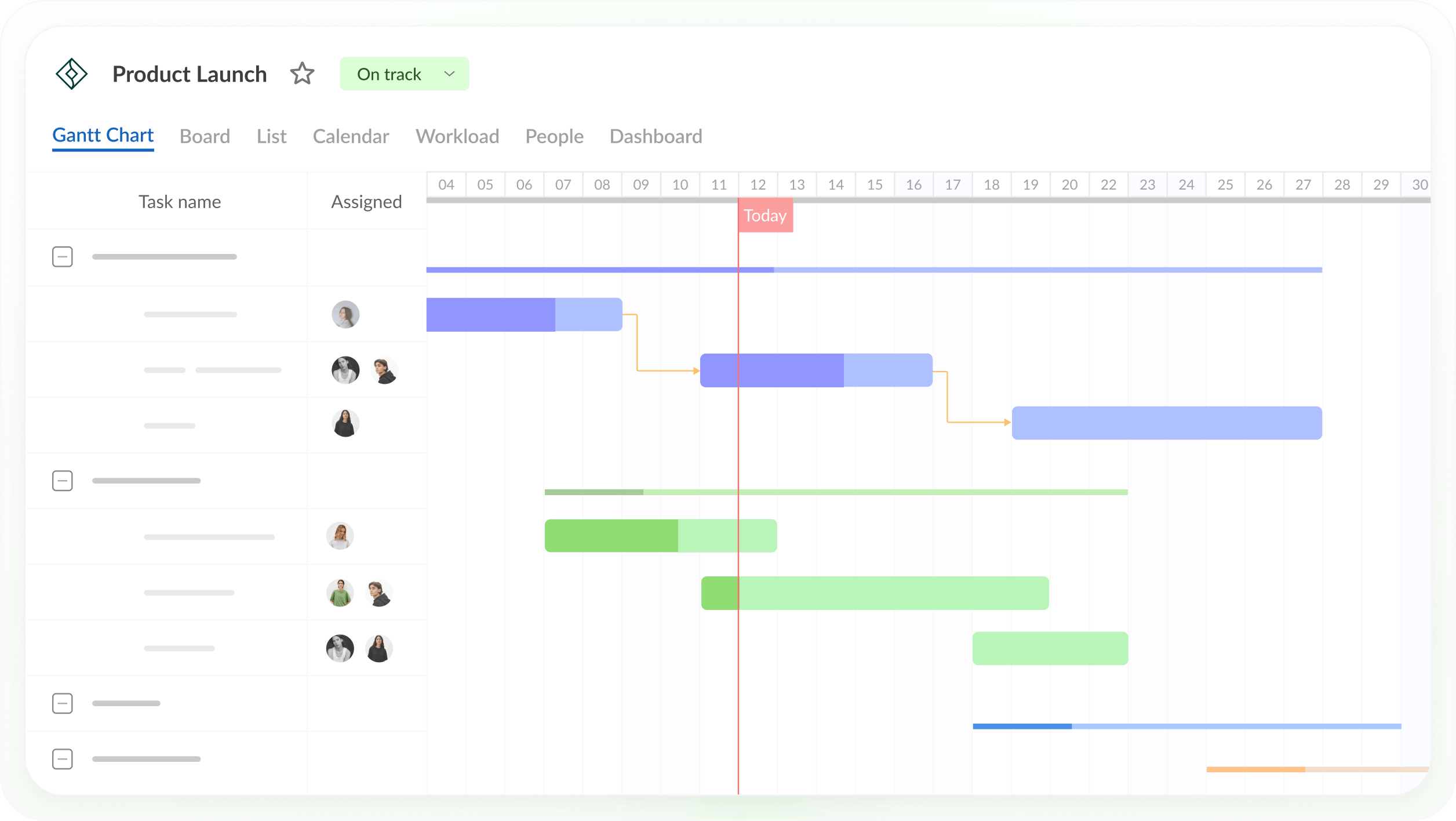
GanttPRO is a web-based project planning tool built around an interactive Gantt chart. You break a project into tasks and subtasks, link them with dependencies, add milestones and assign people, and the schedule recalculates when dates change. Team members update their tasks, and stakeholders can view the plan through a shared private link.
GanttPRO runs in the browser and has iOS and Android apps on every plan. Its plans are Core, Advanced, Business and Enterprise, and GanttPRO says more than 1 million project managers have used it to build Gantt charts.
What Is GanttPRO Used For?
Teams use GanttPRO to build a project schedule, keep it up to date and share it. Here are the most common uses.
- Planning a launch: A small product team planning a launch can list the work for design, development, testing and marketing, link the tasks so testing can’t start before development ends, and mark the launch date as a milestone. If development slips, the linked tasks move with it.
- Finding the tasks that set the finish date: The critical path highlights the tasks that can’t slip without delaying the launch.
- Comparing the plan with progress: A baseline saves the original schedule, so the team can see how far each task has drifted.
- Balancing workloads: On the Business plan, managers can see each person’s workload across the current project or all active projects and track time against tasks.
- Sharing the schedule: Stakeholders and clients can follow the plan through a shared private link instead of a static file.
GanttPRO works well for teams that plan in GanttPRO and share the schedule from there. It’s a weaker fit when a client or partner needs the schedule back as a Microsoft Project MPP file, as the features section below explains.
GanttPRO Features
GanttPRO puts its scheduling features on every plan and keeps resource, time and portfolio features for Business. Here are its main features and the plans that include them.
- Gantt chart: An interactive Gantt chart with tasks, subtasks and milestones, on all plans.
- Dependencies and lag: All four dependency types (finish-to-start, start-to-start, finish-to-finish and start-to-finish) with lag and lead. Auto scheduling recalculates linked tasks when dates change.
- Critical path: Included on all plans.
- Baselines: Included on all plans, so you can compare the current schedule with the original plan.
- Workload: The Business plan adds a workload view across the current project or all active projects. Virtual resources, such as people who don’t have an account yet, are unlimited on all plans.
- Time tracking and budgets: Business includes a task time tracker, time log reports and budget planning.
- Portfolios: Business adds a portfolio view and reports for tracking several projects together.
- Collaboration: Team members work on shared tasks, and shared private links let stakeholders view the plan. Slack and Microsoft Teams integrations send notifications.
- Templates: Ready-made templates for construction, marketing, product launches and other projects. GanttPRO’s plan summaries list templates, custom fields, filters and overdue tasks on the Advanced plan.
- Import and export: GanttPRO imports Microsoft Project MPP files, Excel (.xlsx or .csv) files and Jira Cloud projects. It exports to PNG, PDF, XML and Excel. MPP export isn’t listed, and GanttPRO doesn’t say whether its XML is Microsoft Project XML.
- AI: An AI Gantt chart maker and AI Project Planner turn a text, voice or file description into a project plan, and the GanttPRO MCP server lets you run projects from AI tools such as Claude, ChatGPT, Gemini and Copilot.
Here’s a summary of which plan includes each feature.
| Feature | Core | Advanced | Business |
| Gantt chart, dependencies with lag, critical path, baselines | Yes | Yes | Yes |
| Board, list and dashboard views; import and export; mobile apps | Yes | Yes | Yes |
| Calendar view; custom fields, filters and templates | No | Yes | Yes |
| Workload, time tracking, portfolio view, reports, budgets | No | No | Yes |
GanttPRO Views and Integrations
GanttPRO shows the same tasks in several views.
- Gantt view: The task list and timeline side by side, with dependencies, the critical path and baselines.
- Board and list views: Tasks as kanban cards or a list, on all plans.
- Dashboard: Project progress at a glance, on all plans.
- Calendar view: Tasks by date, on Advanced and above.
- Workload and portfolio views: Resource load and multi-project tracking, on Business.
GanttPRO’s native integrations are Slack and Microsoft Teams (notifications and commands), Google Drive and OneDrive (attach files to tasks), Jira Cloud (import projects), Microsoft Project (import MPP files) and Microsoft Excel (import .xlsx and .csv files). An open API is available for other connections.
GanttPRO Pricing
GanttPRO charges per user per month, and the price depends on team size. A free 14-day trial needs no credit card.
| Plan | 1–15 members, billed annually | 20+ members, billed annually | Billed monthly (from 5 members) | Adds |
| Core | $8/user/month | $7/user/month | $9/user/month | Gantt chart, dependencies, critical path, baselines, mobile apps |
| Advanced | $12/user/month | $10/user/month | $15/user/month | Calendar view, custom fields, filters, templates |
| Business | $19/user/month | $17/user/month | $24/user/month | Workload, time tracking, portfolios, budgets |
| Enterprise | $25/user/month, 5+ users (shown as a limited offer; regular price $35) | Not listed | SAML SSO, custom roles and rights, priority support | |
Prices are list prices as of November 2026 and change often.
A one-person plan is billed annually only. For a five-person product team, Core costs $40 a month and Business costs $95 a month, billed annually.
Pros and Cons of GanttPRO
GanttPRO is strong on scheduling for the price, and its limits show up mostly in file exchange and plan gates.
Pros
- All four dependency types with lag and lead, plus critical path and baselines, are on every plan, including Core.
- A low starting price of $8 per user per month, billed annually, with lower rates for teams of 20 or more.
- The Business plan adds workload across projects, time tracking, budgets and portfolio views.
- Unlimited virtual resources on all plans let you plan with people who don’t have accounts yet.
- It imports MPP, Excel and Jira Cloud projects, and the free trial needs no credit card.
- AI tools, including an MCP server for Claude, ChatGPT and other assistants, help build and run plans.
Cons
- It can’t export MPP files. It exports XML, but GanttPRO doesn’t say whether that’s Microsoft Project XML, so test it before you promise a client a Microsoft Project file.
- Workload, time tracking and portfolios need the Business plan, which costs more than twice as much as Core.
- The calendar view, custom fields and templates need Advanced or above.
- Monthly billing starts at five members, and the one-member plan is annual only.
GanttPRO Alternatives
If GanttPRO’s export options or plan gates don’t fit, these tools are worth comparing.
- ProjectManager: Best for teams that exchange schedules with Microsoft Project users and need workflows and risk tracking alongside the Gantt chart. It imports and exports MPP and Microsoft Project XML, lossless for schedule data, and adds workflow automation, task approvals and, on Business, a RAID log. It costs more per user: the Team plan is $15/user/month for up to 10 users and 20 projects, and Business is $28/user/month for up to 100 projects, billed annually. Compare ProjectManager vs GanttPRO.
- TeamGantt: Best for small teams with a few projects that prefer flat per-account pricing and a free plan for one person and one project. Base is $59 a month for one manager and 10 collaborators, but baselines and workloads need Business. Read What Is TeamGantt? or see these TeamGantt alternatives.
- Smartsheet: Best for teams that already plan in spreadsheets and need to open MPP files. It imports MPP files and exports Microsoft Project XML. Pro costs $9/member/month and Business $19, billed annually; critical path starts on Pro and baselines on Business.
GanttPRO FAQ
Is GanttPRO Free?
No, GanttPRO’s plans are paid, but it offers a free 14-day trial with no credit card required. After the trial, Core costs $8 per user per month, billed annually, for teams of up to 15 members, and $7 for teams of 20 or more. ProjectManager, online project management software with Gantt charts, critical path, baselines and workload management across projects, offers a 30-day free trial, and its Team plan costs $15 per user per month, billed annually.
How Much Does GanttPRO Cost?
GanttPRO costs $8, $12 or $19 per user per month for Core, Advanced and Business, billed annually, for teams of 1 to 15 members. Teams of 20 or more pay $7, $10 or $17. Monthly billing costs $9, $15 or $24 per user and starts at five members. Enterprise is $25 per user per month, billed annually, for five or more users, shown as a limited offer against a regular $35. A 14-day free trial needs no credit card.
Can GanttPRO Import Microsoft Project Files?
Yes, GanttPRO imports Microsoft Project MPP files, as well as Excel and CSV files and Jira Cloud projects. It’s a one-way path for MPP, though: GanttPRO doesn’t export MPP files. ProjectManager imports MPP and Microsoft Project XML files with tasks, assignees, dependencies and planned dates, and exports back to both formats, so a schedule can make a round trip between ProjectManager and Microsoft Project without losing schedule data.
Can GanttPRO Export to Microsoft Project?
Not as an MPP file. GanttPRO exports to PNG, PDF, XML and Excel, and doesn’t say whether its XML export is Microsoft Project XML. If your client needs the schedule as an MPP file every week, test an export during the trial. ProjectManager exports MPP and Microsoft Project XML, and its MPP import and export is lossless for schedule data, so tasks, durations, dates, dependencies and WBS structure stay intact.
Does GanttPRO Have Resource Management?
Yes, on the Business plan. Business adds a workload view across the current project or all active projects, time tracking with time log reports and budget planning. Every plan includes unlimited virtual resources, so you can assign work to people who don’t have accounts yet. ProjectManager’s workload page is also on its Business plan and shows each person’s assigned hours across all projects, with over-assigned days in red.
GanttPRO vs TeamGantt: What’s the Difference?
The main difference is pricing. GanttPRO charges per user, from $8 per user per month, billed annually, while TeamGantt charges a flat price per account, from $59 a month, and caps the number of projects. GanttPRO includes baselines and critical path on every plan; TeamGantt includes critical path on paid plans but baselines only on Business and above. TeamGantt has a free plan for one user and one project. Read What Is TeamGantt? for details.
Need to share your schedule as an MPP file? Start a free 30-day trial of ProjectManager and export your plan to MPP.
Related Content
- ProjectManager vs GanttPRO: Software Comparison (2026)
- What Is TeamGantt? Uses, Features and Pricing (2026)
- Best TeamGantt Alternatives (Free & Paid) for 2026
- 11 Best Gantt Chart Software of 2026 (Free and Paid)
- 7 Best Gantt Chart Software for Mac (2026)
- What Is Microsoft Project? Uses, Features and Pricing
ProjectManager is online project management software with Gantt charts, critical path, baselines and workload management across projects. Teams plan on the Gantt chart, track time with timesheets and share progress on dashboards, all in one place. Try ProjectManager free for 30 days.
The post What Is GanttPRO? Uses, Features and Pricing appeared first on ProjectManager.


