The Architecture:
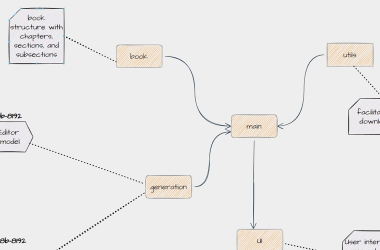
Most standard theme systems swap a single global class on the element. My engine acts like a blender. It lets themes inherit specific traits from one another. You can inject classes from Theme B, blend them with Theme A, and remove unwanted classes from Theme C by mapping targets.
The Update:
In the past, themes were tracked by index, but reordering the array broke saved themes for existing users.
To fix this, I used unique keys for themes instead of indexes.
The Configuration:
Each unique theme contains an array of configuration objects. Every configuration object contains four keys:
- class (Required): The target CSS class name.
- elements (Required): Elements targeted immediately on page load.
- postsComponentElements (Optional): Elements targeted ONLY after dynamic posts finish loading.
-
action (Optional): Specifies whether to add or remove the class. Defaults to
add.
The Execution:
1. Core UI:
This process fires during initial page load. It updates permanent structural layouts.
function runThemeEngine(theme, category) {
    for (let rule of theme) {
        if (!Array.isArray(rule[category]) || !rule.class) continue;
        rule[category].forEach(element => {
            if (rule.action === "remove") NS(element).removeClass(rule.class);
            else NS(element).addClass(rule.class);
        });
    }
}
2. Post Components:
This engine runs at the end of renderPosts() functions. It filters configuration arrays to style elements only after they exist safely.
const postsComponentClasses = themes[currentTheme]?.filter(rule => rule?.postsComponentElements?.length > 0);
if (postsComponentClasses?.length > 0) runThemeEngine(postsComponentClasses, "postsComponentElements");
If you liked Vlox, please consider giving it a 🌟 on GitHub at https://github.com/Hfs2024/Vlox. It means the 🌎 to me!