A summary is the document that tells people what they need to know without requiring them to read everything that exists. On a project, summaries do the work of keeping stakeholders informed, getting approvals, documenting decisions and recording what happened so the organization can learn from it. Without a consistent format for those summaries, the quality of the information people receive depends entirely on who wrote it that day – and the gaps in poorly structured summaries are exactly where miscommunication, missed decisions and scope disputes originate.
The challenge is that “summary” means something different depending on who is receiving it and what it is summarizing. An executive summary makes the case for a decision before a project begins. A project status report summarizes progress during execution. A meeting minutes document summarizes what was decided in a specific meeting. A lessons learned template summarizes what the organization should remember after a project closes. Each format serves a different audience at a different point in the project lifecycle, and using the wrong format for the audience means the reader gets either too much detail or not enough.
We put together 10 free summary templates for Word and Excel covering the most common summary documents used across project management, from project approval to post-project review. Each one is free to download and ready to adapt for your team or organization.
1. Executive Summary Template
An executive summary is the version of a longer document that busy decision-makers actually read. It distills a business case, proposal, report or project plan to its essential points: the problem being addressed, the recommended approach, the expected outcome and what is being asked of the reader. It is written last but read first, and on most proposals and reports it is the only section the executive audience reads before deciding whether to approve, reject or ask for more information.
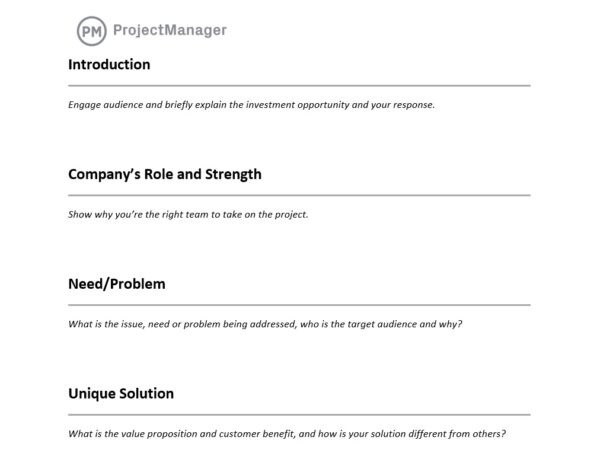
This template structures the executive summary across the sections decision-makers need: purpose and context, key findings or recommendations, supporting rationale, financial summary, risks and a clear call to action. The call to action section is the one that most informal summaries omit – and it is the section that determines whether the reader knows what to do next. A summary without a clear ask puts the decision back on the reader to figure out what response is expected.
The right tool for business analysts, project managers and department leaders who need to present a proposal, business case or project report to senior stakeholders and want a structured format that leads with conclusions rather than building to them at the end.
2. Project Summary Template
A project summary is the one-page overview of a project that any stakeholder can read in two minutes and understand the full picture: what the project is, why it matters, what it will deliver, who is involved, when it will be done and what it will cost. Unlike a full project charter or plan, the summary is designed for distribution, not for management. It is the document you share with stakeholders who need to stay informed but do not manage the day-to-day execution.
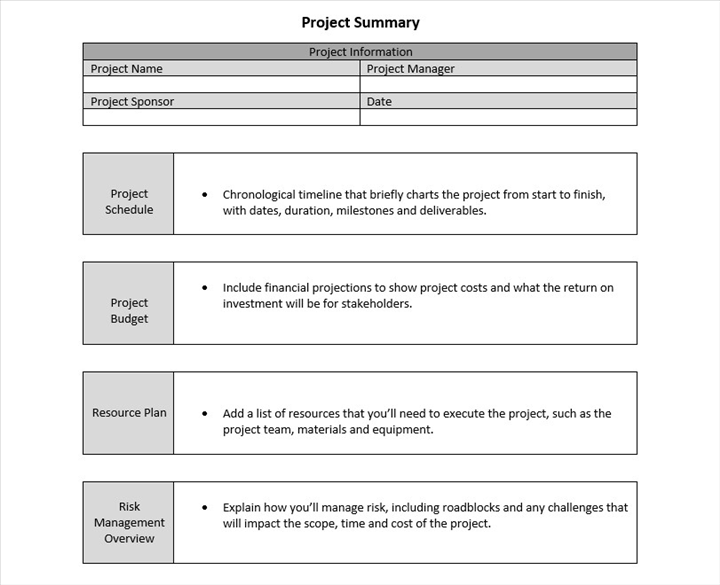
This template covers the standard project summary fields: project name and description, objectives, key deliverables, timeline summary with start and end dates, budget summary, project manager and key stakeholders, current status and any open issues or risks. The current status field is what separates a project summary used at initiation from one used during execution: keeping it updated turns the summary into a living document that replaces the need for a separate status update for stakeholders who only need the top-line picture.
Most useful for project managers sharing project information across departments, with steering committees or with external stakeholders who need visibility without the full detail of the project plan.
Replace Manual Summaries With Live Project Reporting in ProjectManager
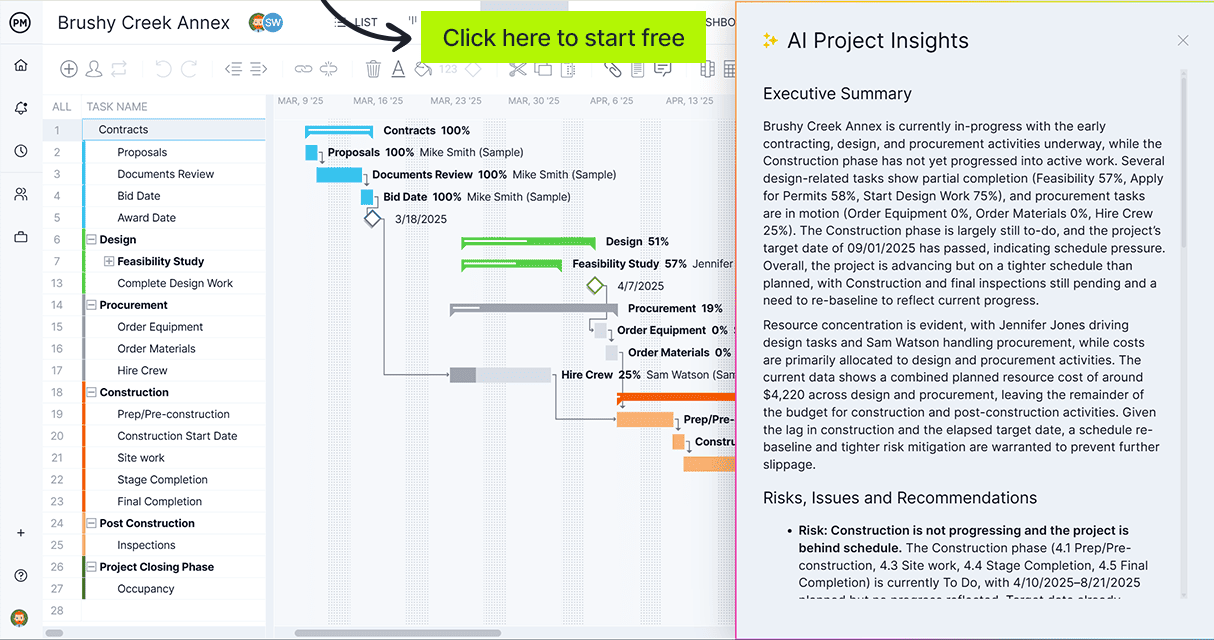
ProjectManager generates real-time project dashboards and status reports automatically as your team logs work, so your summaries always reflect current data rather than yesterday’s update. Try it free for 30 days.
3. Project Status Report Template
A project status report is the recurring summary that keeps stakeholders informed without requiring them to attend every meeting or review the full project plan. Published weekly or biweekly, it answers the three questions every project sponsor and steering committee wants answered at any given point in the project: is the project on schedule, is it within budget and are there any issues that require attention or a decision at the leadership level.
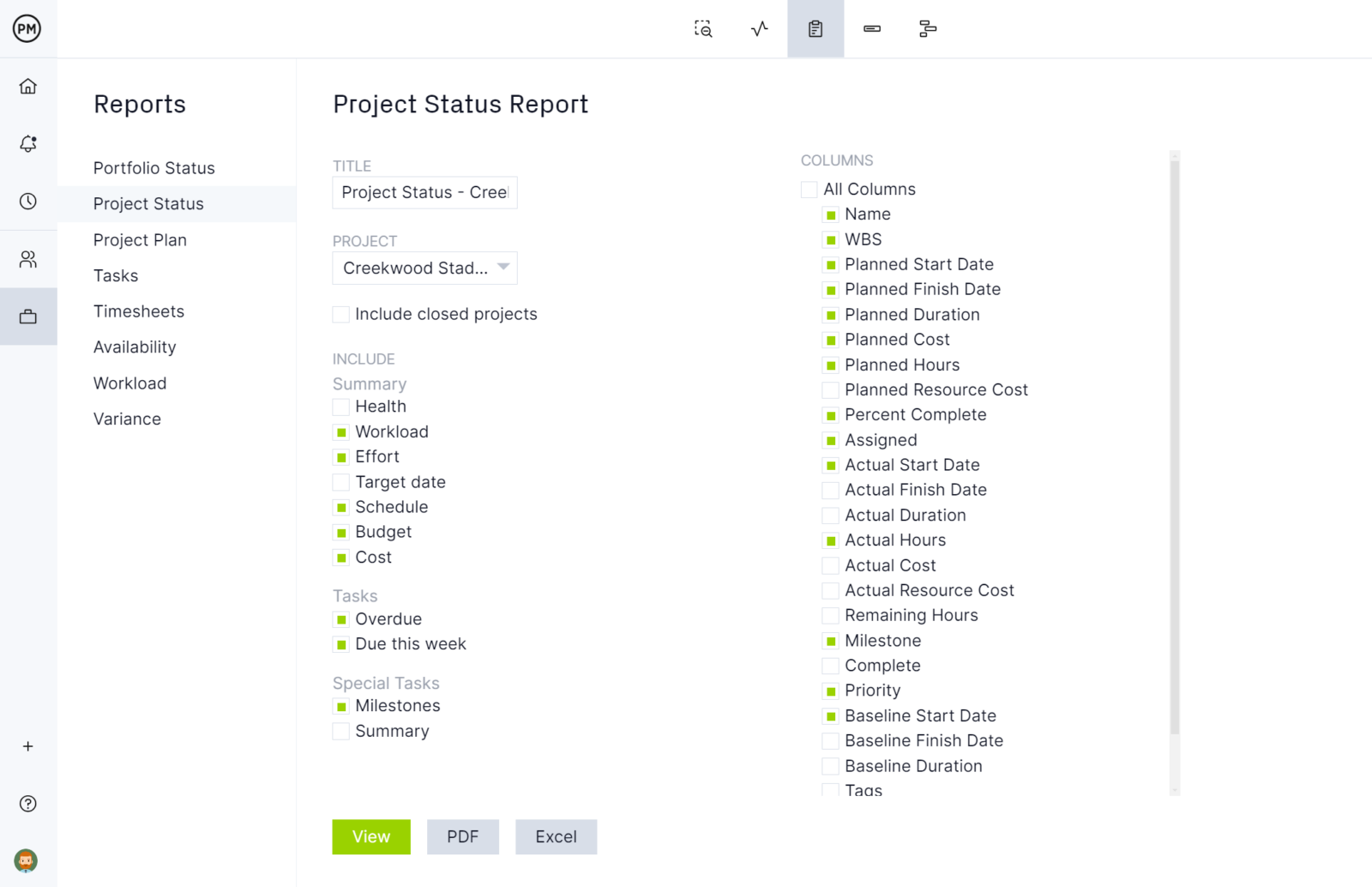
This template structures the status report around the RAG rating system: an overall project health indicator (Red, Amber or Green) backed by schedule status, budget status, risk summary and a section for key accomplishments, upcoming milestones and issues requiring escalation. The RAG rating at the top does the work of the summary before the reader even starts reading the detail – it tells the reader immediately whether the project needs attention or is tracking as expected.
Essential for project managers on any project with stakeholders who are not involved in day-to-day execution but need regular, consistent updates on whether the project is tracking to its commitments.
4. Progress Report Template
A progress report summarizes what has been accomplished during a specific period. Where a status report answers whether the project is on track, a progress report documents what was actually completed: which tasks were finished, what milestones were reached, how many hours were logged and what the team will tackle next. It is the ground-level counterpart to the executive status report, written for operational managers rather than steering committees.
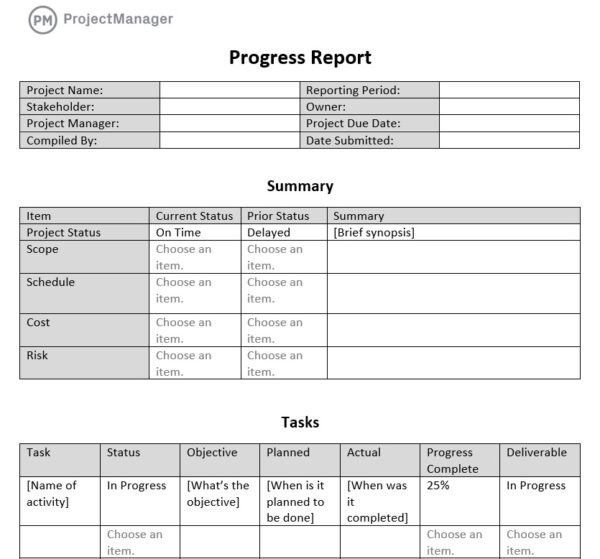
This template covers the progress reporting structure used by project teams: reporting period, team member contributions, tasks completed, tasks in progress, tasks planned for next period, hours logged, issues encountered and blockers requiring resolution. The tasks-in-progress section is the most important for operational managers: it shows what is actively being worked on so they can spot situations where tasks have been in progress for too long without being completed.
Best used by project managers, team leads and operations supervisors who need to report upward on team productivity and project advancement at a task level, particularly useful on projects where the team is distributed or working across multiple concurrent workstreams.
5. Project Update Template
A project update is the lightweight summary for stakeholders who need to stay informed without reading a full status report. Where a formal status report follows a structured template and covers all project dimensions, a project update is a shorter, more conversational document designed for quick distribution: three to five paragraphs covering what happened, what is coming next and whether there is anything the reader needs to be aware of or act on.
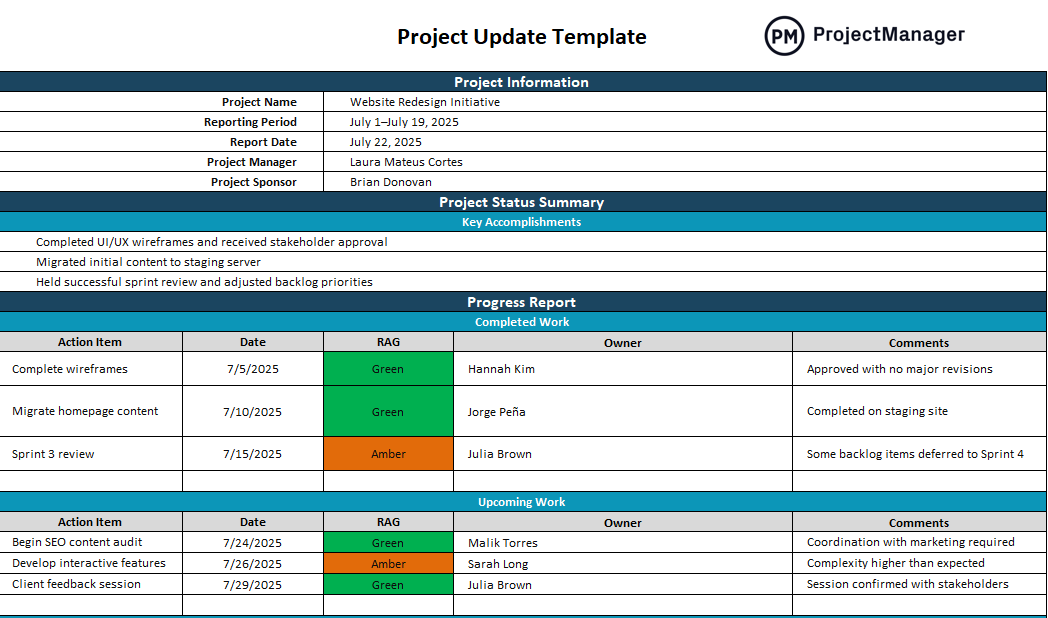
This template guides the project update through its key sections: update date and period covered, summary of progress since the last update, key decisions or changes, upcoming milestones and next steps and any items requiring stakeholder input or action. The items-requiring-action section is critical for keeping stakeholders engaged rather than passive: it gives readers a specific reason to respond rather than simply acknowledging receipt.
The right tool for project managers communicating with stakeholders who want to stay informed but are not involved in execution decisions, and for any project where a formal status report is more structure than the audience needs or the project size warrants.
6. Meeting Minutes Template
Meeting minutes are the summary of what was discussed, decided and assigned during a meeting. Without a written record, decisions made in a meeting exist only in the memory of the people who were present – and memory of what was decided diverges quickly once the meeting ends and people return to competing priorities. Meeting minutes create the authoritative record: what was agreed, who is responsible for what and by when, making it straightforward to follow up without ambiguity about what was committed.
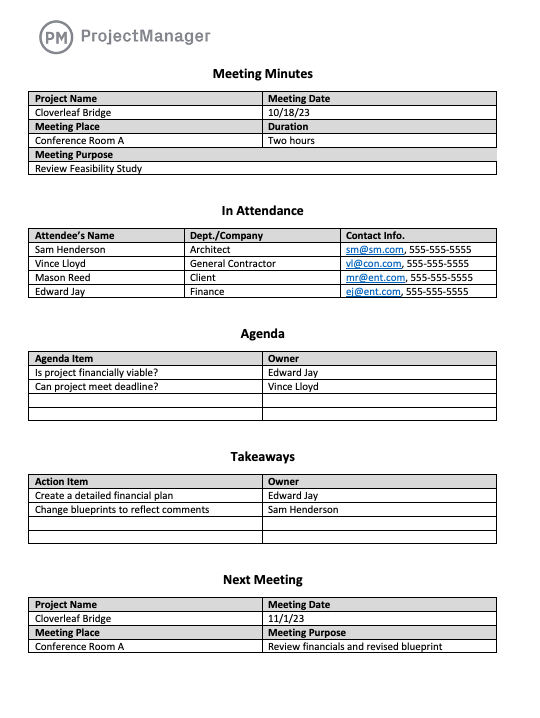
This template covers the standard meeting minutes structure: date, attendees, agenda items discussed, decisions made for each item, action items with owner and due date and next meeting details. The action items section with owners and due dates is the output that makes meeting minutes actionable rather than archival: it converts discussion into trackable commitments so the next meeting starts by reviewing what was promised in the last one rather than relitigating what was agreed.
Most useful for project managers, team leads and anyone who runs recurring meetings where decisions are made and work is assigned, and where a written record of those commitments prevents the drift that happens when follow-up relies on each attendee’s individual recollection.
7. Executive Project Status Report Template
An executive project status report is the version of the status report written specifically for senior leadership and board-level stakeholders. Where a standard project status report contains operational detail useful to a project manager or team lead, an executive status report strips that detail away and leads with the information executives need to govern the portfolio: overall project health, financial summary, key risks, decisions required and strategic impact. The format is designed to be read in under five minutes.
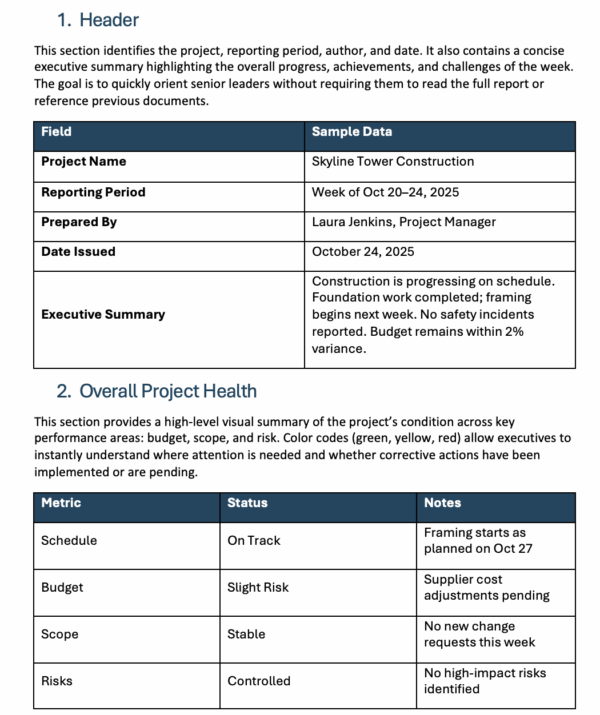
This template covers the executive reporting structure: overall RAG status, project summary in three to five sentences, budget summary with committed versus actual spend, schedule summary against milestones, top three risks with mitigation status and decisions required from the executive team with a deadline. The decisions-required section is the element most project managers under-use: surfacing specific decisions needed from leadership, rather than simply reporting problems, is what separates a useful executive update from one that informs without moving anything forward.
Essential for project managers presenting to steering committees, boards or C-suite stakeholders on major projects, and for portfolio managers who need a consistent reporting format across multiple projects so leadership can compare project health at a glance.
8. After Action Report Template
An after action report is the structured debrief conducted after a project, event or incident to capture what happened, why it happened and what the organization should do differently next time. It is the summary that turns experience into institutional knowledge. Without a structured after action process, the same problems recur on subsequent projects because the people who encountered them on the last project either forget the details or move on before anyone documents what they learned.

This template guides the after action review through the four core questions: what was the intended outcome, what actually happened, why did it happen that way and what should be done differently next time. The why-did-it-happen section is where most informal debriefs fall short: identifying that something went wrong is less useful than identifying the root cause, because the root cause is what needs to be addressed in the process, training or resourcing for the next project.
Most useful for project teams, military and government organizations, operations teams and anyone running structured debrief processes after significant projects, events or incidents where capturing the lessons while the team’s memory is fresh determines whether those lessons are actually retained.
9. Project Closure Template
A project closure document is the official summary that formally closes a project. It records that all deliverables have been completed and accepted, that the project has met its objectives, that outstanding items have been handed over or escalated and that the project resources have been released. Without a formal closure process, projects drift into a gray zone where they are effectively done but no one has officially confirmed it, resources remain nominally allocated and the organization does not capture the final cost and schedule data for future planning.
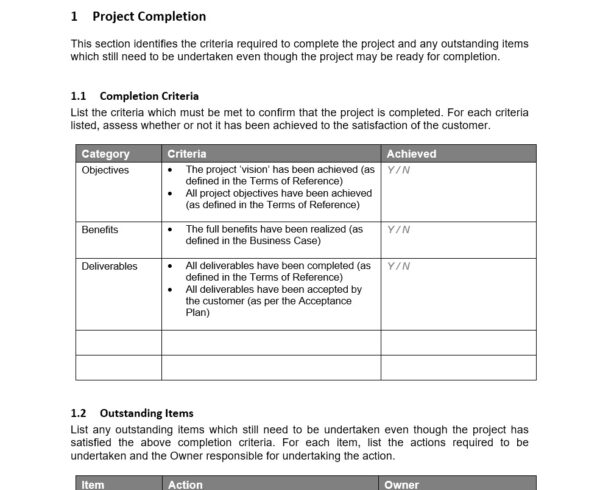
This template covers the closure documentation fields: project summary, deliverables completed and accepted, objectives achieved, final budget versus planned, final schedule versus baseline, outstanding items and how they will be handled, lessons learned summary, team acknowledgment and sponsor sign-off. The final budget and schedule comparison fields are the ones that most directly feed into future project planning: they are the data points that tell the organization whether its estimates are accurate and where the pattern of overruns consistently appears.
The right tool for project managers closing any project that requires formal documentation that commitments were met, resources are released and the organization has a record of final cost and schedule performance to reference when scoping future work.
10. Lessons Learned Template
A lessons learned document is the summary that the next project team should read before they start. It captures what worked well on the current project and what should be done differently, so the organization does not have to rediscover the same problems from scratch each time. On projects that run over budget, miss deadlines or have recurring quality issues, the lessons learned document is often the most valuable output of the whole project because it is the one document with the potential to prevent the same outcome from happening again.
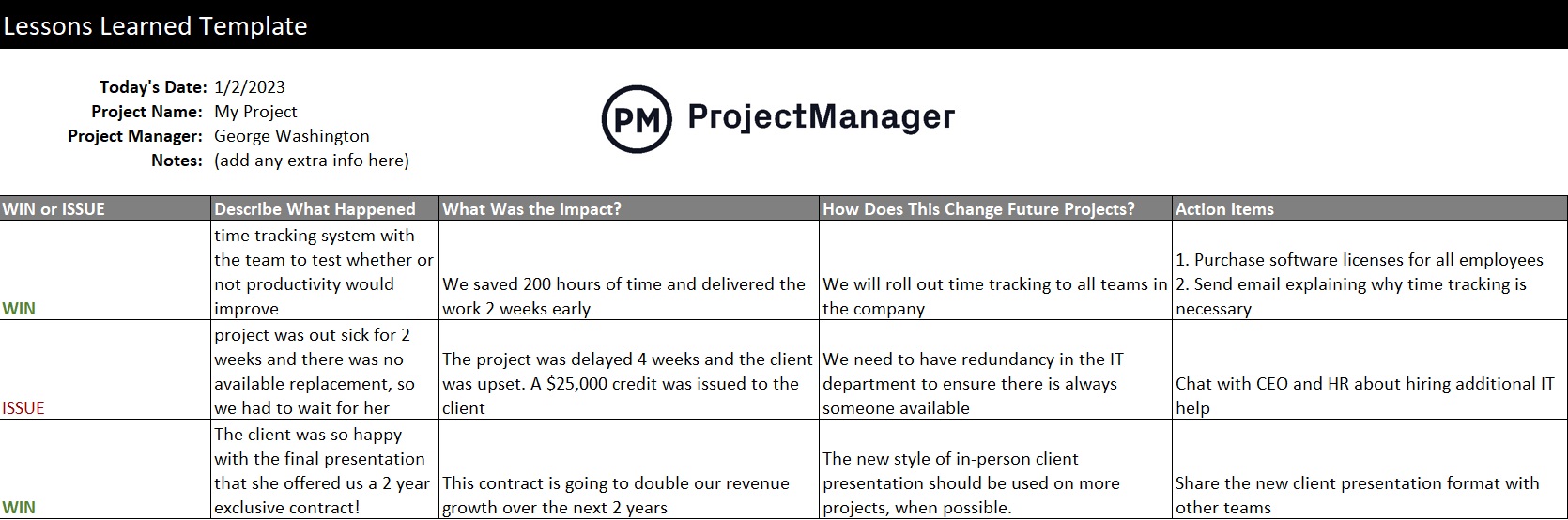
This template structures the lessons learned capture across the dimensions that matter for future planning: what went well and should be repeated, what went poorly and why, root cause analysis for significant issues, recommendations for process or tool changes and action items to implement those changes before the next project begins. The action items section with owners is what separates a lessons learned exercise that changes behavior from one that produces a document nobody reads after the meeting ends.
Essential for project managers, program managers and PMOs on any project where the organization wants to build a knowledge base that improves future performance, particularly valuable on complex, high-risk or first-of-a-kind projects where the learning curve is steep and the cost of repeating mistakes is high.
Summarize and Report on Projects With ProjectManager
Summary templates capture what happened and communicate it to the right people. Generating those summaries accurately, pulling current data on schedule, budget and task completion without chasing manual updates, requires a system that tracks project reality in real time. ProjectManager gives project teams a live platform where status dashboards and reports update automatically as work is logged, so every summary you write starts from current data rather than information that was accurate two days ago when someone last sent an update.
Generate Project Summaries From a Live Dashboard
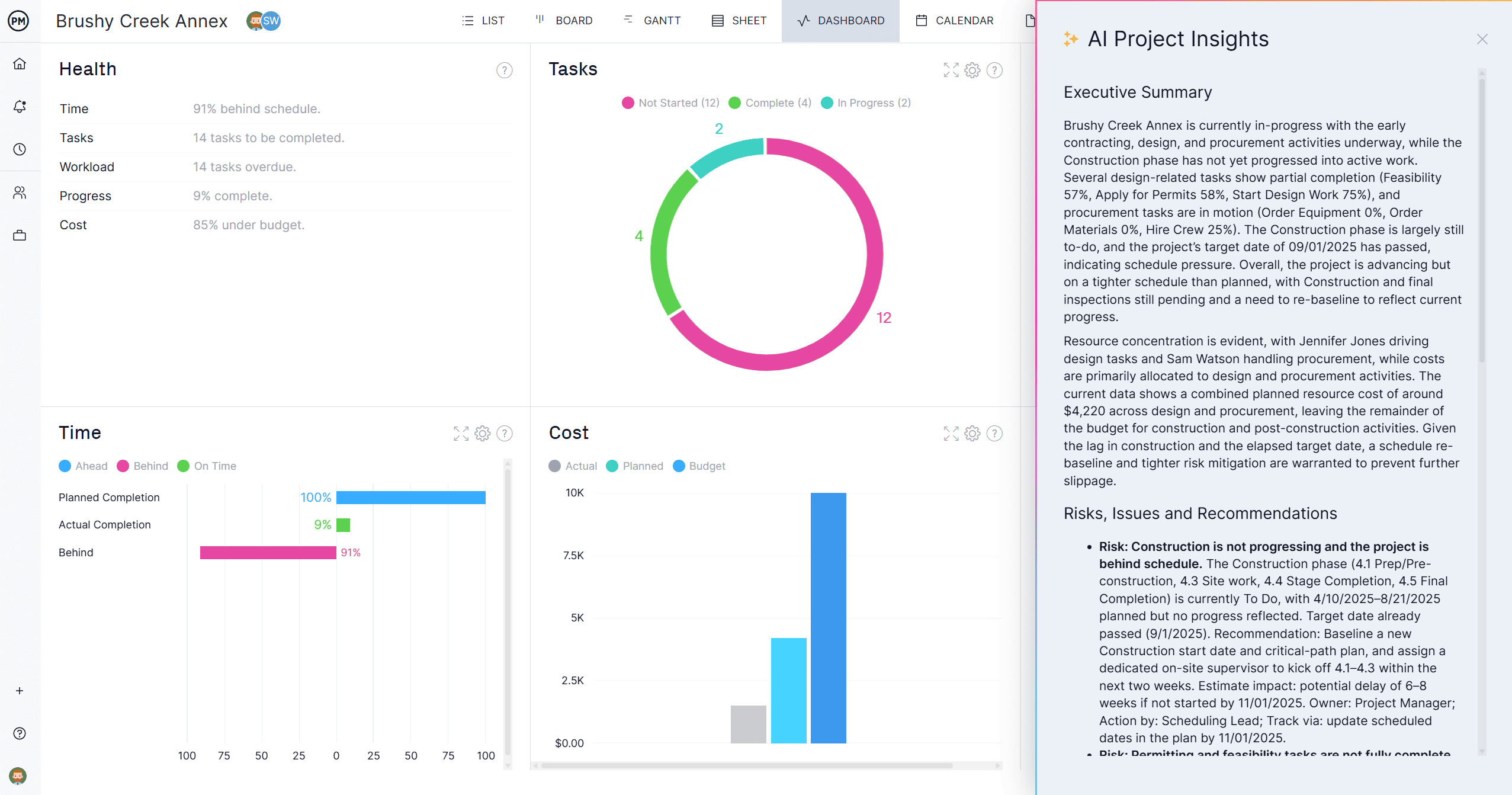
ProjectManager’s project dashboard aggregates schedule, budget, task completion and team performance data into a single real-time view that updates as your team works. Instead of compiling a status summary from individual updates, you read the dashboard and report what it shows. The data is always current because it draws directly from the tasks and timesheets your team is actively logging against, not from a spreadsheet someone maintains separately. Share the dashboard link with stakeholders who want visibility without a meeting.
Track Portfolio Performance Across Every Project
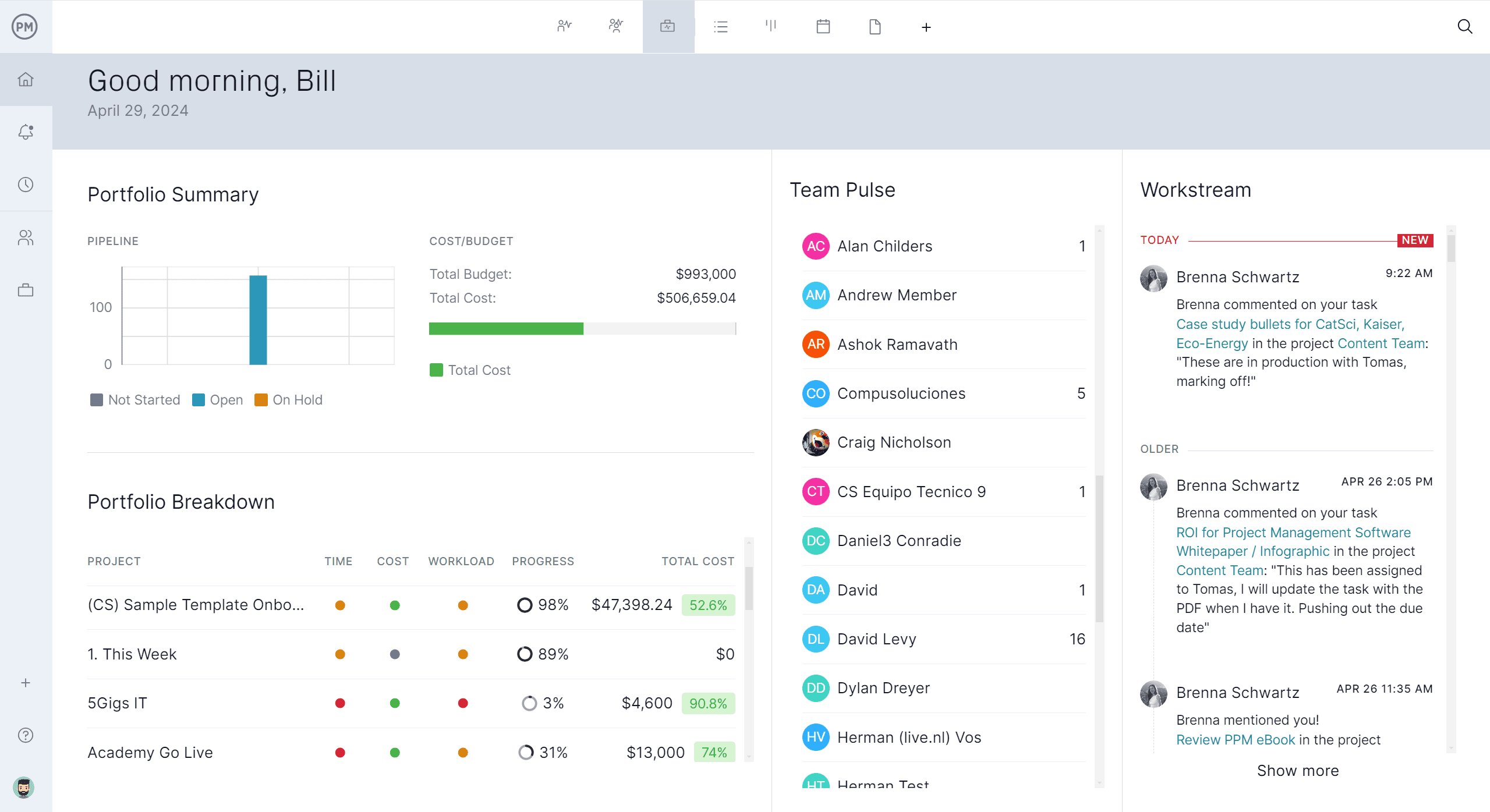
ProjectManager’s portfolio dashboard rolls up the status of every project in the portfolio into a single executive-level view: overall health, budget variance, schedule performance and resource utilization across all active projects simultaneously. For program managers and PMOs producing executive summary reports across a portfolio, the portfolio dashboard is the source of record that replaces hours of manual data compilation. Filter by project, date range or team to generate the summary view the audience needs.
Related Content
- 8 Free Status Report Templates for Excel
- 10 Free Project Kickoff Templates for Excel and Word
- 7 Free Project Diagram Templates for Excel and Word
- 8 Free Production Report Templates for Excel and Word
- 25 Free Project Management Templates for Excel
The post 10 Free Summary Templates for Word and Excel appeared first on ProjectManager.