A project kickoff is the moment a project stops being a plan and starts being real work. The team comes together, the goals are confirmed, the scope is defined and everyone leaves the room knowing what they are responsible for and when it needs to be done. Get it right and the project has a foundation it can build on. Get it wrong: unclear ownership, scope that was never pinned down, stakeholders who were not aligned. And the project is already fighting a losing battle before the first task is complete.
The challenge is that a successful kickoff requires more than a meeting. It requires a set of documents that define the project before, during and immediately after that first session: the charter that authorizes the work, the scope that sets the boundaries, the plan that sequences the tasks, the agenda that keeps the meeting on track and the role assignments that make accountability clear from day one.
We put together ten free project kickoff templates for Excel and Word that cover every document you need to start a project on solid ground. Each one is free to download and ready to adapt for your team or your organization.
1. Project Kickoff Template for Excel
A project kickoff template gives the kickoff meeting a consistent structure: who is attending, what is being covered and what decisions need to be made before the team leaves the room. Without it, kickoff meetings drift. The right topics get skipped, accountability is assumed rather than confirmed and the meeting ends without the shared understanding it was supposed to create.
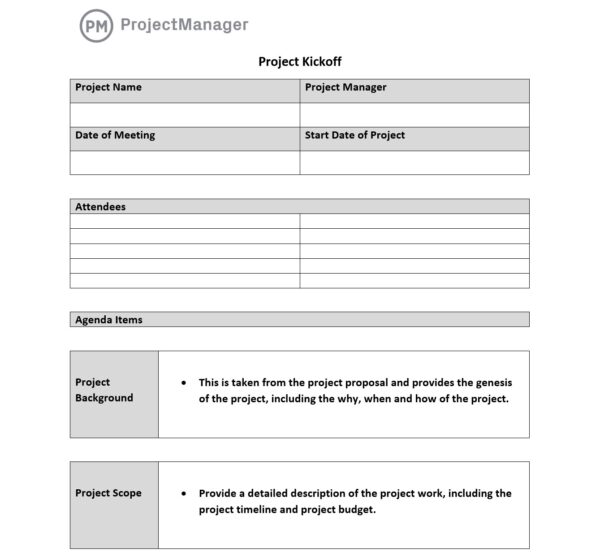
This Excel template covers the key components of a kickoff: project overview, goals and success criteria, scope summary, team roles and responsibilities, timeline milestones, risks and open questions. It is designed to be completed before the meeting and shared with attendees in advance so the session is spent aligning on the content rather than introducing it for the first time.
The right starting point for any project manager running a formal kickoff who needs a document the whole team can reference before, during and after the meeting to confirm they are all working from the same understanding.
2. Meeting Agenda Template for Word
A meeting agenda turns a scheduled block of time into a structured conversation with a defined outcome. For a project kickoff, the agenda is what keeps the meeting from running over, getting sidetracked by topics that belong in follow-up sessions or ending without the decisions that were supposed to come out of it. It also gives attendees the chance to prepare, which makes the discussion more productive than walking in cold.

This Word template provides a clean agenda structure with fields for the meeting objective, attendees, time-boxed agenda items, the owner for each item and space for notes and action items captured during the session. It covers both the preparation and the documentation side of a meeting so the output is a shared record, not just a memory of what was discussed.
Useful for any team meeting that needs a clear structure, but particularly valuable for kickoffs, status reviews and steering committee sessions where the agenda sets the tone for how the project will be run.
3. Project Charter Template for Word
A project charter is the document that formally authorizes a project to exist. It defines what the project is, why it is being done, who is sponsoring it, who is managing it and what authority the project manager has to use organizational resources. Without a charter, a project runs on informal understanding. Which works fine until there is a disagreement about scope, budget or priority, at which point there is no document to refer back to.
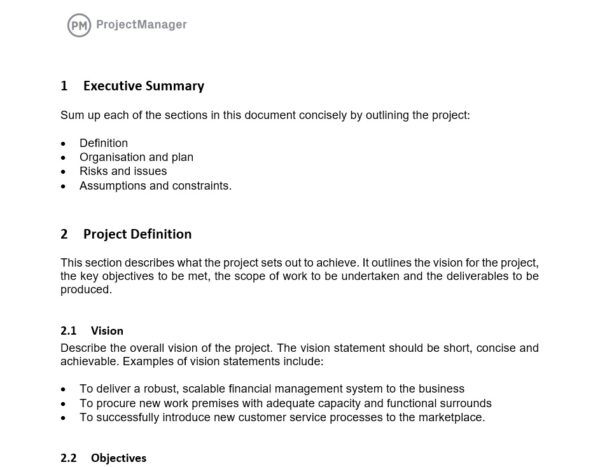
This Word template covers the standard charter components: project purpose and objectives, scope summary, key deliverables, high-level timeline, budget estimate, project sponsor and manager, stakeholder list and approval signatures. It is structured as a formal document that gets signed off before work begins, creating a shared reference point that the entire project can be measured against.
Most useful at the very start of a project when leadership needs to formally authorize the work and the project manager needs documented authority to proceed, assign resources and make decisions within the defined scope.
4. Project Scope Template for Word
Scope creep is one of the most common reasons projects run over budget and past their deadlines. It rarely happens all at once. It accumulates in small additions, each one seeming reasonable in isolation, until the project is delivering significantly more than was originally planned without any corresponding adjustment to the timeline or budget. A clear scope document is the first line of defense against that pattern.
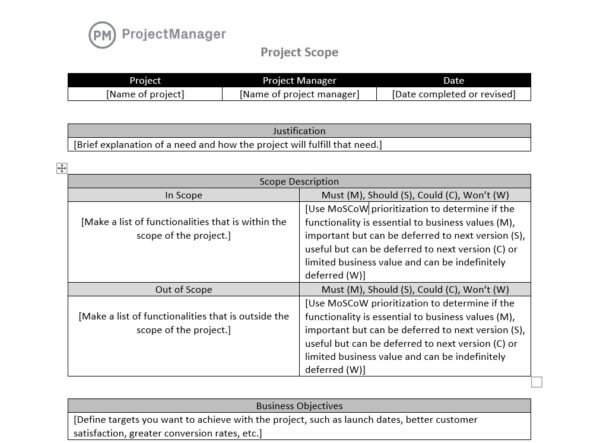
This Word template documents the project scope in detail: objectives, deliverables, requirements, boundaries (what is explicitly out of scope), constraints, assumptions and acceptance criteria. The out-of-scope section is often as important as the deliverables list. It prevents the additions that everyone assumes are included but were never agreed to. Signed off at kickoff, it becomes the reference document for every scope question that comes up during the project.
Essential for any project where the boundaries of the work are not completely obvious, or where stakeholders have a history of expanding the project incrementally after work has begun.
Run Your Kickoff and Manage the Project in One Place With ProjectManager
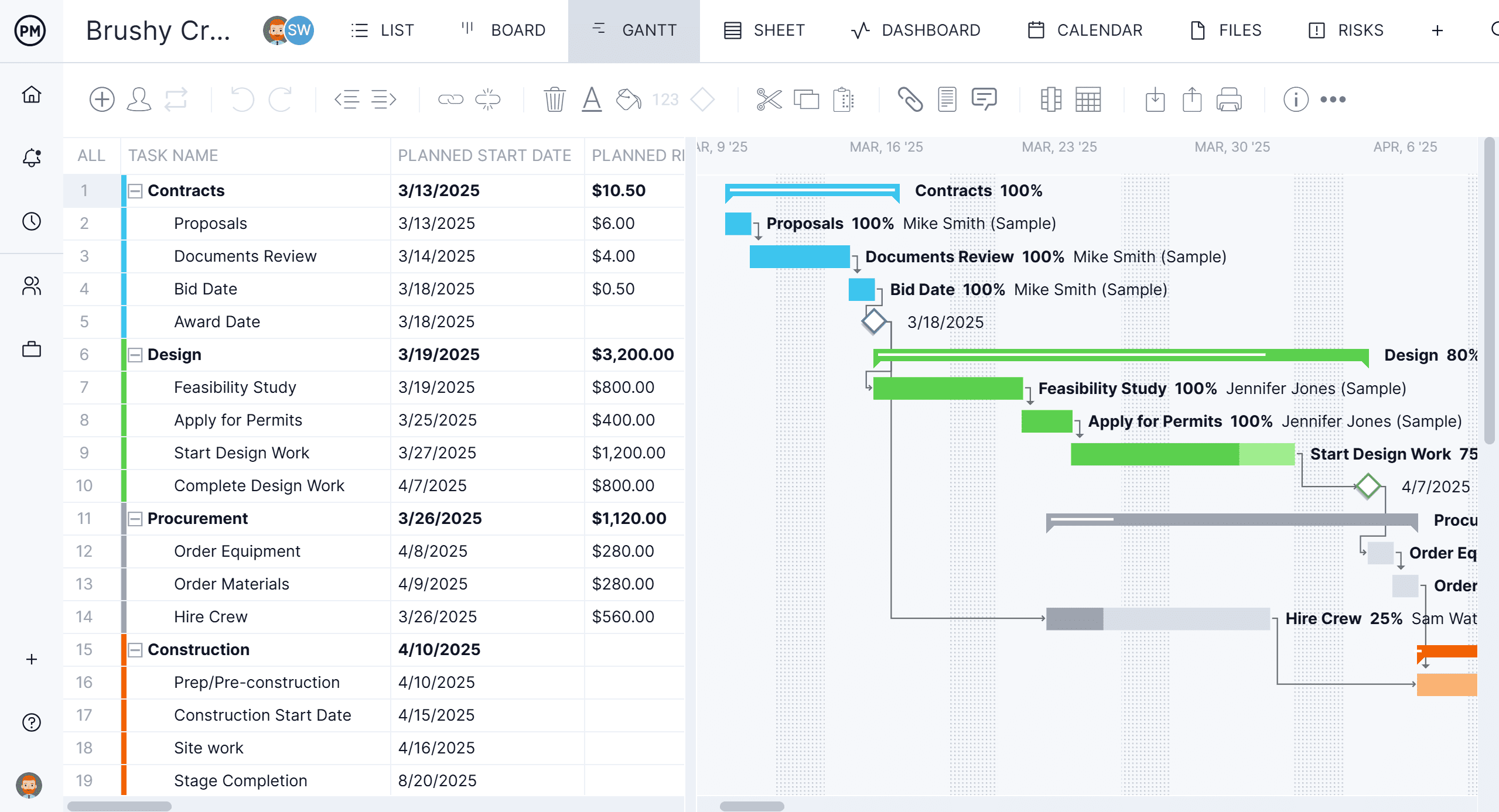
Templates get the kickoff documented. ProjectManager keeps everything live once the work starts. Build your project plan on a Gantt chart, assign tasks to team members and track progress in real time from the moment the kickoff ends. Try it free for 30 days.
5. Project Plan Template for Excel
A project plan is the document that turns the kickoff commitments into a sequenced, assigned schedule. It answers the questions the charter and scope leave open: what specific tasks need to happen, in what order, who is responsible for each one and when each one needs to be done. Without it, the project exists as a shared intention without a shared timeline, which means everyone has a different idea of what “on track” looks like.
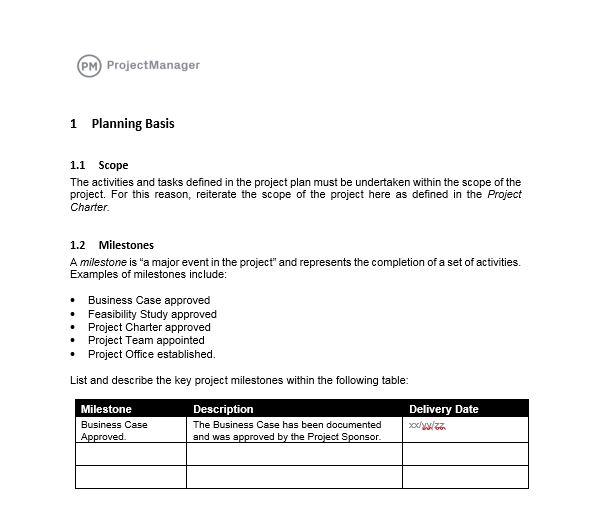
This Excel template gives you a task-level project plan with columns for task name, owner, start date, end date, duration, dependencies and status. It is structured to be usable as a working plan throughout the project, not just a kickoff artifact. The status column lets the team update progress against the same document that was created at the start, keeping the plan and the execution in the same place.
The right tool for any project manager who needs a simple, shareable schedule that the team can work from without the overhead of project management software, or as a starting structure before migrating to a live Gantt chart.
6. Stakeholder Register Template for Excel
A project affects more people than the team doing the work. Clients, sponsors, department heads, end users, regulators. The stakeholder list for even a moderately complex project can be long, and each stakeholder has different interests, levels of influence and expectations about how they will be kept informed. Managing that without a structured register means important stakeholders get forgotten and the ones who get attention are often the loudest rather than the most important.

This Excel template logs each stakeholder with fields for their name, role, organization, interest in the project, level of influence, current engagement level and the communication approach for each. It gives the project manager a complete picture of who needs to be managed and how, which feeds directly into the communication plan and helps avoid the late-stage surprises that happen when a key stakeholder was not engaged early enough.
Most useful at kickoff when the stakeholder landscape is being mapped for the first time, and as a reference throughout the project as relationships and engagement levels change.
7. Communication Plan Template for Excel
How a project communicates is as important as what it delivers. Stakeholders who are kept informed at the right frequency, through the right channels and with the right level of detail stay engaged and supportive. Stakeholders who feel out of the loop, or who are overwhelmed with updates they cannot use, become friction rather than support. A communication plan makes the approach explicit rather than improvised.
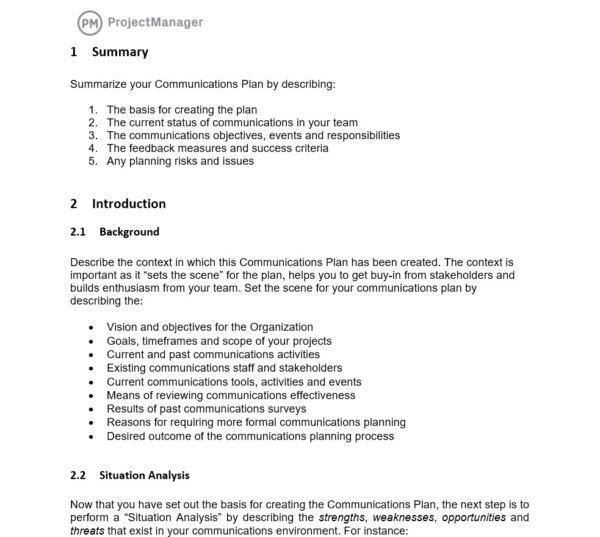
This Excel template maps each stakeholder or stakeholder group to the communications they need: what information, in what format, at what frequency, through which channel and who is responsible for delivering it. It covers the full spectrum from weekly status emails to executive steering committee presentations, giving the project team a single reference for who gets what and when.
Particularly useful for projects with a large or diverse stakeholder group, or for organizations where inconsistent communication has caused problems on past projects and the team wants a documented approach before the same issues arise again.
8. RACI Matrix Template for Excel
Ambiguous accountability is one of the most common sources of project delays. When it is not clear who makes a decision, who needs to be consulted before it is made and who simply needs to be informed afterward, decisions stall, work gets duplicated or dropped and team members spend time managing the ambiguity rather than doing the work. A RACI matrix resolves that before the project starts.
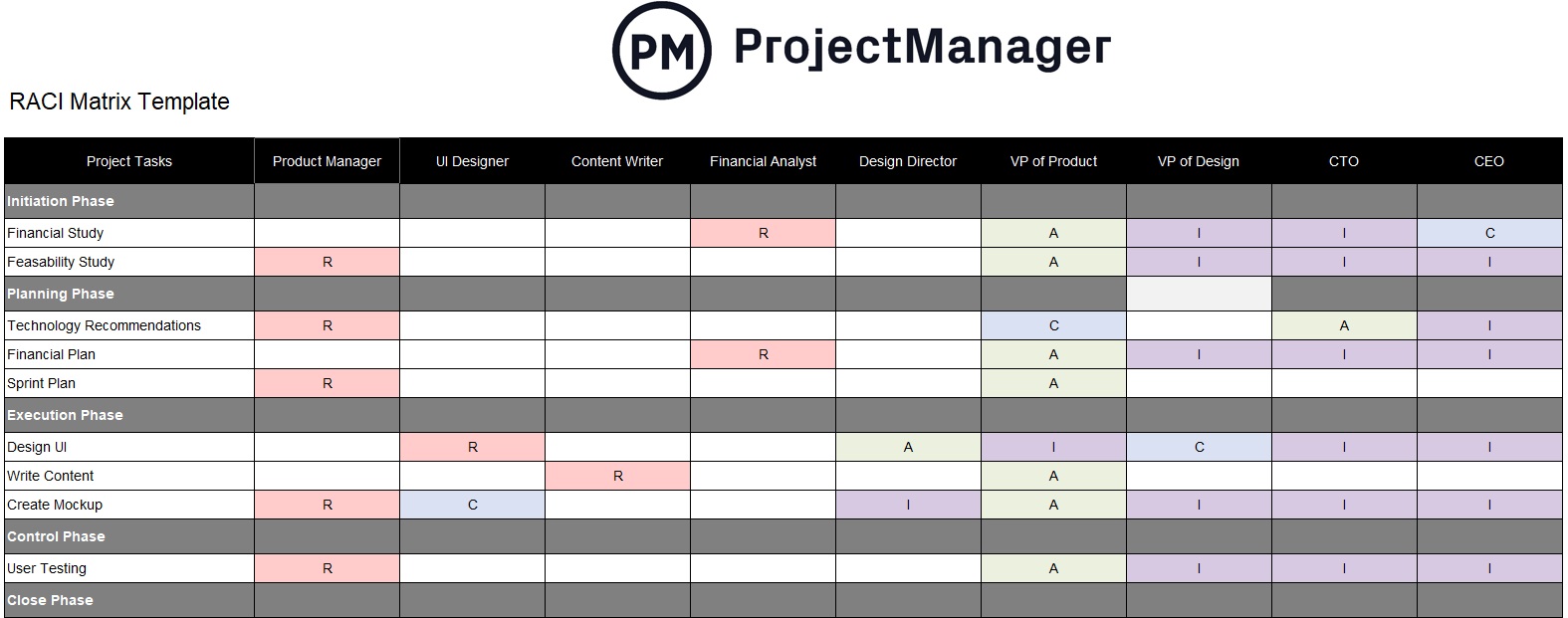
This Excel template maps each key deliverable, decision or task to a Responsible, Accountable, Consulted and Informed designation for each role on the project. The matrix format makes it immediately clear whether any role is overloaded, whether any deliverable has no clear owner or whether accountability is spread across too many people to be meaningful. Reviewing it in the kickoff meeting surfaces those gaps before they become problems in execution.
Useful for any project with multiple stakeholders or cross-functional teams where role clarity is not obvious, and essential for any project where past experience shows that accountability gaps are a recurring source of friction.
9. Work Breakdown Structure Template for Excel
A work breakdown structure turns the project scope into a hierarchical list of every deliverable and the tasks required to produce it. It is the bridge between the high-level scope document and the granular project plan: where the scope says what will be delivered, the WBS breaks each deliverable into the specific work packages that need to be assigned, estimated and scheduled. Without it, the project plan is often missing tasks that were assumed but never explicitly planned for.
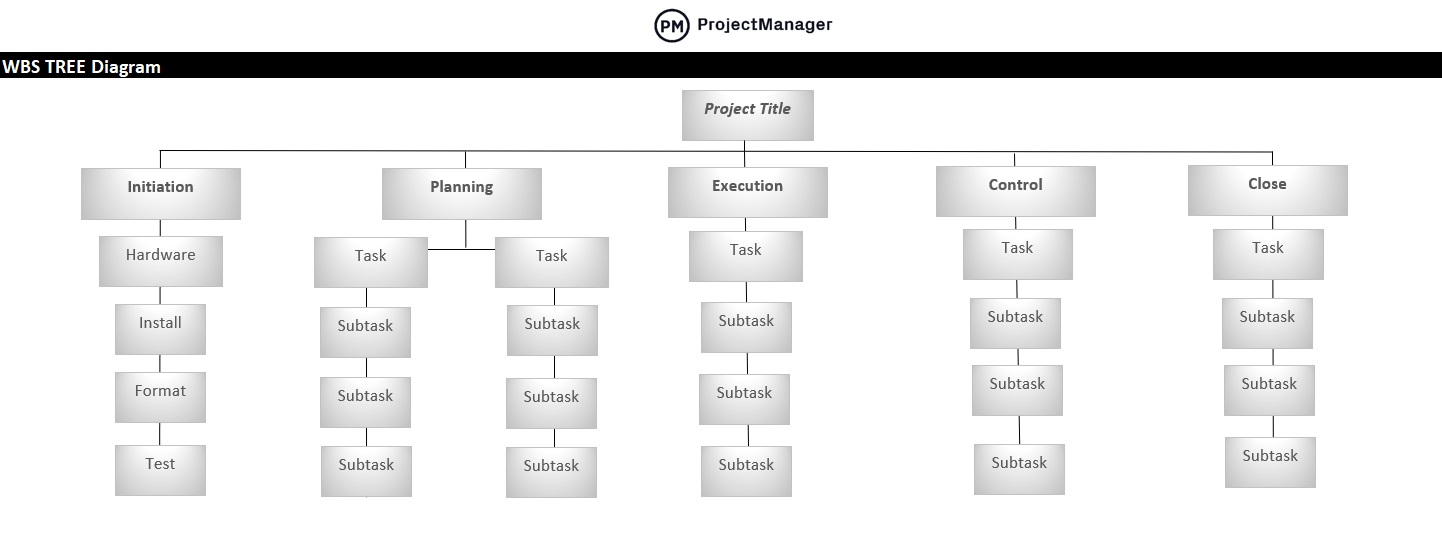
This Excel template structures the project into phases, deliverables and work packages in a hierarchical format that makes the full scope of work visible before scheduling begins. Each work package can be assigned an owner, an estimated effort and a status, giving the project plan a complete and consistent foundation rather than a task list assembled from memory.
Most valuable in the planning phase immediately following kickoff, when the project manager is translating the agreed scope into an actual schedule and needs to make sure every piece of the work is accounted for before time estimates are made.
10. Statement of Work Template for Word
A statement of work is the formal document that defines what a vendor, contractor or external team will deliver, under what terms and at what cost. Where the project charter defines the project internally, the statement of work defines the engagement externally. It is the contractual foundation for any project that involves outside parties and the document both sides refer to when there is a question about what was agreed.
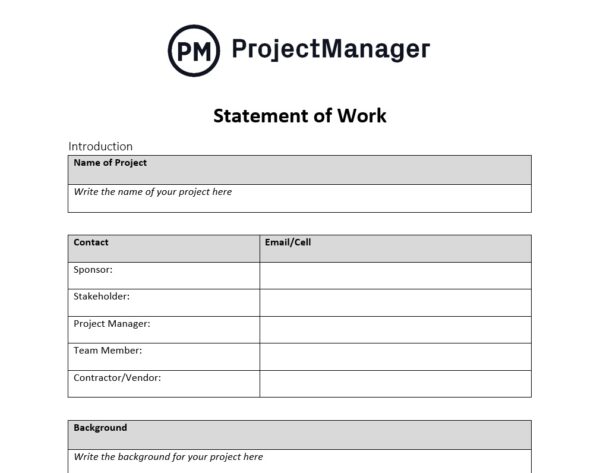
This Word template covers the standard SOW components: project overview, scope of work, deliverables, timeline and milestones, payment terms, acceptance criteria and terms and conditions. It is structured as a formal document that both parties can sign, creating a shared reference point that protects both the client and the vendor from the misunderstandings that develop when the work scope is defined only in conversation or email.
Essential for any project that involves contractors, agencies or external vendors, and useful for internal projects where the relationship between teams needs the same level of clarity that a vendor contract provides.
Plan and Run Projects With ProjectManager
Kickoff templates document the plan. The real work is executing it. Which means keeping tasks on track, team members accountable and stakeholders informed as the project moves from kickoff into delivery. ProjectManager connects the documents you built at kickoff to a live project environment where the plan is always current and the whole team is always working from the same version.
From the first task assignment to the final deliverable, ProjectManager gives project managers the tools to run projects with the same discipline the kickoff established.
Turn Your Project Plan Into a Live Gantt Chart
ProjectManager’s Gantt chart turns the task list from your kickoff plan into an interactive project timeline. Assign tasks, set durations, link dependencies and set milestones so the schedule reflects how the work actually flows. When something changes (a task slips, a resource becomes unavailable), update the Gantt and every dependent task adjusts automatically. The plan stays current without manual recalculation, and the whole team sees the updated schedule immediately.
Keep Stakeholders Informed Without Writing Status Reports
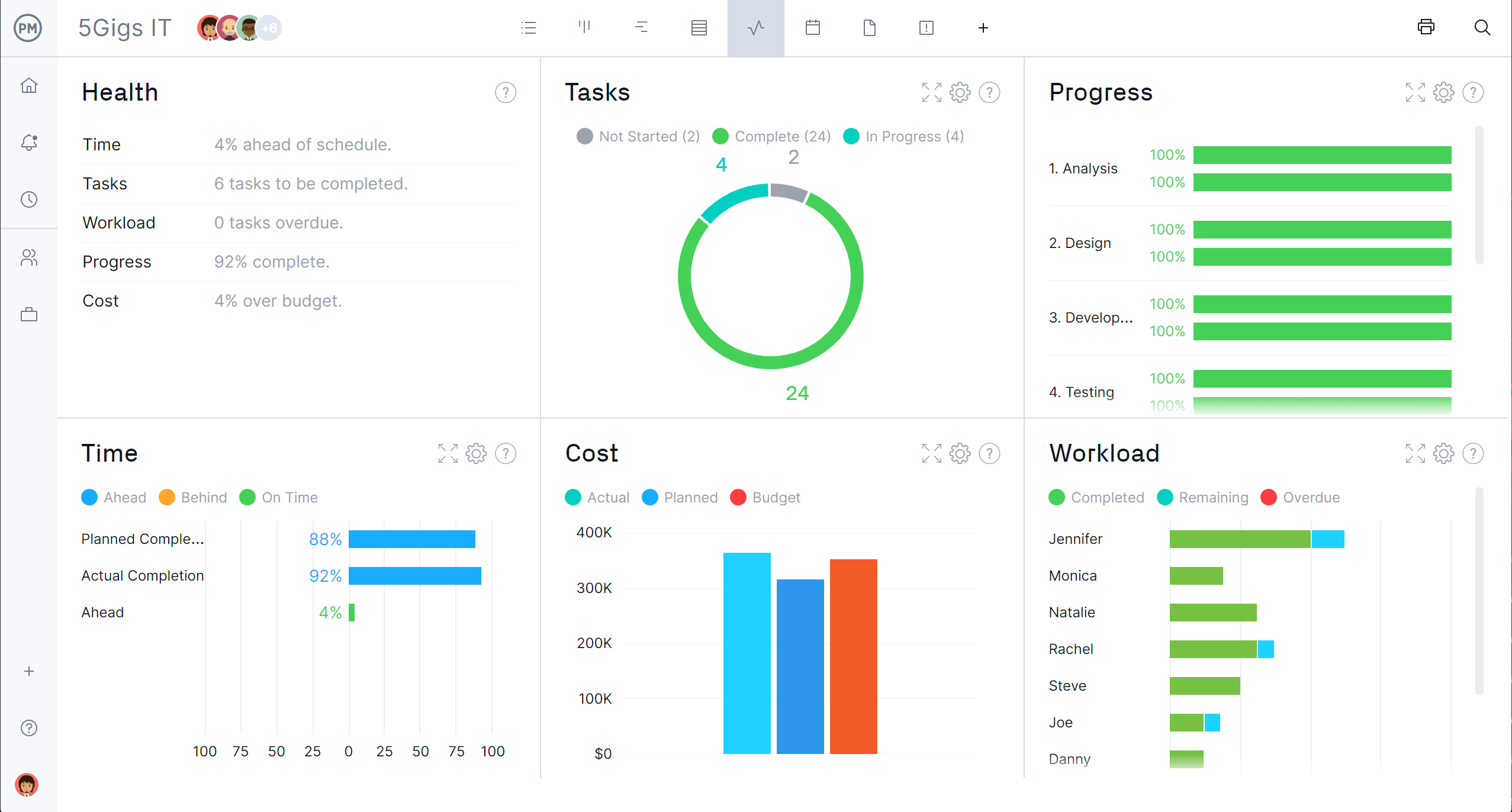
The communication plan you built at kickoff is only as good as the follow-through. ProjectManager’s reporting tools generate project status reports, budget summaries and progress updates directly from live project data so stakeholders get accurate, current information without the project manager spending hours compiling it. Reports can be scheduled and shared automatically, which means the communication cadence the team agreed to at kickoff actually happens rather than getting deprioritized when the project gets busy.
Related Content
- 9 Free Contingency Plan Templates for Excel and Word
- 25 Free Project Management Templates for Excel
- 10 Free Status Report Templates for Word and Excel
- 8 Free Work Schedule Templates for Excel
- 10 Free Small Business Plan Templates for Excel and Word
- Project kickoff guide
- Project initiation guide
- How to write a project charter
The post 10 Free Project Kickoff Templates for Excel and Word appeared first on ProjectManager.