In the previous blog of this JavaScript series, we learned about Variables and Data Types — how JavaScript stores information.
Now the next question is:
How do we actually work with those values?
That’s where operators come in.
Operators allow us to perform calculations, compare values, and create logic in our programs. They are a fundamental part of writing any JavaScript code.
In this article, we’ll explore the most common operators you will use every day.

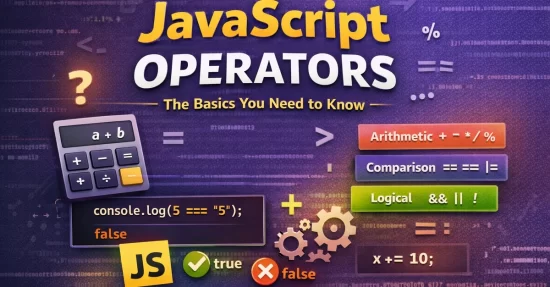
JavaScript operators can be grouped into several categories such as arithmetic, comparison, logical, and assignment operators.
What Are Operators?
An operator is a symbol that performs an operation on values or variables.
For example:
let a = 10;
let b = 5;

let result = a + b;

console.log(result);
Here:
+  → is an operator
a and b → are operands
The operator combines values to produce a result.
Arithmetic Operators
Arithmetic operators are used to perform basic mathematical calculations.
| Operator | Description |
|---|---|
+ |
Addition |
- |
Subtraction |
* |
Multiplication |
/ |
Division |
% |
Modulus (remainder) |
Example
let a = 10;
let b = 3;

console.log("Addition:", a + b);
console.log("Subtraction:", a - b);
console.log("Multiplication:", a * b);
console.log("Division:", a / b);
console.log("Remainder:", a % b);
Output
Addition: 13
Subtraction: 7
Multiplication: 30
Division: 3.3333
Remainder: 1
The modulus operator % is commonly used when checking even or odd numbers.
Example:
let number = 10;

console.log(number % 2);
If the result is 0, the number is even.
Comparison Operators
Comparison operators allow us to compare two values.
They always return true or false.
| Operator | Meaning |
|---|---|
== |
Equal |
=== |
Strict equal |
!= |
Not equal |
> |
Greater than |
< |
Less than |
Example
let a = 10;
let b = 5;

console.log(a > b);
console.log(a < b);
console.log(a == b);
console.log(a != b);
Output
true
false
false
true
Difference Between == and ===
This is one of the most important things to understand in JavaScript.
== (Loose Equality)
== compares values after converting the type if necessary.
console.log(5 == "5");
Output
true
Because JavaScript converts "5" to a number.
=== (Strict Equality)
=== compares both value and type.
console.log(5 === "5");
Output
false
Because:
5 → number
"5" → string
Different types → result is false.
Best Practice
Most developers prefer using === because it avoids unexpected type conversions.
Logical Operators
Logical operators help us combine multiple conditions.

| Operator | Meaning |
|---|---|
&& |
AND |
| ` | |
{% raw %}!
|
NOT |
AND Operator &&
Both conditions must be true.
let age = 20;

console.log(age > 18 && age < 30);
Output
true
OR Operator ||
At least one condition must be true.
let age = 16;

console.log(age < 18 || age > 60);
Output
true
NOT Operator !
Reverses the result.
let isLoggedIn = false;

console.log(!isLoggedIn);
Output
true
Final Thoughts
Operators are one of the most fundamental parts of JavaScript.
They allow us to:
- Perform calculations
- Compare values
- Build logical conditions
- Update variable values
Once you become comfortable with operators, writing real programs becomes much easier.
In the next article of this JavaScript series, we’ll explore another core concept that helps control how our programs run.
If you're learning JavaScript, keep practicing small examples in the console.
That’s the fastest way to build confidence.