What Are Feature Flags?
Feature flags, also known as feature toggles, are a powerful technique that allows developers to enable or disable features in their applications without deploying new code. By using feature flags, you can control the visibility of features in real-time, making it easier to test, roll out, and roll back changes.

Why Are Feature Flags Important?
Feature flags provide a safety net for continuous deployment. They allow teams to release new features to a subset of users, gather feedback, and make adjustments before a full rollout. This reduces the risk of deploying untested features and ensures a smoother user experience.
Basics of Feature Flags
Definition and Types
At its core, a feature flag is a conditional statement that wraps around a piece of code, allowing it to be turned on or off. There are several types of feature flags:
1.Boolean Flags: Simple on/off switches for enabling or disabling
features.
2.Multivariate Flags: Enable different variants of a feature, useful for
A/B testing.
3.Permission-Based Flags: Enable features based on user roles or
permissions.
Introduction to Flagsmith
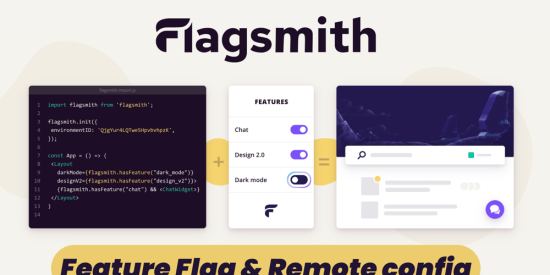
Flagsmith is an open-source feature flag and remote configuration service that makes it easy to manage feature flags in your applications. It offers a user-friendly dashboard, robust SDKs, and powerful capabilities for controlling feature releases.
Why Flagsmith?
Flagsmith is free! It gives you everything you need in one place to create, use, and manage your feature flags. With Flagsmith, you can store values inside feature flags to control different behaviors.
Flagsmith is open-source, so it’s highly trustworthy.
It integrates smoothly with clear, well-maintained documentation for web, mobile, and server-side applications in multiple programming languages. Flagsmith also offers many customization options, making it incredibly convenient to use.
Key Features of Flagsmith
1. Multi-environment Support
Flagsmith allows you to manage flags across different environments (development, staging, production) from a single dashboard. This ensures consistency and reduces the risk of configuration errors.
2. Segment Targeting
With Flagsmith, you can target specific user segments with particular features. This is invaluable for A/B testing, beta programs, or rolling out features to premium users.
3. Remote Config
Beyond simple on/off toggles, Flagsmith offers remote configuration capabilities. This allows you to adjust application behavior without deploying new code.
4. A/B Testing
Flagsmith’s built-in A/B testing features make it easy to experiment with different versions of your application and make data-driven decisions.
Advanced Features of Flagsmith
Remote Configuration
Flagsmith allows you to manage remote configuration settings in addition to feature flags. This means you can adjust configuration values in real-time without redeploying your code.
User Segmentation
With Flagsmith, you can target specific user segments for feature rollouts. For example, you can enable a feature only for beta testers or specific user groups based on attributes.
Multivariate Flags
Flagsmith supports multivariate flags, enabling different variants of a feature. This is particularly useful for A/B testing, allowing you to compare different versions of a feature to see which performs better.
Conclusion
Feature flags are a powerful tool for modern software development, and Flagsmith makes it easy to implement and manage them. By using Flagsmith, you can achieve continuous deployment, run A/B tests, perform gradual rollouts, and quickly roll back features if needed. Whether you’re working on a small project or a large enterprise application, Flagsmith can help you manage the complexity and risks associated with feature releases.
🔰Get involved
Check out the website to get redirected to all necessary resources
The images above are not created by me; they are taken from the internet. Credit for these images goes to their respective creators😊.
Thank you so much for reading🧡
Like | Follow
Catch me on my social here: https://x.com/harshalstwt