Note: This article has been updated to reflect changes in OBS Studio and DeadSimpleChat interface
Dead Simple Chat offers prebuilt Chat that can be added in minutes to any app or website. Can be completely customized and offers powerful API and SDK.
Getting Chat on Screen in OBS is a very effective way to engage users across different platforms. In this article, we will look at different ways to add stream chat to the OBS studio platform.
You can add Twitch Stream Chat to OBS or you can also have your own private chat platform added to OBS Stream
There are many benefits of having your own chat like:
- Customization : Completely customize the look and feel of chat
- Moderation: Ban users, delete messages and Ban Bad Words
- 1-1 Chat: Chat 1-1 with your attendees
The Chat Platform to use is DeadSimpleChat is Dead Simple to add to your OBS Stream and has a Free Plan with all the features available to use.
Adding DeadSimpleChat to your OBS Stream follows the exact same steps as adding Stream Chat to your OBS Stream.
You can also use DeadSimpleChat for Virtual Event Chat and Live Streaming Chat solution
How to Get Chat on Stream OBS
How to add any chat box to OBS
Follow the below steps to add chat on Stream OBS:
Step 1: Get the Chat URL from the provider
The First step is to get the chat URL from the chat provider you can get this in the chat interface or if you are able to open the chat in a new window get the URL from the browser.
In this tutorial we will be using Dead Simple Chat which is a highly saleable chat solution, that can scale up to millions of concurrent users.
Signup for a free Dead Simple Chat account from here
Once’s you have create a free account, create a chat room and open the chat room in a new window to copy the chat room url.
Follow the below steps


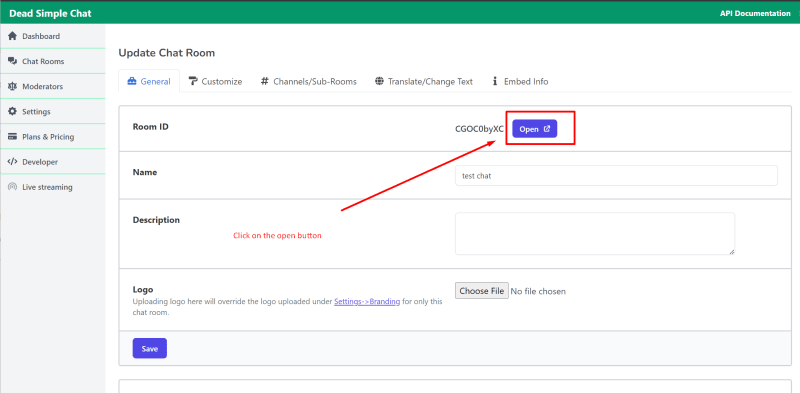
It will open the chat room in a new tab, copy the chat room URL, we will need it in the later steps.


Step 2: Open the OBS and click on the “+” icon at the bottom of the OBS software as shown in the figure.
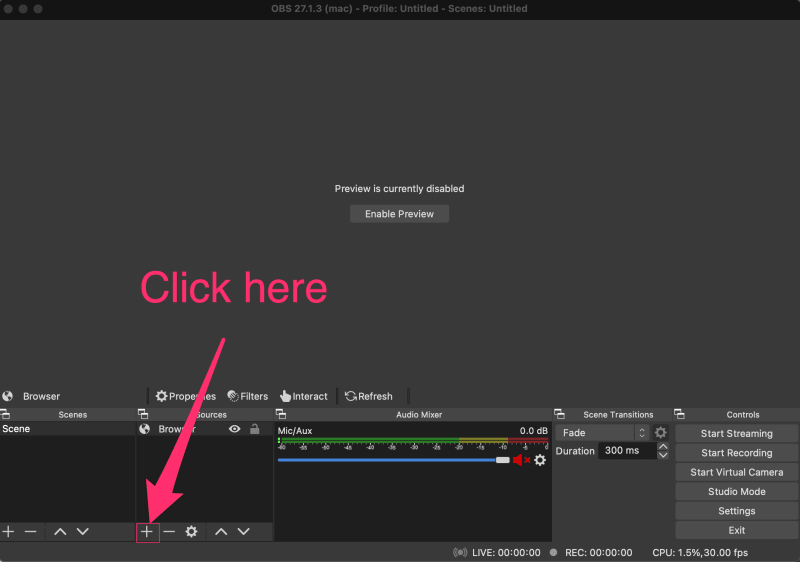
Step 3: Click on the browser button

Step 4: Type a name for your chat and click on the ‘OK’ button
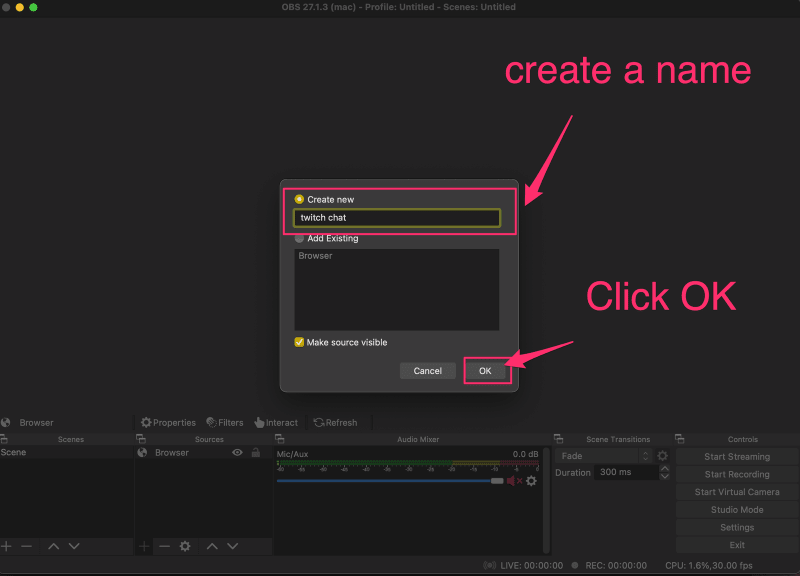
Step 5 : Add the chat URL that we have obtained from Step 1
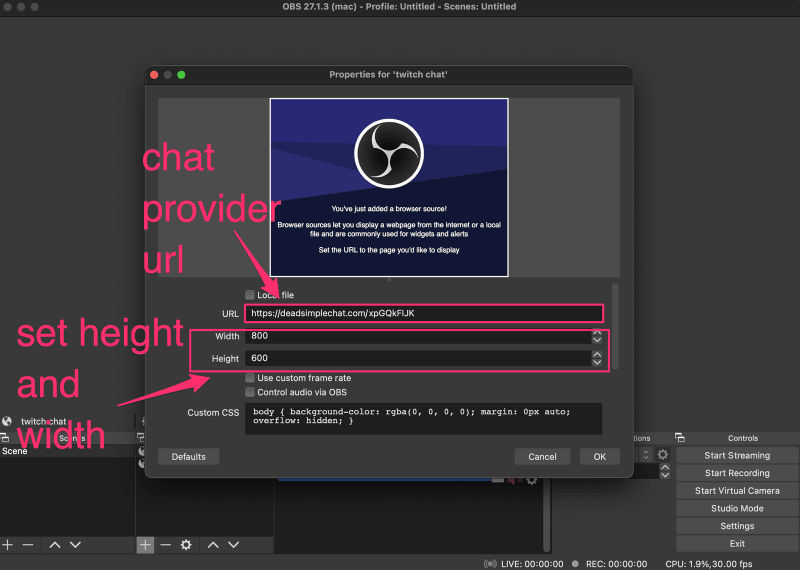
Step 6: Final Chat added to OBS
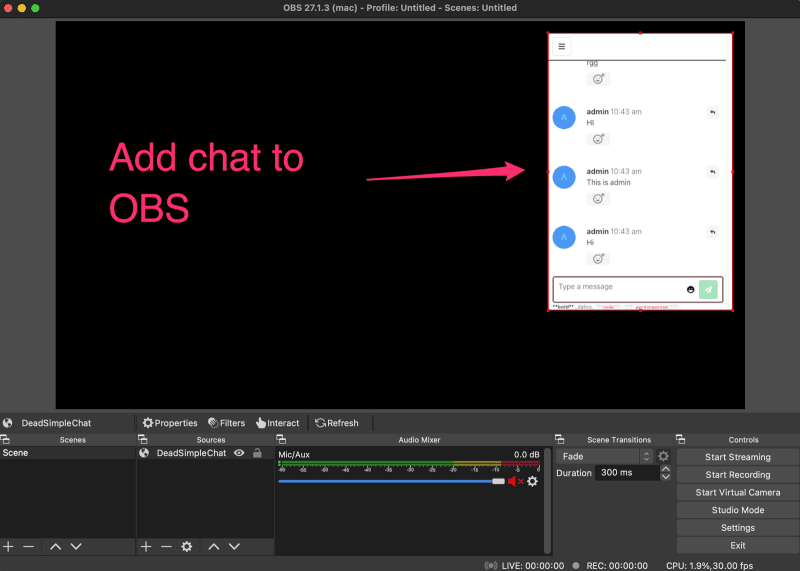
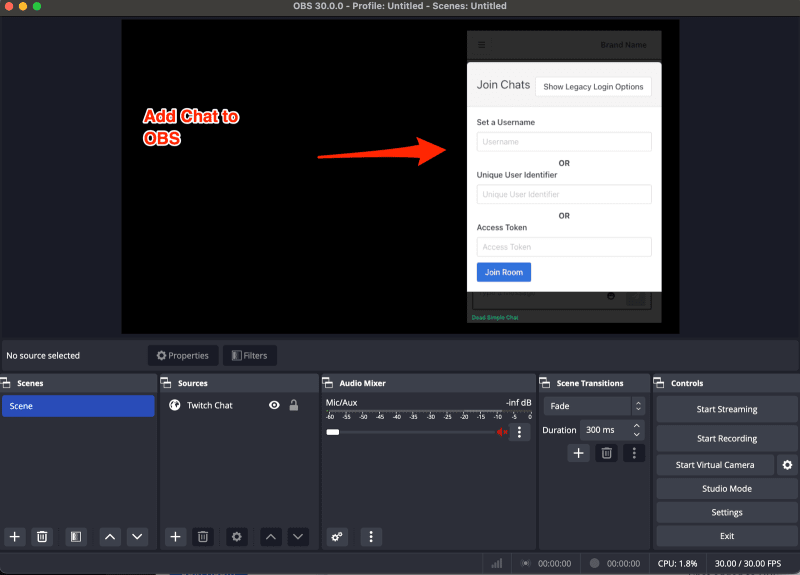
Now you can notice that you cannot interact with the chat. You want to be able to login to the chat so that you can preview live chat to your livestream
Step 7: Interact with the chat
Click on the chat in the OBS studio, it will look something like this
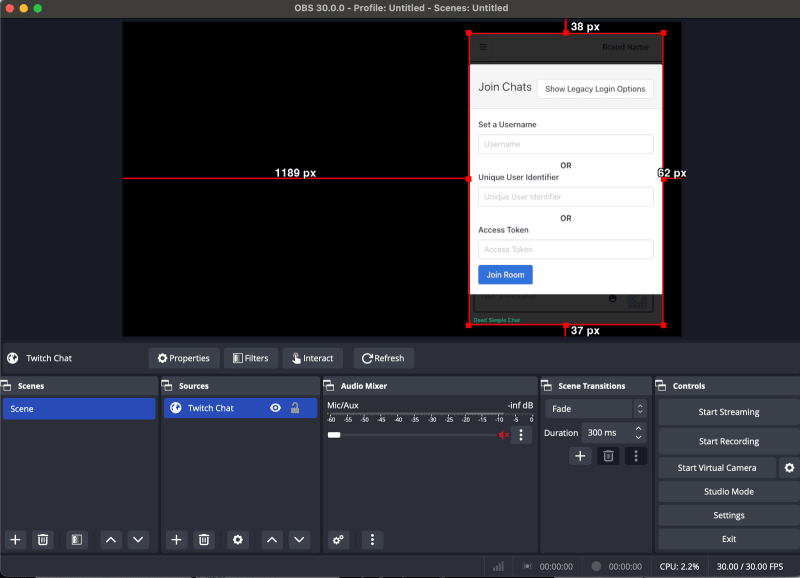
then click on the interact button

After clicking on the interact button you will be able to interact with the chat on the OBS studio. Set a username and click on the join chat button as shown in the
image below to join the chat. You can also open the chat in another window by going to the chat room url as shown in the picture above and send messages in the chat room
Those messages will be shown in the chat that is on the livestream in the OBS studio

The final chat looks like this
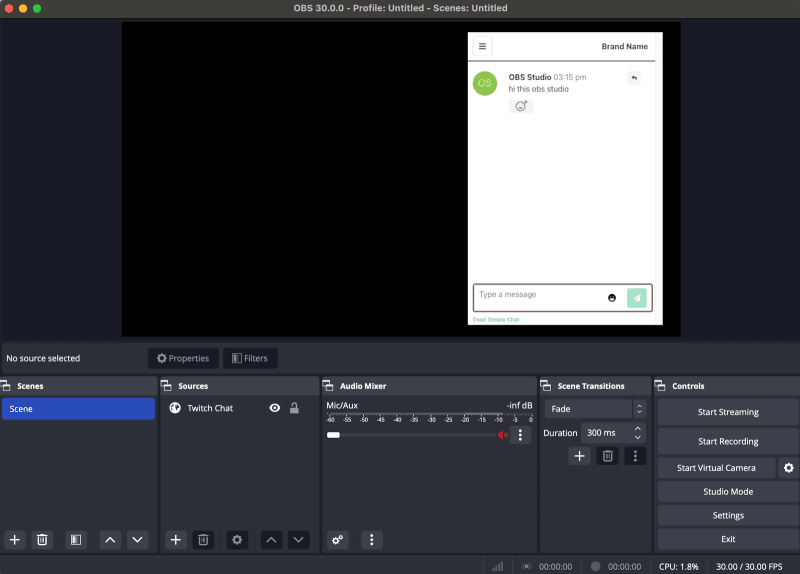
You can send messages and respond to messages in the chat room by opening it in another window like this

This is how to embed add stream cht to obs
How to Get Twitch Stream Chat box to OBS
Add Stream Chat to OBS (Twitch Chat)
To learn more about how to add Twich stream chat to OBS go to the orignal article on DeadSimpleChat website: