Invoicing is the part of the business cycle that directly determines whether you get paid, and when. Yet it is often the least systematized part of the process. Proposals get templates. Projects get plans. Invoices get rebuilt from scratch each time, or copied from the last one, which means inconsistent formatting, missing fields and the kind of errors that make a client’s accounts payable team push your payment to the bottom of the queue.
A good invoice template removes that friction. It gives you a consistent structure with all the required fields already in place so billing becomes something you complete in a few minutes rather than something you assemble from memory. It also makes your billing look like it came from an organized business, which matters more than most people realize when a client is deciding whose invoice to process first.
We collected six free invoice templates for Excel and Word covering the full billing cycle, from sending a quote before the work begins to tracking payments after the invoice is sent. Each one is free to download and ready to customize for your business.
1. Freelance Invoice Template for Excel
A freelance invoice is the formal record of work completed and payment due. For independent contractors and freelancers, it is also the document that determines how quickly a client pays. An invoice that looks professional, includes all the necessary fields and is easy for the client’s finance team to process gets paid faster than one that requires follow-up questions to approve.
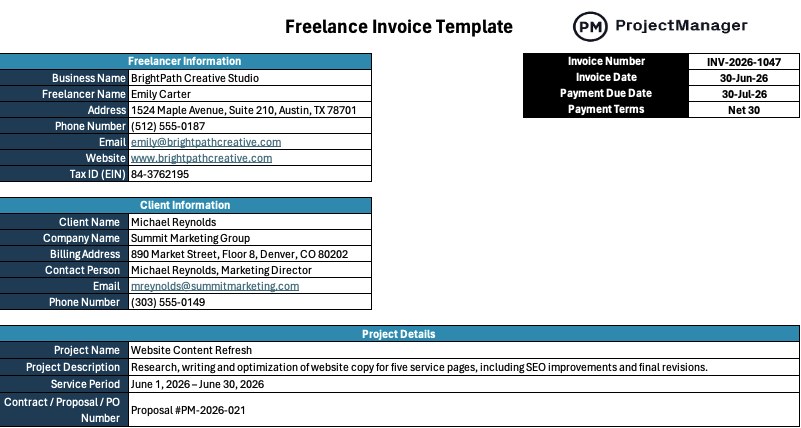
This Excel template includes all the standard fields a client expects: your contact information, the client’s details, an invoice number, the date, an itemized list of services with rates and quantities, a subtotal, tax fields and the total due. It is clean enough to send to a corporate accounts payable department and simple enough to complete in a few minutes once the work is done.
The right starting point for any freelancer or independent contractor who bills clients for services and wants a professional invoice format they can reuse without rebuilding it every time.
2. Service Invoice Template for Word
A service invoice documents the services delivered to a client during a billing period and the amount owed for each. Where a product invoice is straightforward, a service invoice needs to communicate what was delivered clearly enough that a client who was not involved in the day-to-day work can understand what they are paying for and approve it without hesitation.
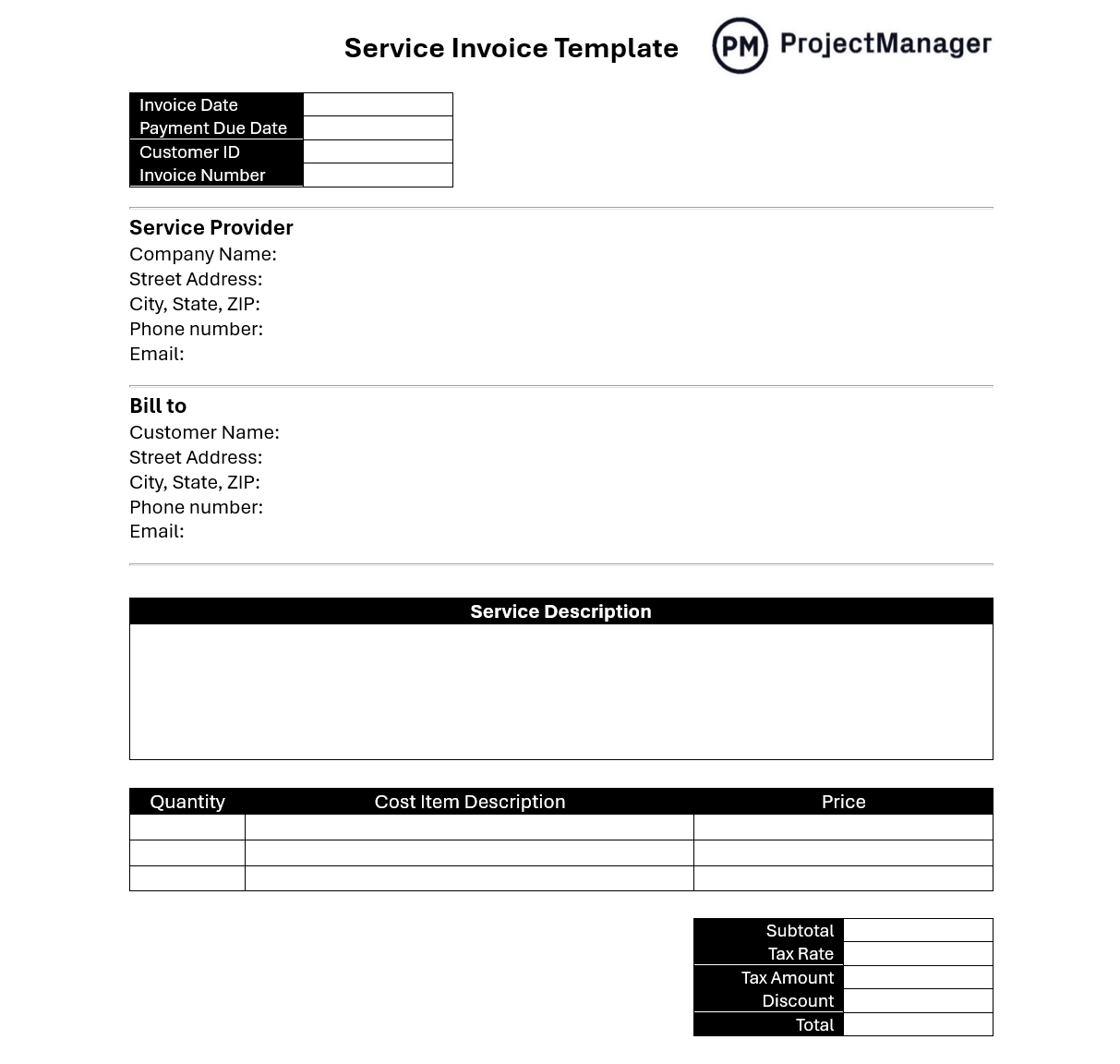
This Word template provides a clean service invoice structure with fields for service descriptions, hours or units, rate and total per line item. It is formatted as a polished client-facing document rather than a spreadsheet, which makes it easier to brand and suitable for industries where presentation matters: consulting, marketing, legal services and similar professional fields.
Works for any service provider that bills clients for defined deliverables rather than physical goods, and wants an invoice that looks consistent and professional every time it goes out.
Manage Billing and Project Costs in ProjectManager
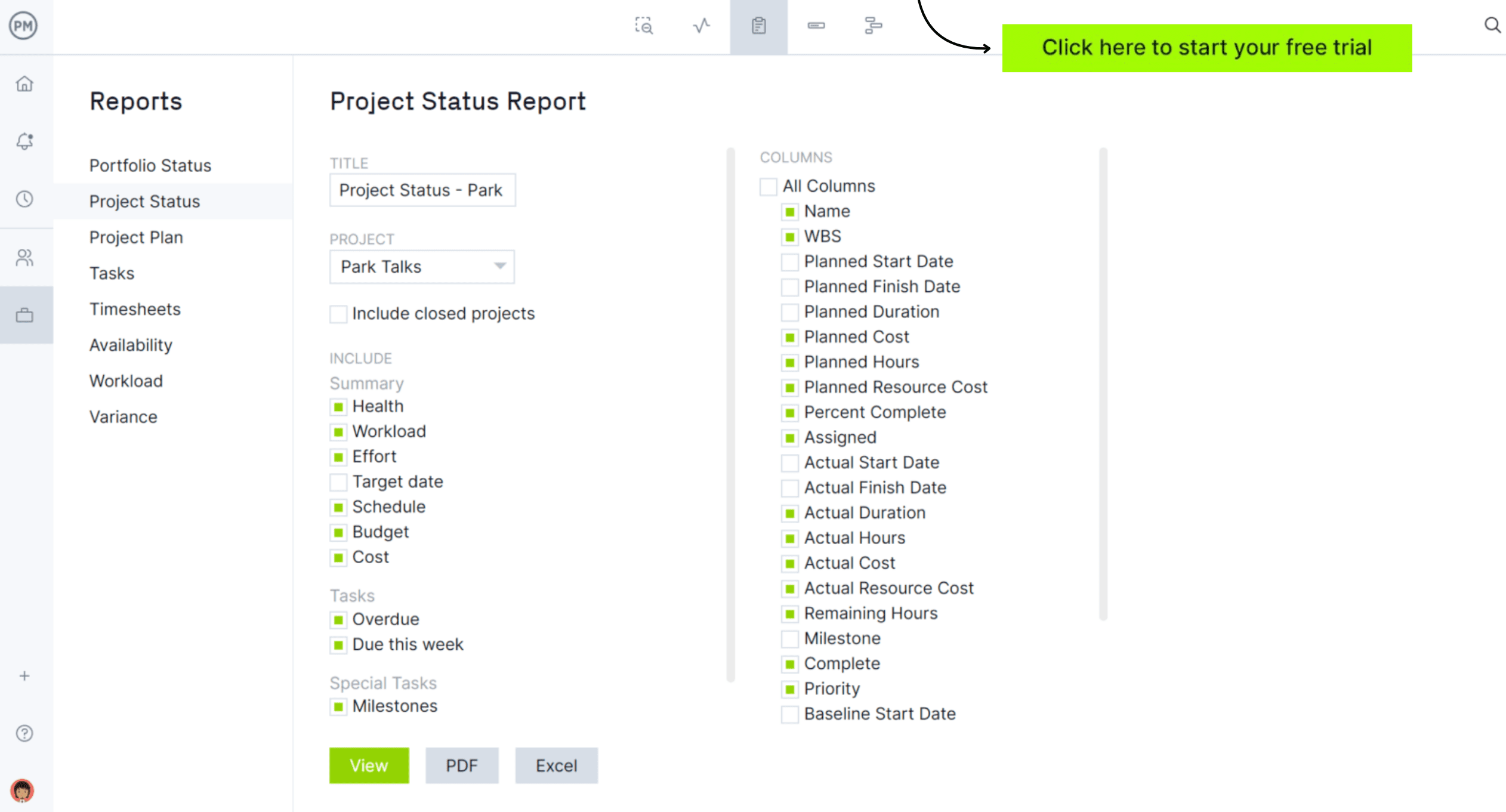
Templates handle the invoice. ProjectManager handles what goes into it. Track labor hours, monitor costs against your project budget and generate reports you can pull data from when it is time to bill. Everything your invoice needs is already in the project. Try it free for 30 days.
3. Construction Invoice Template for Excel
A construction invoice needs to do more than request payment. It needs to document labor, materials and equipment costs clearly enough that a general contractor, project owner or lender can review the work billed against the contract and approve it quickly. Ambiguity in a construction invoice creates disputes that delay payment and damage client relationships.
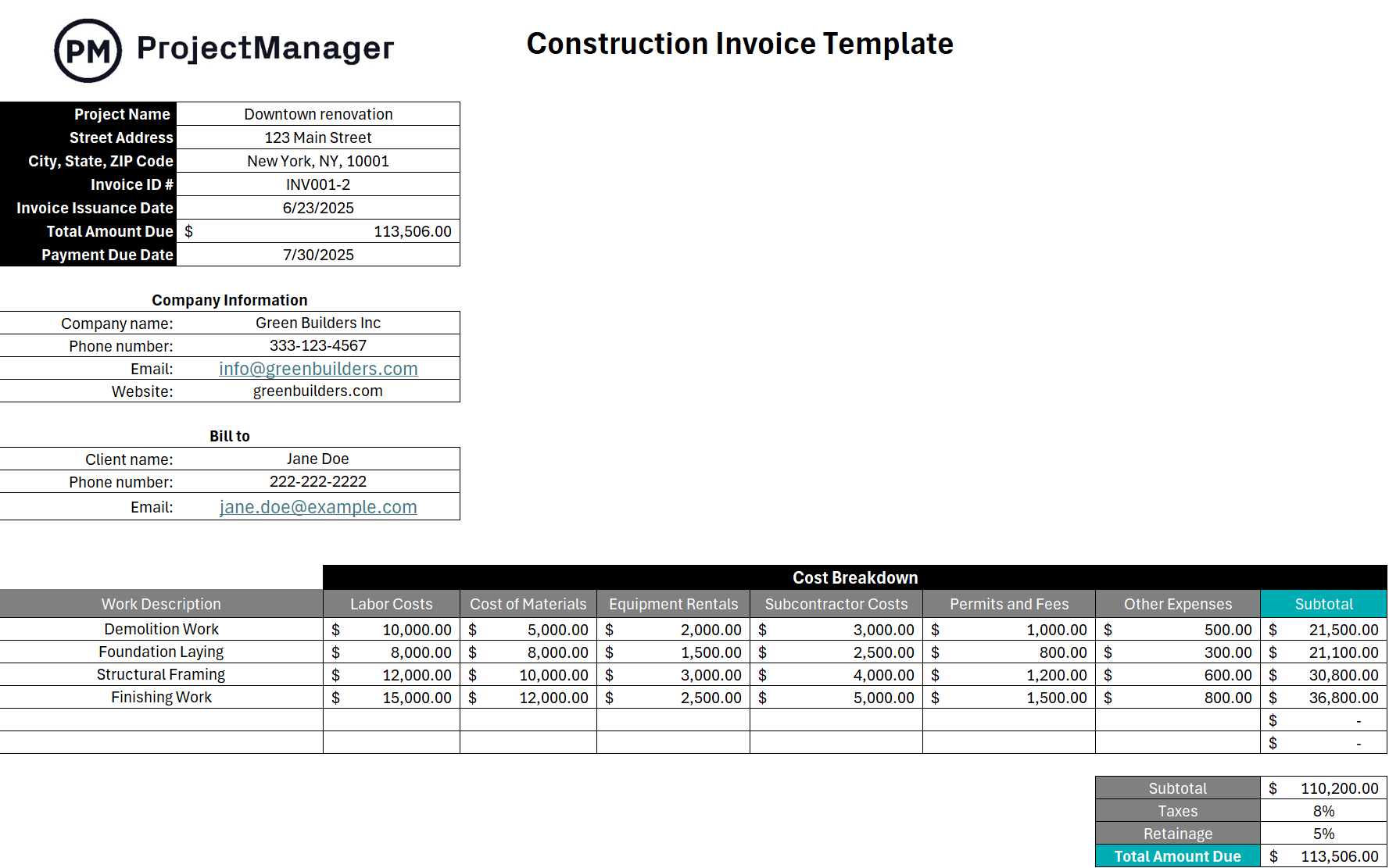
This Excel template breaks down the invoice into separate line items for labor, materials and equipment with columns for description, quantity, unit cost and total. It includes fields for the project name, contract number and billing period so the invoice ties directly back to the contract and the work performed during that period.
Particularly useful for subcontractors, general contractors and construction firms that bill against a contract on a progress billing or milestone basis and need an invoice format that holds up to scrutiny from an owner or project accountant.
4. Service Quote Template for Excel
A quote is what gets signed before the invoice is sent. For service businesses, it is the document that sets expectations: what will be delivered, at what cost and under what terms. A well-structured quote reduces the back-and-forth before a project starts and makes the eventual invoice easy to review because the client already approved the numbers once before.
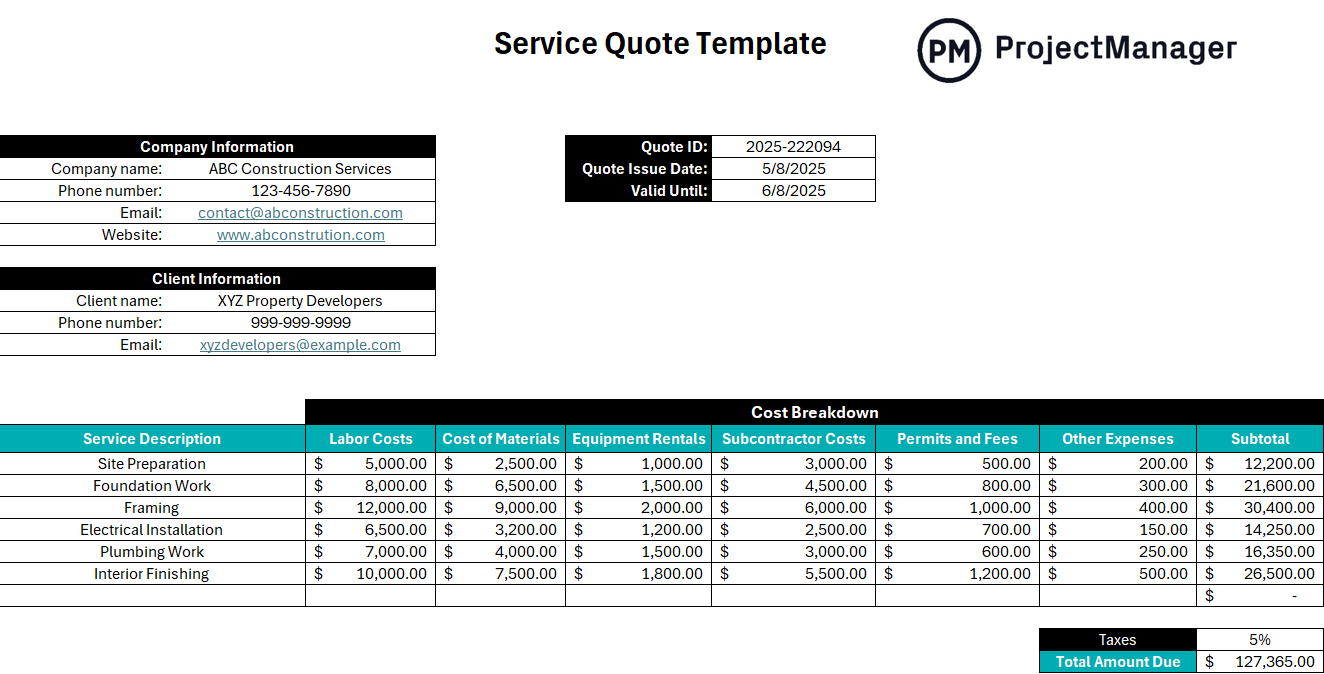
This Excel template covers the standard quote structure: your business details, the client’s information, a line-item breakdown of services with descriptions and pricing, a validity date and terms. It is formatted to match the kind of professional quote a client can sign off on and file alongside the eventual invoice when the work is complete.
Best used any time a client asks for pricing before committing to a project, or when your services vary enough by engagement that you need a clear document establishing what is and is not included before work begins.
5. Purchase Order Template for Excel
A purchase order is the buyer’s counterpart to an invoice. Where an invoice is sent by the vendor requesting payment, a purchase order is issued by the buyer to authorize a purchase before the work or goods are delivered. For businesses that buy from contractors or vendors, a purchase order creates a paper trail that connects the approved spend to the eventual invoice, which is what makes accounts payable reconciliation possible.
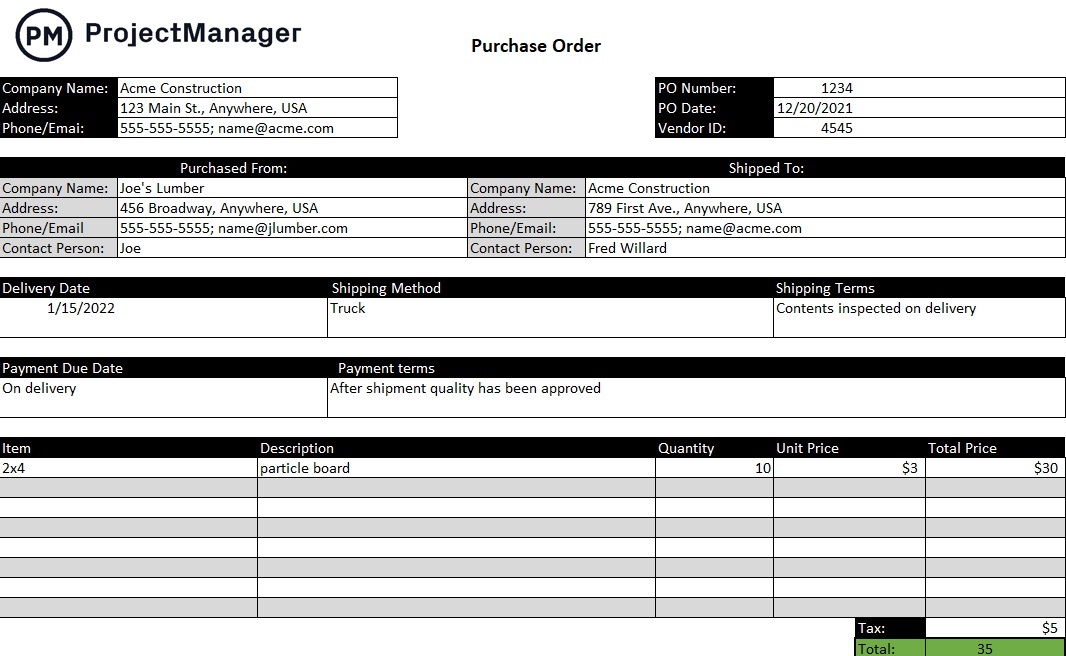
This Excel template includes the standard purchase order fields: PO number, issue date, vendor details, a line-item breakdown of goods or services ordered with quantities and unit prices and the authorized total. It gives both the buyer and the vendor a shared reference document so there are no disputes over what was ordered or at what price when the invoice arrives.
Essential for any organization that buys services or materials from outside vendors and wants a formal authorization process that keeps spending controlled and invoices easy to match against approved orders.
6. Payment Tracker Template for Excel
Sending an invoice is not the same as getting paid. For businesses that bill multiple clients or send recurring invoices, keeping track of what has been paid, what is outstanding and what is overdue requires more than memory. A payment tracker gives you a single view of your accounts receivable so you can follow up on late payments before they become a cash flow problem.
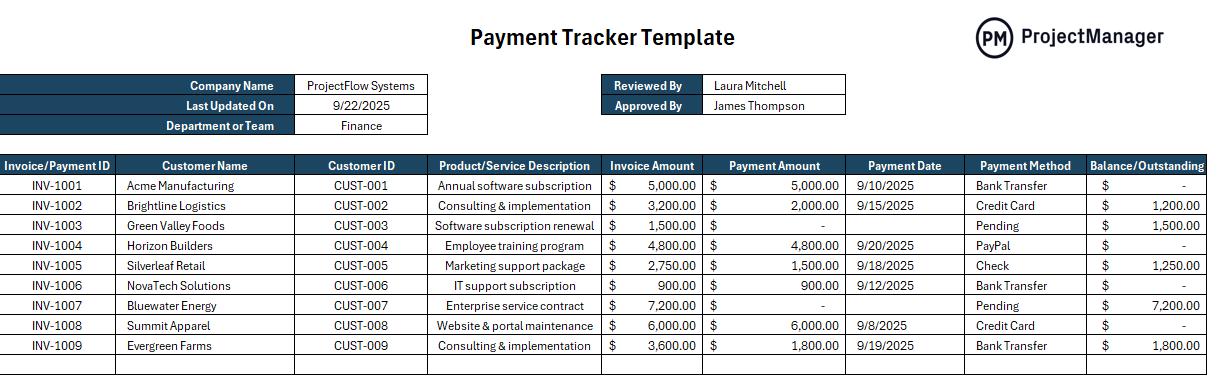
This Excel template logs each invoice with columns for client name, invoice number, amount, issue date, due date, payment status and date received. It gives you a running record of all outstanding invoices at a glance so you can see immediately who is overdue, how much is owed and which clients are consistently late.
The right tool for any freelancer, agency or small business that sends more invoices than they can track from memory and needs a simple system to stay on top of what has and has not been paid.
Manage Project Billing With ProjectManager
An invoice template captures the final number. Getting to that number accurately requires tracking what was spent during the project: labor hours, costs and progress against the original budget. ProjectManager connects those inputs so when it is time to bill a client, the data is already there and the invoice reflects what was actually delivered.
From budget tracking to client reporting, ProjectManager gives project teams the visibility they need to bill confidently and give clients the documentation to approve invoices without delay.
Track Project Costs Against Your Budget in Real Time
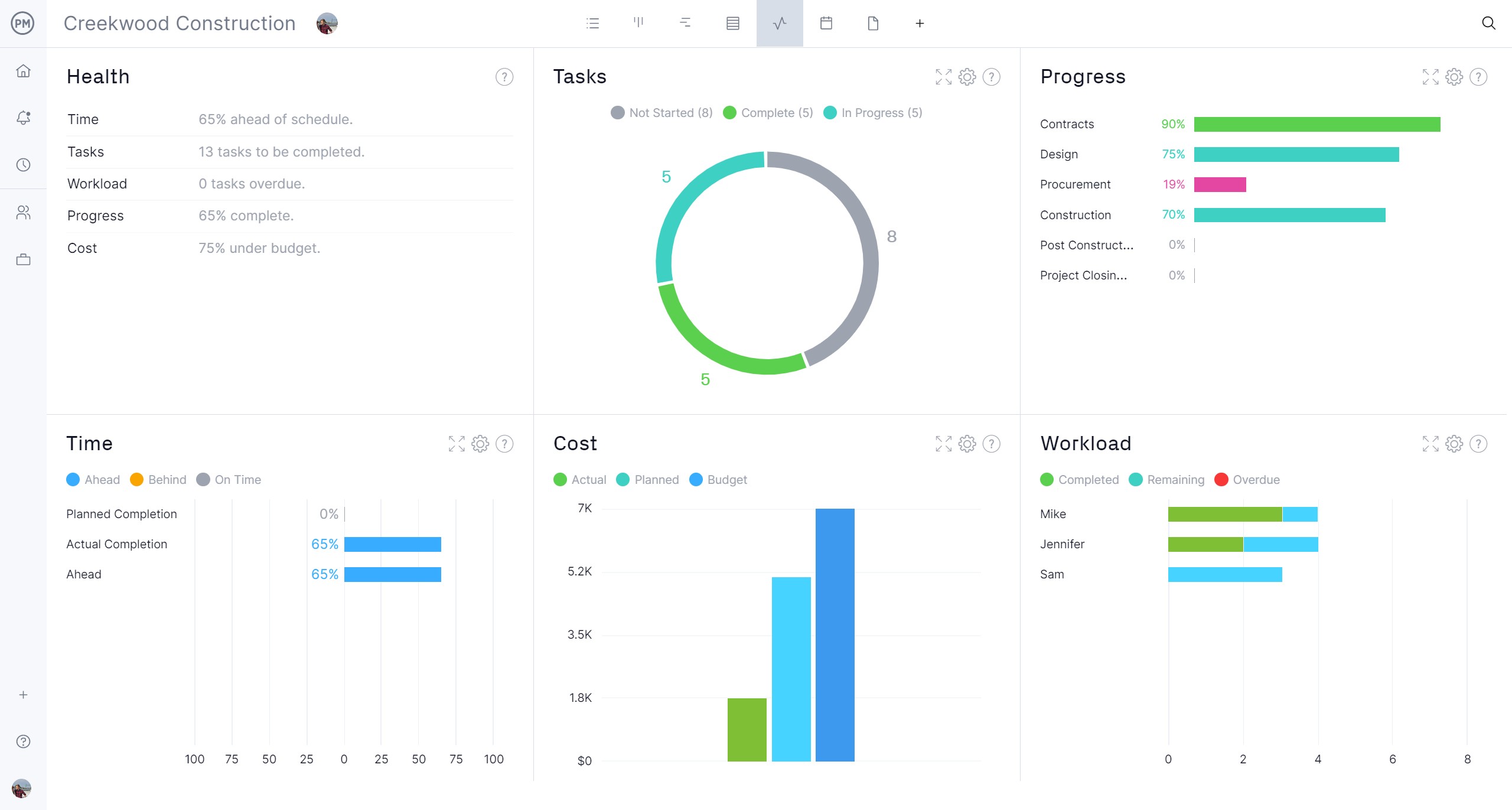
ProjectManager’s budget tracking tools let you set a project budget, log costs as they occur and compare actual spending to your plan at any point during the project. Labor costs pull directly from logged timesheets and task hours, so the cost data is always current. When a project approaches its budget limit, you see it in time to act rather than discovering the overage after the work is done and the invoice is already late.
Generate Reports Your Clients Can Review
A professional invoice is stronger when it is backed by supporting documentation. ProjectManager’s reporting tools let you generate project status reports, cost summaries and timesheet exports that give clients a clear picture of what was delivered and what it cost. For clients who require documentation before approving an invoice, having the report ready alongside the bill removes the delay between sending and getting paid.

Related Content
- 6 Free Time Tracking Templates for Excel
- 25 Free Project Management Templates for Excel
- 10 Free Status Report Templates for Word and Excel
- 10 Free Small Business Plan Templates for Excel and Word
- 8 Free Work Schedule Templates for Excel
The post 6 Free Invoice Templates for Excel and Word appeared first on ProjectManager.