General contractors juggle dozens of responsibilities across every phase of a construction project, making it essential to use software that supports both office and field teams. In this blog we’ll review how good Smartsheet is for general contractors.
How Does Smartsheet Help General Contractors?
Smartsheet helps general contractors plan, track and report on construction projects by combining a spreadsheet-style interface with Gantt charts, forms, automated workflows, dashboards and mobile access. Smartsheet describes itself as designed to streamline all phases of the construction project lifecycle so teams can deliver projects on time and on budget. Because the platform is built around familiar sheets, grids and forms rather than a purpose-built construction data model, general contractors and their teams tend to pick it up quickly without heavy training.
That said, Smartsheet isn’t the right fit for every general contractor, and if you’ve actually run projects on it, you already know why. It isn’t a dedicated construction management platform the way Procore or Primavera P6 are; it’s more of a spreadsheet-based platform that can be used for construction project management. Smartsheet’s own construction page even lists integrations with Procore, Egnyte, DocuSign, Google Workspace and Microsoft 365, which tells you plainly that Smartsheet expects to sit alongside dedicated construction software rather than fully replace it on larger jobs.
Another important aspect to consider is that several of the features general contractors actually want, like Resource Management and Control Center portfolio management, are paid add-ons on top of the Business or Enterprise plan, not included by default. Contractors who assume “Smartsheet does everything” out of the box will be surprised when it’s time to build out true portfolio reporting.
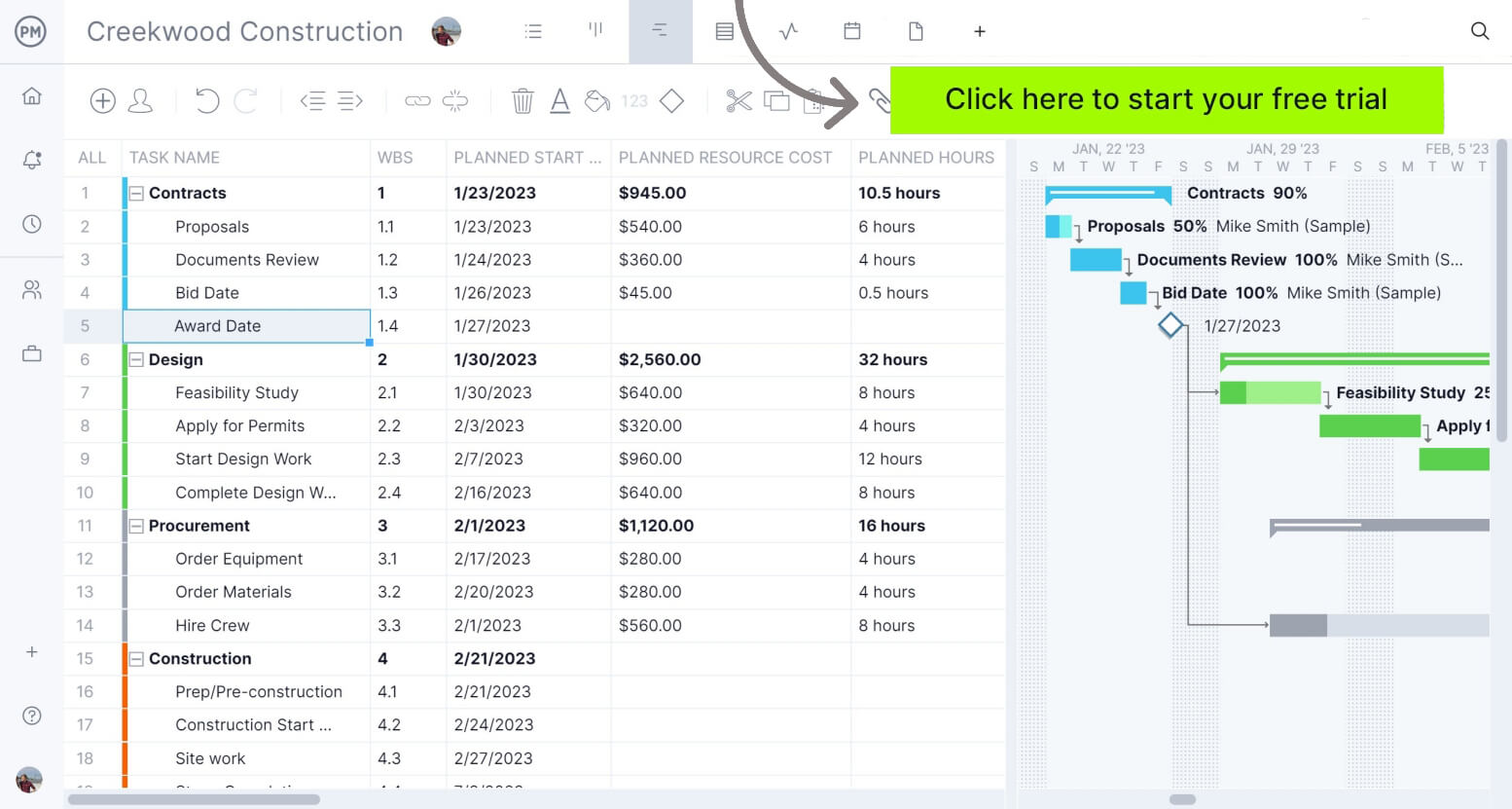
If you’re looking for software to plan, schedule and track construction projects from start to finish, without stitching together a spreadsheet platform and several add-ons, try ProjectManager instead. ProjectManager is an award-winning project management solution that gives construction project managers the tools they need to ensure projects are completed on time, within budget and within scope. Create detailed construction schedules, estimate costs, allocate resources, set budgets, track progress and compare estimated versus actual project outcomes using real-time dashboards and reports to quickly identify delays or cost overruns. Get started with ProjectManager for free today and discover a purpose-built alternative to Smartsheet.
Before our in-depth analysis, where we’ll establish the challenges that construction general contractors face and how Smartsheet supports their efforts, here’s a table summarizing what we’ll cover.
| Area | Our Verdict | Summary |
| Project Scheduling | Fair | Solid Gantt, dependency and baseline tools, but no true critical path engine like a dedicated scheduling tool. |
| Subcontractor & Field Collaboration | Good | Free collaborator model makes it easy to get subs and field staff into the sheet without extra licensing. |
| Cost Management | Fair | You can track budgets in a sheet, but there’s no dedicated job-costing or commitments engine behind it. |
| Field Communication & Safety | Good | Mobile app and QR-code issue reporting genuinely help superintendents get information back from the field fast. |
| Document Management | Fair | Handles RFIs, RFPs and file storage well, but it isn’t a drawing version-control system. |
| Punch Lists & Quality Control | Good | A named, purpose-built use case with mobile forms that actually closes out fast. |
| Resource & Portfolio Management | Fair | Works well once configured, but the features that matter most are paid add-ons, not standard. |
| Ease of Use | Good | Familiar spreadsheet interface means far less training than a dedicated construction platform. |
| Pricing | Accessible | Self-serve Pro and Business plans are visible upfront; the features GCs actually need push you toward custom-quoted tiers. |
| Implementation | Moderate | Quick to start using, but building it into a real construction workflow takes real configuration time. |
The sections below examine how Smartsheet performs across 7 critical operational areas, highlighting its key features, advantages and limitations so you can determine whether it fits your company’s workflows and project delivery needs.
1. Project Scheduling
Building a construction schedule is relatively straightforward compared to keeping it accurate. Once work begins, general contractors have to constantly adjust the sequence of activities as weather, inspections, permit approvals, material deliveries, design revisions and subcontractor availability change throughout the project.
Every adjustment creates a ripple effect because one trade can’t start until another finishes. A delayed concrete pour can postpone framing, electrical rough-ins, inspections and dozens of downstream activities. The challenge is knowing how every change affects the plan, communicating updates quickly and keeping every stakeholder working from the latest schedule before minor setbacks become costly delays.
Key Features
- Gantt View: Build and visualize schedules with tasks, durations and milestones.
- Dependencies: Automatically adjust dates for duration and predecessors as values change.
- Baselines: Capture and compare variances between planned and actual work schedule (Business plan and above).
- Multiple Views: Switch between grid, board, calendar and timeline views of the same schedule.
- Cross-Sheet Formulas: Pull schedule data from one sheet into another for portfolio-level rollups.
- Mobile App: Update task status and view schedules from a phone or tablet on-site.
Pros
- The Gantt and dependency tools will feel instantly familiar to anyone who’s used a spreadsheet.
- Baselines make it easy to see how far a schedule has drifted from the original plan.
- Multiple views mean field superintendents and office schedulers can each work in the format that suits them.
- Cross-sheet formulas let you roll individual project schedules up into a bigger picture without a separate module.
Cons
- There’s no dedicated critical path method engine calculating float and near-critical activities the way a true scheduling tool does.
- Timeline view and baselines are gated behind the Business plan, not included on Pro.
- Large, activity-heavy schedules can get unwieldy in a grid-based tool without careful structuring.
- Scheduling logic is only as good as the formulas and dependencies someone sets up manually.
Verdict
Look, if you’ve scheduled a real job in Smartsheet, you know it’s a capable Gantt chart with a spreadsheet’s flexibility bolted on, not a scheduling engine. It’s genuinely fine for straightforward jobs where you’re mostly tracking sequence and status. Ask it to calculate true float on a 400-activity commercial job and you’ll feel the difference immediately.
2. Subcontractor and Field Collaboration
Most construction work is performed by subcontractors, so general contractors spend much of their time coordinating companies they don’t directly manage. Every trade has its own schedule, crew availability, priorities and communication preferences, making it difficult to keep everyone aligned as the project evolves.
A subcontractor arriving late, missing information or working from outdated instructions can delay several other trades and increase costs across the project. General contractors need an easy, low-friction way to get subcontractors and field crews looking at the same live information without forcing every sub to buy a license.
Key Features
- Free Collaborator Model: Invite unlimited free Contributors and Guests to view, comment, edit and submit forms without licensing every external vendor.
- Forms: Collect and automatically assign work requests from subs and field staff.
- Sharing: Share a sheet, report or dashboard with a link so subcontractors work from the same live document, not an emailed file.
- Conversations and Comments: Discuss issues directly on the row or sheet they relate to.
- Mobile App: Let field superintendents and subcontractors update status from any construction site.
Pros
- The free collaborator model genuinely lowers the barrier to getting subcontractors into the platform.
- Everyone works from one live document instead of emailing updated files back and forth.
- Forms make it simple for subs to submit updates without learning the full interface.
- Comment threads keep sub-related conversations attached to the actual task instead of buried in email.
Cons
- There’s no dedicated subcontractor bidding, contract or commitment tracking module the way construction-specific platforms offer.
- Getting subs to actually use forms and comments consistently still depends on the GC enforcing the habit.
- Sheet-based collaboration can get messy on large jobs with dozens of subcontractors editing the same data.
Verdict
This is genuinely one of Smartsheet’s better arguments for existing on a jobsite. The free collaborator setup means you’re not paying per subcontractor just to get them looking at the schedule, which matters when you’ve got twenty trades cycling through a project. Just don’t expect it to replace your bid management or subcontract paperwork process.
3. Cost Management
Controlling construction costs isn’t just about creating a budget at the beginning of the project. General contractors must deal with labor productivity changes, material prices fluctuate, subcontractors submit change requests and owners approve additional work throughout construction.
Those small financial changes quickly compound, making it easy for projects to exceed their original budget without anyone realizing it until it’s too late. General contractors need continuous visibility into committed costs, approved changes and remaining budgets so they can identify problems early and protect profit margins.
Key Features
- Budget Tracking Templates: Plan, monitor and adjust construction tasks in context with budget to ensure projects stay on schedule and financially on track.
- Cost Estimating Templates: Create detailed construction cost estimates and centralize supporting documents for collaborative review and approval.
- Budget by Time, Currency or Expense Type: Track budgets using flexible formulas rather than a fixed cost structure.
- Cost Threshold Monitoring: Continuously monitor cost thresholds and overruns across projects using formulas and conditional formatting.
- Change Order Tracking Templates: Track and manage change requests, providing a record of modifications to scope, cost or schedule.
Pros
- Budget templates give general contractors a starting point instead of building cost tracking from scratch.
- Formula-based tracking is flexible enough to adapt to how your company already breaks down costs.
- Change order templates keep a documented record of scope, cost and schedule modifications.
- Dashboards can roll budget data up visually without a separate financial reporting tool.
Cons
- There’s no purpose-built job-costing engine, commitments ledger or subcontractor invoicing workflow behind any of this.
- Cost accuracy depends entirely on formulas someone in your office built and maintains correctly.
- Nothing here connects natively to accounting or ERP systems the way dedicated cost modules do; it typically depends on integrations or Data Shuttle, a separate paid add-on.
- As a project scales, spreadsheet-based cost tracking gets harder to keep airtight without dedicated cost management software.
Verdict
Here’s the honest read: you can absolutely track a budget in Smartsheet, and plenty of GCs do. But it’s a budget spreadsheet with automation on top, not a cost management system. If your PMs are comfortable owning the formulas and someone’s checking the math, it’ll work fine on small to mid-size jobs. Once you’re running commitments, retainage and multiple change orders on a large job, you’ll outgrow it.
4. Field Communication and Safety
Construction projects generate hundreds of conversations every day between superintendents, project managers, subcontractors, inspectors, architects and owners. The real challenge isn’t simply sharing information, it’s making sure everyone receives the same information at the right time, and that field issues get reported the moment they happen instead of at the next site meeting.
Phone calls, text messages and emails often stay with the people who received them instead of the entire project team. Clear, centralized communication and fast field issue reporting keep everyone aligned, reduce misunderstandings and get safety concerns handled before they become bigger problems.
Key Features
- Smartsheet Mobile App: Get real-time notifications, view dashboards, capture images and barcodes, and make quick updates from the field.
- QR Code Field Reporting: Report potential safety issues quickly via QR codes posted at job sites, accessible in real time by site managers and the home office.
- Alerts and Notifications: Automatically send alerts about sheet changes and reminders about upcoming deadlines.
- Forms: Collect consistent field data through simple forms crews can access from a mobile device.
- Slack and Microsoft Teams Alerts: Forward Smartsheet notifications directly into the channels teams already use.
Pros
- QR code field reporting is a genuinely practical way to get safety issues logged the moment someone spots them.
- The mobile app puts real-time dashboards and updates directly in a superintendent’s pocket.
- Slack and Teams alerts mean field updates show up where teams are already communicating, not in a separate inbox.
- Consistent forms reduce the back-and-forth of clarifying incomplete field reports.
Cons
- Communication tools only work if crews and subs actually scan the QR codes and use the forms consistently.
- There’s no dedicated daily log or safety observation module the way construction-specific platforms build in.
- Notification volume can get noisy on larger projects without deliberate configuration.
Verdict
The QR code safety reporting is a smart, low-friction idea that actually works the way you’d want it to on a real site. Combined with the mobile app, field communication is one of Smartsheet’s stronger areas. It’s just not a substitute for a real daily log and safety observation system if that’s a compliance requirement for your company.
5. Document Management
Every construction project produces an enormous amount of documentation, including drawings, RFIs, RFPs, contracts, submittals, permits and meeting records. The difficult part isn’t storing those files, it’s ensuring every stakeholder is always working from the latest version and that requests get routed to the right person.
Design revisions happen throughout construction, and one outdated document can lead to incorrect installations, failed inspections and disputes over responsibility. General contractors need a reliable way to organize project documents and manage the RFI/RFP process without losing track of status.
Key Features
- File Library: Place files alongside projects to organize, find, annotate and review content where the work happens.
- RFI/RFP Management: Streamline workflows for managing multiple RFPs while providing visibility into status, outcomes and milestones.
- Documentation Tracker Templates: Organize and monitor all project documents to ensure files stay up to date and retrievable.
- Subcontractor Documentation Tracker: Simplify tracking of essential subcontractor documents across projects.
- Publish Sheets, Reports and Dashboards: Create a shareable link so stakeholders can view project information without logging in.
Pros
- RFI/RFP tracking templates give visibility into status and milestones without building a workflow from scratch.
- File library keeps documents attached to the actual project data instead of a separate shared drive.
- Documentation tracker templates are purpose-built for construction’s specific paperwork needs.
- Published dashboards let owners and stakeholders check status without a login.
Cons
- There’s no dedicated drawing version control or markup tool the way a construction-specific document module offers.
- Attachment size and storage limits vary meaningfully by plan tier, which matters for drawing-heavy projects.
- Document organization is only as clean as the sheet structure someone sets up and maintains.
Verdict
For RFIs, RFPs and general paperwork tracking, Smartsheet does a genuinely solid job. Where it falls short of a real GC’s needs is drawing management. If you need version-controlled markups that every trade is pulling the current set from, you’ll still want a dedicated document tool alongside it.
6. Punch Lists and Quality Control
Every construction project ends with a punch list, and getting it closed out quickly is often the difference between a smooth handover and a frustrated owner. The challenge is capturing deficiencies accurately in the field, assigning them to the right subcontractor and confirming they’re actually fixed before closeout.
Without a fast, mobile-friendly way to log and track punch items, closeout drags on, inspections get repeated and client satisfaction takes a hit right at the end of the project. General contractors need punch lists and quality inspections that move as fast as the crews fixing them.
Key Features
- Punch List Workflows: Intake and execute punch list items to ensure projects are completed correctly and on budget.
- Subcontractor Notifications: Easily notify subcontractors of outstanding punch items.
- Quality Control Tracking: Track quality inspections, manage issues and monitor resolutions throughout the project lifecycle.
- Mobile Forms: Capture punch and inspection items directly from the field via mobile device.
- Final Inspection Templates: List incomplete or incorrect work items to confirm details meet requirements before completion.
Pros
- Punch list management is a named, purpose-built Smartsheet use case, not a generic template stretched to fit.
- Automatic subcontractor notifications speed up closeout instead of relying on phone calls.
- Mobile forms make it realistic for a superintendent to log punch items while walking the site.
- Final inspection templates give a clean, repeatable structure for closeout.
Cons
- Closeout speed still depends on subcontractors actually responding to notifications promptly.
- Photo-heavy punch items can run into attachment size limits on lower-tier plans.
- There’s no dedicated punch list app experience the way some construction-specific tools offer, just sheets and forms configured to behave like one.
Verdict
This is one of the areas where Smartsheet earns its keep. Punch lists and quality control are genuinely well suited to a form-and-sheet structure, and the mobile capture makes closeout faster than chasing subs by phone. It won’t feel as polished as a dedicated punch list app, but it gets the job done.
7. Resource and Portfolio Management
As a general contracting business grows past a handful of jobs, leadership can no longer focus on one project at a time. They need to understand how every active project is performing and whether labor and equipment are stretched too thin across the business.
A single project that’s falling behind or consuming too many resources can affect cash flow, staffing and profitability elsewhere. General contractors need visibility across the full portfolio, and a way to see where people and equipment are allocated at any given moment.
Key Features
- Multi-Project Portal: Create an overview of all projects to see status and progress across the entire portfolio.
- Resource Management (add-on): Match people to the right work, balance workloads and forecast demand to improve project delivery.
- Workload Tracking: See who’s available, what they’re working on and resolve overallocations.
- Control Center (add-on): Deliver consistent, visible projects and programs at scale with automated project creation and aggregated reporting.
- Real-Time Dashboards: Roll up key metrics and project information so leadership has access to the right information at the right time.
Pros
- The multi-project portal gives leadership a single place to check status across every active job.
- Workload tracking surfaces overallocated staff and equipment before they become a bottleneck.
- Control Center standardizes how new projects get created and reported on across the business.
- Dashboards can be built and adjusted without depending on a dedicated BI team.
Cons
- Resource Management and Control Center, the two features that matter most for real portfolio oversight, are paid add-ons on top of Business or Enterprise, not included by default.
- Portfolio insight is only as good as the consistency of the underlying project sheets, and consistency takes discipline to enforce.
- Getting full value out of Control Center in particular typically requires configuration time or Smartsheet’s professional services.
Verdict
Once it’s set up, portfolio and resource visibility in Smartsheet genuinely works. The catch that trips a lot of contractors up is discovering, after they’ve already bought in, that the two features that actually deliver that visibility are add-ons with their own cost and setup curve. Budget for that upfront instead of assuming it’s baked into your subscription.
Finally, here’s a summary of all of Smartsheet’s features for general contractors for a quick reference.
| Area | Smartsheet Features for General Contractors |
| Project Scheduling | Gantt view, dependencies, baselines, multiple views, cross-sheet formulas |
| Subcontractor & Field Collaboration | Free Contributors/Guests, forms, sharing, conversations, mobile app |
| Cost Management | Budget tracking templates, cost estimating templates, change order templates |
| Field Communication & Safety | Mobile app, QR code field reporting, alerts, Slack/Teams notifications |
| Document Management | File library, RFI/RFP management, documentation trackers, published dashboards |
| Punch Lists & Quality Control | Punch list workflows, subcontractor notifications, mobile forms, final inspection templates |
| Resource & Portfolio Management | Multi-project portal, Resource Management add-on, Control Center add-on, dashboards |
ProjectManager Is the Best Construction Project Management Solution
ProjectManager is a construction project management software that combines advanced scheduling, resource management, cost tracking and team collaboration in a single platform, without asking general contractors to piece together add-ons or bolt on a separate construction tool for document control. Construction managers can build Gantt charts, manage task dependencies, identify critical paths and monitor project performance in one place from day one.
ProjectManager also includes AI-powered project insights, workflow automation and live performance tracking that help teams identify delays, manage risks and make better decisions.
One of the biggest advantages of ProjectManager is that it is fully cloud-based and purpose-built for construction, giving office staff, project managers, superintendents and field teams access to the same live project data from anywhere. Schedule updates, resource changes, timesheet submissions and project status information are immediately available, helping construction teams improve coordination and reduce communication delays.
For general contractors who want real scheduling, resource planning, budget tracking and collaboration in one place, without discovering halfway through onboarding that the features they need are separate paid add-ons, ProjectManager is a strong alternative to Smartsheet.
The platform also supports an open API and more than 1,000 integrations, including Quickbooks, Microsoft Project, Acumatica and MYOB allowing construction companies to connect operational and project data across their existing systems.
ProjectManager is online construction project management software that empowers teams to plan, manage and track their projects in real time. We connect architects and engineers in the office with your work crew on the job site so they can share files and comments to foster better collaboration. Get started with ProjectManager today for free.
The post Smartsheet for General Contractors: Key Features, Pros & Cons appeared first on ProjectManager.