This is a submission for the GitHub Copilot CLI Challenge
What I Built
I’ve always loved TUI applications, especially the ones that boost my productivity. I had been using Copilot CLI for a while and spending more and more time in the terminal, so
naturally the need for a persistent notepad arose. I searched for something like it — a post-it style note manager that lives in the terminal — and found nothing that quite fit. So
I thought: why not build exactly what I want?
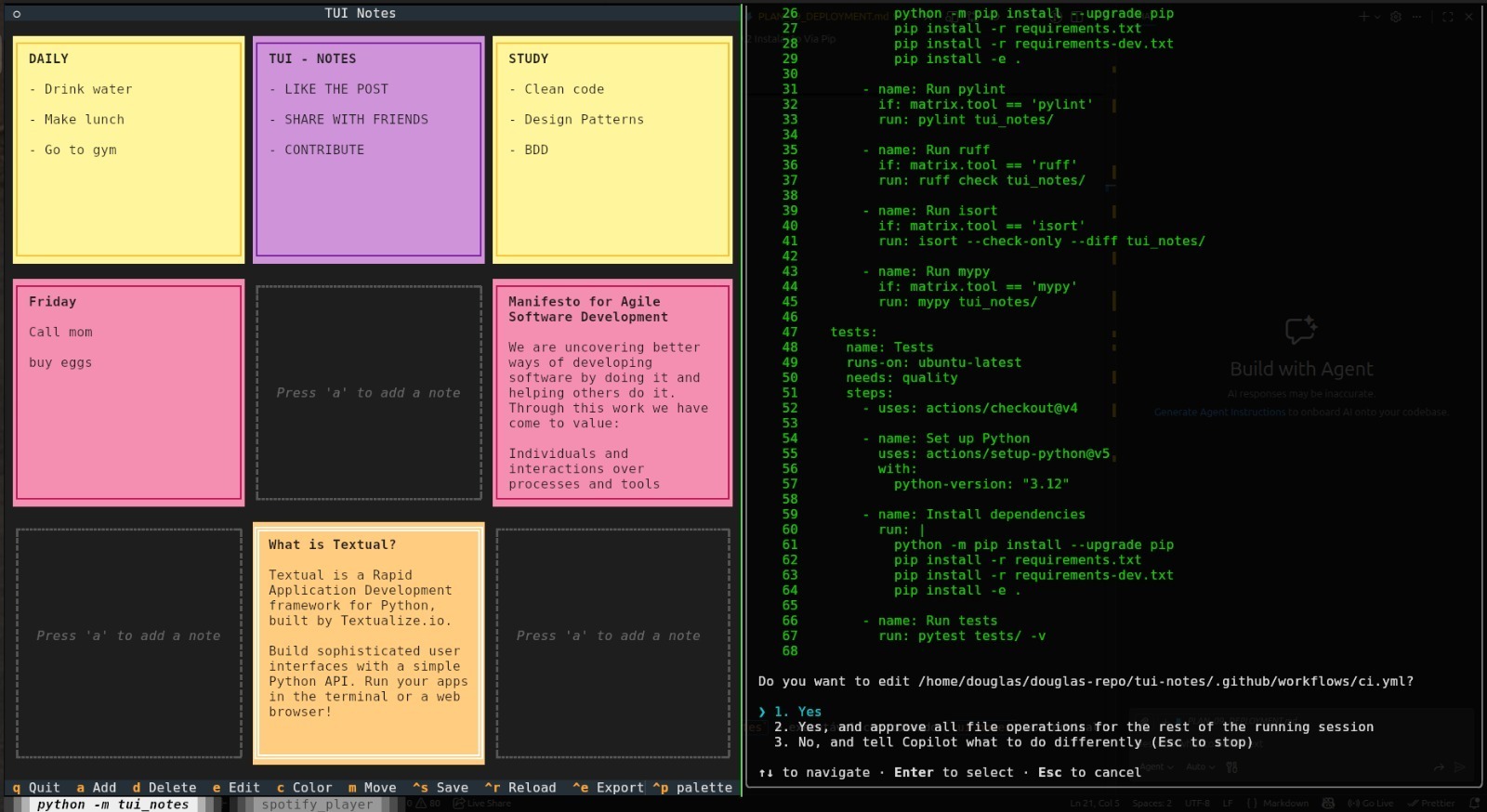
TUI Notes is a terminal-based post-it notes application that displays up to 9 notes in a 3×3 grid, right from the command line. It features 6 color themes, full keyboard-driven
navigation, a move mode to rearrange notes freely, persistent storage, and markdown export. It’s built with Python and the Textual
framework.
Getting started is as simple as:
   pipx install tui-notes
   tui-notes
The process of building it was both fun and challenging, and it has already become a tool I use every day.
Demo
Image: Demo → https://github.com/Douglas019BR/tui-notes/blob/main/docs/demo.gif
🔗 Repository: https://github.com/Douglas019BR/tui-notes (https://github.com/Douglas019BR/tui-notes)
My Experience with GitHub Copilot CLI
I started the project by going through a tutorial on the Textual library to understand the fundamentals. Right after that, I moved into the planning phase with Copilot CLI —
together we created 10 incremental markdown plans covering every feature that needed to be implemented, from the base grid layout to color picking, persistence, export, and deploy.
The development workflow was remarkably smooth. I used the Claude Opus 4.6 model (which was outstanding, by the way). Copilot CLI helped me build the entire application: the main
screen, four different dialog windows (for editing notes, confirming actions, picking colors, and showing help), the note cards themselves, and a storage system that safely saves
your data across sessions and works on Linux, macOS, and Windows.
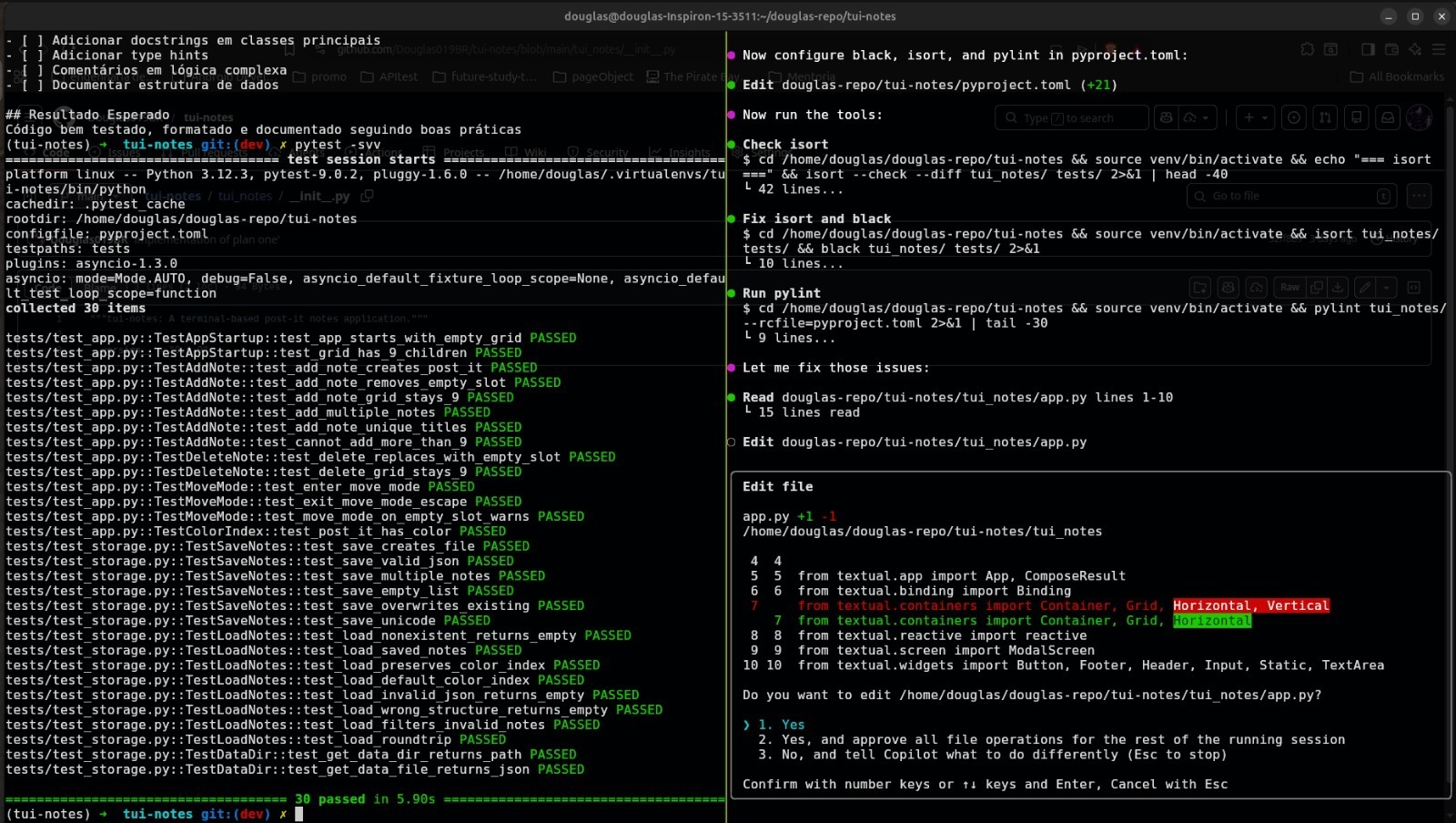
After the core features and tests were in place, I used Copilot CLI to set up a CI pipeline for quality checks and automated testing, as well as a publish pipeline for automatic
package deployment to PyPI on release. This end-to-end workflow — from planning to coding to CI/CD — was done almost entirely through the terminal with Copilot as my pair
programmer.
Some highlights worth mentioning:
- Notes update instantly — changing a title, content, or color reflects on screen immediately, no manual refresh needed.
- Your data is safe — the app writes to a temporary file first and only replaces the original once everything is saved correctly, preventing corruption.
- Moving notes is seamless — you can swap two notes or move a note into an empty slot, and everything just works.
- Fully tested — the project includes automated tests that simulate real user interactions to make sure nothing breaks.
Image: Image description → https://dev-to-uploads.s3.amazonaws.com/uploads/articles/4ynousblp4mnnt5vyh1j.jpeg
Image: Image description → https://dev-to-uploads.s3.amazonaws.com/uploads/articles/je4hnbh7xpj5i8hfzbrs.jpeg
Built solo (with Copilot by my side) — my GitHub is https://github.com/Douglas019BR (https://github.com/Douglas019BR)