Posted by Eric Lai, Group Product Manager

With ARCore, Google’s platform for building augmented reality experiences, we continue to enhance the ways we interact with information and experience the people and things around us. ARCore is now available on 1.4 billion Android devices and select features are also available on compatible iOS devices, making it the largest cross-device augmented reality platform.
Last year, we launched the ARCore Geospatial API, which leverages our understanding of the world through Google Maps and helps developers build AR experiences that are more immersive, richer, and more useful. We further engaged with all of you through global hackathons, such as the ARCore Geospatial API Challenge, where we saw a number of high quality submissions across a number of use cases, including gaming, local discovery, and navigation.
Today, we are introducing new ARCore Geospatial capabilities, including Streetscape Geometry API, Geospatial Depth API, and Scene Semantics API to help you build transformative, world-scale immersive experiences.
Introducing Streetscape Geometry API
With the new Streetscape Geometry API, you can interact, visualize, and transform building geometry around the user. The Streetscape Geometry API makes it easy for developers to build experiences that interact with real world geometry, like reskinning buildings, power more accurate occlusion, or just placing a virtual asset on a building, by providing a 3D mesh within a 100m radius of the user’s mobile device location.
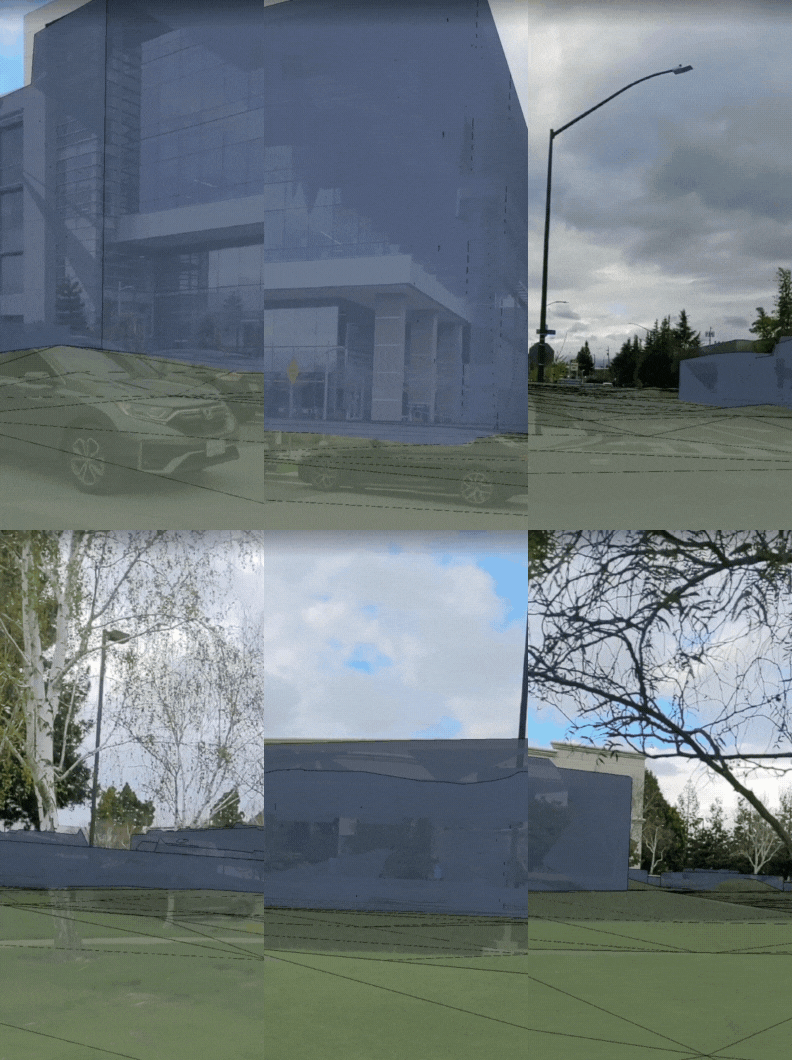 |
| Streetscape Geometry API provides a 3D mesh of nearby buildings and terrain geometry |
You can use this API to build immersive experiences like transforming building geometry into live plants growing on top of them or using the building geometry as a feature in your game by having virtual balls bounce off and interact with them.
Streetscape Geometry API is available on Android and iOS.
Introducing Rooftop Anchors and Geospatial Depth
Previously, we launched Geospatial anchors which allow developers to place stable geometry at exact locations using latitude, longitude, and altitude. Over the past year, we added Terrain anchors which are placed on Earth’s terrain, using only longitude and latitude coordinates, with the altitude being calculated automatically.
Today we are introducing a new type of anchor: Rooftop anchors. Rooftop anchors let you anchor digital content securely to building rooftops, respecting the building geometry and the height of buildings.
 |
| Rooftop anchors make it easier to anchor digital content to building rooftops |
 |
| Geospatial depth combines real time depth measurement from users’ device with Streetscape Geometry data to generate a depth map of up to 65 meters |
In addition to new anchoring features, we are also leveraging the Streetscape Geometry API to improve one of the most important capabilities in AR: Depth. Depth is critical to enable more realistic occlusion or collision of virtual objects in the real world.
Today, we are launching Geospatial Depth. It combines the mobile device real time depth measurement with Streetscape Geometry data to improve depth measurements using building and terrain data providing depth for up to 65m. With Geospatial Depth you can build increasingly realistic geospatial experiences in the real world.
Rooftop Anchors are available on Android and iOS. Geospatial Depth is available on Android.
Introducing Scene Semantics API
The Scene Semantics API uses AI to provide a class label to every pixel in an outdoor scene, so you can create custom AR experiences based on the features in an area around your user. At launch, twelve class labels are available, including sky, building, tree, road, sidewalk, vehicle, person, water and more.
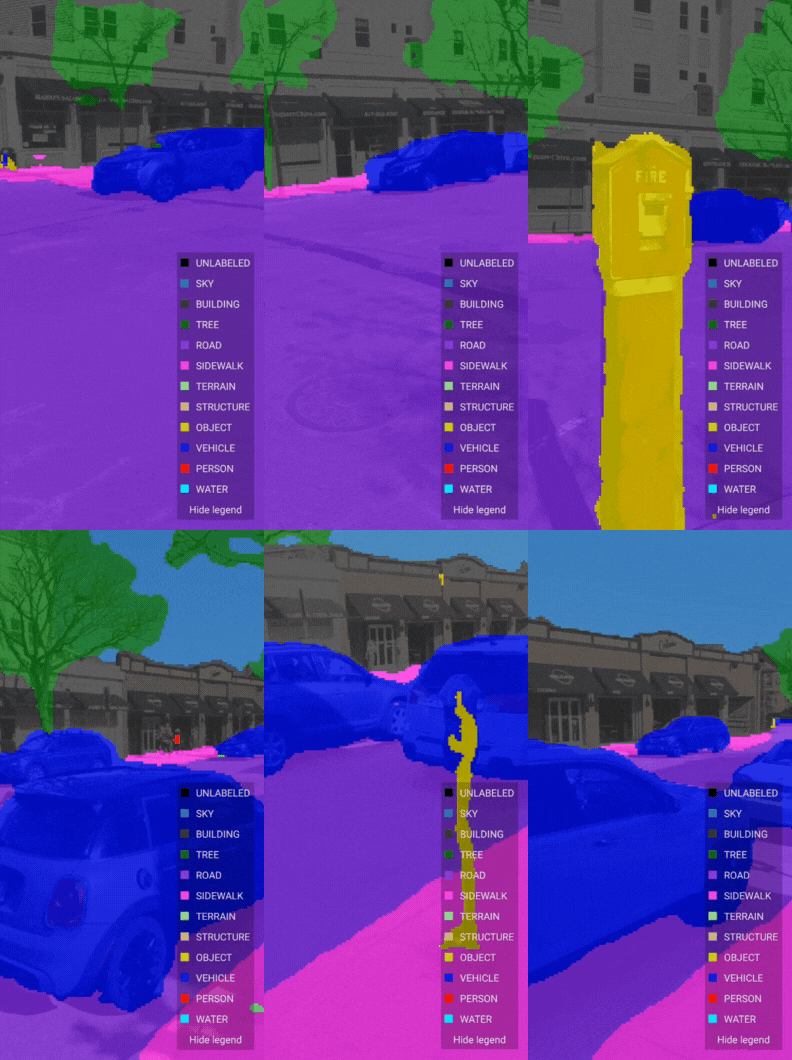 |
| Scene Semantics API uses AI to provide accurate labels for different features that are present in a scene outdoors |
You can use the Scene Semantics API to enable different experiences in your app. For example, you can identify specific scene components, such as roads and sidewalks to help guide a user through the city, people and vehicles to render realistic occlusions, the sky to create a sunset at any time of the day, and buildings to modify their appearance and anchor virtual objects.
The Scene Semantics API is available on Android.
Mega Golf: The game that brings augmented mini-golf to your neighborhood
To help you get started, we’re also releasing Mega Golf, an open source demo that helps you experience the new APIs in action. In Mega Golf you will use buildings in your city to bounce off and propel a golf ball towards a hole while avoiding 3D virtual obstacles. This open source demo is available on GitHub. We’re excited to see what you can do with this project.
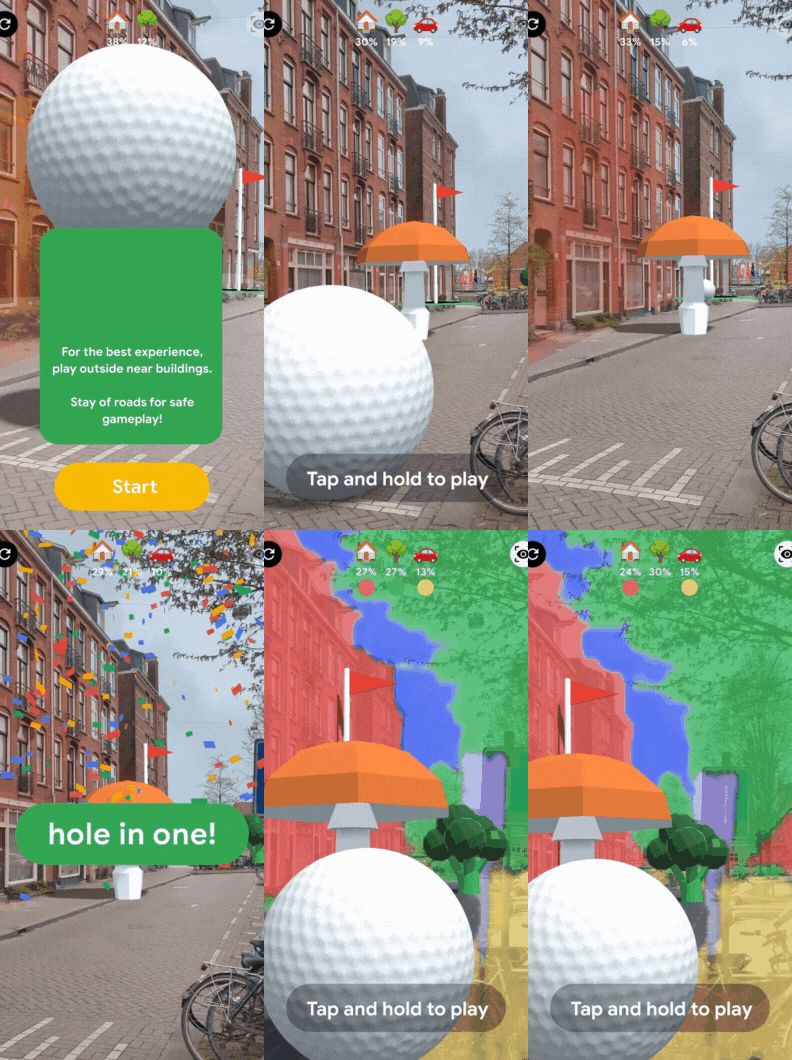 |
| Mega Golf uses Streetscape Geometry API to transform neighborhoods into a playable mini golf course where players use nearby buildings to bounce and propel a golf ball towards a hole |
With these new ARCore features improvements and the new Geospatial Creator in Adobe Aero and Unity, we’ll make it easier than ever for developers and creators to build realistic augmented reality experiences that delight and provide utility for users. Get started today at g.co/ARCore. We’re excited to see what you create when the world is your canvas, playground, gallery, or more!