Every project has a communication problem waiting to happen. Stakeholders who don’t know the status. Team members working from outdated information. Executives surprised by issues that were visible for weeks. The problem usually isn’t that the information didn’t exist; it’s that no one agreed on how, when and to whom it should flow. A communication plan is what makes that agreement explicit.
Templates are the fastest way to build that plan. Rather than figuring out the right structure from scratch on every project, you start with a proven format, fill in your stakeholders, channels and cadences and have something usable within the hour. The same goes for the tools that support your plan: agenda templates keep meetings on track, status reports keep executives informed and escalation matrices make sure the right problems reach the right people.
Below are 10 free communication plan templates for Excel and Word covering the full range of project communication, from planning and stakeholder management to reporting, escalation and accountability. Download any of them free.
1. Communication Plan Template for Word and Excel
Most project communication problems aren’t about the tools; they’re about the absence of a plan. Without deciding upfront who needs what information, on what schedule and through which channel, communication becomes reactive, inconsistent and dependent on whoever happens to be loudest. A communication plan template replaces that chaos with a structured agreement the whole team can follow from kickoff to close.
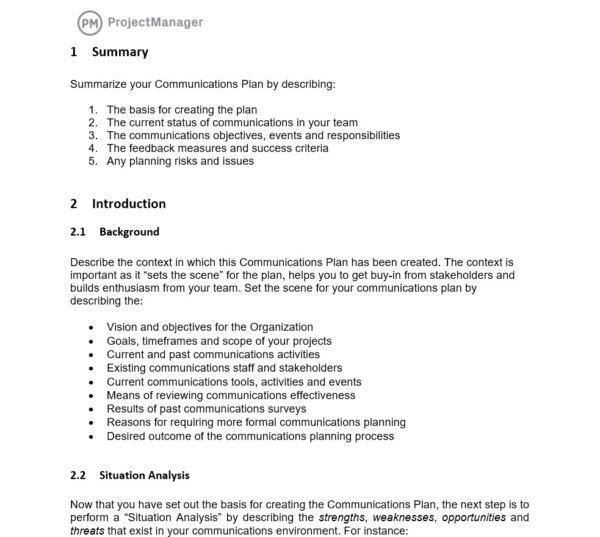
This free communication plan template for Word and Excel captures every element of a solid communications strategy: stakeholders, communication type, frequency, format, responsible party and delivery channel. Each row represents one communication event, so you can scan the full plan at a glance and spot gaps in coverage before the project starts.
Use it during project initiation to build the plan alongside your project charter and stakeholder register. Revisit it at the start of each phase to make sure the communication schedule still reflects who’s involved and what they need to know.
2. Communication Matrix Template for Excel
A communication plan tells you what communication will happen. A communication matrix template tells you exactly who receives what, in what format and how often, in a compact grid that’s easier to scan than a full narrative plan. When a stakeholder asks why they weren’t included on a particular update, the matrix gives you a clear answer and a starting point for adjusting the plan.
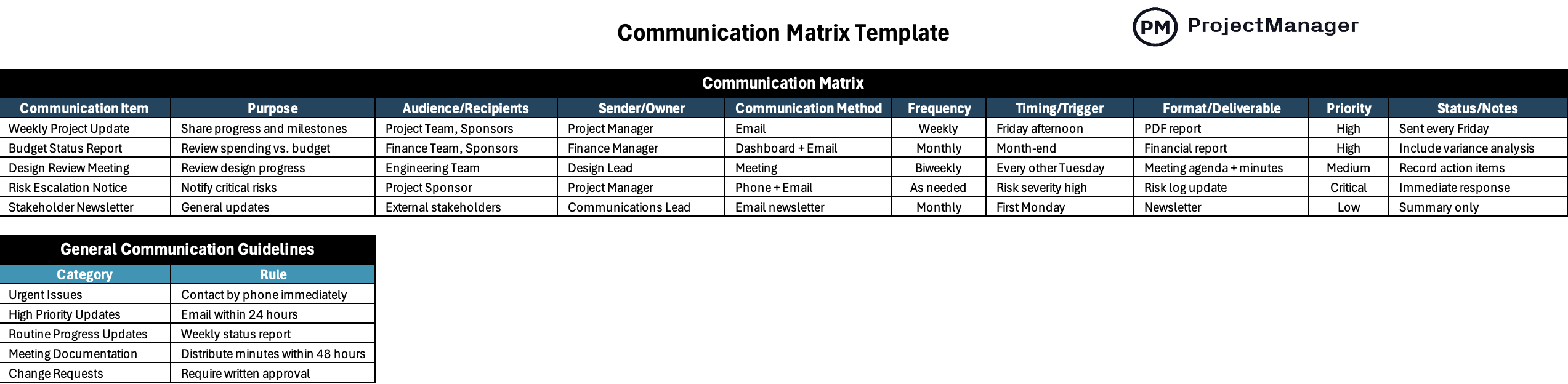
This free communication matrix template for Excel maps stakeholders across the columns and communication types down the rows, with cells indicating delivery frequency and format. It makes the distribution logic of your communication plan visible at a glance, so everyone on the project team knows who is responsible for each channel and nobody falls through the cracks.
Keep Every Stakeholder in the Loop With ProjectManager
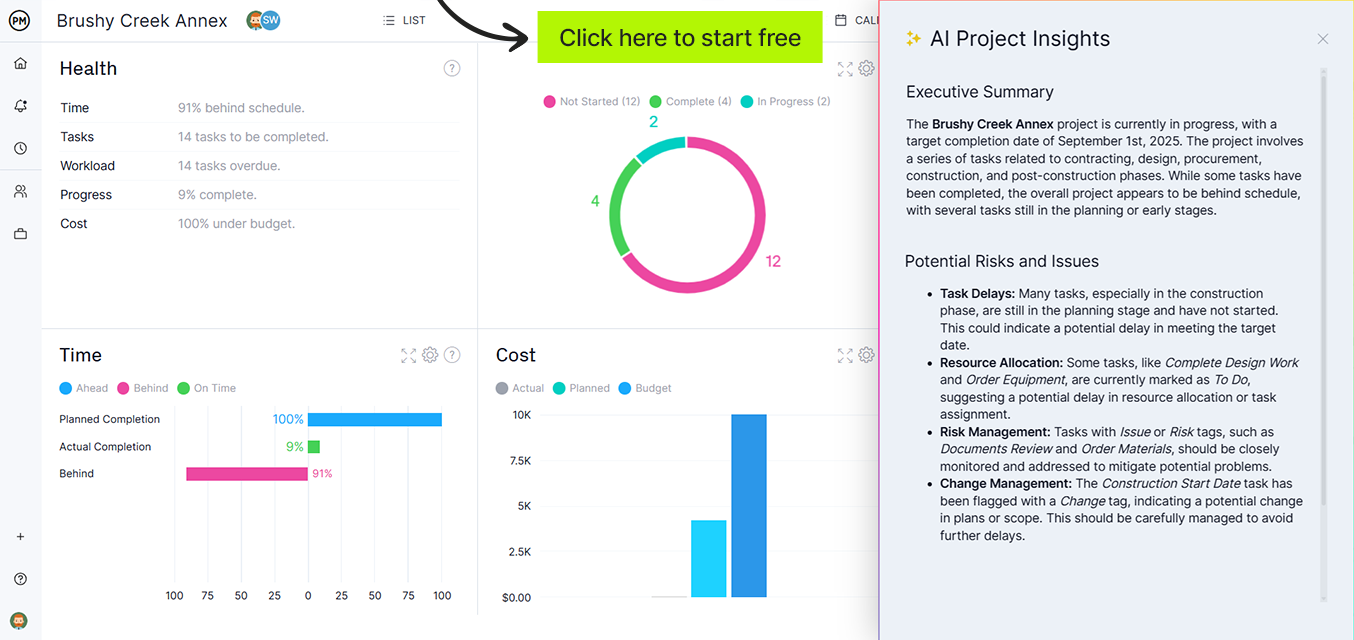
ProjectManager is online project management software with real-time dashboards, automated status reports and collaboration tools built into every project view, so your communication plan runs without manual follow-up. Try it free for 30 days.
3. Stakeholder Engagement Plan Template for Word
Knowing who your stakeholders are is the starting point of any communication plan. Knowing how to engage them is what determines whether your project gets the support it needs or faces resistance at every milestone. A stakeholder engagement plan template goes beyond a contact list to capture influence levels, interests and the specific engagement approach each stakeholder requires.
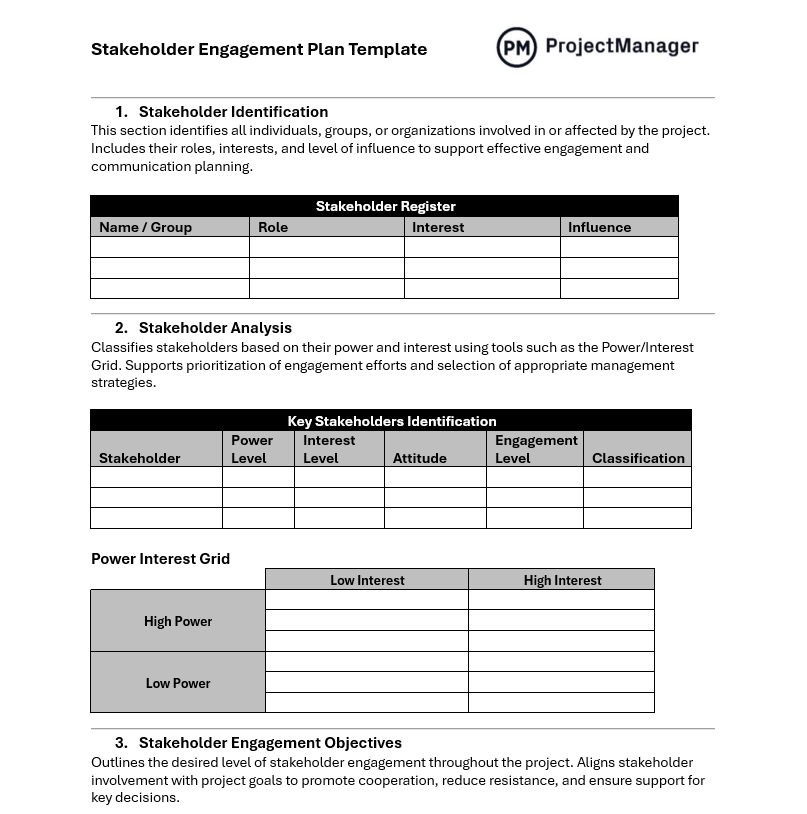
This free stakeholder engagement plan template for Word identifies each stakeholder by name and role, maps their interest and influence on the project and documents the engagement strategy, communication frequency and responsible owner for maintaining the relationship. It gives project managers a single reference point for navigating the political landscape of any project.
It works well as a companion document to your communication plan, with the engagement plan focusing on the relationship strategy and the communication plan handling the operational schedule of when and how information flows.
4. Meeting Agenda Template for Word
A meeting without an agenda is a conversation without a point. Attendees show up unprepared, discussions drift, decisions don’t get made and the meeting ends with another meeting scheduled to finish what the first one started. A meeting agenda template prevents that by establishing the structure, timing and objectives before anyone sits down.

This free meeting agenda template for Word organizes each agenda item with a time allocation, owner and objective, keeping meetings focused on what matters. There’s a section for pre-read materials so attendees come prepared and a notes column for capturing decisions and action items in real time during the meeting.
Share it with attendees 24 hours in advance so they can prepare, and use the action items section at the close of every meeting to confirm who owns what before anyone leaves the room.
5. Progress Report Template for Word
A progress report is how a project speaks to the people who aren’t in the daily work. It communicates what has been completed, what’s in flight, what’s at risk and what’s coming next, in a format that non-technical stakeholders can absorb without needing to dig through task lists. Without a consistent reporting format, each update looks different and stakeholders lose the ability to compare progress over time. A progress report template makes that comparison easy.
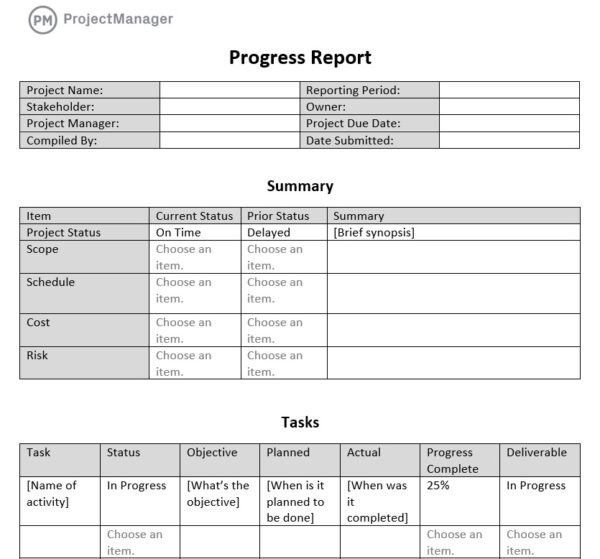
This free progress report template for Word covers overall project health, completed milestones, current tasks, upcoming work and any issues or risks requiring stakeholder attention. The narrative format gives project managers room to provide context that a spreadsheet can’t, making it well suited to monthly or phase-gate reporting where stakeholders need the full picture.
Use it on a recurring schedule aligned with your communication plan, adapting the detail level to the audience: more context for executive stakeholders, more operational detail for project team reviews.
6. Executive Project Status Report Template for Word
Executives don’t want pages of detail; they want to know whether the project is on track, what the risks are and whether any decisions need their attention. Sending a detailed project plan to a senior leadership audience wastes their time and buries the signal in noise. An executive project status report template strips the communication down to what leadership actually needs to act on.
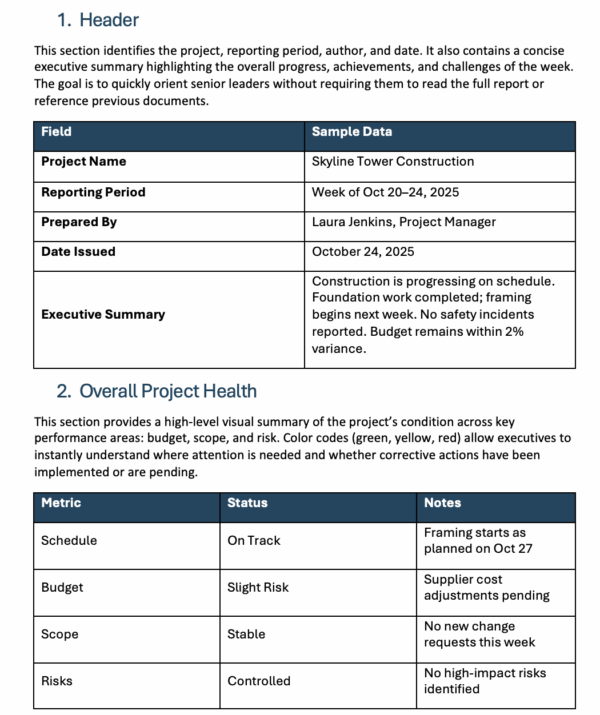
This free executive project status report template for Word condenses project health into a one-page view: RAG status indicators for schedule, budget and scope, a summary of key accomplishments, upcoming milestones, current risks and a decisions-needed section. The format is designed to be read in under two minutes while still giving executives everything they need to stay informed and engaged.
Schedule it weekly or bi-weekly depending on your project’s pace and the executive team’s reporting expectations.
7. Highlight Report for Excel
Between detailed progress reports and one-off email updates, there’s a communication gap that leaves stakeholders either over-informed or under-informed. A highlight report fills that gap with a concise, structured snapshot of where the project stands: what was accomplished, what’s coming next, any issues in play and the current risk status, all on a single page.
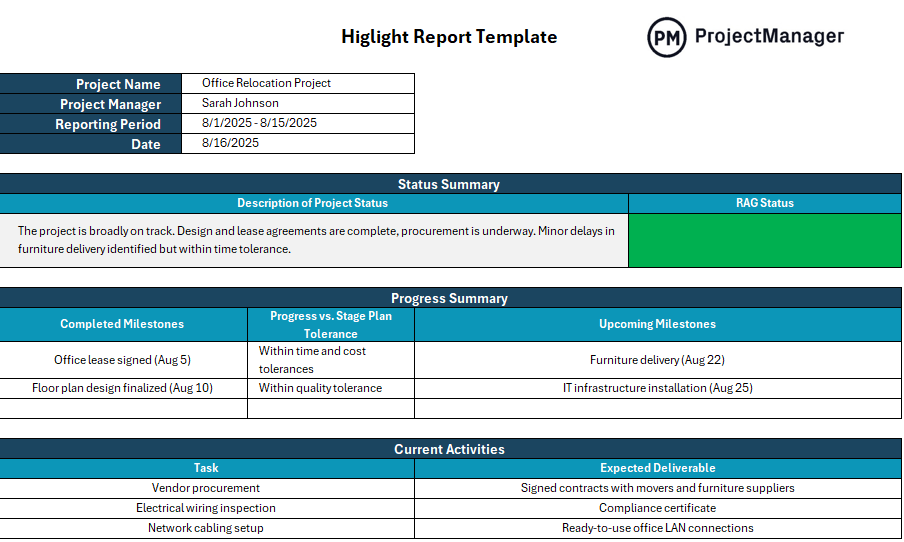
This free highlight report template for Excel is built for brevity. Each section is limited in scope by design, so the report forces the project manager to prioritize what actually matters rather than listing everything that happened. Key sections include period accomplishments, upcoming work, issues requiring attention and overall project health.
It works especially well as a weekly communication to a broad stakeholder group that doesn’t need deep detail but does need to stay connected to the project’s momentum.
8. Project Update Template for Excel
Regular project updates are the backbone of stakeholder communication, but producing them consistently is a discipline that most teams underinvest in. When updates are ad hoc or inconsistent, stakeholders fill the gap with assumptions and informal check-ins, which increases interruptions and creates misalignment. A project update template makes the update process fast enough to do consistently.
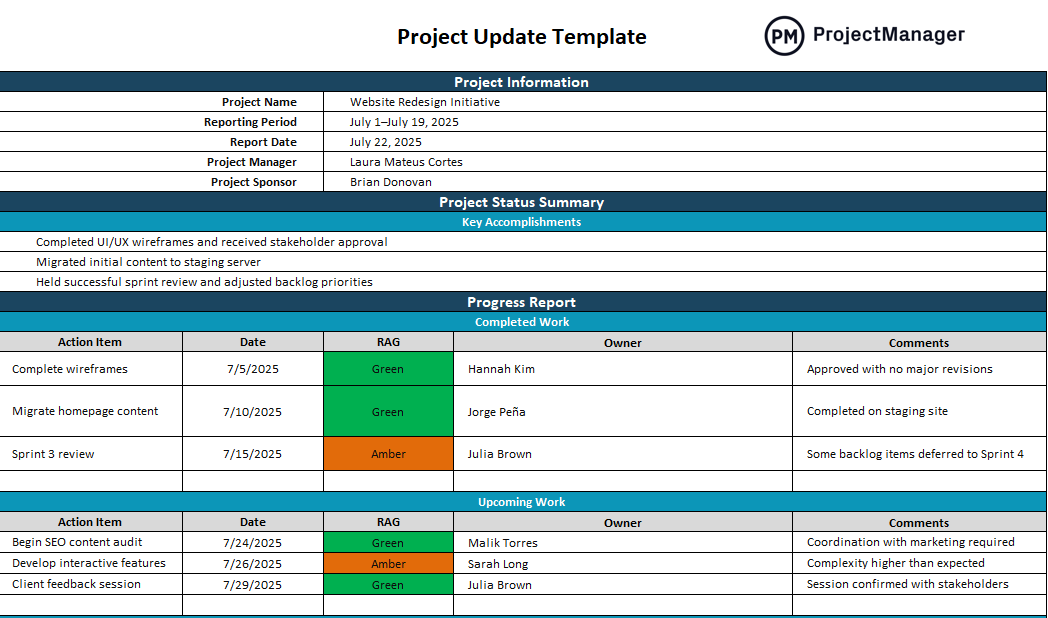
This free project update template for Excel covers the key elements of a useful team update: overall status, work completed in the current period, work planned for the next period, blockers and action items. It’s designed to take no more than 15 minutes to complete, which makes it realistic to maintain as a weekly habit across the life of the project.
It pairs directly with your communication plan by serving as the standard format for the recurring updates your plan schedules.
9. Escalation Matrix Template for Excel
Every project encounters issues that can’t be resolved at the team level. When those issues stall and no one knows who to escalate to, days or weeks can pass before the right person is even aware there’s a problem. An escalation matrix template builds that clarity into your communication plan upfront so the escalation path is established before anyone needs to use it.
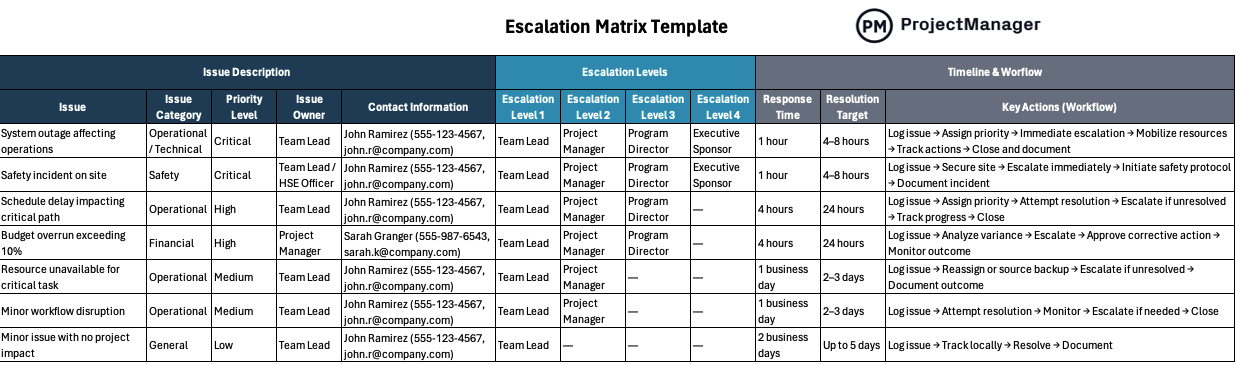
This free escalation matrix template for Excel defines issue categories, the conditions under which escalation is triggered, the escalation path at each level and the target resolution timeframe. By documenting this before the project starts, teams avoid the awkwardness of figuring out escalation protocol in the middle of a crisis.
Include it as an appendix to your communication plan and reference it during kickoff so the full team understands how issues move up the chain and who owns resolution at each level.
10. RASCI Matrix Template for Excel
One of the most common sources of communication breakdown in projects is ambiguity over who is responsible for what. When accountability isn’t explicit, decisions stall, tasks slip and team members duplicate effort or step on each other’s work. A RASCI matrix template resolves that ambiguity by assigning a clear role to every person for every task or deliverable in the project.

This free RASCI matrix template for Excel maps tasks down the rows and team members across the columns, with each cell containing one of five designations: Responsible, Accountable, Supportive, Consulted or Informed. The “Informed” column is particularly important for communication planning: it defines who needs to be kept in the loop on each deliverable without being directly involved in producing it.
Use it during project planning to build the accountability layer of your communication plan and review it with the full team at kickoff to surface any disagreements before work begins.
Manage Project Communication With ProjectManager
Templates capture your communication plan, but executing it means sending updates, running meetings and keeping dashboards current across the life of the project. ProjectManager is online project management software that makes that execution automatic, with real-time reporting, in-context collaboration and live dashboards that give every stakeholder the information they need without manual follow-up.
Collaborate and Communicate Directly in the Project
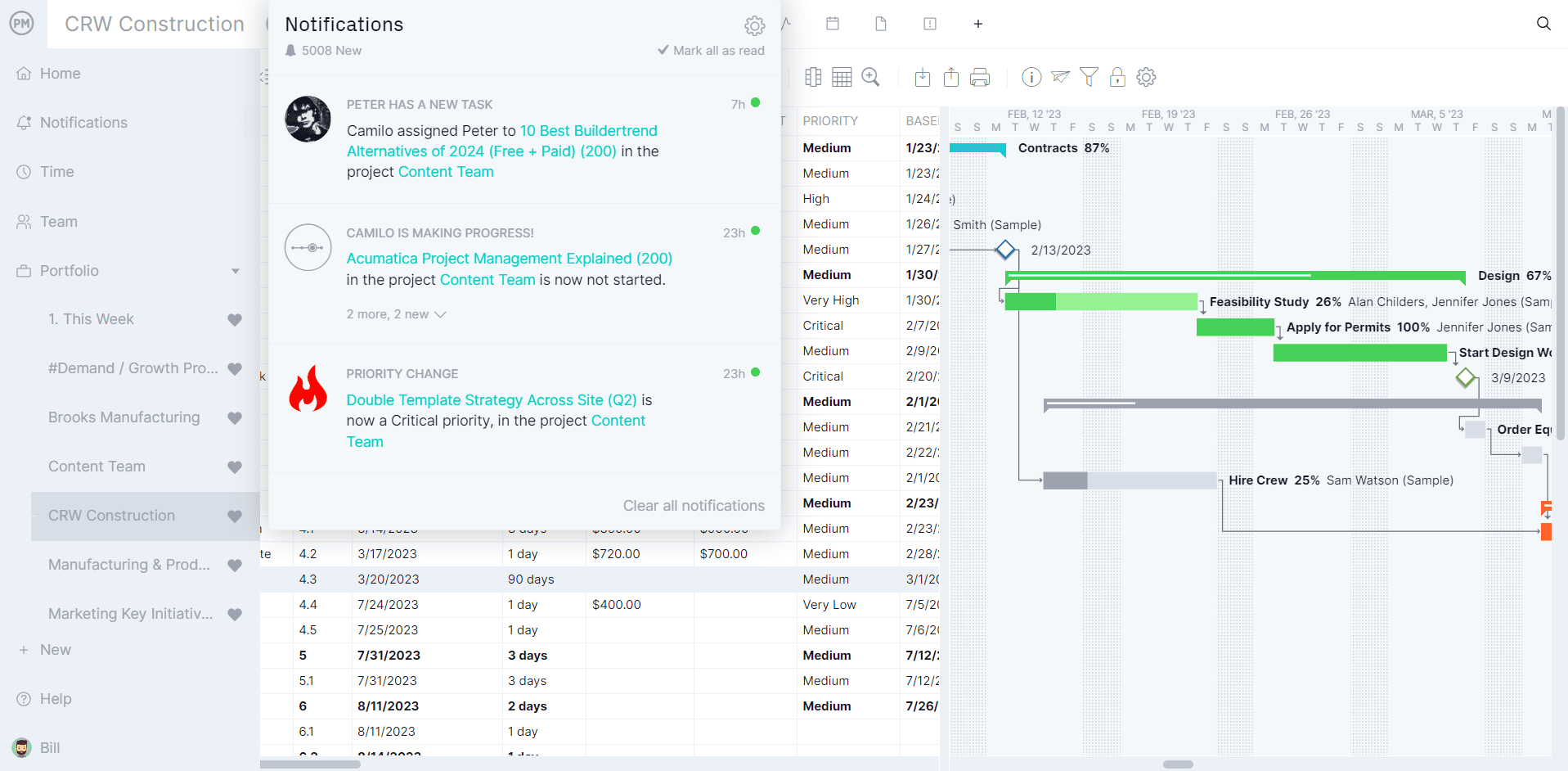
Instead of hunting through email threads for decisions and updates, ProjectManager keeps communication where the work is. Team members can leave comments directly on tasks, tag colleagues and attach files, so every conversation is tied to the work it relates to. Notifications keep everyone informed of changes and @mentions route the right information to the right people the moment it’s needed.
Report Project Status to Stakeholders in One Click
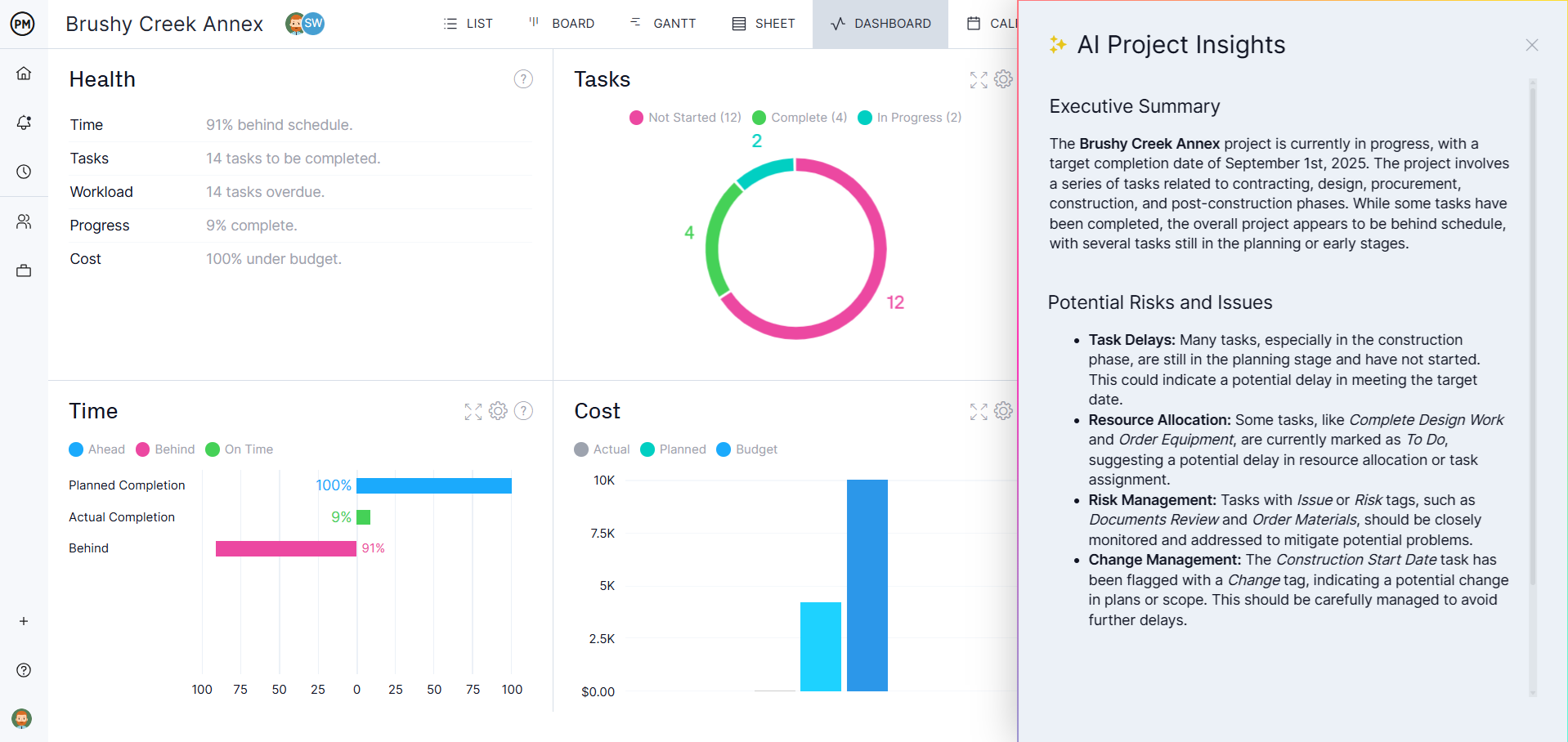
ProjectManager’s real-time dashboards pull live data from your project plan so you’re never building a status report from scratch. Share a dashboard link with stakeholders and they can see current progress, budget status and upcoming milestones on demand, or generate a formatted report in seconds when your communication plan calls for a scheduled update.
Related Content
- Project Communication: A Guide for Project Managers
- How to Write a Project Communication Plan
- Stakeholder Management: A Quick Guide
- How to Run a Project Meeting
- Free Status Report Templates for Projects
The post 10 Free Communication Plan Templates for Word and Excel appeared first on ProjectManager.