Your agent runs for 20 minutes. You walk away from the laptop. What if your phone became your mission control?
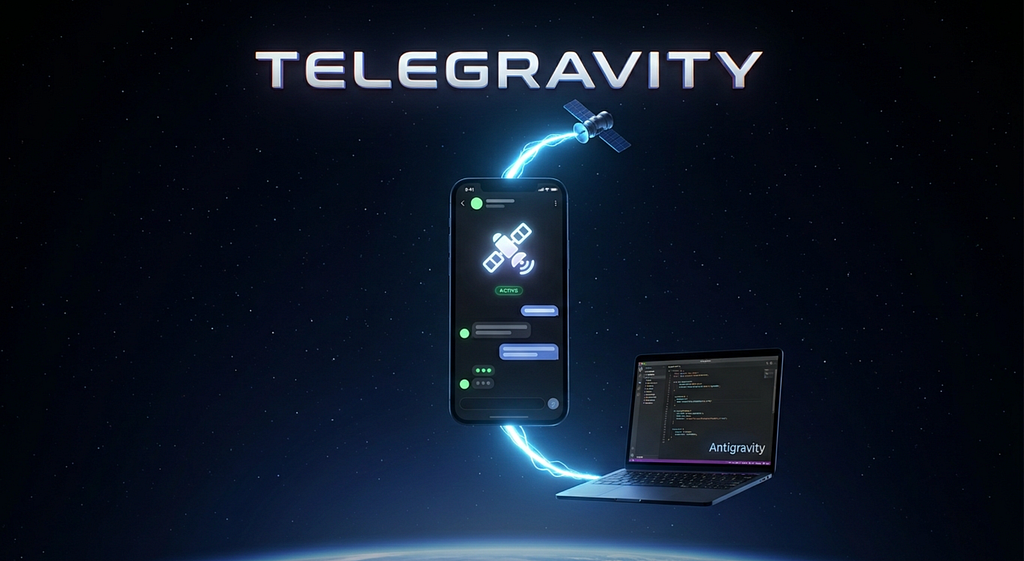
We are living a strange new moment in the software industry. We kick off an AI coding agent: Antigravity, Claude Code, Cursor, give it a task, and then… we sit there. Watching a terminal. Babysitting a process that might run for two minutes or for two hours.
That always felt wrong to me. The whole promise of an autonomous agent is that it works while you live your life. But the moment you stand up to grab a coffee, you go blind: you can’t see what it’s doing, you can’t nudge it, you can’t say “wait, not that file” until you’re back at the keyboard.
So I built the missing piece I needed. I call the project Telegravity, the uplink between Telegram and my AI coding agent. In this article I want to show how it turns Antigravity into something you can drive remotely, from the same chat app you already check fifty times a day.
Let’s launch. 🚀
https://github.com/nicolaguglielmi/Telegravity
The idea explained in one sentence
Telegravity is a single-binary MCP server that exposes a tiny set of tools to your agent, pull instructions, post live status, stream conversation history, while the Telegram side gives you a polished dashboard, a conversation hub, and an Active Mode that wakes the agent the instant you type.
That’s it. One process. No cloud service in the middle, no extra account, no telemetry. Your bot token never leaves your machine. End to end, the whole conversation stays private.
The magic is that it speaks the Model Context Protocol (MCP), so it doesn’t care which agent you use. Antigravity is a first-class citizen, but the exact same setup works for Claude Code, Cursor, Cline, or anything else that speaks MCP.
What you actually get
Before the setup, here’s the payoff, so you know what we’re building toward:
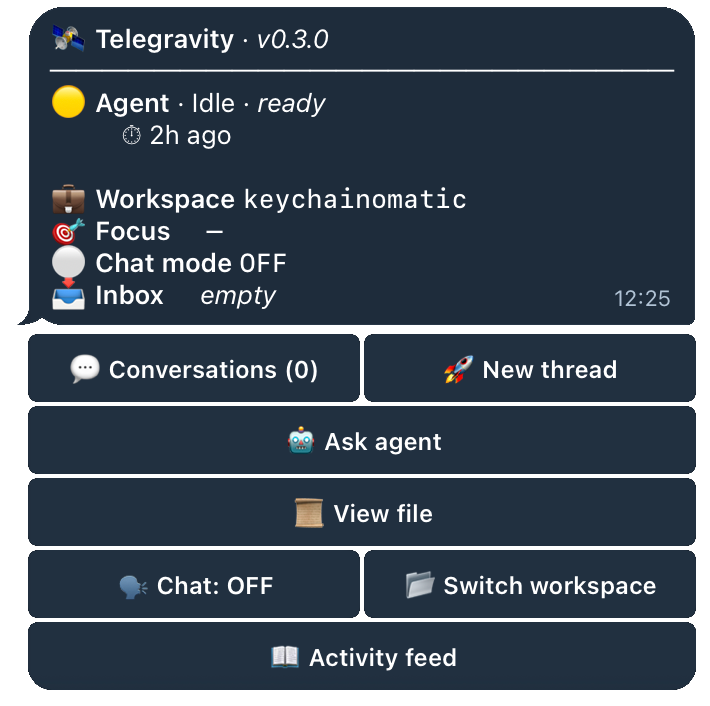
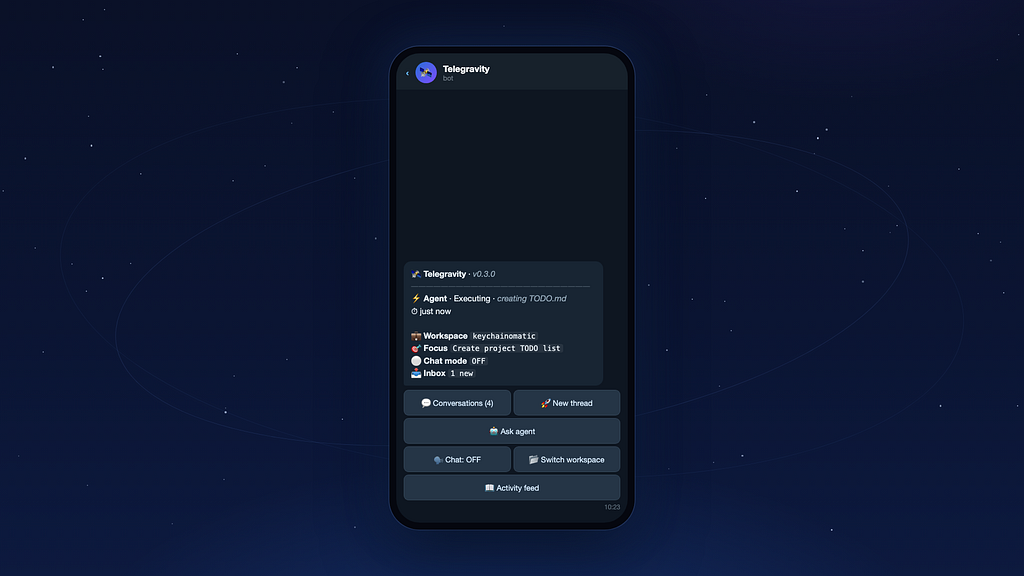
- A live dashboard with an agent heartbeat: 💭 Thinking · ⚡ Executing · ✅ Done an unread inbox counter, the current workspace, and a chat-mode badge.
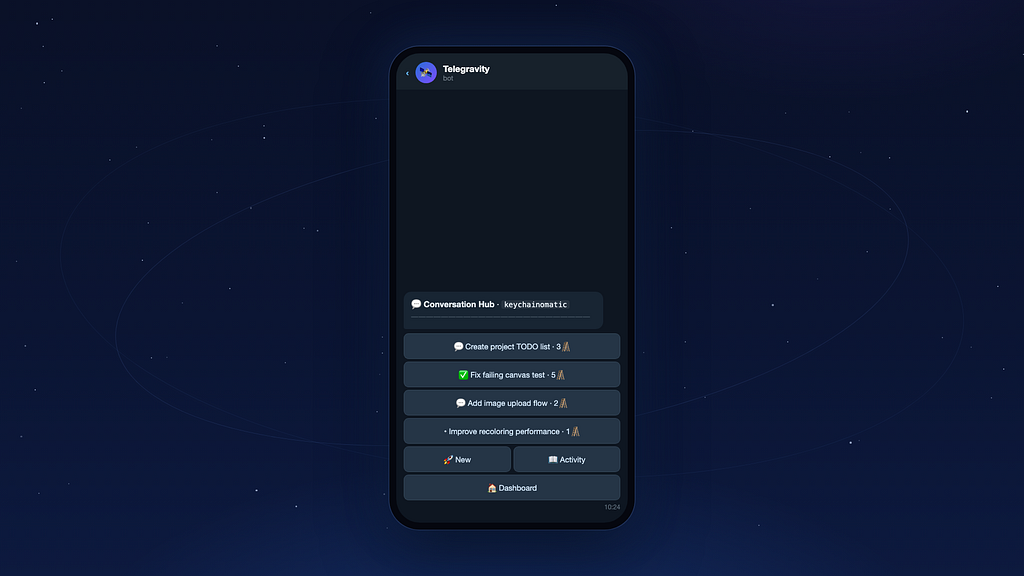
- A conversation hub: per-thread history with interaction logs, files touched, and step counters. You can scroll back through what the agent did, on your phone.
- Active Mode: the agent long-polls and reacts to your Telegram message in milliseconds. (more below)
- Path-aware workspaces: pick a project from your phone and every instruction arrives tagged with its real directory, the agent’s run_command / read_file / write_file act on that folder even when the IDE has a different one open (opt-in, more below).
- Single-user lockdown: only your authorized chat_id can drive the bot. Everyone else is logged and silently ignored.
- Confirm-to-execute: shell and file-view actions opt-in, and jailed.
- A simple onboarding: your first /start runs a 30-second guided tour.
The “aha” moment: Active Mode
Here’s the honest limitation of every MCP integration: MCP is reactive. Your agent only calls these tools when it’s actually running. Without help, the messages you send sit in a buffer until the agent “thinks” again.
So how do we make the agent react now?
In your IDE, you simply ask Antigravity to “enter Active Mode.” It calls a single tool:
wait_for_remote_instruction(300)
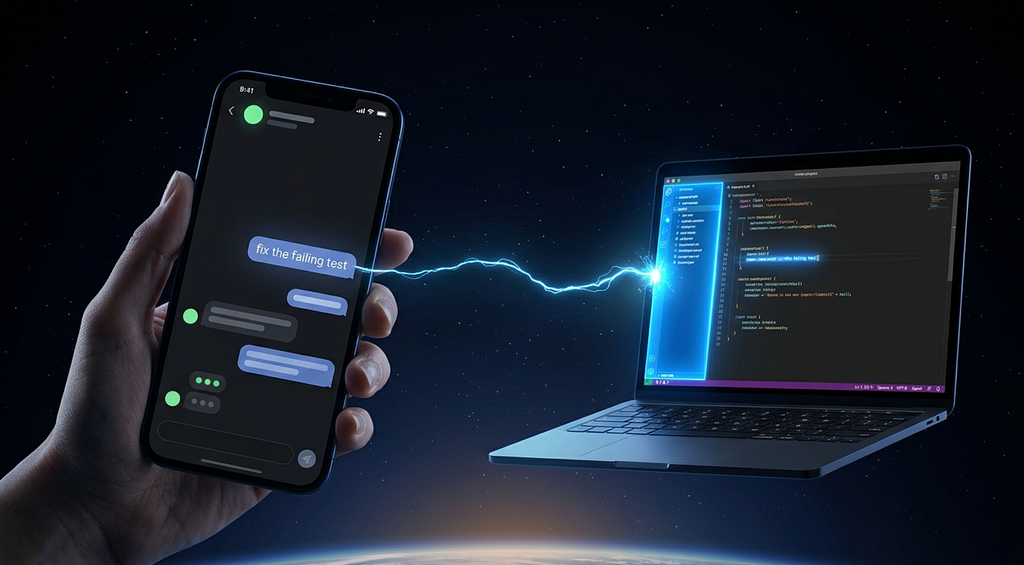
…and parks itself on a long-poll for up to 300 seconds. Under the hood this is just an asyncio.Event.wait(). The moment you type in Telegram, the event fires and the agent returns from the poll instantly with your instruction.
That’s the difference between “leave a note for later” and “talk to your agent like a colleague.” Awesome!
Let’s set it up
No special skills required, if you can edit a .env file you’re done in five minutes.
1. Install
pip install telegravity
Or, from source:
git clone https://github.com/nicolaguglielmi/Telegravity.git
cd Telegravity
pip install -e .
2. Get your two secrets
You need exactly two things:
- A bot token: open a chat with @BotFather on Telegram and create a new bot.
- Your chat ID: ask @userinfobot, it replies with your numeric ID.
3. Configure
Create a .env in the folder where you want to run the agent:
# Required
TELEGRAM_TOKEN=123456:ABC...           # from @BotFather
AUTHORIZED_CHAT_ID=123456789           # ask @userinfobot
# Optional
INITIAL_WORKSPACES=MyApp,SideProject
ENABLE_SHELL_EXEC=0            #allow gated subprocess from chat
ENABLE_FILE_VIEW=0             #allow gated file reads from chat
ENABLE_FILE_WRITE=0            #to allow the agent's write_file tool
# TELEGRAVITY_DATA_DIR=/abs/path       # default ~/.telegravity
Warning! leave ENABLE_SHELL_EXEC and ENABLE_FILE_VIEW at 0 until you understand the guardrails.
4. Wire it to Antigravity
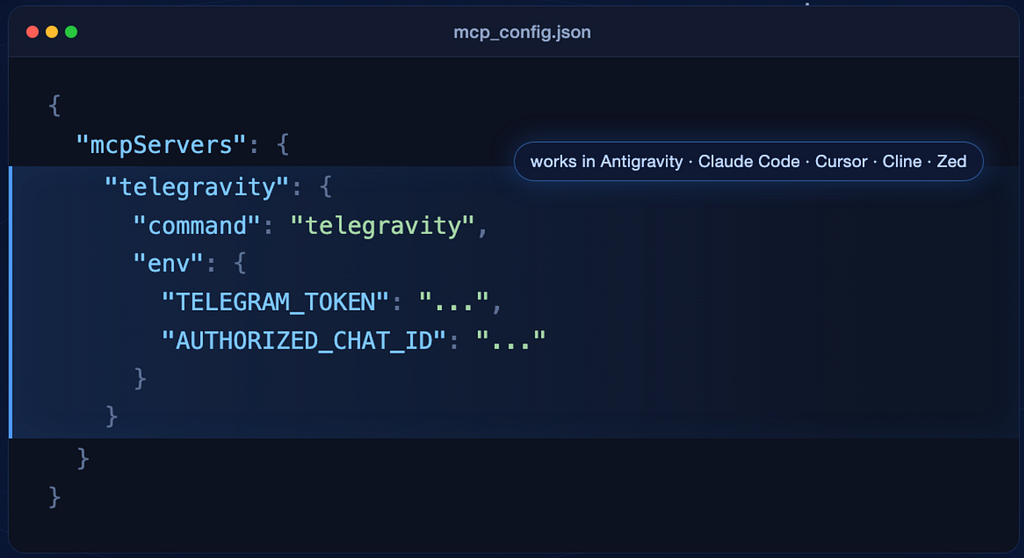
Add this block to Antigravity’s mcp_config.json. The block name (telegravity) is arbitrary — the command is what matters:
{
  "mcpServers": {
    "telegravity": {
      "command": "telegravity",
      "env": {
        "TELEGRAM_TOKEN": "...",
        "AUTHORIZED_CHAT_ID": "..."
      }
    }
  }
}
The exact same block works for Claude Code (~/.claude.json or a per-project .mcp.json), Cursor, Cline, and Zed Agent — they all read the same MCP schema. If telegravity isn’t on your PATH (e.g. you installed in a venv), point command at the absolute path or use python -m telegravity. Claude Code users get a shortcut: the repo doubles as a plugin marketplace — /plugin marketplace add nicolaguglielmi/Telegravity installs the server config, the Active Mode skill, and a /telegravity:active-mode command in one step.
Flying the mission
Preflight checklist, just five things I learned making the first flight flawless:
- One instance only: Telegram allows a single getUpdates poller per token: two IDE surfaces sharing one MCP config will spawn rival servers that silently split your messages. Keep one open (check with ps aux | grep telegravity).
- Install the Active Mode skill globally: Copy skills/telegravity-active-mode/SKILL.md from the repo into ~/.gemini/config/skills/telegravity-active-mode/ from then on: “enter Active Mode” triggers the real loop in any project.
- Start fresh and force the first call: Smaller models love to say they’re in active mode without calling any tool. Use a new conversation, a capable model, and an explicit opener: “Call wait_for_remote_instruction(120) now, show me what it returns, act on each instruction, reply with send_message, and loop.” Real tool-call boxes are your proof.
- Approve the tools once: If the IDE asks permission on the first call, allow it, ideally auto-allow: Active Mode re-calls the tool every couple of minutes.
- Enable only what you need, on your risk! ENABLE_FILE_VIEW=1 and ENABLE_FILE_WRITE=1 let the agent work on any workspace from your phone; leave ENABLE_SHELL_EXEC=0 until you’ve read the security section below. Env changes load at the next IDE restart.
In our first real flight, a message typed on a phone became a TODO.md written by the agent inside a project that wasn’t even open in the IDE, summary pushed back to Telegram, hands never touching the laptop.
- Open the chat with your bot and send /start. You get a welcome card and a short guided tour.
- Pick a workspace from the dashboard.
- In your IDE, tell Antigravity to enter Active Mode. It parks on wait_for_remote_instruction and waits for you.
- Type your instruction in Telegram. The agent picks it up, processes it, and along the way calls update_conversation and register_agent_activity so each step animates the dashboard finishing with send_message.
You watch the heartbeat move from 💭 thinking to ⚡ executing to ✅ done, from a café, from the couch, from anywhere.
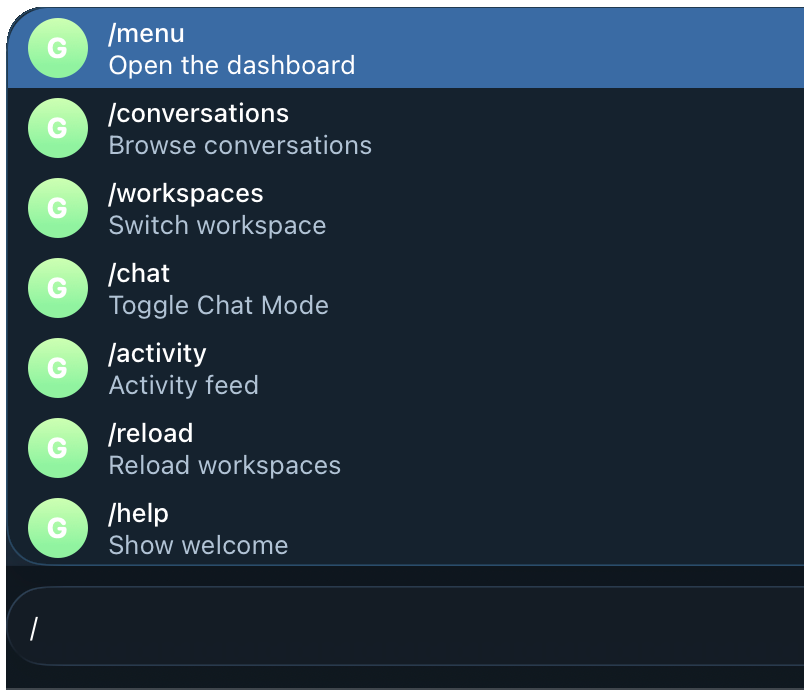
A handful of slash commands keep you in control:
Command Actions:
/menu Open the dashboard
/conversations Open the conversation hub
/workspaces Switch workspace
/chat Toggle Chat Mode
/activity Show the activity feed
/reload Re-scan all workspace sources
/help Show the welcome card
A peek under the hood (for the curious)
I love tools that are simple enough to fully understand, and Telegravity is exactly one process doing two things at once:
- An MCP server (built on the official MCP SDK) talking to your agent over stdio.
- A Telegram bot long-polling getUpdates and rendering the chat UI.
Both share an in-memory StateManager the single source of truth for the message buffer, the workspace list, the conversations DB, the agent heartbeat, and a small user-state machine. Every mutation goes through an asyncio.Lock, so the Telegram worker and the MCP coroutines can never race on the buffer cursor.
These are the tools the agent gets:
Tool Purpose check_telegram_updates() Drain buffered Telegram messages since the last call wait_for_remote_instruction(t) Long-poll up to t seconds for the next message, Active Mode send_message(text) Push a message from agent → user register_agent_activity(…) Heartbeat for the dashboard get_state() Compact snapshot of workspace, active conversation, buffer update_conversation(…) Add a rich interaction log import_conversations(ws, […]) Bulk-seed conversation titles (idempotent)
Tiny surface area, by design. Version 0.3 rounds it out with set_active_workspace(name) and three workspace-scoped executors — run_command, read_file, write_file — that run inside the Telegravity process, rooted at the selected workspace’s directory. That’s how a workspace picked from your phone takes effect even when the IDE has a different folder open.
Security — because this drives your machine
This is the part I want you to read twice. A tool that can run your agent and (optionally) shell commands deserves a serious threat model:
- Inbound auth: Every single update is filtered against AUTHORIZED_CHAT_ID. The whole security model leans on this one check it’s a single-user tool by design. Unauthorized senders are logged and dropped.
- Shell exec is off by default: When you enable it, every command is held in a confirm registry with a 60-second TTL and only runs after you tap ✅. Output is truncated, with a subprocess timeout.
- File I/O is jailed: Reads and writes resolve inside the selected workspace’s directory and are verified to stay there — symlink escapes, directories, and oversized files are rejected.
- No outbound calls besides Telegram and the MCP stdio transport. No telemetry. Your token never leaves the process.
One thing to keep in mind: state lives as plain JSON under ~/.telegravity (or your TELEGRAVITY_DATA_DIR).
Don’t put secrets in conversation titles or summaries.
Limitations to know (to be honest)
Every project has tradeoffs, some of which I discovered as limitations during development process:
- MCP is reactive: Without Active Mode, your messages wait in the buffer until the agent thinks again. Use wait_for_remote_instruction for instant pickup.
- One Telegram identity: Single-user by design, that’s a feature and a constraint.
- One bot, one process: The bot uses long-poll getUpdates; running two copies against the same token will cause Telegram-side conflicts.
- No transport-encryption claim beyond what Telegram itself provides. Treat that directory like any other local secret.
In essence
Telegravity turns the dead time around your agent into productive time:
- Closes the loop: you see what the agent is doing, live, from your phone.
- Makes the agent reactive, Active Mode wakes it the instant you type.
- Stays yours single-user, no cloud, no telemetry, token never leaves the box.
- Works with anything MCP Antigravity today: whatever you switch to tomorrow.
So clone the repo, wire it to Antigravity, send that first /start, and let your agent work while you go live your life.
The cockpit fits in your pocket now. 🛰️
If you build something on top of it, a new screen, a new MCP tool, a new workspace source, let me know. I’d love to feature it.
pip install -e ".[dev]"
pytest    # full suite + 90% coverage threshold
Repo + full ARCHITECTURE deep-dive: https://github.com/nicolaguglielmi/Telegravity

Remote Control for Google Antigravity: Drive Your AI Coding Agent From Telegram 🛰️ was originally published in Google Developer Experts on Medium, where people are continuing the conversation by highlighting and responding to this story.