Running a small business is one of the most demanding things a person can do. You are responsible for the finances, the team, the clients and the strategy, often all at once and often without dedicated staff for any of it. When it comes to planning, most small business owners either skip it entirely because it feels too time-consuming or rely on loose notes and mental frameworks that fall apart the moment the business grows.
A good template gives you the structure without the blank page. Instead of figuring out what sections you need and in what order, you start with a framework that reflects how real plans are built. You fill in your specifics, adjust what does not apply and end up with something you could hand to a lender, a partner or a new hire. Templates also make the process repeatable. Once you have a format that works for your business, you can use it every year without starting from scratch.
We have put together a collection of 10 free small business plan templates covering financial planning, strategy, proposals and more. Each one is free to download in Excel or Word and ready to customize for your business.
1. Small Business Plan Template for Word
Before you can raise capital, hire your first employee or make a major strategic decision, you need a business plan. It is the document that forces you to think through your market, your finances and your operational model in one place. Without it, you are making decisions in a vacuum.
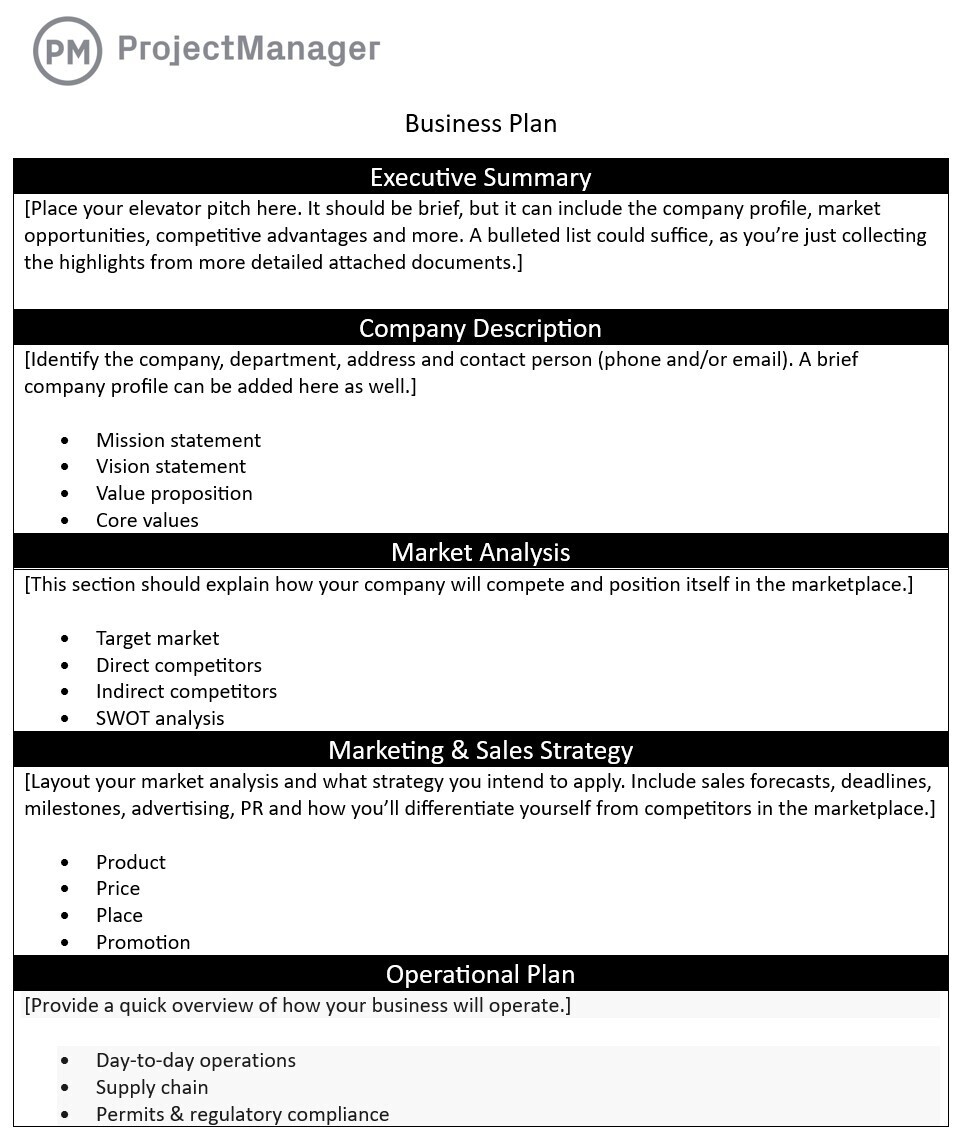
This small business plan template covers every section a lender or investor expects to see: executive summary, company overview, market analysis, products and services, marketing strategy, financial projections and an operational plan. Each section includes prompts to guide your thinking so you are not staring at an empty page.
Best suited for new businesses presenting to a bank or investor for the first time, or established businesses that have never formalized their plan and need to get it on paper.
2. Business Case Template for Word
A business case is the document you write before a major investment, whether that is new equipment, a new hire or an expansion into a new market. It answers the question every decision-maker asks: is this worth it? For a small business owner, that question is often asked in the mirror before writing a check.
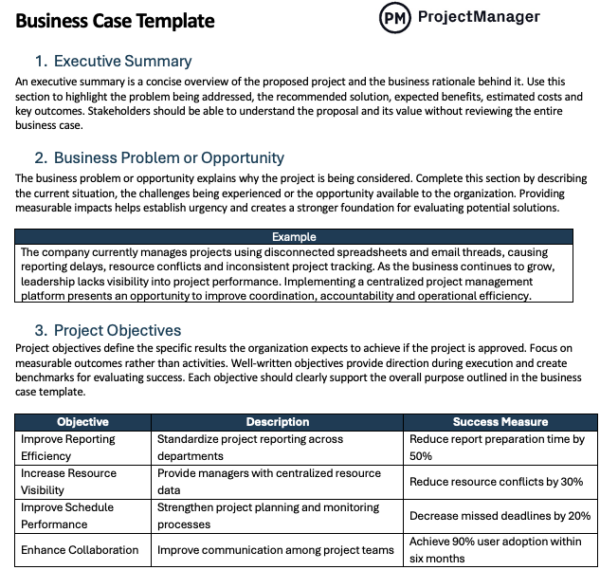
This template walks through the problem you are solving, the options you considered, the recommended path forward and the financial justification behind it. It includes sections for cost-benefit analysis, risk assessment and an implementation timeline so you have a complete picture before committing resources.
Use it any time you need to make a formal case for spending money, whether you are pitching to a partner, a board or yourself.
Turn Your Business Case Into a Real Project
Once your business case is approved, a template is not enough to execute it. ProjectManager gives small business owners real Gantt charts to plan timelines, task boards to keep the team aligned and live dashboards to track progress without having to chase people for updates. Everything is online so your team can collaborate from anywhere, and it is built for how small business teams actually work — not for enterprise IT departments. Try it free for 30 days.
3. Business Proposal Template for Word
A business proposal is how you win a client. Whether you are a freelancer, a small agency or a service business, a well-structured proposal is often the difference between getting the job and losing it to someone who looked more organized on paper.
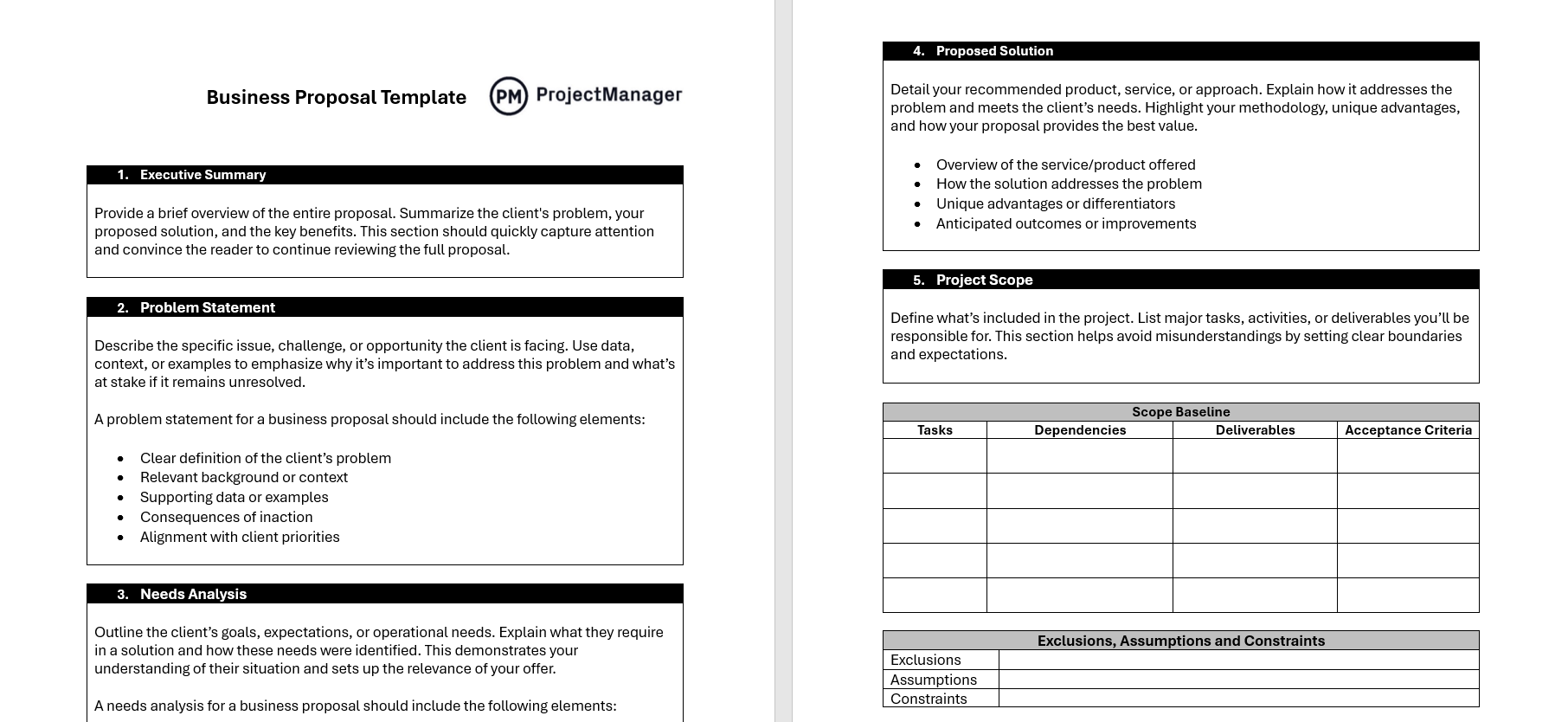
This template covers the full proposal structure: a summary of the client’s problem, your proposed solution, your pricing, your timeline and the terms of the engagement. It is written in Word so you can customize the language for each client without redesigning the layout from scratch.
Particularly useful for service businesses that send proposals regularly and want a consistent format that still feels personalized to each client.
4. Action Plan Template for Excel
A business plan tells you where you are going. An action plan tells you how to get there. It breaks a goal down into specific tasks, assigns each one to a person and sets a deadline. For a small team, it is often the only planning tool you actually need on a week-to-week basis.
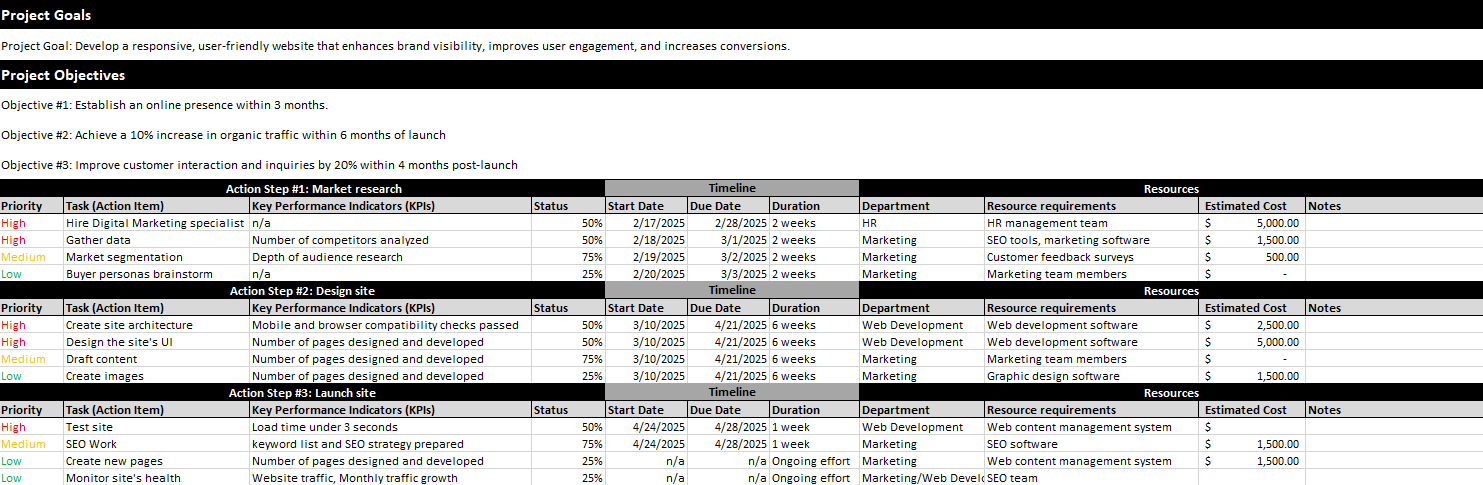
This Excel template gives you a structured task list with columns for the task description, owner, start date, due date, priority and status. It is simple enough to set up in 15 minutes and clear enough that any team member can look at it and know exactly what they are supposed to be doing.
Works well for any goal with a defined end point: a product launch, a marketing campaign, a seasonal ramp-up or an operational improvement project.
5. Profit and Loss Statement Template for Excel
The profit and loss statement is the most fundamental financial document in any business. It shows your revenue, your costs and whether your business is actually making money. For small business owners who manage their own books, a clean P&L is essential for tax preparation, loan applications and understanding where the money goes.

This template is structured around the standard P&L format: gross revenue, cost of goods sold, gross profit, operating expenses and net income. It is pre-built in Excel with formulas already in place so you can enter your numbers and get totals automatically.
Download it once and use it every month or quarter. It keeps your financials organized and gives you something concrete to review with your accountant.
6. Cash Flow Statement Template for Excel
Many small businesses fail not because they are unprofitable, but because they run out of cash at the wrong moment. A cash flow statement shows the actual movement of money in and out of your business, which is different from revenue and profit. Knowing your cash position is what keeps the lights on during a slow quarter.
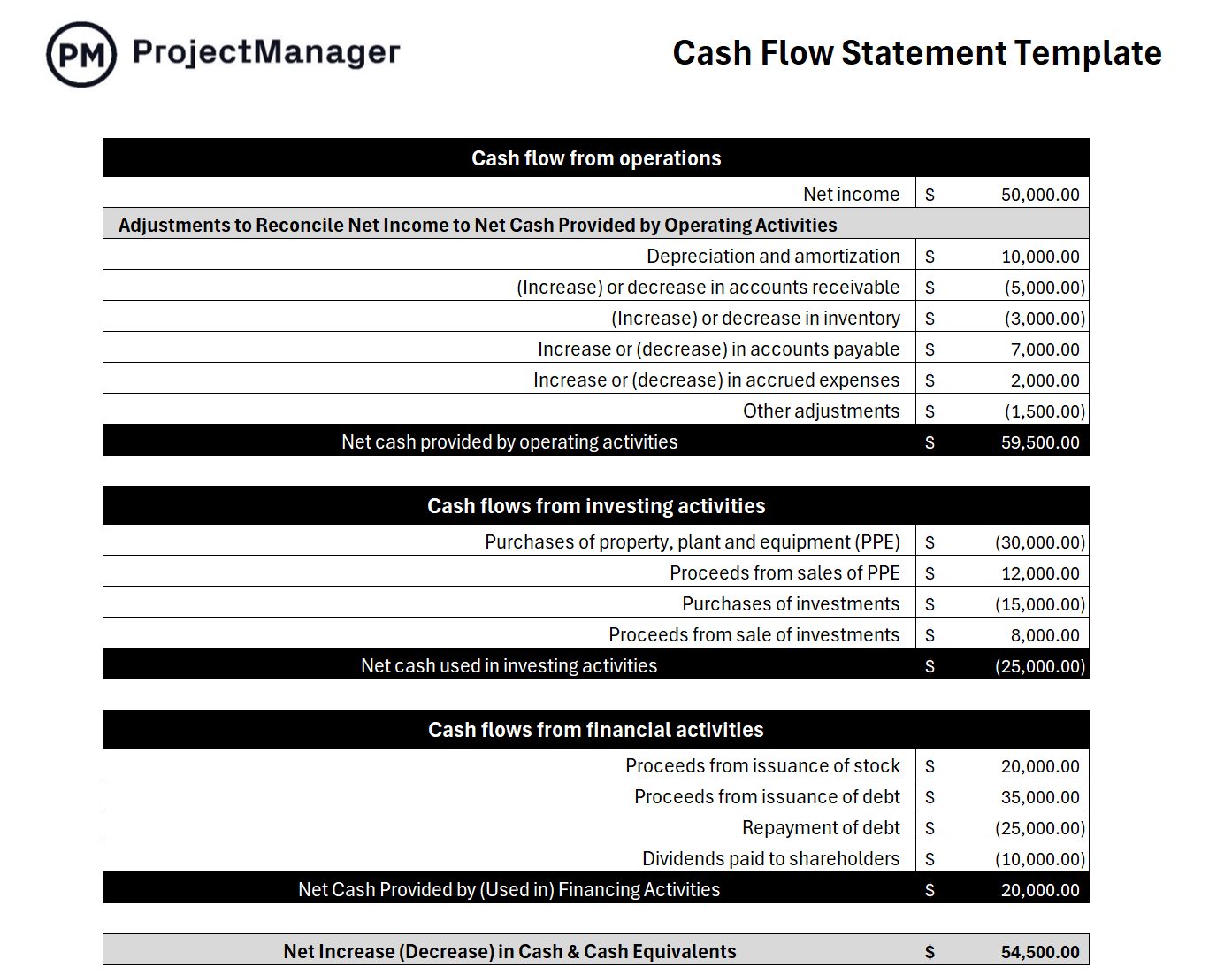
This template tracks operating activities, investing activities and financing activities across a monthly view. It is structured in Excel with clear sections for inflows and outflows so you can see your net cash position at the end of each period without having to do the math manually.
Essential for any business with irregular payment timing, seasonal revenue or large upfront costs that take time to recover.
7. Strategic Plan Template for Word
Most small businesses operate at the tactical level: get through this week, close this deal, handle this problem. Strategic planning pulls you out of the day-to-day and forces you to think about where you want the business to be in one, three or five years and what you have to do differently to get there.
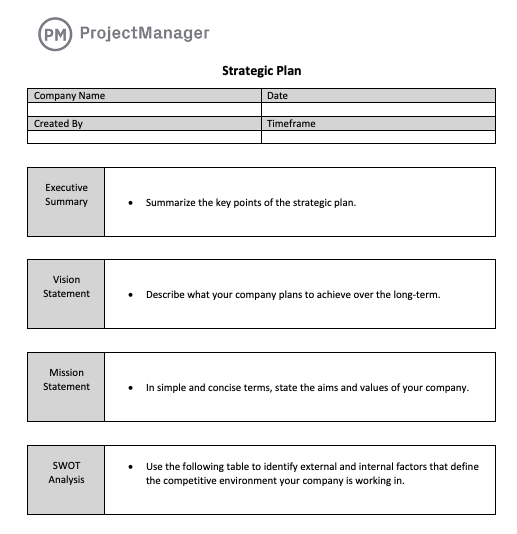
This Word template covers mission and vision, strategic goals, key initiatives, KPIs and the timeline for each objective. It is built for a small business context, not a Fortune 500 planning retreat, so the sections are focused and the document is manageable without a planning team to fill it in.
Use it at the start of a new year or any time the business is at an inflection point and you need to get leadership aligned on where things are headed.
8. SWOT Analysis Template for Word
A SWOT analysis is a fast way to take stock of where your business stands relative to the market. It surfaces the internal factors you control, your strengths and weaknesses, alongside the external factors you do not, opportunities and threats. Done honestly, it is one of the most useful strategy tools a small business owner can use.
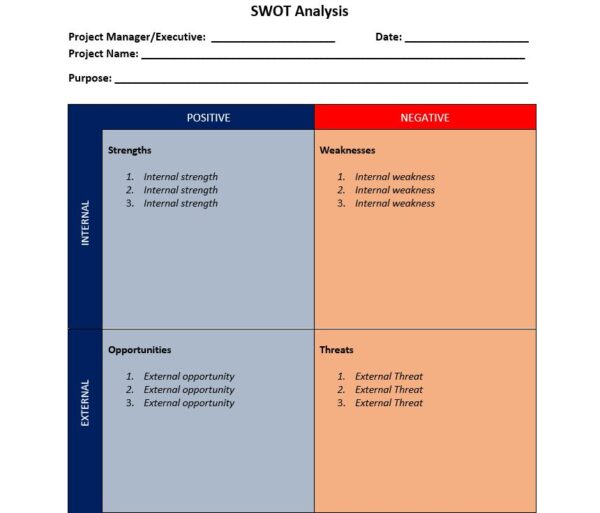
This template gives you a clean four-quadrant layout in Word that you can fill out in a team meeting or on your own in under an hour. There are guiding questions in each section to help you think past the obvious answers and identify things worth acting on.
Works well as a starting point for annual planning, a competitive review or any situation where you need to make a strategic decision and want to make sure you are seeing the full picture.
9. Marketing Plan Template for Word
Without a plan, marketing becomes whatever feels most urgent: a social post here, a paid ad there, a newsletter when someone remembers to send one. A marketing plan gives your team a clear direction and ensures the budget goes toward activities that are actually tied to a goal.
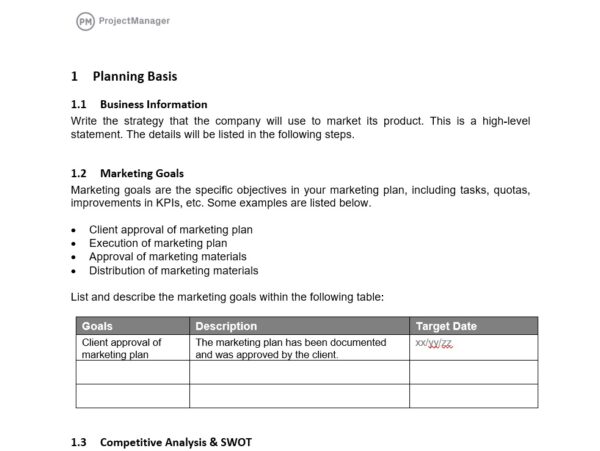
This template covers target audience, positioning, marketing channels, campaign calendar, budget breakdown and success metrics. It is written in Word so it reads as a real document rather than a spreadsheet, which makes it easier to share with stakeholders or use as an onboarding reference for a new marketing hire.
Useful for any business that is scaling its marketing, bringing on outside help or simply trying to be more intentional about how it spends its marketing budget.
10. Sales Forecast Template for Excel
A sales forecast is the bridge between your business plan and your financial reality. It projects what you expect to sell over a given period, which drives hiring decisions, inventory purchases, marketing budgets and cash flow planning. For a small business, an inaccurate forecast does not just affect a spreadsheet — it affects whether you can make payroll.
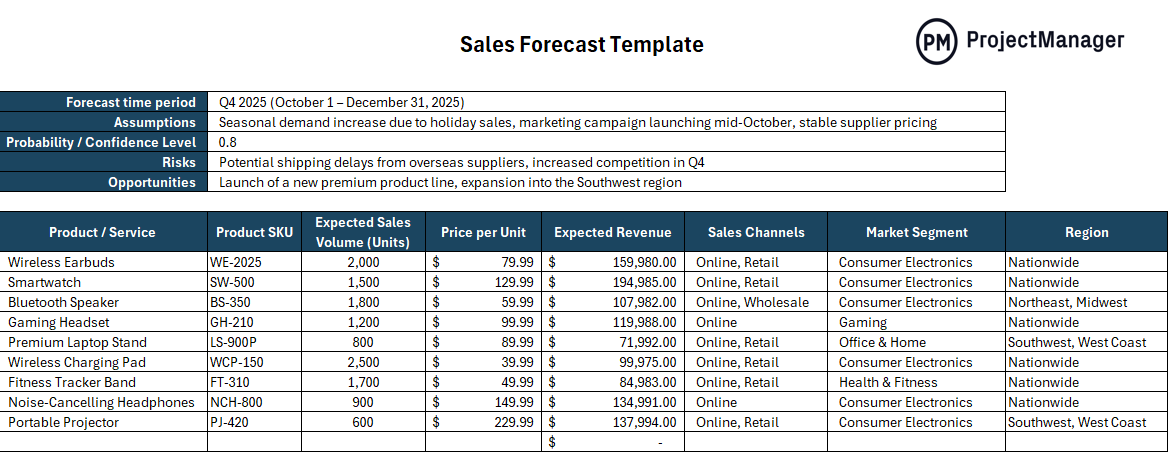
This Excel template breaks down expected sales by product or service, unit volume and price, with monthly columns and auto-calculated totals. It also includes a comparison column for tracking actual versus projected performance so you can spot trends early and adjust before they become problems.
Best used on a rolling 12-month basis so your forecast is always current and you are never making major decisions based on numbers that are six months out of date.
Manage Your Small Business Plans With ProjectManager
Templates get your plan on paper. Executing it is a different challenge. Most small business owners end up tracking progress through email threads, spreadsheet updates that go stale and check-ins that still leave them guessing who is doing what. ProjectManager connects your plan directly to the work, so your team is not just aware of the plan — they are working inside it.
From day one, ProjectManager gives small business teams the tools to schedule work, assign tasks, track costs and monitor progress in real time, all in one place online. No installation. No IT department required. Just a clear view of what needs to happen and when.
Schedule and Track Work on a Gantt Chart
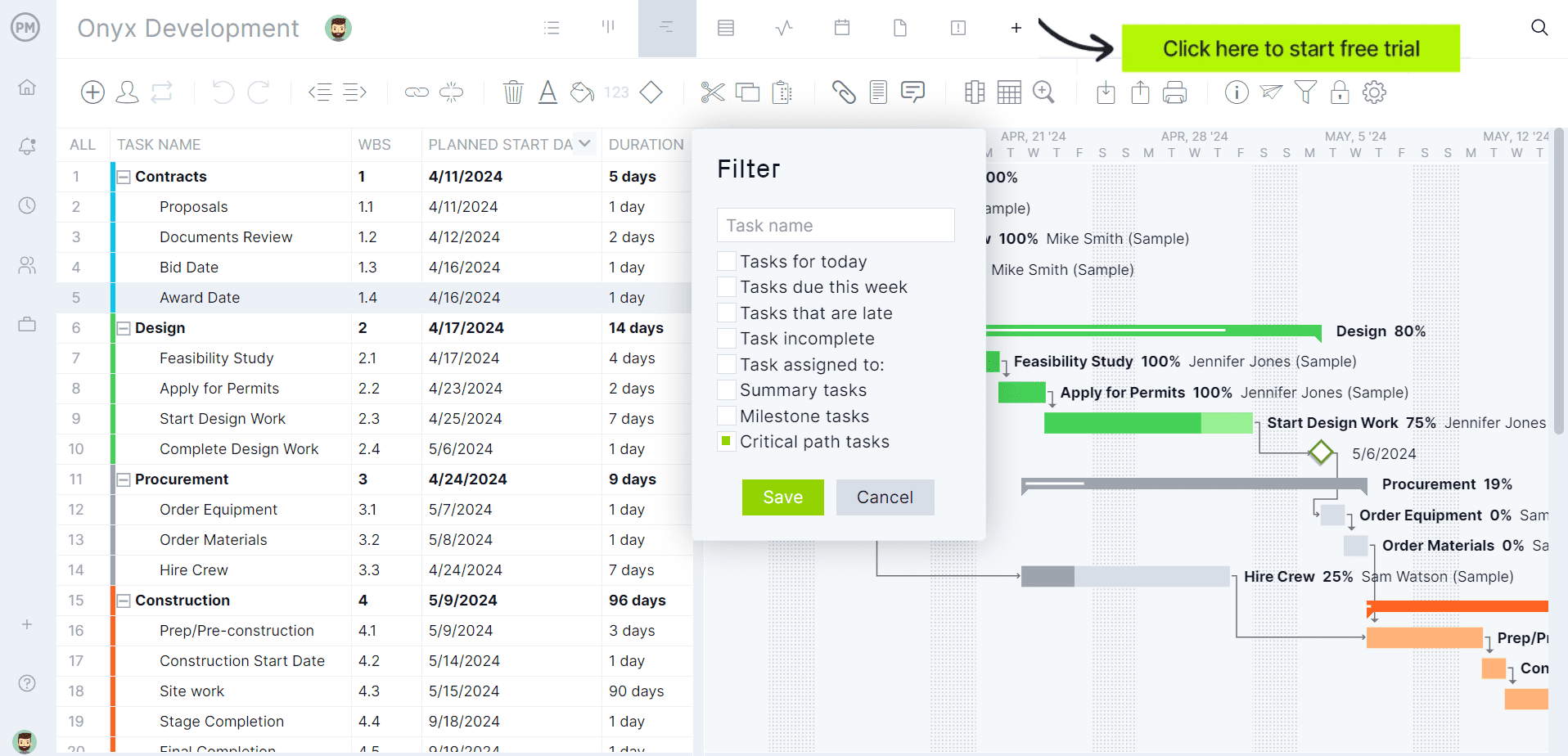
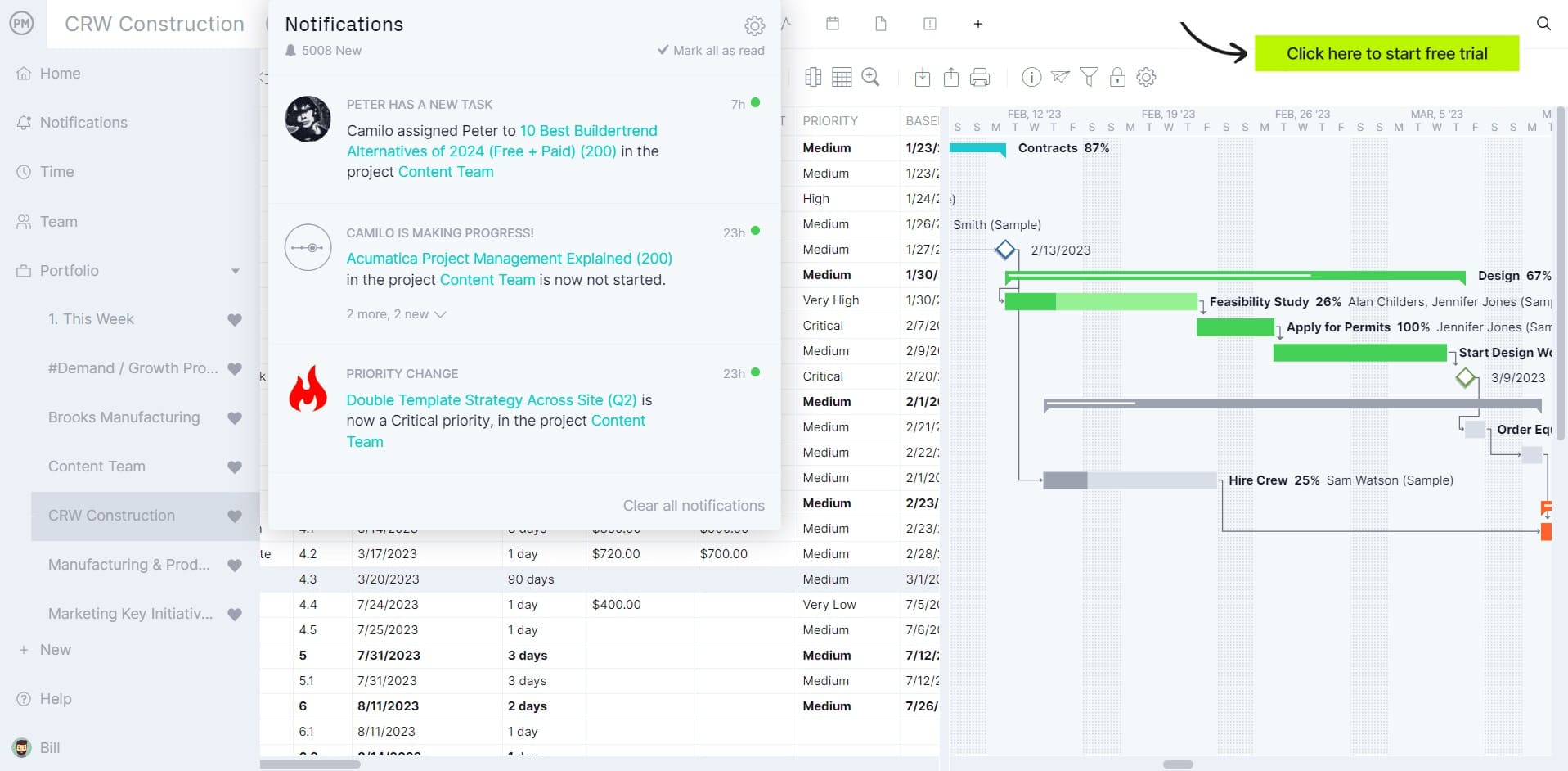
A Gantt chart turns your business plan into a real project timeline. Add tasks, set dependencies, assign owners and set deadlines — all on a visual timeline your whole team can see. When something shifts, drag and drop to reschedule and every downstream date updates automatically. For a small business running multiple priorities at once, that kind of clarity is not a luxury. It is how you stop dropping things.
Monitor Progress With a Live Dashboard
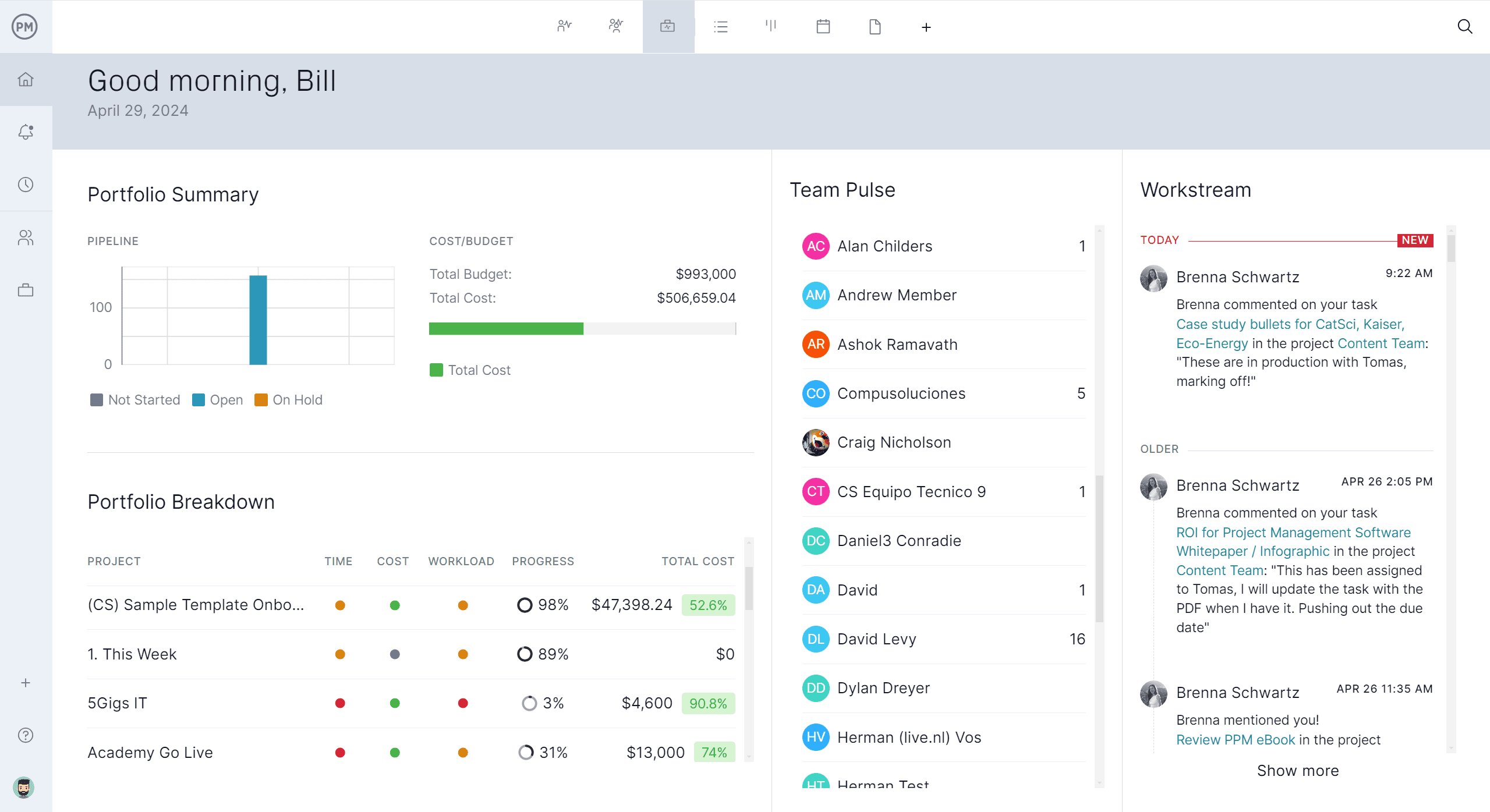
ProjectManager’s real-time dashboard gives you an at-a-glance view of every project’s health: tasks completed, budget status, workload by team member and whether you are on track to hit your milestones. There is no manual data entry — the dashboard pulls from live project data automatically. For a small business owner who needs to stay on top of multiple things without spending the day in meetings, it is the fastest way to know exactly where things stand.
Related Content
- 25 Free Project Management Templates for Excel
- 10 Free Status Report Templates for Word and Excel
- 10 Free Production Schedule Templates for Excel
- How to Write a Business Plan (With Free Template)
- Cash Flow Forecasting: A Guide for Small Businesses
The post 10 Small Business Plan Templates for Excel and Word appeared first on ProjectManager.