Introduction to useActionState -New hook in React

introduction-to-useactionstate-new-hook-in-react

The useActionState hook is a new feature introduced in React 19, designed to simplify state management based on form actions. It offers a powerful way to handle asynchronous form submissions and automatically manage the state and loading states associated with these actions. In this post, we’ll dive into the useActionState hook and explore how it works with a practical example.

Practical example on usage of useActionState

Before getting started, please ensure that React 19 is installed.

To illustrate how the useActionStatehook works, let’s implement a basic counter application for simplicity. The same principles, however, can be easily applied to more complex forms and interactions

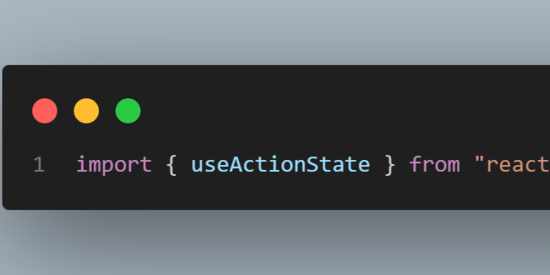
First, import the useActionState hook from React as follows:

importing useActionState from react

Now that we’ve imported the hook, let’s look at how to use it in our component.

using useActionState hook in component

Let’s try to understand the syntax of useActionState , this hook accepts two primary arguments, one is from submit handler and then second argument is initial state (this also takes third arguments which is an optional, but for simplicity, we’ll focus on the two required arguments in this post)

This hook returns an array with three elements

counterValue— The first value returned, representing the current state. In this case, it’s the counter value.

formAction– This is the function to be called when the form is submitted

isPending— A boolean indicating whether the form action is still processing (useful for showing loading indicators).

Now that we’ve covered the basic import and syntax of useActionState, let’s see how it works in the example

Here’s the complete example using useActionState to increment a counter:

component illustrating useActionState hook with counter example

Let’s try to understand the code written in above snippet.As mentioned earlier we have imported useActionState from react and using it in the App component

1 . This hook is taking two arguments

increment: This is an asynchronous function executed when the form is submitted. It takes the previous counter state and returns a new state after a 1-second delay.

Initial State (0): The initial value of the counter is set to 0

  1. Increment Function: let’s understand the functionality of increment function. This function takes two parameters

previousState: The last known state of the counter.

formData: Data from the form submission (not used in this case, but from this formData we can access from field values).

This function returns a Promise that simulates an asynchronous operation (like a server call) using setTimeout. After one second, it resolves with the new state, which is previousState + 1. This effectively increments the counter by one.

In jsx we are rendering form within that we are rendering our counter and a button to increment the counter. The action prop of the

is set to formAction, which will handle the submission upon clicking Increment button.

inside the form we are conditionally rendering either "updating..." if isPending is true (indicating the form is processing), or displays the current counterValue.

The “Increment” button is disabled while isPending is true to prevent additional submissions during the ongoing update.

Finally we have implemented a simple counter using the useActionState hook in React, where the counter is incremented asynchronously by one second each time the form is submitted. It also displays a loading message (“Updating…”) while the increment action is in progress.

Now we’ve understood the useActionState , let’s see some of the benefits of it.

Benefits of useActionState

Simplified State Management: The useActionState hook automatically updates the component’s state based on the result of the action function, reducing the need for manually managing state changes.

Loading State Handling: The isPending value provided by the hook makes it easy to display loading indicators or disable form elements during asynchronous actions.

Automatic Form Reset: After a successful submission, the form is automatically reset to its initial state, making the development process more efficient.

Cleaner, More Maintainable Code: By encapsulating form state and actions,

useActionState promotes a more concise and maintainable codebase.
The useActionState hook is a valuable addition to React for handling form actions and asynchronous state updates. It simplifies common tasks like managing loading states and resetting forms after submission. By using this hook, you can write cleaner, more efficient, and maintainable code.

That’s it for now! Thanks for reading. See you in the next post!

Total
0
Shares
Leave a Reply

Your email address will not be published. Required fields are marked *

Previous Post
understanding-and-configuring-oracle-access-control-lists-(acls)-for-email-sending-using-utl-mail

Understanding and Configuring Oracle Access Control Lists (ACLs) for Email Sending Using UTL_MAIL

Next Post
5-must-have-chrome-extensions-that-will-supercharge-your-developer-workflow

5 Must-Have Chrome Extensions That Will Supercharge Your Developer Workflow

Related Posts
arkui-x平台差异化

ArkUI-X平台差异化

跨平台使用场景是一套ArkTS代码运行在多个终端设备上,如Android、iOS、OpenHarmony(含基于OpenHarmony发行的商业版,如HarmonyOS Next)。当不同平台业务逻辑不同,或使用了不支持跨平台的API,就需要根据平台不同进行一定代码差异化适配。当前仅支持在代码运行态进行差异化,接下来详细介绍场景及如何差异化适配。 使用场景 平台差异化适用于以下两种典型场景: 1.自身业务逻辑不同平台本来就有差异; 2.在OpenHarmony上调用了不支持跨平台的API,这就需要在OpenHarmony上仍然调用对应API,其他平台通过Bridge桥接机制进行差异化处理; 判断平台类型 可以通过let osName: string = deviceInfo.osFullName;获取对应OS名字,该接口已支持跨平台,不同平台上其返回值如下: OpenHarmony上,osName等于OpenHarmony-XXX Android上,osName等于Android XXX iOS上,osName等于iOS XXX 示例如下:…
Read More