Most projects don’t fail in execution. They fail because nobody agreed on what the project was supposed to accomplish before work began. When the scope is vague, the timeline is aspirational and the roles are assumed rather than assigned, the project team is essentially building from a blank page with no shared reference point. A project outline fixes that. It translates an idea into a structured document that defines what the project will deliver, who is responsible, how long it will take and what success looks like before anyone spends a dollar or a day of work on it.
The format of that outline depends on where you are in the project lifecycle and who the audience is. A business case outlines a project for a sponsor who needs to approve the budget. A project charter outlines it for the team that needs to execute it. A statement of work outlines it for a vendor or contractor who needs to deliver a specific part of it. A Gantt chart outlines the timeline for everyone. Each format captures a different dimension of the same project, and most complex projects need more than one.
We put together 10 free project outline templates covering the most common planning and scoping documents used across project management. Whether you are outlining a project for internal approval, external delivery or day-to-day execution, each template is free to download and ready to adapt for your team.
1. Project Outline Template
A project outline is the foundational planning document that captures everything a project team needs to know before work starts: what the project will deliver, why it matters, who is involved, how long it will take and what it will cost. Unlike a full project plan, which tracks execution in detail, an outline is written to create alignment before execution begins. It is the document that turns a vague idea into a defined, approvable piece of work.
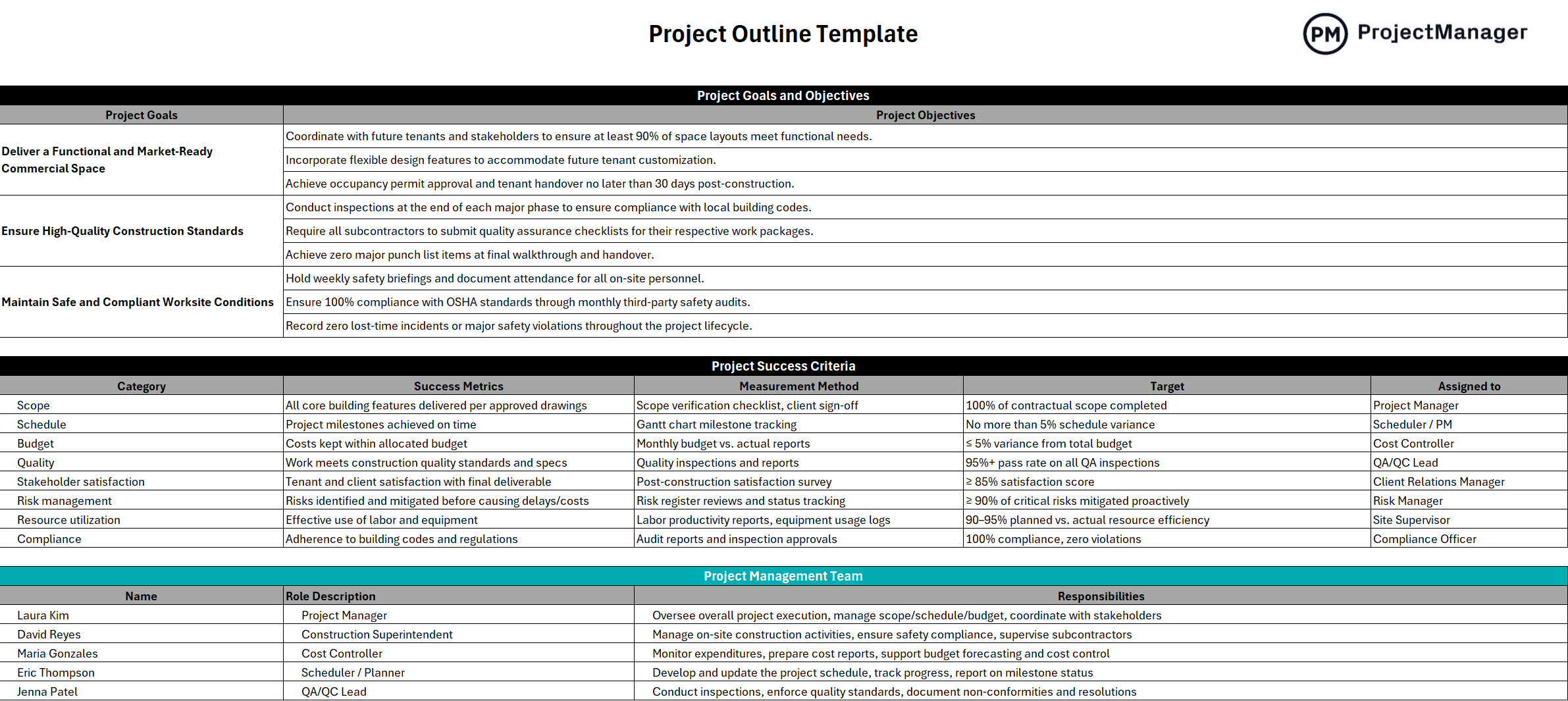
This template covers the standard project outline structure: project name and description, objectives, key deliverables, scope boundaries, key stakeholders, timeline summary, budget estimate, assumptions, constraints and sign-off. The scope boundaries section is particularly valuable early in a project: explicitly stating what is out of scope prevents assumptions from accumulating into scope creep once work begins and the team is too deep into execution to revisit decisions made at the start.
The right tool for project managers, team leads and business analysts starting any project that requires stakeholder alignment before work can begin, particularly useful on projects where multiple departments are involved and agreement on scope and responsibilities needs to be documented before the first task is assigned.
2. Project Charter Template for Excel
A project charter is the formal document that authorizes a project to exist. Where an outline summarizes a project for planning purposes, a charter is the governance document: it records the sponsor’s approval, defines the project manager’s authority and creates the official record that this project has been sanctioned to proceed. On projects that require formal governance, the charter is often the document that gates the transition from planning into execution.
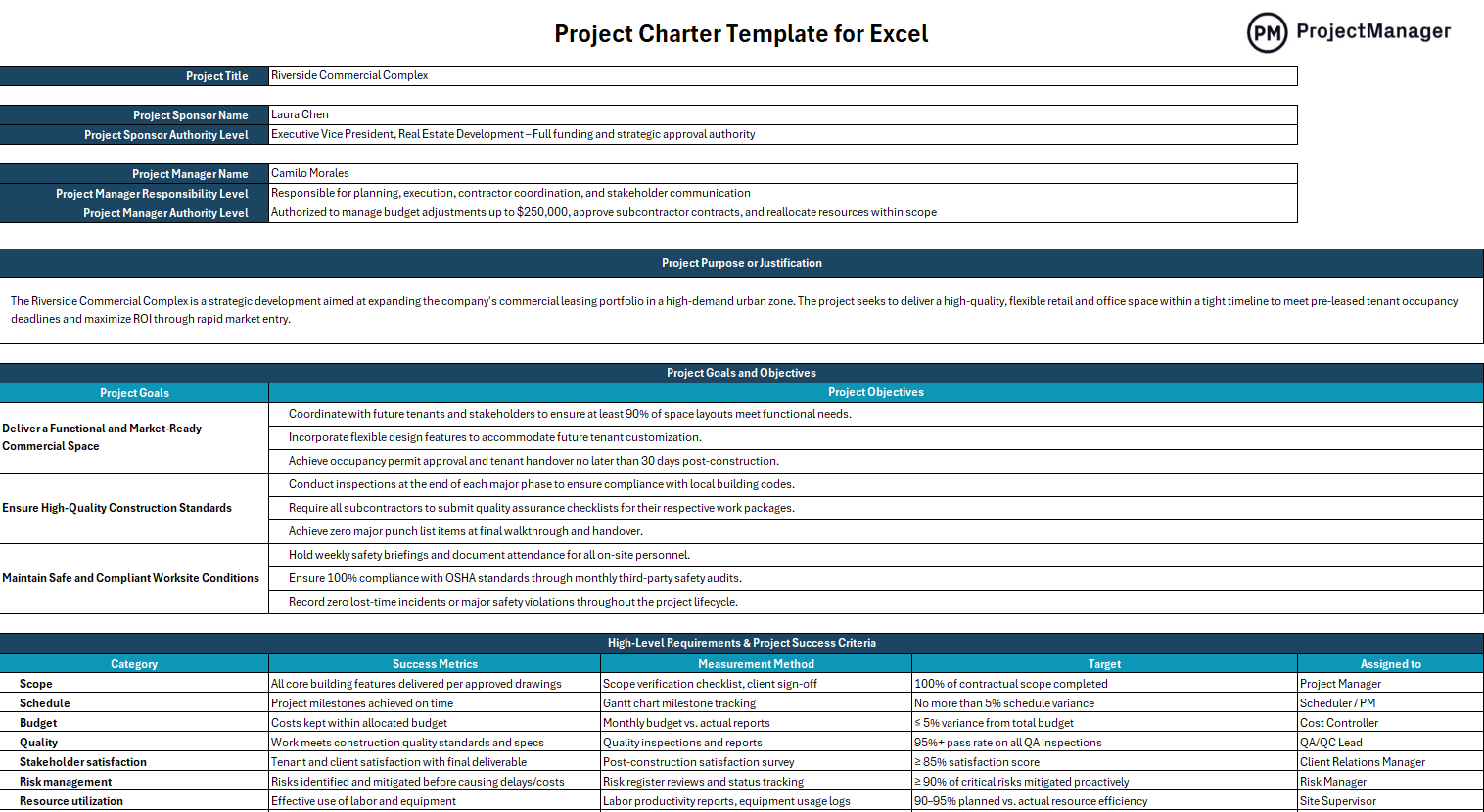
This Excel template covers the core charter fields: project title, purpose and justification, objectives, scope, key deliverables, milestones, budget summary, project manager and sponsor details, stakeholder list and formal sign-off. The sign-off section is what makes this document more than a planning worksheet. It creates a record that the sponsor reviewed and approved the project scope, budget and timeline, which is the reference point for every scope change discussion that happens during execution.
Most useful for organizations running structured project governance where projects require formal approval before resources are committed, and for any project where the scope or budget is large enough that a documented record of authorization matters for compliance or audit purposes.
Turn Your Project Outline Into a Live Project Plan With ProjectManager
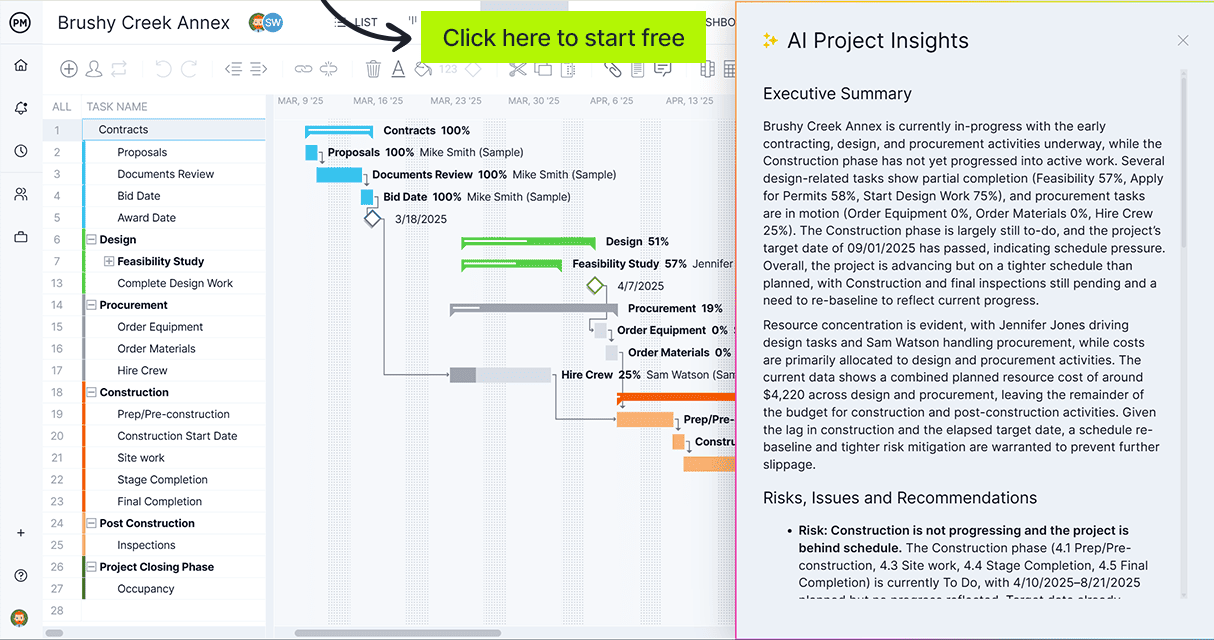
ProjectManager lets you build the schedule, assign tasks, set dependencies and track progress all in one place, so your project outline becomes an actionable plan your team executes against in real time. Try it free for 30 days.
3. Business Case Template
A business case is the project outline you write before anyone has approved the project. It makes the argument that the project is worth doing: what problem it solves, what the expected return is, what it will cost, what the risks are and why now is the right time to pursue it. For organizations that require formal investment decisions before committing resources to a project, the business case is the document that moves a project from an idea on someone’s desk to an approved initiative with a budget and a team.
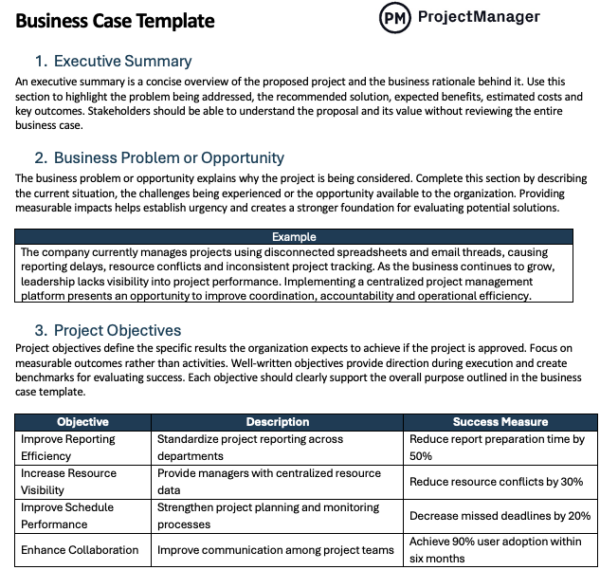
This template covers the standard business case structure: executive summary, problem statement, proposed solution, options considered, cost-benefit analysis, risk assessment, recommended approach, implementation timeline and approval section. The options-considered section is worth the effort: presenting two or three alternatives rather than a single recommendation signals thorough analysis and gives decision-makers a frame for evaluating the recommendation rather than reacting to it in isolation.
Essential for project managers, business analysts and department heads who need to make a formal investment case to leadership before a project can begin, particularly on projects where the budget is significant, the strategic impact is material or competing priorities mean the project has to earn its place in the portfolio.
4. Statement of Work Template
A statement of work outlines a project from the perspective of what will be delivered and by whom. Where a project charter documents internal authorization, a statement of work is the outline you share with a vendor, contractor or external team to define exactly what they are being asked to produce. It specifies deliverables, acceptance criteria, timeline, payment terms and the conditions under which work is considered complete, making it both a planning document and the foundation of a contractual agreement.
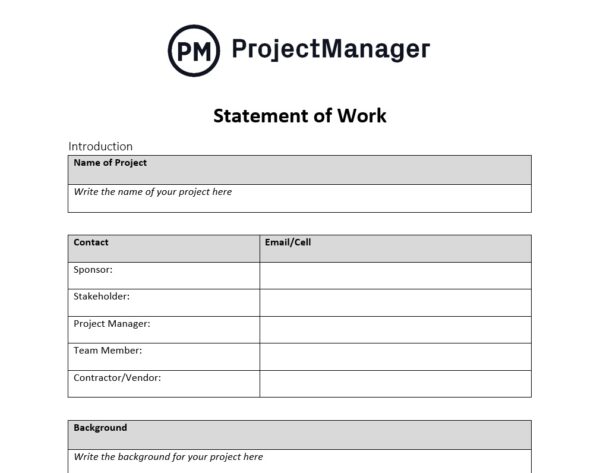
This template covers the core SOW fields: project background, scope of work, deliverables, tasks and milestones, timeline, payment schedule, acceptance criteria, change request process and terms and conditions. The acceptance criteria section is the most contractually important: it removes subjectivity from the completion conversation by defining in advance what “done” looks like for each deliverable, which is where most client-vendor disputes originate.
The right tool for organizations working with contractors, agencies or external vendors on any project where a formal agreement on deliverables, timeline and payment is needed before work begins. Also useful internally on large cross-functional projects where different teams have distinct, negotiated deliverables.
5. Work Breakdown Structure Template
A work breakdown structure is the project outline that organizes the scope into discrete, manageable pieces of work. Rather than describing a project at a high level, a WBS decomposes it into every deliverable and task required to complete it, organized hierarchically from the project goal down to individual work packages. It is the planning document that bridges the gap between a project scope statement and an actionable task list.
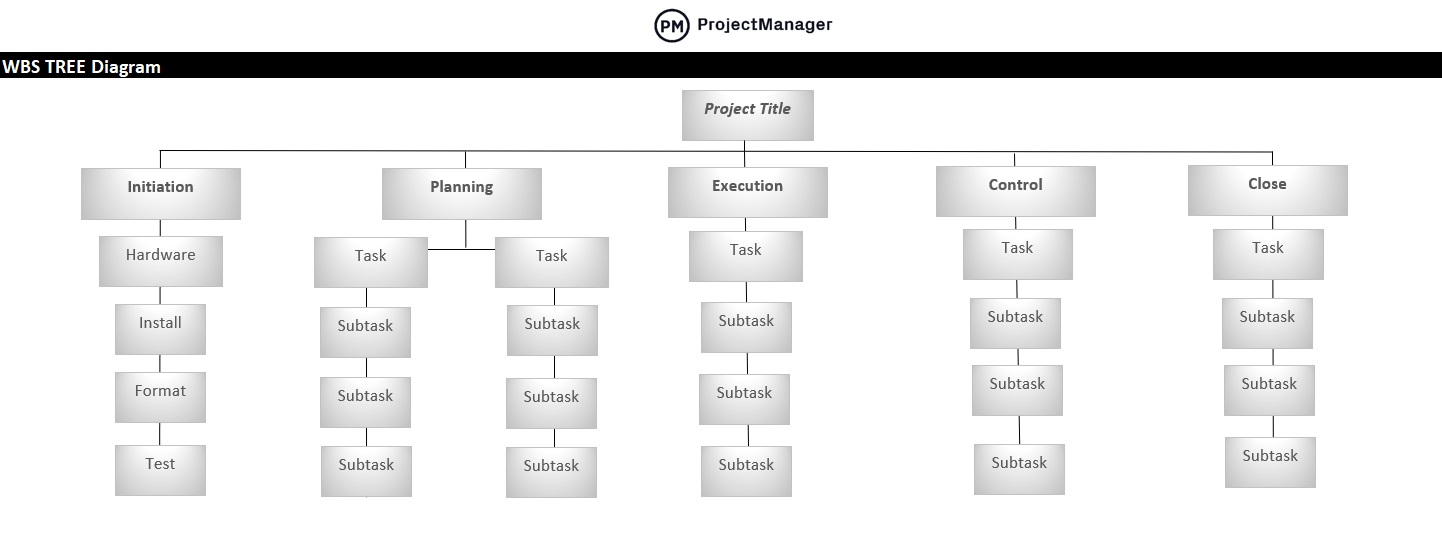
This template structures work into a hierarchical breakdown: project at the top level, major deliverables at the second level and work packages at the third. The numbered coding system at each level creates a reference structure that connects tasks to their parent deliverables throughout the project, making it straightforward to trace any task back to the scope element it supports. That traceability is what makes the WBS useful for scope change management: when a change is requested, the WBS shows exactly which work packages are affected.
Most useful for project managers scoping complex projects where the full scope is not obvious from a high-level description, and for any project where cost, schedule and resource estimates need to be built from the bottom up rather than estimated at the project level.
6. Project Plan Template for Excel
A project plan is the outline that governs execution. Where a project charter documents what the project is and who approved it, and a WBS documents what needs to be delivered, a project plan brings those elements together into a time-sequenced schedule with owners, durations and dependencies assigned to every task. It is the document the project manager works from every day to track whether the project is on schedule and where corrective action is needed.
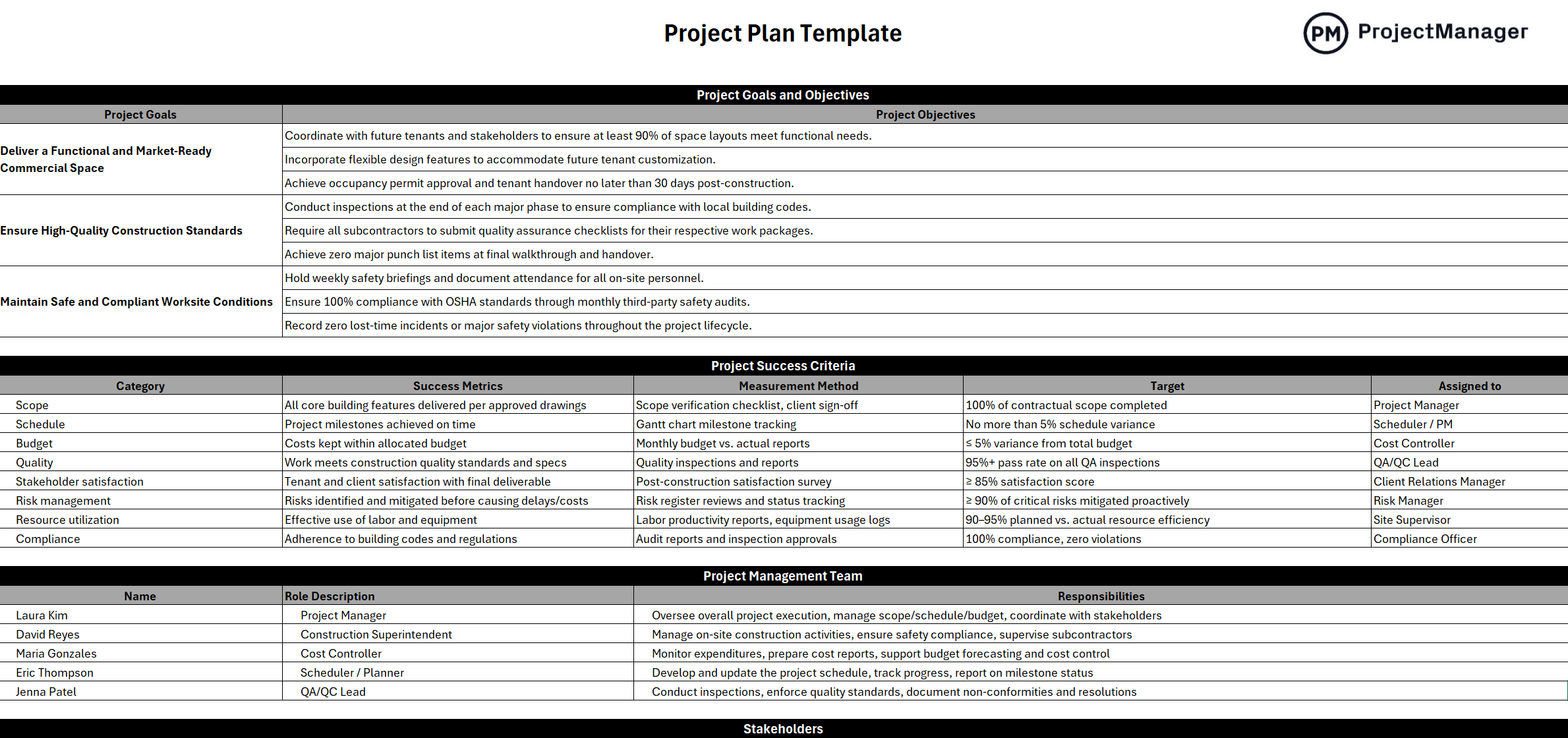
This Excel template builds the project plan as a Gantt-style schedule: tasks listed with start and end dates, assigned owner, duration, dependencies and completion status. The dependency column is the critical planning field – it documents which tasks cannot start until others are complete, which is the information a project manager needs to sequence work correctly and to understand how a delay in one task ripples through the rest of the schedule.
The right tool for project managers running any structured project where tasks need to be sequenced, owned and tracked against a baseline timeline, particularly useful on projects with multiple workstreams or team members where coordinating dependencies without a shared schedule creates risk.
7. Project Execution Plan Template
A project execution plan outlines how a project will be delivered rather than what will be delivered. Where a project outline or charter defines the scope and objectives, an execution plan documents the approach: how the team will be organized, how decisions will be made, how risks will be managed, how changes will be handled and how quality will be maintained throughout delivery. It is the operational manual for the project team during execution.
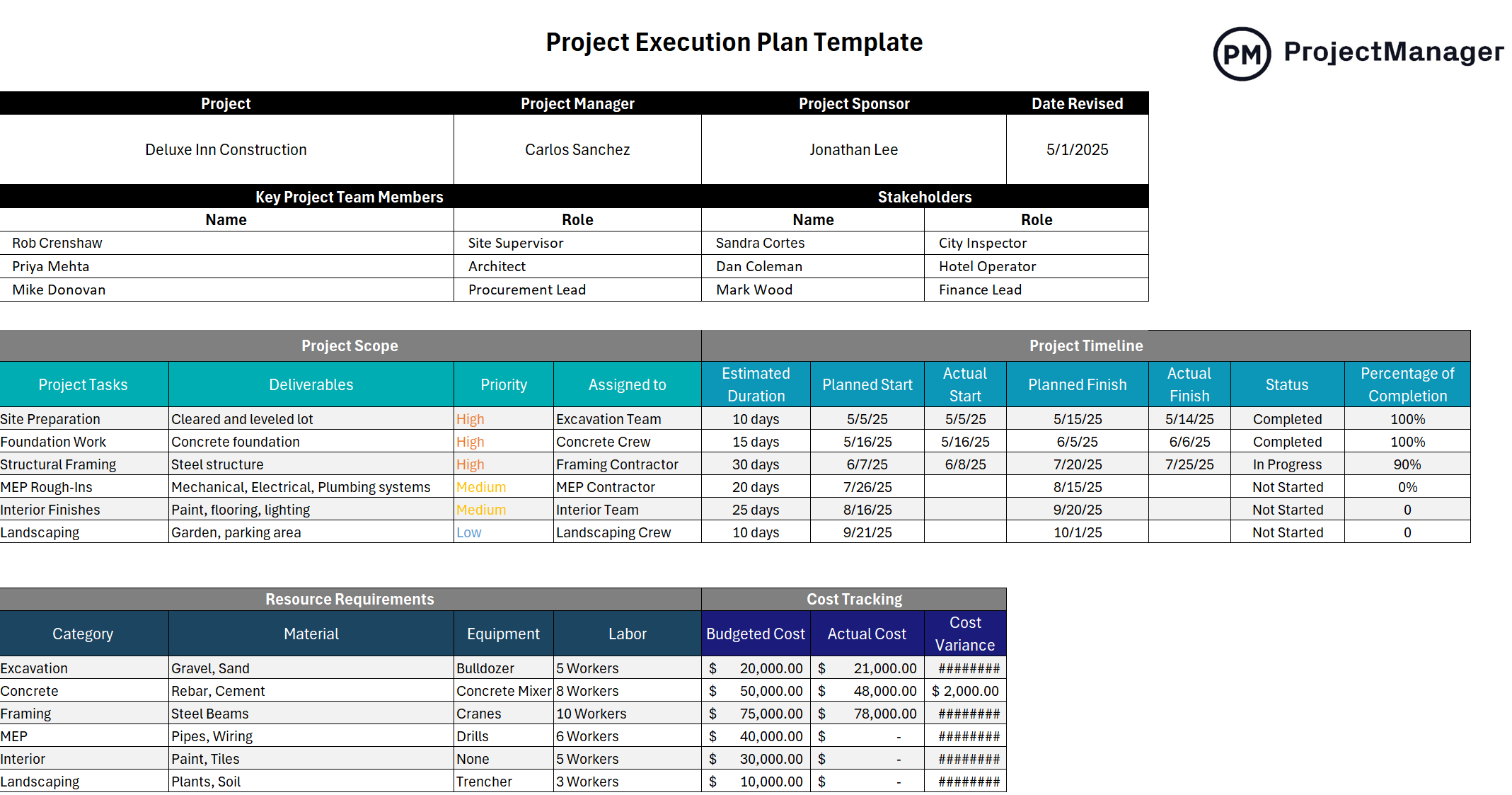
This template covers the execution planning sections that govern how work gets done: project approach and methodology, team roles and responsibilities, communication plan, risk management approach, change control process, quality assurance plan and procurement strategy. The communication plan section is often underestimated: defining who gets what information, how often and in what format prevents the miscommunication that accounts for a significant share of project delays and stakeholder conflicts during execution.
Most useful for project managers on large or complex projects where multiple teams, vendors or governance bodies are involved and the team needs a shared reference for how decisions are made, how problems are escalated and how the project will be managed from day one through to close.
8. Project Canvas Template
A project canvas is the one-page project outline. Rather than capturing every detail across multiple documents, a project canvas distills a project to its essential elements on a single sheet: the goal, the team, the key stakeholders, the main deliverables, the timeline, the budget, the risks and the constraints. It is the format you use when you need to create alignment quickly, share a project overview without asking people to read a full charter or keep the big picture visible to the team throughout execution.
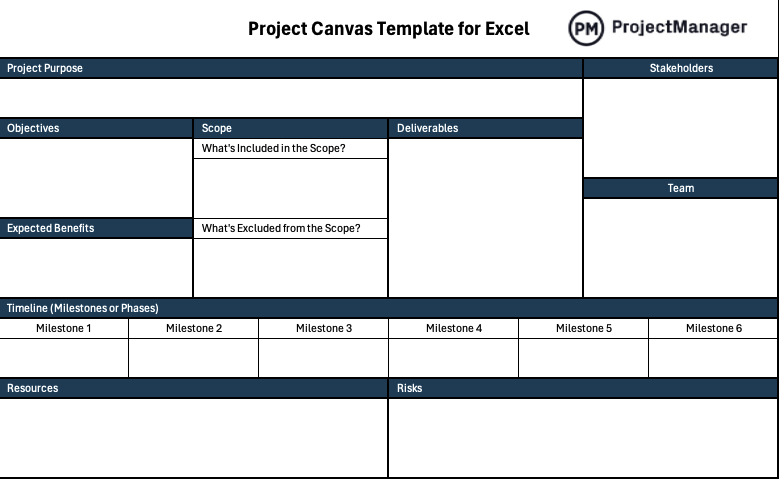
This Excel template lays out the project canvas sections in a single-page grid: purpose and objectives, deliverables, team and roles, stakeholders, timeline and milestones, budget, risks and assumptions, and success criteria. The single-page constraint is what gives the canvas its value: it forces prioritization. If something cannot fit on the canvas, it is a signal that the project scope or plan needs to be simplified, not that the template is too small.
Best used at the start of a project to create a shared visual reference for the team, or in project kickoff meetings where a full charter would lose the room. Also effective as a living document posted in a shared workspace where the team can track high-level progress against the original outline throughout execution.
9. Gantt Chart Template
A Gantt chart is the project outline that shows time. Every other outline document captures what the project will deliver or how it will be managed. A Gantt chart shows when each piece of work happens, how long it lasts, what it depends on and where the critical path runs through the schedule. For many stakeholders – particularly sponsors and senior leaders who do not manage day-to-day execution – the Gantt is the project outline they actually read, because it communicates the full timeline in a format that requires no explanation.
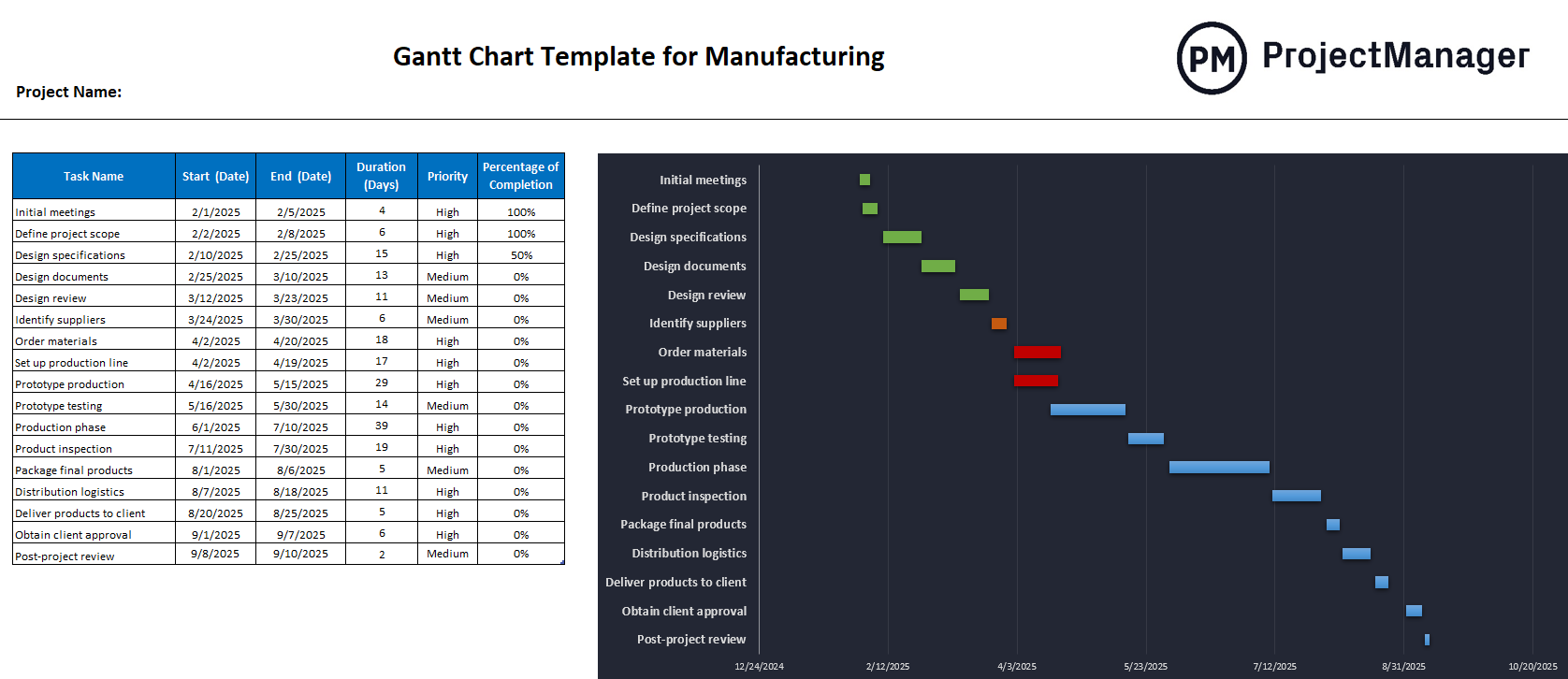
This Excel Gantt chart template maps tasks across a timeline with start date, end date, duration, assigned owner and a visual bar that shows the task’s position and length in the schedule. The visual format makes it possible to see at a glance whether tasks overlap where they shouldn’t, whether there are gaps in the schedule that represent idle time and whether the project end date is realistic given the task sequence. That visual comprehension is what makes a Gantt chart the most widely shared project planning document in use.
The right tool for project managers presenting a project plan to stakeholders, coordinating work across multiple teams or tracking schedule progress against a baseline, and for any project where the sequence and timing of work is as important as the content of the deliverables.
10. Request for Proposal Template
A request for proposal is the project outline you write for vendors. When a project requires an external supplier to deliver a component, an RFP outlines what the project needs, what success looks like and what the selection criteria are, so vendors can respond with a proposal. Without an RFP, procurement becomes a comparison of apples to oranges: each vendor defines the problem and the solution differently, making it impossible to evaluate responses on a consistent basis.
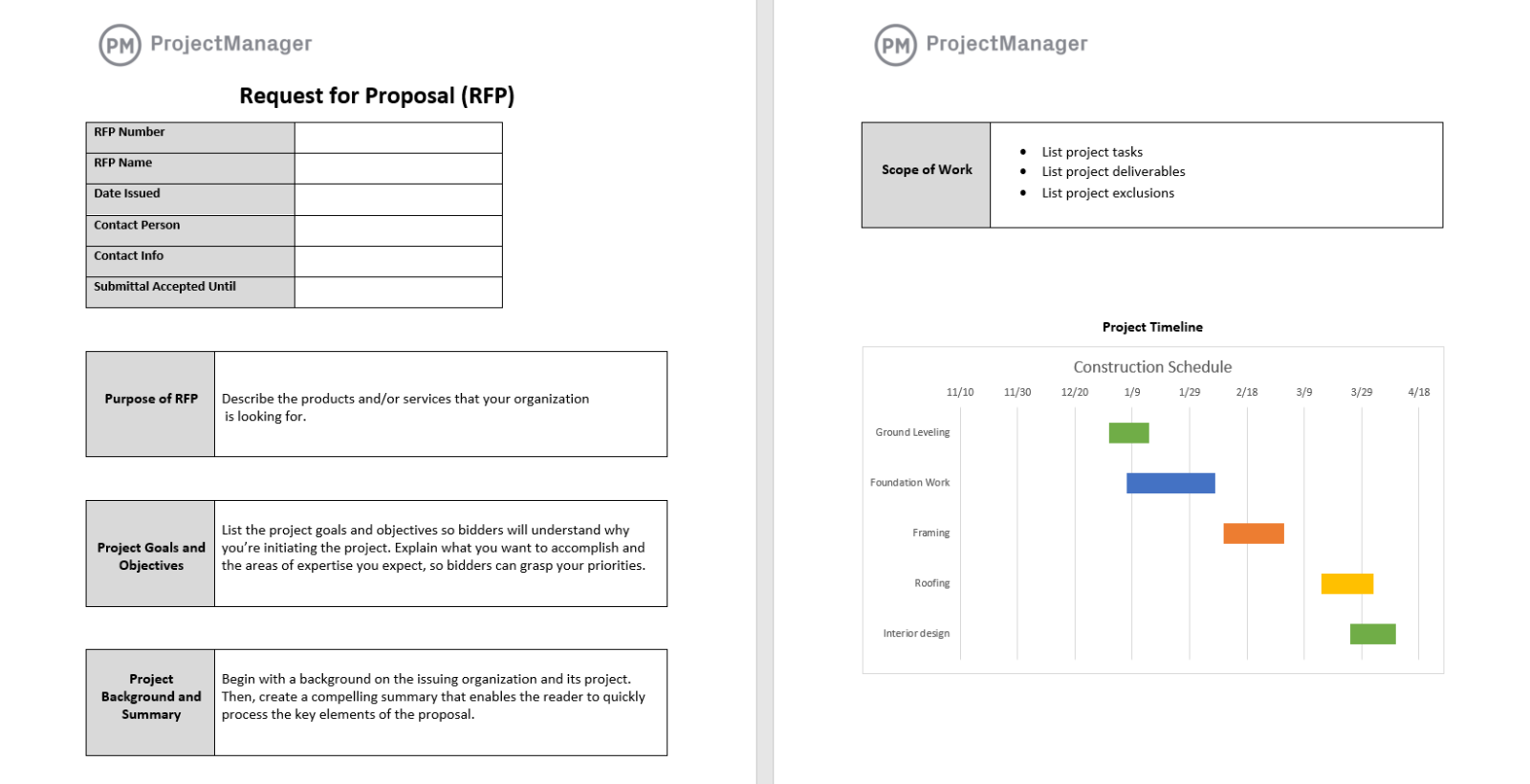
This template covers the standard RFP structure: project overview and background, scope of work, deliverables and requirements, timeline, evaluation criteria, submission instructions, questions and clarification process and terms and conditions. The evaluation criteria section is the element that separates a well-structured RFP from an informal brief: it tells vendors exactly how their proposals will be scored, which disciplines their responses to focus on what the buyer actually cares about rather than what the vendor wants to emphasize.
Most useful for procurement teams, project managers and operations leads sourcing external vendors for any component of a project, and for any organization that needs a consistent, documentable process for selecting suppliers so the decision can be defended internally after the contract is awarded.
Plan and Track Projects With ProjectManager
Project outline templates define the plan. Executing against it, assigning tasks, sequencing dependencies, tracking progress and keeping stakeholders informed, requires a system that reflects what is actually happening rather than what was written down at the start. ProjectManager gives project teams a live platform where the outline becomes a working schedule, hours and costs update as work is logged and the project manager always has a current picture without waiting for status updates to compile.
Build Your Project Schedule on a Gantt Chart
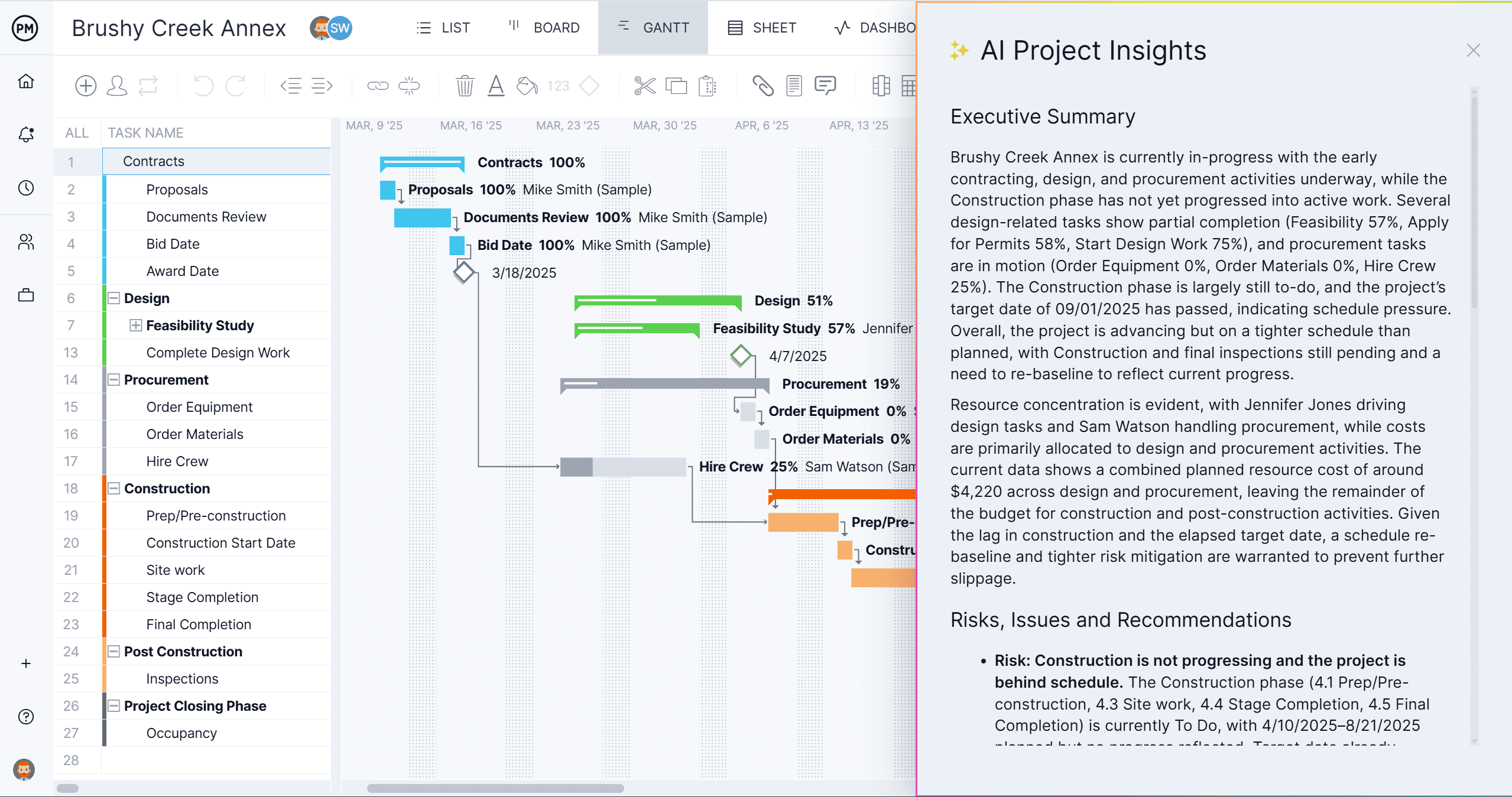
ProjectManager’s Gantt chart lets you move from a project outline to a live schedule in a single step. Import your task list, set durations and dependencies, assign owners and set your baseline. As the project progresses, actual progress tracks against the baseline automatically so you can see at any point whether the project is on schedule, where delays are developing and what their downstream impact will be. The schedule updates in real time as your team logs work, not at the end of the week when you chase status updates.
Manage Resources Across the Entire Project Plan
ProjectManager’s workload view shows how hours are distributed across the team against every task in the project plan, making it easy to spot who is over-allocated before the schedule slips rather than after. When a team member is at capacity and a new task needs assigning, the workload view shows who has availability so reallocation is based on real data rather than a best guess. The view updates as tasks are completed and hours are logged, keeping the resource picture accurate throughout the project lifecycle.

Related Content
- 10 Free Project Kickoff Templates for Excel and Word
- 8 Free Status Report Templates for Excel
- 7 Free Project Diagram Templates for Excel and Word
- 10 Small Business Plan Templates for Excel and Word
- 25 Free Project Management Templates for Excel
The post 10 Free Project Outline Templates for Word and Excel appeared first on ProjectManager.