Insurance is a business built on relationships, but agents can’t manage all their contacts and communications alone. A CRM for insurance companies helps agencies to manage customer relationships across the policy lifecycle, including follow-up, nurturing, customer service, and renewals.

Response speed matters to insurance companies. Leads contacted within one hour are 60 times more likely to qualify than those contacted after a day. A customer relationship management (CRM) system enables companies to automate outreach, win new business, and secure renewals. This guide explains how a CRM for insurance companies works, how it differs from other insurance software, and which platforms work best for agencies in 2026.
Table of Contents
What is a CRM for insurance companies?
A CRM for insurance companies is a system that tracks customer contacts, quotes, and policy lifecycles, enabling agents to sell policies and serve customers more effectively. Modern insurance CRM platforms integrate with email and phone systems, and most also connect directly with carrier tools so agents can work in one place instead of jumping between systems.
The insurance industry still relies on fragmented, legacy systems. Some are using filing cabinets for customer contacts, while others have to switch between completely separate systems for sales, policy documents, and customer service. Insurance CRM systems help agents close more deals and reduce manual data entry by organizing leads and automating routine tasks.
CRM vs. AMS vs. Agent Portal for Insurance
Insurance teams use three types of software (CRM, AMS, and Agent Portal), each serving a different purpose.
- CRM (Customer Relationship Management) focuses on sales and relationships. The system manages leads, tracks opportunities, and automates marketing campaigns. Sales teams use CRM to move prospects from initial contact to closed policy.
- AMS (Agency Management System) handles policy administration and back-office insurance operations. The system processes policies, manages commissions, handles accounting, and stores official documents. Service teams use AMS for policy changes, claims, and renewals.
- Agent portal supports producer workflows such as quoting and binding. Carriers provide portals where agents compare rates, submit applications, and issue policies.
|
System |
Primary Users |
Main Purpose |
Key Functions |
|
CRM |
Sales teams, marketing |
Manage relationships and pipeline |
Lead tracking, email automation, sales forecasting |
|
AMS |
Service staff, operations |
Policy administration |
Policy records, commissions, accounting, downloads |
|
Agent Portal |
Producers, agents |
Quote and bind policies |
Rate comparison, application submission, policy issuance |
Why a CRM Matters for Insurance Companies
Insurance agencies operate differently from generic B2C or B2B businesses. Here are the benefits of insurance-specific capabilities in a CRM:
1. Raises Retention Rates
Insurance agencies lose revenue when renewals slip through the cracks. A strong insurance CRM includes automated renewal workflows that alert agents 60-90 days before policies expire, allowing them to reach out and secure renewals.
YuLife, a global insurtech company, used HubSpot to flag upcoming renewals and trigger personalized outreach sequences. The company achieved 98% customer retention using HubSpot’s CRM — approximately 20% above the industry average.
2. Increases Cross-selling
An insurance CRM supports cross-sell automation by identifying opportunities based on a customer’s policy context. If a client only has an auto policy, for example, the CRM can automatically flag them for a home or umbrella quote, using the data already on file rather than a manual review of every account.
3. Gives Agents Mobile Access
Insurance agents often work outside the office at client meetings, trade shows, and networking events. Keeping track of business cards or entering contact details after the fact isn’t efficient. They may also need to message customers through text messaging or pull up policy documents on the go. Mobile CRM access helps insurance agents update notes, tasks, and follow-ups as conversations happen.
4. Unifies the Client View Across Your Agency
A strong insurance CRM includes a unified contact and policy view, so a service rep answering a call can see the same history as the producer who sold the policy. That shared context means policyholders don’t need to repeat as much information, and different team members can quickly catch up on context.
“We used to have frustrated employees and frustrated customers because they were having to chase information, which was extremely inefficient,” shares CJ Hutsenpillar of Hutsenpillar Insurance. “HubSpot users are spoiled with an activity timeline where you can see everything — for example, Facebook Messenger inbox messages. We can see our data now, and figuring that out was a huge problem solved,” Hutsenpillar said.
Must-have CRM Features for Insurance Companies
Not all CRM systems carry the same capabilities. The right insurance CRM goes beyond generic contact management to support the workflows and data structures that insurance agencies actually rely on.
Insurance-native Data Fields
A strong insurance CRM includes a unified view of contacts and policies. The system understands insurance concepts like policyholders, beneficiaries, carriers, and coverage types. Generic CRMs require heavy customization to track insurance-specific data.
What to look for: Insurance-native CRMs come pre-configured with fields for policy numbers, coverage limits, deductibles, and carrier information.
AMS, PAS, and Carrier Integrations
A strong insurance CRM requires integrations with AMS, policy administration system (PAS), carrier tools, and document systems. The CRM should connect to the agency management system, rating platforms, and e-signature tools.
Pro tip: Ask vendors about their integration ecosystem before you buy. Check whether they integrate with your current AMS, preferred carriers, and communication tools.
Centralized Contact Management
A CRM should have a master database of customer contact information and contact history. The best platforms have a centralized inbox allowing agents to send multi-channel messages (email, SMS, phone, social media) and automatically track new messages in the contact history.
Lead Capturing, Enrichment, and Routing
With leads coming from multiple channels, a CRM system can neatly capture every lead. Beyond creating a new contact, a good CRM can send a personalized and instant response, automatically route leads to the best rep, and enrich leads with personal or company details beyond what they provided.
Automated Lead Routing
A new inquiry should be routed to the right producer, whether it comes from a website form, phone call, or referral. Manual lead sorting slows the sales process, resulting in a lower close rate. HubSpot’s lead management captures inquiries from every channel and routes them automatically.
Automated Follow-up Sequences
Insurance sales require at least seven touchpoints over days, weeks, and months. Too many agents give up after just one or two follow-ups because of the time required or lack of organization. To aid this, CRM automation sends scheduled communication and task reminders so prospects stay engaged without manual effort. For example, teams can set up the system to send a quote follow-up three days after delivery, a check-in call reminder two weeks later, and a final email after 30 days.
Renewal Workflow Management
Renewals are the backbone of agency revenue — the average insurance retention rate is 84%, with top agencies achieving over 90%. CRM systems track expiration dates and automatically trigger renewal campaigns. The workflow might start 90 days out with a retention call, then 60 days with a re-engagement check, and 30 days with final paperwork.
Reporting and Pipeline Visibility
Insurance agency owners need data to see the big picture — which marketing sources generate the best leads, which agents close the most sales, and which carriers win the most business. Reporting dashboards track agent performance, conversion rates, and pipeline health in one place, enabling managers to support struggling agents and reward top performers.
HubSpot’s pipeline management gives agencies full visibility without exporting data into a spreadsheet. AI-powered analyses like predictive scoring help agents to prioritize outreach and forecast revenue.
AI-powered Outreach
AI in an insurance CRM helps agents to track conversations and generate messages with less manual work. AI agents can summarize conversations, draft outreach messages to customers, and send automated sequences for upcoming renewals or detected cross-sell opportunities.
Best CRMs for Insurance Companies at a Glance
|
CRM |
G2 Rating |
Key Features |
Starting Price |
Best For |
|
HubSpot CRM |
Unified customer records and inbox Lead management, routing, and enrichment Pipeline management Reporting dashboards AI-powered automation |
Free tier available; tiers start at $20/month |
Growing agencies needing all-in-one platform |
|
|
Agentforce Financial Services (formerly Salesforce Financial Services Cloud) |
Insurance-specific data models AI-powered automation 360-degree client view spanning policies, claims, and interactions Integration with carrier systems through prebuilt APIs |
Starting at $325/user/month |
Large enterprises with complex needs |
|
|
Applied Epic |
Workflow automation AMS and CRM combined Carrier connectivity Mobile access Integrated accounting and commission management |
Custom quote |
P&C and benefits agencies needing AMS + CRM |
|
|
EZLynx |
Policy management with daily carrier downloads Automation tools for renewals and remarketing Document management Communication center for email and SMS AI-assisted note-taking Integrations with insurance technology |
Custom quote |
Independent P&C agencies needing rating + CRM |
|
|
Vertafore |
Built-in AMS and QQCatalyst PL Rating for real-time personal lines quotes Compliance tools and carrier connectivity Document management AI-powered workflows |
Custom quote |
Established agencies needing comprehensive AMS |
Best CRMs for Insurance Companies
Insurance agencies need a CRM platform to be more efficient, helping them win and retain more policies. The top insurance CRM systems combine policy tracking, renewal automation, and carrier integrations into a single platform. These tools are the five leading CRMs for insurance based on G2 ratings, user reviews, pricing, and insurance-specific features.
1. HubSpot CRM
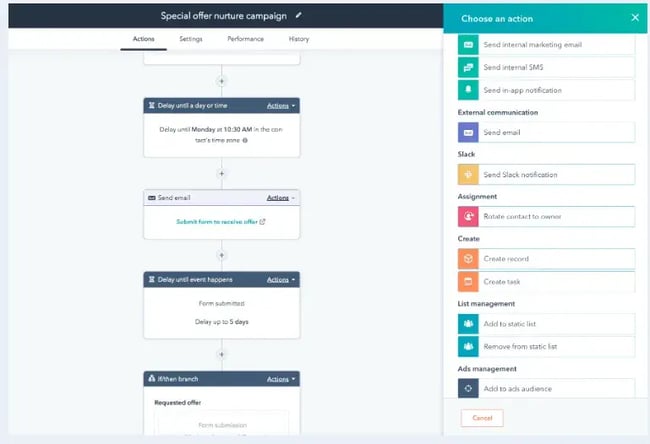
HubSpot CRM provides a unified, AI-powered customer data layer for marketing, sales, and service. The platform connects every team around a single customer record. HubSpot software is best for insurance agencies that want a single platform for marketing, sales, and service, with room to grow.
Core Features
- A unified customer record maintains a complete history of each policyholder’s coverage details and past interactions, so agents always have context before reaching out.
- Lead management captures inquiries from every channel and automatically routes them to the right agent, so they can follow up immediately.
- Pipeline management gives insurance agencies visibility into where every prospect is in the sales process, from first inquiry to closing.
- Reporting dashboards track agent performance, conversion rates, and pipeline health in one place, enabling managers to make faster, data-backed decisions.
- AI agents for sales, service, and internal workflows like lead routing.
What I like: HubSpot works especially well for insurance agencies because it scales from free tools to enterprise features. Agencies can start with the free CRM and add Marketing Hub, Sales Hub, or Service Hub as they grow. The platform also connects to popular insurance tools through its HubSpot Marketplace.
What users say: “HubSpot delivers a smooth and highly organized sales experience that many teams appreciate for its simplicity, automation, and visibility into the pipeline. What makes it unique is how naturally it connects sales, marketing, and customer interactions in one place, helping teams stay aligned without juggling multiple tools. Our users especially like the clean interface, email tracking, workflow automation, and quick onboarding for new reps,” said CRM user Preethi K.
Pricing: Free CRM tier; paid plans start at $20/month for individuals and scale based on features and users.
Real results: BISA Seguros is a Bolivian insurer with over 30 years on the market and 120 agents. In the past, the company followed traditional sales protocols without digital tools, such as cold calling, customer referrals, and face-to-face visits with prospects. This process was manual and inefficient. BISA Seguros opted to digitize its operations with HubSpot’s CRM, Marketing Hub, Sales Hub, and Service Hub.
With HubSpot CRM, the company implemented HubSpot’s Email Marketing and Workflows to automate communication with prospective and current customers. As a result, it lowered response times and improved customer service by launching a shared inbox and nurture campaigns. It has also gained better visibility into its pipeline with sales reporting.
2. Agentforce Financial Services (formerly Salesforce Financial Services Cloud)
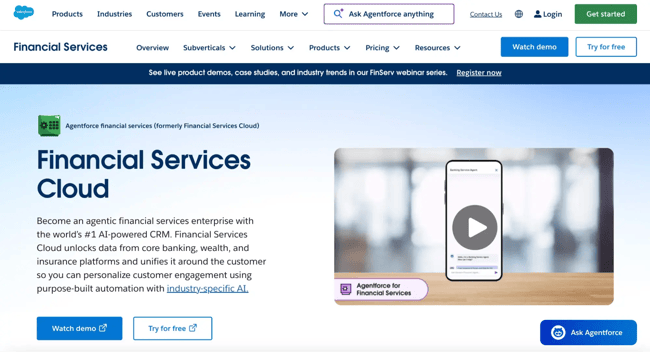
Agentforce Financial Services by Salesforce serves banks, wealth managers, and insurance companies with industry-specific CRM capabilities. The software is highly customizable and boasts unified data, AI-powered workflows, and intelligent lead routing. Since the software is designed for large agencies or enterprises, implementation takes time and often requires certified consultants. The platform works best for agencies with dedicated IT resources or implementation budgets.
Core Features
- Industry-specific data models for insurance policies and client relationships.
- AI-powered automation for sales and service workflows.
- 360-degree client view spanning policies, claims, and interactions.
- Compliance tools with audit trails and data sovereignty controls.
- Integration with carrier systems through prebuilt APIs.
What I like: The prebuilt financial data model means agencies don’t have to construct households, policies, and relationship hierarchies from scratch. Agentforce Financial Services handles intricate commission structures, multi-carrier relationships, and regulatory requirements for whatever quirks an agency has.
Pricing: Starting at $325/user/month for Sales or Service; $350/user/month for combined Sales and Service; $750/user/month for Agentforce editions.
3. Applied Epic
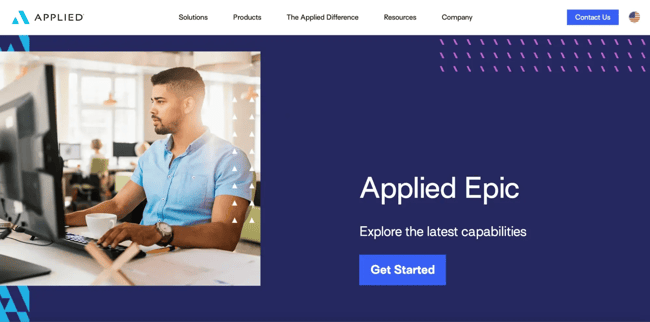
Applied Epic is an agency management system built for mid-size to large agencies, particularly those with complex commercial lines books across multiple locations. The system combines AMS and CRM capabilities in one platform and is best for Independent agencies and brokerages managing both P&C and Benefits.
Core Features
- Workflow automation that reduces manual data entry
- True P&C and Benefits in one AMS with centralized data
- Carrier connectivity for real-time downloads and submissions
- APIs and third-party integrations
- Mobile access for agents working remotely
- Integrated accounting and commission management
- Sales forecasting
- Renewal insights
What users say: Users rate Applied EPIC highly for features, efficiency, data management, and organization. Some users note the system has a learning curve and takes five months on average to implement.
Pricing: Custom pricing based on agency size and needs.
4. EZLynx
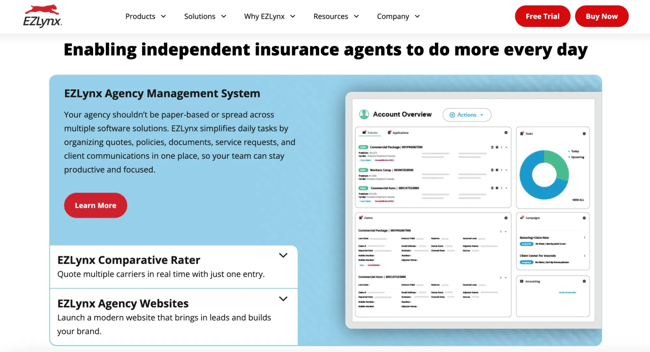
EZLynx combines a CRM, a comparative rater, and an agency management system in one cloud platform. It’s built specifically for independent agencies writing personal lines, so agencies selling life, health, or Medicare need separate quoting tools. Users like the intuitive interface and the fast implementation.
Core Features
- Real-time personal lines rating from 330+ carriers
- Policy management with daily carrier downloads
- Automation tools for renewals and remarketing
- Client portal for self-service document sharing
- Communication center for email and SMS
- AI-assisted note-taking
- Integrations with Applied and other insurance technology
What users say: “I really like the easy way EZLynx allows me to maintain a task history and track opportunities, which helps keep everything organized in our insurance agency. The user interface is pretty cool and the AI features make everything feel seamless. It’s also really useful for accessing and managing accounts, and offers multiple ways to accomplish tasks, which adds flexibility. The hidden rating system is another useful feature that helps with training and managing carrier-related tasks. Overall, EZLynx makes it easier to keep things organized and efficient,” said verified user Jawad C.
Pricing: Custom pricing based on agency size and needs.
5. Vertafore AMS360
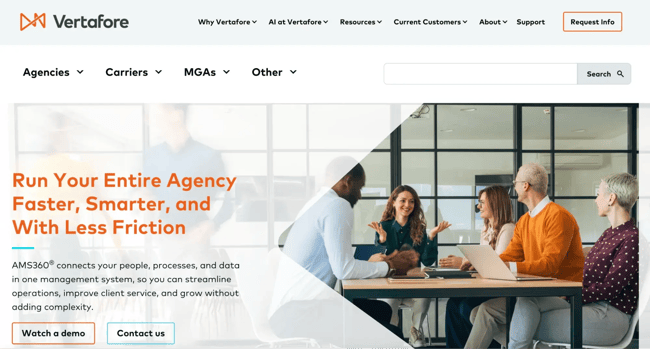
AMS360 is an agency management system with CRM features, best for established insurance agencies already in the broader Vertafore product ecosystem.
Core Features
- AMS360 for agency management and accounting
- QQCatalyst for sales pipeline and operations
- PL Rating for real-time personal lines quotes
- Compliance tools and carrier connectivity
- Document management and workflow automation
- Business intelligence to identify data trends
- AI-powered workflows
What I like: AMS360 has an AI-powered email agent that reads incoming emails, summarizes content, and triggers the right workflows in your management system. Its reconciliation agent automatically matches carrier statements to transactions to process commissions, revenue, and payables.
Pricing: Custom pricing based on agency size and needs. Vertafore offers multiple products that may require separate purchases.
How to Choose a CRM for Insurance Companies
Selecting the right CRM is a critical decision, and choosing the wrong one can be very costly. Use the following framework to compare CRM options.
1. Identify your business needs.
First, identify which problem your company needs a CRM to solve. Is it a leaky pipeline or disorganized admin? Be specific about the top pain points and set goals like increasing renewal rates, boosting quote-to-cash, or closing more business. Calculate your CRM budget and consider factors such as which software you can consolidate and the potential revenue you can generate.
2. Ask for feedback from all potential users.
Next, speak to all potential users — from agents to brokers to front-end and back-end office teams — to refine your list. Sales agents may need easy quote tracking and follow-up reminders, while managers need pipeline visibility and performance dashboards.
3. Compile a list of features you need in a CRM solution.
With this input, make a shortlist of all the features you’re looking for in an insurance CRM, such as:
- Insurance-native data model.
- AMS/PAS/carrier integrations.
- Renewal automation.
- Email/SMS capabilities.
- Mobile access.
- Reporting needs.
3. Compare different CRM companies.
At this stage, go deeper by researching specific solutions, including their capabilities and costs. Calculate the total cost, not just the sticker price. Onboarding fees, per-module pricing, and required add-ons can double the advertised monthly cost, especially with insurance-specific AMS platforms.
During the comparison process, talk to peer agencies with similar profiles. Ask vendors about implementation and ROI timelines, and request customer references.
5. Request demos using actual agency data.
Next, narrow the list down to two to three platforms and ask vendors to show workflows using real scenarios. Demo the quote-to-bind process, renewal campaigns, and cross-sell workflows.
6. Set up the CRM software.
Finally, set up the CRM software you purchased. Create users, provide onboarding training, and walk users through their first few workflows. Appoint a CRM champion to answer questions and encourage consistent use. Remember, a CRM is only as good as its user input, so make a concerted effort to ensure everyone uses it consistently.
Where HubSpot CRM Fits for Insurance Teams
Agencies running HubSpot alongside an AMS get the best of both worlds. The AMS handles policy administration while HubSpot drives new business growth through front-office sales, marketing, and service layers for customer contacts. The platform is built to help agencies grow — from the first lead to long-term retention.
Insurance teams use HubSpot to:
- Capture leads from website forms, chatbots, and landing pages.
- Score and route inquiries to the right agent based on coverage needs.
- Automate nurture sequences for prospects not ready to buy.
- Track sales activities and forecast pipeline revenue.
- Measure marketing ROI across campaigns and channels.
Pro tip: Start with the free HubSpot CRM to test the platform. Importing contacts, connecting email, and tracking deals for 30 days provides hands-on experience to evaluate fit before committing to paid features.
Frequently Asked Questions About Insurance CRMs
Do agencies still need an AMS when using a CRM?
Most insurance agencies need both a CRM and an AMS. A CRM manages the sales process from lead to close, while AMS handles policy administration, commissions, and official records after the sale.
Small agencies might start with a CRM-only approach if the business either outsources policy servicing or uses carrier portals for administration. Growing agencies typically add AMS when policy volume increases and compliance requirements grow.
Can a CRM integrate with existing policy admin systems and carrier rating tools?
Modern insurance CRM platforms offer integrations with major AMS systems, PAS platforms, and carrier tools. HubSpot, for example, connects to hundreds of applications through the HubSpot Marketplace. When researching CRMs, confirm that the platforms support the current AMS, preferred carriers, and essential tools like e-signature and document management.
How long does CRM implementation take for insurance teams?
CRM implementation timelines vary by platform complexity and agency size. Simple setups with a basic contact import can take two to four weeks, while implementations with custom fields, workflows, and integrations can take up to six months.
Agencies using HubSpot often go live in two to four weeks for basic setups, then can add features over time.
What is the best approach for data migration into a CRM?
Start by cleaning up duplicate or outdated contact records before migration. Agencies that map out their fields (policy numbers, renewal dates, lead sources) and test the migration with a small dataset first run into fewer surprises than teams that migrate everything at once. For more on this process, check out HubSpot’s tips for CRM data maintenance.
Is CRM useful for solo agents and small agencies?
Solo agents and small agencies benefit significantly from CRM systems. The automation handles routine tasks like follow-up emails and renewal reminders that solo agents might neglect during busy seasons.
Small agencies and solo agents will see an ROI from closing more deals, retaining more renewals, and saving time on manual tasks. Many CRMs, including HubSpot, offer a free tier that covers the basics before an agency needs to pay for advanced features.
How CRMs Power Relationship-based Businesses
As a relationship-based business, insurance agencies are only as good as their customer records. Hutsenpillar warns that agencies still on legacy systems risk falling further behind faster, more tech-forward competitors — and that disorganized data can hurt an agency’s value if the business is ever sold.
A CRM for insurance companies manages the entire customer journey from first inquiry to policy renewals, and the longer an agency waits to invest in one, the harder it becomes to catch up.